According to W3Techs, WordPress powers 43.1% of all websites on the internet, making it the most popular content management system (CMS). With over 810 million websites using WordPress and a daily increase of more than 500 sites, it continues to rapidly gain traction as the go-to CMS. Creating a compelling WordPress website isn’t just about aesthetics; it’s about ensuring you have these 8 must-have features in your arsenal.
Let’s dive in!
#1 User-Friendly Navigation
A website with clear and intuitive navigation can increase user satisfaction by up to 50%. Similarly, websites with challenging navigation offer limited accessibility, compelling users to explore alternative options. Your goal should be to make sure that every page on your website, even the ones not in the main menu, can be easily reached within three clicks.
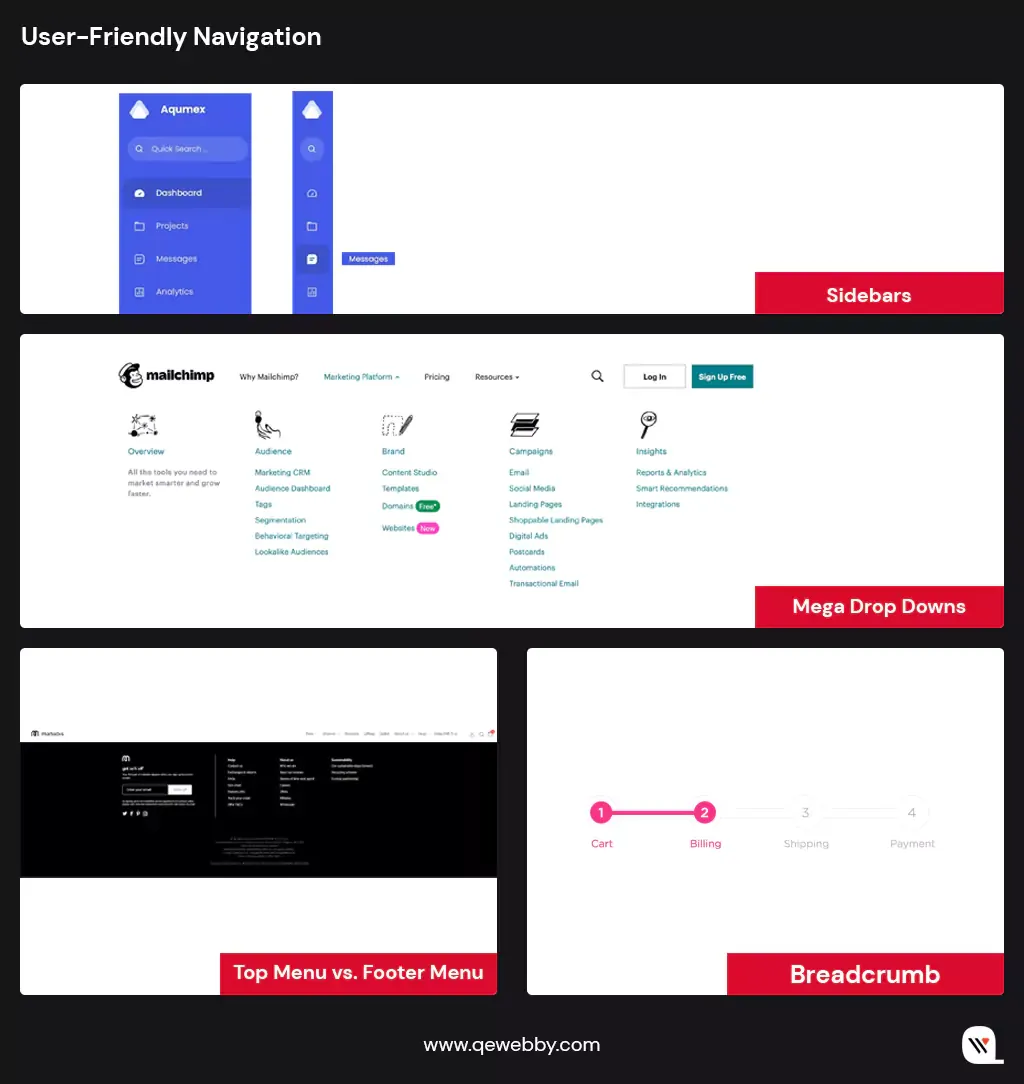
Some of the most used types of website navigation:
- Mega Drop Downs: Large menus that drop down from the top header, ideal for sites with many pages like e-commerce sites.
- Top Menu vs. Footer Menu: Top menus run along the top of the page, while footer menus are at the bottom, suitable for less crucial content.
- Sidebars: Appear at the side of the webpage, directing users to related content, great for blogs.
- Breadcrumbs: Hierarchical links showing sub-categories, aiding navigation through nested content.
- Sticky/Fixed Navigation: Navigation bars that remain at the top as users scroll down for easy access.
- Vertical vs. Horizontal Navigation: Choose between a horizontal bar at the top or a vertical one often seen on corporate or portfolio sites.
- Primary vs. Secondary Navigation: Primary bars hold key content, while secondary elements direct users to additional content on the site.
Basically, your website navigation should allow users to select from a concise set of pages with clear labels, adapting to their needs. And based on your business’s required pages to promote your business online, you can pick any of the suitable menu styles for your WordPress website and make it easier for users to navigate through the different sections of your website.
#2 Fast Loading Times
Just like a firm and confident handshake that sets the tone for positive interaction, your website has less than 3 seconds to make a memorable first impression. A common error among new WordPress users is picking a flashy theme that’s overly complicated and packed with unnecessary features. This can be problematic as it can slow down your website and negatively impact its performance. A multifaceted approach encompassing various facets of web development and server performance:
- Image optimization plays a pivotal role, with careful consideration given to file formats, compression, and the implementation of lazy loading techniques.
- Minification of HTML, CSS, and JavaScript files is another vital step, significantly reducing file sizes and enhancing load times.
- Content Delivery Networks (CDNs) are a powerful ally, dispersing website assets across geographically distributed servers and enhancing caching capabilities.
- Hosting choices are critical, with performance-focused hosting providers offering SSD storage, server-side caching, and scalable resources.
- The adoption of HTTP/2 protocol accelerates page loading, enabling parallel requests and responses.
- Browser caching is another indispensable component, with Expires headers and Cache-Control directives facilitating the storage of static resources for returning visitors.
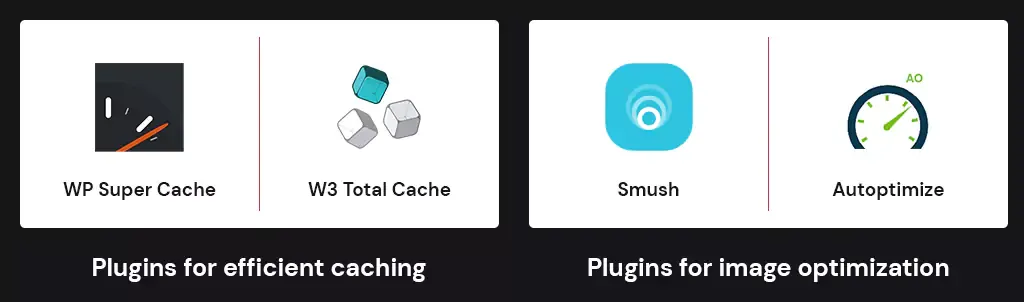
We strongly recommend you consider incorporating some most popular WordPress plugins like ‘WP Super Cache’ or ‘W3 Total Cache’ for efficient page caching. Additionally, optimizing images using ‘Smush’ and streamlining scripts and styles with ‘Autoptimize’ can significantly enhance your website’s loading speed.
Take a moment to check your website’s loading time!
Feel the need for speed?
#3 Mobile Responsiveness
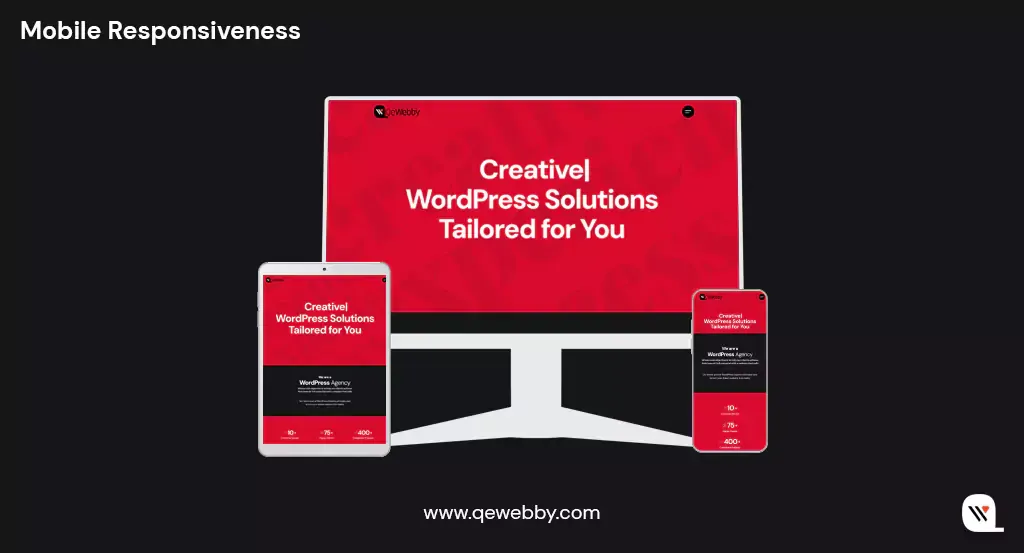
Over 4.9 billion people worldwide use mobile devices to access the internet. Imagine the vast pool of potential visitors your website can attract. However, mobile responsiveness isn’t just about fitting content onto smaller screens but delivering an exceptional user experience. A responsive design ensures that your website adapts seamlessly to various screen sizes, orientations, and resolutions. Whether your visitors are using smartphones, tablets, or laptops, they should encounter a website that’s easy to navigate, read, and interact with.
Google, the undisputed king of search engines, has adopted a mobile-first indexing approach. This means that when determining search rankings, Google predominantly considers the mobile version of websites. A non-responsive site risks plummeting in search engine rankings, reducing visibility and, subsequently, organic traffic.
Research shows that mobile users are less patient than their desktop counterparts. If a website doesn’t load or function correctly on a mobile device, users quickly abandon it. In fact, a one-second delay in mobile page load times can result in a 7% reduction in conversions. You simply can’t afford high bounce rates caused by poor mobile performance.
#4 High-Quality Content
Today, where attention spans are dwindling and competition is relentless, high-quality content stands as the bedrock upon which WordPress website success is built. As you embark on the journey to elevate your website’s performance, understand that crafting, curating, and consistently delivering exceptional content is not just an option; it’s an essential feature that can catapult your online presence to unprecedented heights.
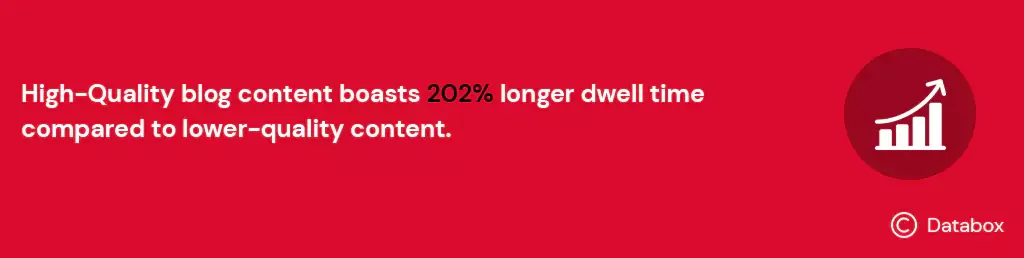
A study by Databox revealed that the average dwell time (the time users spend on a webpage) for high-quality blog content surpasses that of lower-quality content by 202%. Longer dwell times indicate user engagement and satisfaction, factors that search engines like Google consider when ranking websites.
Content marketing generates 3x more leads than paid search advertising. But, high-quality content doesn’t happen by accident, it’s the result of a proactive content strategy. This involves,
- Thorough Research: Understanding your audience’s needs, preferences, and pain points.
- Keyword Research: Identifying relevant keywords to target in your content.
- Regular Updates: Consistently refreshing and updating existing content to keep it relevant.
- Content Promotion: Actively promoting your content through social media, email marketing, and other channels.
- Measuring Success: Monitoring key metrics, such as engagement, traffic, and conversion rates, to refine your content strategy.
WordPress offers AI-powered plugins designed to assist you in crafting accurate and top-notch content for your website. These plugins leverage cutting-edge AI technology to streamline your content creation process, ensuring that your website consistently delivers valuable and engaging material to your audience.
#5 Contact Forms
HubSpot indicates that businesses experience a 5% to 10% increase in conversion rates when they provide multiple contact methods, including contact forms. One of the most significant advantages of contact forms is their accessibility and convenience. They eliminate the need for visitors to search for an email address or pick up the phone, streamlining the communication process. With a well-designed contact form, users can quickly submit their queries or requests without leaving your website.
Contact forms encourage user engagement, allowing visitors to take an active step in reaching out to you. This interaction not only builds a sense of involvement but also increases the likelihood of further engagement. Contact forms serve a dual purpose. Besides facilitating communication, they also serve as valuable data-collection tools. When designed thoughtfully, contact forms can capture essential information about your visitors, such as their names, email addresses, and specific inquiries.

To harness the full potential of contact forms, consider the following strategies:
- Clear Placement: Position contact forms prominently on your website, ensuring that they are easily accessible from every page.
- Form Fields: Keep contact forms concise and relevant, minimizing the number of fields to encourage submissions.
- Autoresponders: Implement autoresponders to acknowledge submissions promptly, assuring users that their messages have been received.
- Personalization: Tailor contact form messages and responses to align with your brand’s tone and personality.
Moreover, tailor-made forms designed to suit your unique requirements and branding, enhance user engagement and provide efficient communication channels for your visitors. This, in turn, can lead to increased conversions and improved user satisfaction.
#6 Multilingual Support
In a world that’s more interconnected than ever before, embracing multilingual support is no longer a luxury; it’s a strategic necessity for WordPress website success. Thus, to truly succeed in this global digital ecosystem, you must be able to communicate with them in their preferred language.
Research reveals that 75% of consumers prefer to buy products in their native language. Multilingual support extends beyond mere translation; it’s about cultural relevance. When your website speaks the language of your audience, it conveys an understanding of their culture, preferences, and needs.
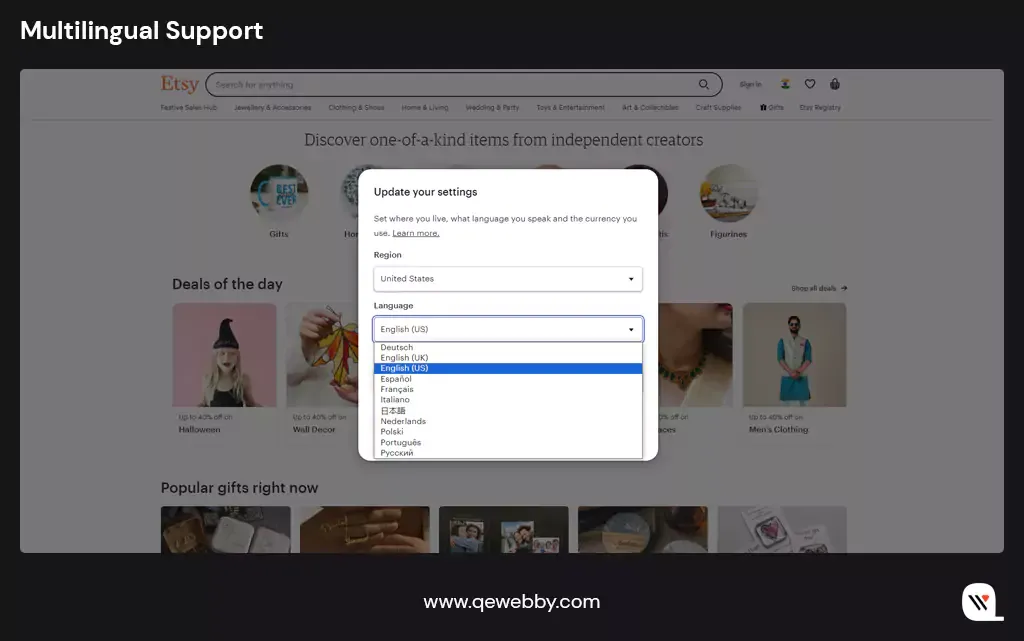
With the WPML plugin’s automated installation and update system, achieving a multilingual WordPress website has never been easier. This powerful WordPress plugin streamlines the entire process, allowing you to effortlessly connect with a global audience by breaking down language barriers. By keeping your website’s content current and accessible to a diverse audience, you also create an enriched user experience that goes beyond language barriers.
#7 Regular Backups
According to cybersecurity firm Sucuri, the number of website attacks continues to rise, with an average of 62.7% of WordPress vulnerabilities resulting from outdated plugins and themes. Besides, a single data loss incident can lead to hours or even days of website downtime.
Data loss incidents are not just about the inconvenience of rebuilding; they often involve a race against time. The longer it takes to recover lost data, the higher the financial and reputational costs. With up-to-date backups, you have the power to restore your website to a clean, pre-attack state, minimizing downtime and data loss.
To harness the full potential of regular backups, consider these proactive strategies:
- Automated Backups: Implement automated backup solutions that perform regular backups at specified intervals, reducing the risk of human error.
- Off-Site Storage: Store backups in secure, off-site locations to prevent data loss in the event of server issues or disasters.
- Testing Backups: Regularly test the restoration process to ensure that backups are functional and reliable.
- Versioning: Maintain multiple backup versions to allow for the retrieval of specific data or configurations.
With automated backup systems in place, we prioritize having a proactive approach to minimize downtime and data loss, allowing your site to operate seamlessly even in the face of unexpected challenges.
#8 SEO Optimization
Research by OptinMonster shows that SEO leads have a 14.6% close rate, while outbound leads (such as cold calling or direct mail) have a mere 1.7% close rate. SEO-optimized traffic is not only abundant but also more likely to convert into clients.
SEO ensures that your website is visible to users actively searching for products, services, or information related to your niche. SEO optimization aligns your website’s content with user intent, delivering content that addresses their specific queries and needs. High search engine rankings bestow credibility on your website, positioning it as an authoritative source in your industry.
To harness the full potential of SEO optimization, consider these proactive strategies:
- Keyword Research: Identify relevant keywords and phrases that resonate with your target audience.
- On-Page SEO: Optimize your website’s structure, meta tags, headings, and content to align with SEO best practices.
- Link Building: Cultivate high-quality backlinks from reputable websites to enhance your website’s authority.
- Mobile Optimization: Ensure that your website is mobile-friendly and loads quickly on all devices.
- Regular Audits: Conduct regular SEO audits to identify and rectify issues that may impact your website’s performance.

Yoast SEO is one robust WordPress plugin that offers comprehensive on-page optimization, including keyword analysis, content readability checks, and XML sitemap creation. It provides actionable insights and suggestions to enhance your site’s search engine visibility, helping you climb the ranks and attract more organic traffic.

Wrap-Up
Your WordPress website isn’t just a digital entity; it’s your brand’s ambassador, your client’s first impression, and your portal to global success. It’s your digital frontier, where success hinges on the right tools, strategies, and, above all, a website that stands as a beacon in the vast online landscape. At QeWebby, we’re not just developers; we’re digital architects, crafting websites that captivate, engage, and convert.
Our expertise spans the spectrum of essential client site features, from user-friendly navigation that guides your visitors seamlessly to high-quality content that resonates with your audience. As the digital landscape evolves, so do we. Our commitment is to your success, and we’re here to navigate the ever-changing digital currents on your behalf. Your website’s success story begins here!