UX Website Audit: How to Improve Conversion Rates on WordPress

WordPress powers a massive share of the web, with a 42.5% CMS market share. However, there is a cost to scale. Founders and marketing teams need to understand, when using WordPress at scale, that traffic alone is not growth if users bounce before they act.

This guide is based on real audit frameworks used to improve conversion performance across WordPress websites.

How do you ensure users don’t leave before completing key actions?

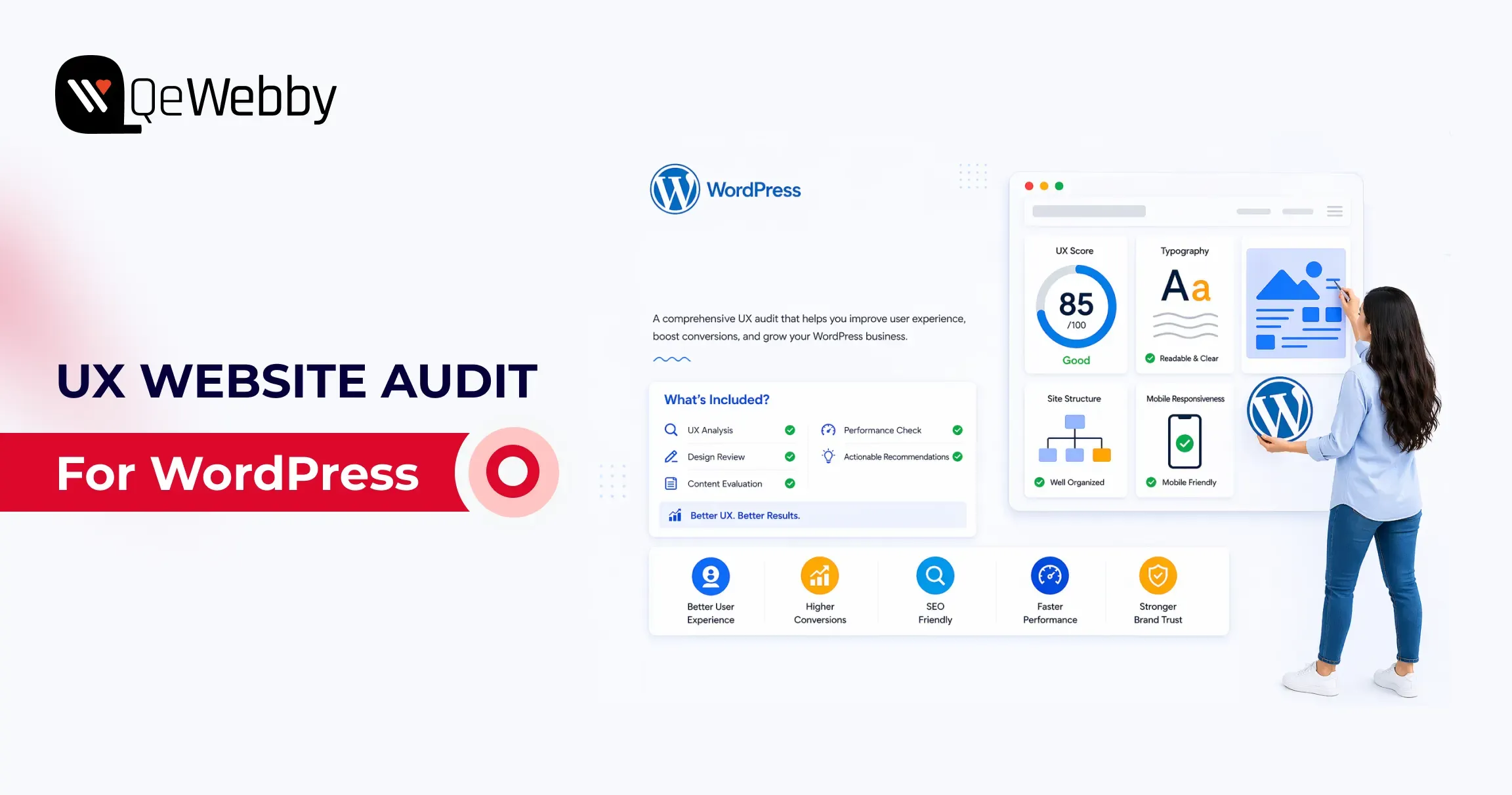
A UX website audit helps gain measurable diagnosis, tying design, performance, and usability issues to revenue events. A structured website conversion audit helps you pinpoint churn points, which you can fix by using expert UI/UX design and development services.

In this guide, we break down practical strategies to improve conversion rates and optimize WordPress user experience. So, let’s get started with the ultimate WordPress UI/UX audit guide.

What is a UX website audit?

A UX website audit is a structured analysis of user behavior, performance, and usability to identify where users drop off and how to improve conversion rates.

Start a WordPress UX Website Audit by Defining Conversion Goals

A conversion goal is a measurable action tied to business value, not a visual preference. For lead generation sites, macro conversions include demo requests, consultation bookings, and form submissions. For WooCommerce sites, macro conversions include completed purchases and checkout completion rate.

Micro conversions matter because they predict macro outcomes. Track add-to-cart rate, pricing-page views, click-to-call actions, scroll depth, and newsletter signups as leading indicators. Google’s documentation on GA4 purchases and eCommerce reports, and key events setup, gives the minimum event architecture you need before auditing UX.

If GA4 key events are not correctly configured, your audit is mostly guesswork. You might improve aesthetics and still lose revenue because no one measured task completion in the first place.

Audit the First 5 Seconds: Consent UX and Privacy Friction

Before a user ever sees your value proposition, they interact with your compliance layer. Large companies live and die by GDPR and CCPA, but poorly designed cookie banners are massive conversion killers.

Audit your Consent UX:

  • Does the banner block the Largest Contentful Paint (LCP) on mobile?
  • Is the opt-in seamless, or does it force users to hunt for the “Accept” button?

If your privacy compliance frustrates users immediately, your bounce rate will spike before the user even begins their journey.

Analytics Shows Where Users Leave, UX Analysis Explains Why

Analytics shows symptom location, not root cause. A drop on a contact page tells you where failure occurs, but not whether the issue is unclear value proposition, poor field design, weak trust signals, or mobile friction.

#1. Build a website conversion audit from GA4 funnel drop-offs

Start with the landing page report, device category split, source-medium quality, and funnel exploration. If paid traffic exists on mobile landing pages at a higher rate than desktop, you likely have mobile readability, hierarchy, or CTA visibility issues, not just “bad traffic.”

#2. Connect website conversion audit findings to user intent gaps

Map every high-drop page to the user’s job on that page. A pricing page job is not about browsing; it is about plan comparison and confidence-building. A contact page job is not reading; it is a low-friction submission that reassures about response time and privacy.

#3. Prioritize website conversion audit pages by revenue proximity

Review pages that directly impact revenue, such as checkout, lead forms, pricing, and high-intent landing pages. This is where small UX improvements usually return faster gains than broad redesign work.

What Is a Website Conversion Audit?

A website conversion audit analyzes user journeys, funnel drop-offs, and interaction data to identify friction points that reduce conversions.

Core Web Vitals Reveal Hidden Performance Friction on WordPress Sites

Core Web Vitals are user experience thresholds tied to perceived speed and interaction quality. web.dev defines healthy targets as LCP at or below 2.5s, INP at or below 200ms, and CLS at or below 0.1 at the 75th percentile.

On WordPress, performance debt often comes from heavy themes, page builder bloat, render-blocking scripts, oversized media, excessive third-party tags, and a weak caching strategy. The WordPress Hosting Performance Handbook is useful because it frames optimization as system design, not plugin roulette.

Poor CWV is not only an SEO problem, but it is also a trust problem. If the first viewport stalls, users infer risk before they read your offer.

What Is a Conversion Optimization Audit?

A conversion optimization audit focuses on improving high-impact areas like forms, checkout flows, and CTAs to increase task completion and revenue.

Mobile UX Often Determines Whether Visitors Ever Reach the CTA

According to report, 53% of mobile users abandon a website if it takes longer than 3 seconds to load.

Mobile-responsive means layouts technically resize. Mobile-optimization means users can complete tasks comfortably on small screens, with a clear hierarchy, readable type, and touch-friendly interactions.

  • Audit your mobile flow for menu depth, sticky header behavior, tap target sizing, above-the-fold CTA visibility, form fatigue, and friction caused by intrusive pop-ups.
  • Use Chrome DevTools and real-device checks because simulated tests miss thumb-zone and visual density issues.

Google’s mobile speed perspective and web.dev vitals guidance both reinforce that delay compounds abandonment. Most WordPress sites fail mobile not because teams ignore users, but because desktop-first blocks get stacked without mobile task prioritization. That is a design governance issue, not a single bug.

Forms and Checkout Flows Are the Highest-Value Audit Zones

Research from the Baymard Institute shows that the average cart abandonment rate is around 70%, often caused by complex checkout processes and poor usability.

Form and checkout design decide whether intent becomes revenue. Baymard’s checkout research and benchmarks are still the most practical evidence base for eCommerce teams, including the widely cited cart abandonment benchmark and checkout findings.

For lead-gen forms, reduce field count, clarify labels, use inline validation, and add contextual trust copy near submit actions. For WooCommerce checkout, support guest checkout, reveal costs early, simplify error recovery, and keep order review obvious.

A conversion optimization audit should prioritize these changes over cosmetic refreshes because they directly affect completion rates. The highest-converting checkouts are usually visually calm, predictable, and intentionally boring.
Accessibility Improvements Often Become Conversion Improvements

The WebAIM Million report found that over 95% of homepages have detectable accessibility issues, many of which impact usability and conversion performance.

Accessibility is a measurable usability quality, not a legal afterthought. WebAIM’s 2025 Million report found detectable WCAG failures on most analyzed home pages, and the same failure patterns often reduce conversion clarity for everyone.

Check CTA contrast, form label association, keyboard navigation, focus visibility, alt text coverage, empty button labels, and readable error messaging. Align your reviews with WCAG guidance from W3C, including practical implications of modern focus and target-size expectations.

The commercial angle is direct: inaccessible interactions increase cognitive load, and cognitive load kills action completion. Fixing accessibility frequently improves mobile completion rates, form success, and trust signals in one move.

A Strong Audit Prioritizes Fixes by Revenue Impact and Effort

Prioritization converts findings into outcomes. Use a simple matrix with effort on one axis and business impact on the other.

Quick wins include CTA contrast correction, image compression, form label clarity, and clarity of the above-the-fold message. Medium initiatives include simplifying navigation, aligning landing page intent, and reducing checkout steps. Large initiatives include theme refactor, page-builder cleanup, or full WooCommerce flow redesign.

Run a conversion optimization audit backlog with an impact x effort model

A conversion optimization audit backlog should be treated like a growth roadmap, not a design wishlist. Define owner, expected KPI movement, implementation effort, and validation window for each item before development starts.

A/B testing belongs after instrumentation and traffic reality checks. If your sample size is small, sequential UX improvements plus before/after cohort measurement are usually more reliable than underpowered split testing.
User Testing Validates What Analytics and Expert Review Cannot Prove

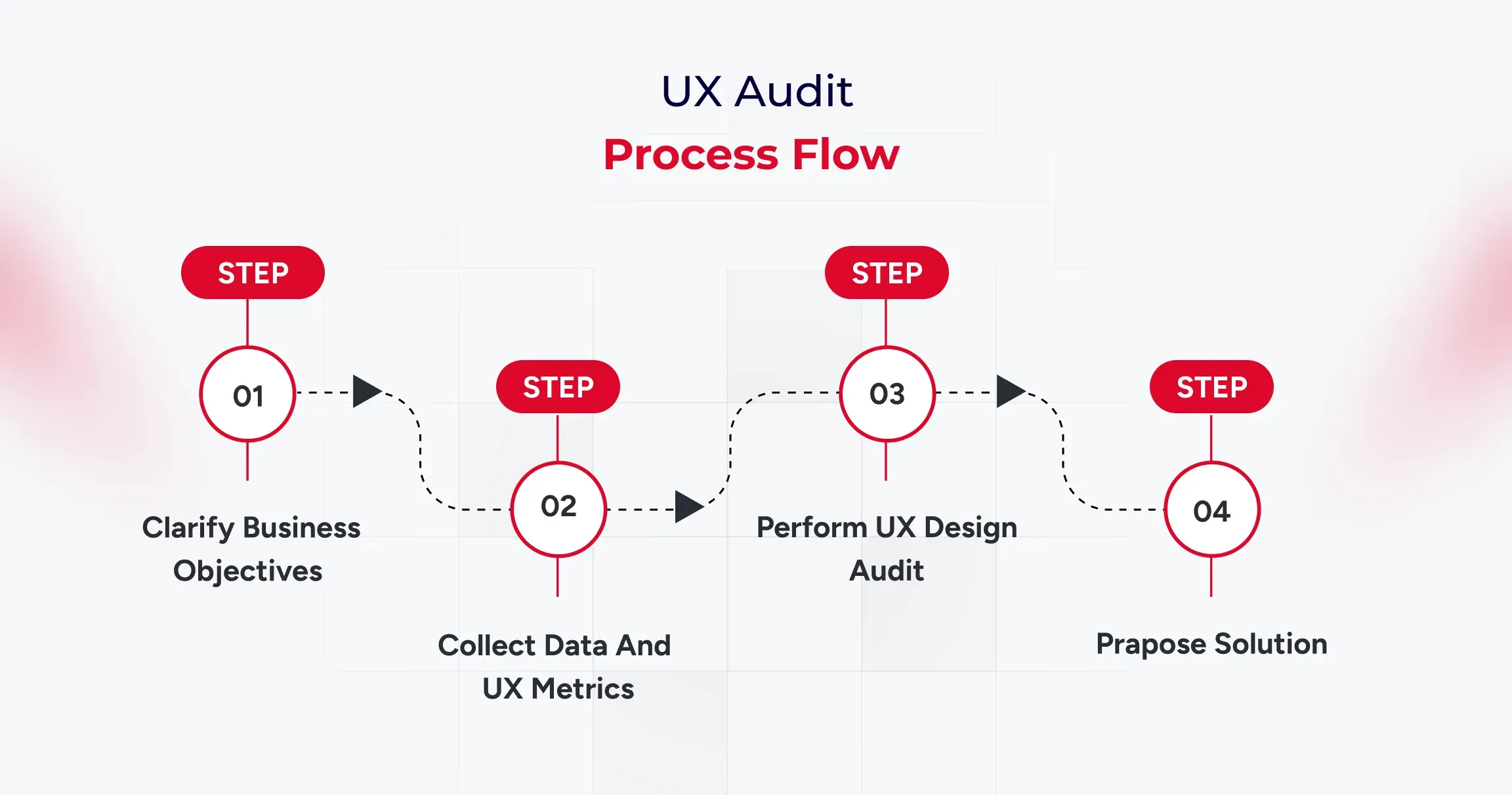
Heuristic evaluation and usability testing answer different questions. It is fast and cost-efficient for expert diagnosis. On the other hand, task-based testing with five representative users reveals internal friction that teams overlook.

Use task scripts tied to conversion intent: find pricing, submit a lead form, complete checkout, recover from an input error, and locate policy reassurance. Then compare observed friction against analytics drop points and fix the priority list.

This is where a website conversion audit matures into confidence in decisions. You move from “we think this is better” to “users completed the task faster, with fewer errors, on the pages that matter.”

Conclusion

A strong WordPress audit sequence is clear: goals first, then analytics, then CWV, mobile UX, forms and checkout, accessibility, prioritized fixes, and user validation. That framework gives business owners and growth teams an execution roadmap, not a generic design critique.

A UX website audit is most valuable when it ends with accountable implementation decisions, which is exactly where experienced UI/UX design and development services deliver measurable lift in leads and sales.
Best AI-Powered A/B Testing Tools For WordPress Development

WordPress AI plugins are experiencing a surge in popularity. These plugins generate over 315 million visits annually as businesses rush to automate their optimization efforts.

Here’s what most business owners get wrong. They’re still playing guessing games with their websites. They move buttons around, change colors randomly, and wonder why their conversion rates stay flat. It’s like running a store blindfolded while customers walk out empty-handed.

Innovative businesses take a different approach. They use AI-powered A/B testing tools that analyze every click, scroll, and purchase decision in real-time. These tools don’t just test variations.

They predict winners before the test even ends, automatically optimize for peak performance, and deliver results 300% faster than manual testing. This guide reveals the best AI-powered A/B testing tools for WordPress that turn visitor behavior into conversion gold.

What Are A/B Testing Tools for WordPress?

A/B testing is akin to running a controlled experiment on your website. You take two versions of a page: Version A (your current setup) and Version B (the variation), and see which one performs better with your visitors. It’s simple in concept but incredibly powerful in execution.

A/B testing tools for WordPress make this entire process seamless. These tools automatically split your website traffic, showing different users different versions of a page, and then track how each version performs.

Whether you’re testing headlines, call-to-action buttons, product images, or checkout flows, these tools reveal what actually drives engagement, sign-ups, or sales.

When AI enters the picture, testing becomes even smarter. Modern A/B testing tools utilize machine learning to predict winning variants more quickly, personalize user experiences in real-time, and eliminate guesswork. It’s data-driven optimization on autopilot, which helps your WordPress site continuously evolve and perform at its peak.

Why Using AI-based A/B Testing Tools Is Important?

A/B testing tools help websites perform better by tracking user behavior, optimizing designs, and fine-tuning overall performance. Check below how these tools can make a tangible and significant difference:

1. Understanding User Behaviour

These tools can help uncover hidden patterns by analyzing every visitor’s interactions, which range from clicks and scrolls to session duration and exit points, thereby driving real business results.

It becomes easier for stakeholders to spot the pages that need modifications and improvements in terms of design or functionality to meet visitors’ evolving preferences and expectations.

2. Safeguarding Search Engine Optimization (SEO) Performance

When experimenting with high-performing pages, AI-based A/B testing tools utilize temporary redirects and canonical tags to mitigate any potential negative impact on page rankings and performance. With this approach, it is possible to carry out the optimization without risk, thereby protecting the existing SEO ranking.

3. Better Conversion Rates

AI-powered A/B testing can help track where users drop off in your sales funnel, allowing you to remove that bottleneck by making necessary improvements.

It is possible to enhance the customer journey and boost conversion rates by testing various elements, including user experience (UX), at every stage of the process.

4. Lower Bounce Rates

Bounce rates indicate how often users visit your website but don’t view the second page and leave it. A high bounce rate indicates that visitors aren’t finding what they are looking for and need on the site.

A/B testing helps identify which content, design, or page encourages users to stay and navigate further on other pages of the site. It can help stakeholders remove the features, design, or content that caused them to leave too soon.

If you run an online store, these WooCommerce conversion strategies pair perfectly with A/B testing to boost sales.

What Are The Different Types Of A/B Testing Tools?

Depending on your goals, traffic volume, and the elements you want to experiment with, the A/B test approach can take on a very different appearance.

Understanding these variations is key to making smarter optimization decisions, especially when evaluating an AI-based testing tools comparison or choosing the right A/B testing tools for WordPress.

1. Standard A/B Testing

This is the classic version, which is simple, direct, and effective. You test two variations of a page or element to see which performs better. For instance, you might change the colour of your “Buy Now” button, adjust a headline, or tweak your hero image.

The goal is to identify which version resonates most with visitors and leads to more clicks, sign-ups, or sales.

2. A/B/n Testing

Sometimes two options just aren’t enough. A/B/n testing allows you to test multiple versions simultaneously of the elements you want to test. This method is most effective for websites with consistent traffic, as it requires sufficient data to compare various variations accurately. It’s like running multiple experiments simultaneously to uncover what users honestly respond to.

3. Multipage Testing

Multipage testing examines the broader picture by evaluating how design and content changes impact a user’s journey across multiple pages. For example, you might test different sequences in your checkout process or see how variations in your product descriptions impact conversions from one page to the next.

4. Multivariate Testing

If you’re ready to go deeper, multivariate testing examines several elements on a page simultaneously. You could test combinations of headlines, button placements, and colour schemes to see which blend performs best. Because this method measures multiple variables at once, it’s ideal for sites with high traffic and complex designs.

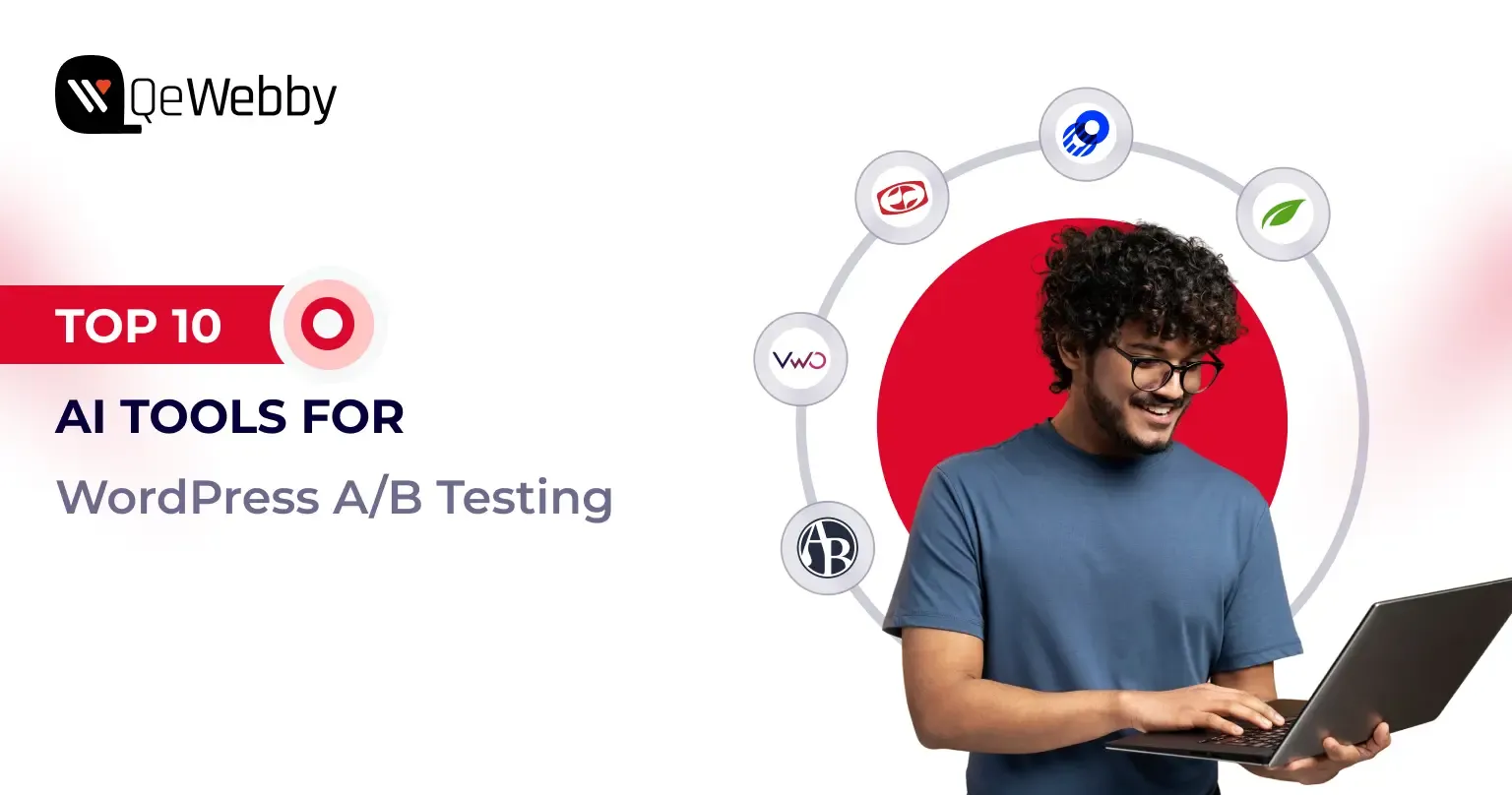
Top 10 AI-based A/B Testing Tools For WordPress Sites

Choosing the right testing tool can make or break your website optimization strategy. The market is filled with options, but the key is finding one that uses artificial intelligence to deliver faster insights and more intelligent decisions.

As AI becomes central to modern websites, staying updated with the latest WordPress development trends helps you adopt smarter testing methods.

In this AI-based testing tools comparison, we’ll explore the leading A/B testing tools for WordPress that bring automation, analytics, and AI innovation together to help your website grow smarter every day.

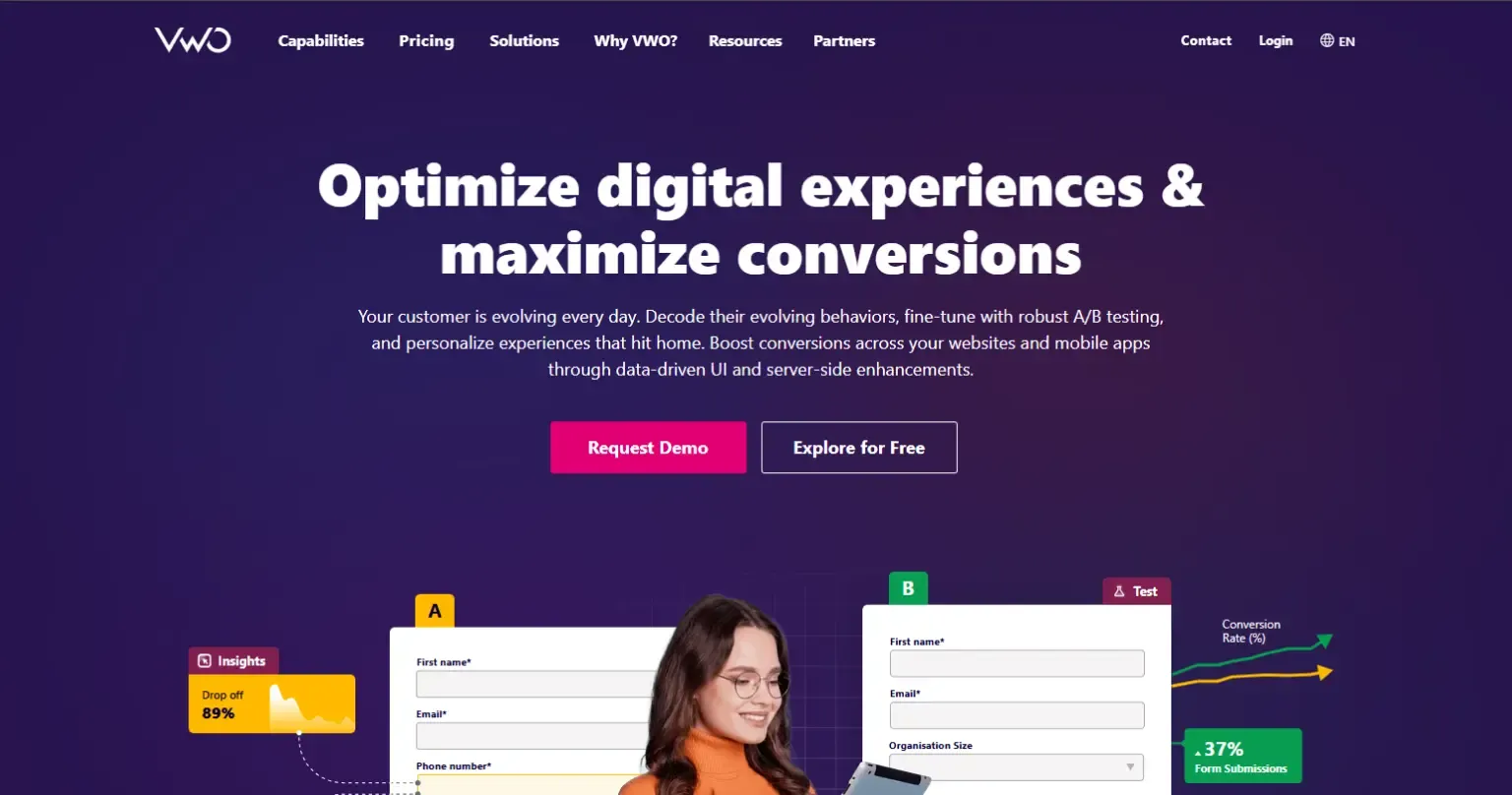
1. VWO (Visual Website Optimizer)

VWO is one of the most comprehensive A/B testing platforms designed for businesses that want both simplicity and depth. It allows you to run experiments, analyze visitor behaviour, and make real-time improvements. Its AI-driven algorithms learn from every interaction to give you faster, more accurate insights.

Key Features and AI Capabilities:
  • AI-powered SmartStats for faster and more precise conclusions.
  • Heatmaps, clickmaps, and session recordings to visualize user behaviour.
  • Predictive analytics that highlight high-performing elements.
  • Visual editor for no-code test creation.
  • Seamless integration with analytics, CRM, and CMS tools.
Benefits of Using VWO:
  • Provides faster and more accurate experiment results.
  • Easy for beginners yet robust for professionals.
  • Reduces decision fatigue with data-backed insights.
  • Enhances conversions with continuous testing.

2. AB Tasty

AB Tasty is an experimentation platform built for marketers who value personalization and performance. It combines A/B testing, AI-driven insights, and behaviour analytics to create meaningful user experiences that drive results. The tool adapts in real time, ensuring each visitor sees the most relevant version of your content.

Key Features and AI Capabilities:
  • AI-based predictive targeting and personalization.
  • Visual editor for quick test setup.
  • Dynamic segmentation to tailor experiences.
  • Integrated heatmaps and session replay tools.
  • Machine learning recommendations to optimize engagement.
Benefits of Using AB Tasty:
  • Delivers tailored experiences across user segments.
  • Simplifies complex experiments into easy workflows.
  • Helps increase conversions and retention rates.
  • Suitable for teams of all technical levels.

3. Kameleoon

Kameleoon is a data-driven experimentation and personalization platform that uses AI to predict conversion intent. It’s ideal for businesses that want to combine testing with deep personalization insights. Kameleoon’s algorithms automatically adapt your content for each visitor to maximize engagement and revenue.

Key Features and AI Capabilities:
  • AI-powered predictive analytics and targeting.
  • Real-time user intent detection.
  • Visual and code-based experiment editors.
  • Automated reporting with deep insights.
  • Privacy-first, GDPR-compliant platform.
Benefits of Using Kameleoon:
  • Improves targeting accuracy with machine learning.
  • Adapt experiences based on user behaviour.
  • Reduces manual optimization time.
  • Works well for enterprise-level traffic.

4. Fibr AI

Fibr AI focuses on intelligent automation and predictive modelling, enabling faster and smarter experimentation. Designed for marketers and developers alike, it minimizes manual setup and uses machine learning to identify winning variations early. This helps you act on insights before competitors do.

Key Features and AI Capabilities:
  • AI-powered clustering for data-driven segmentation.
  • Automated traffic allocation and balancing.
  • Instant performance insights and live monitoring.
  • Predictive modelling for conversion optimization.
  • Compatible with WordPress and other CMS platforms.
Benefits of Using Fibr AI:
  • Speeds up testing cycles significantly.
  • Reduces dependency on large data samples.
  • Makes optimization easier through automation.
  • Perfect for small and mid-sized teams.

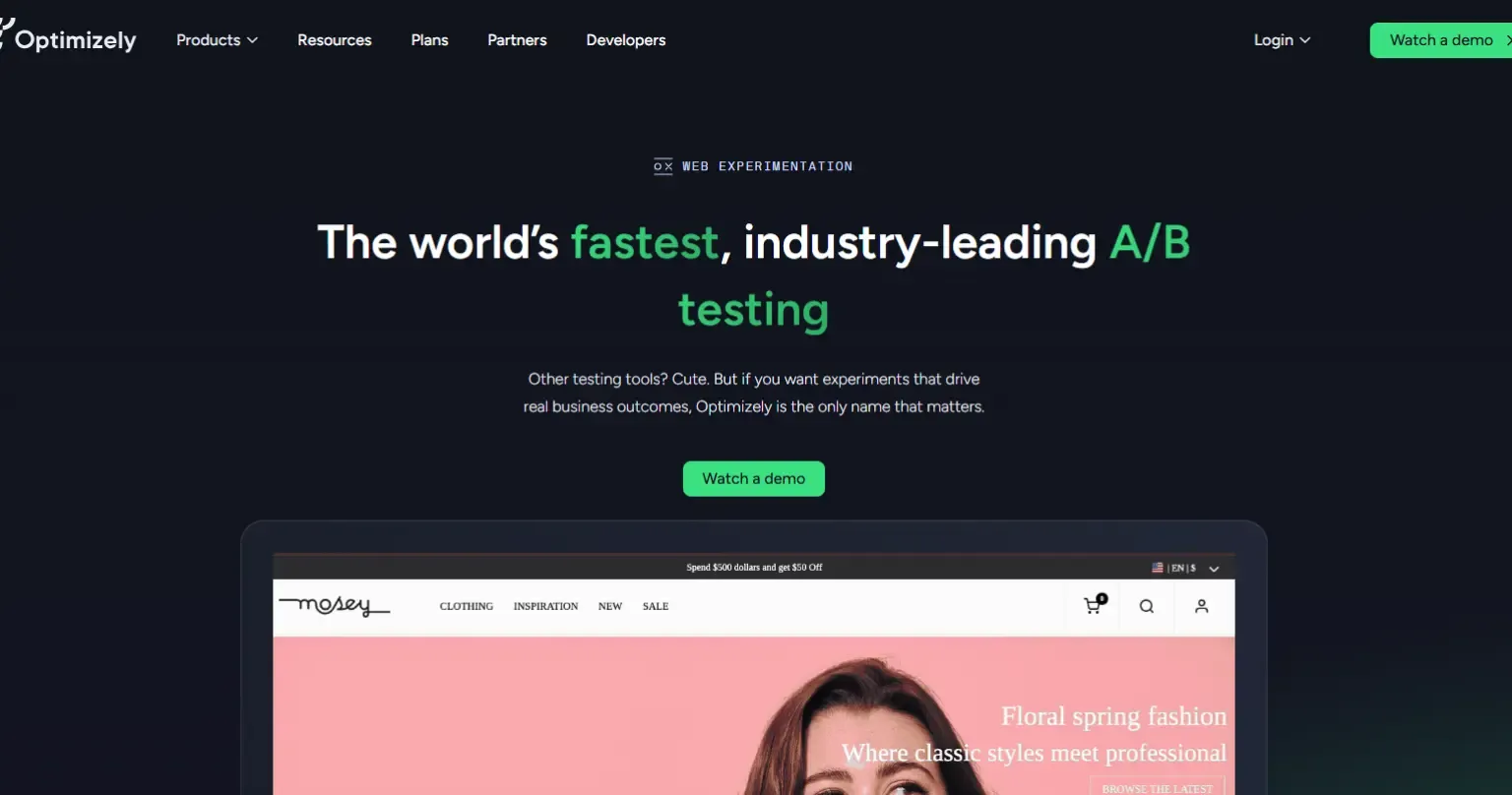
5. Optimizely

Optimizely is the gold standard in digital experimentation, trusted by enterprises worldwide. It combines A/B testing, multivariate testing, and AI-powered decision-making to help teams create exceptional digital experiences. Its platform uses machine learning to deliver better-performing versions to the right audiences dynamically.

Key Features and AI Capabilities:
  • Machine learning for traffic allocation and result prediction.
  • Multivariate, multipage, and server-side testing.
  • AI-driven personalization for targeted experiences.
  • Advanced analytics with statistical confidence scoring.
  • Integrates easily with WordPress and analytics stacks.
Benefits of Using Optimizely:
  • Ideal for enterprise-level experimentation.
  • Reduces manual monitoring with smart automation.
  • Provides actionable insights at scale.
  • Drives consistent, data-backed growth.

6. Unbounce

Unbounce is designed for marketers who prioritize landing page performance and conversions. Its AI-driven Smart Traffic feature automatically sends visitors to the best-performing version of your page. Whether you’re testing ad campaigns or product launches, Unbounce makes optimization effortless.

Key Features and AI Capabilities:
  • Smart Traffic AI that automatically redirects to the winning variants.
  • Drag-and-drop page builder with custom templates.
  • AI-generated copy and content suggestions.
  • Conversion tracking and analytics dashboard.
  • Supports A/B and multivariate testing.
Benefits of Using Unbounce:
  • Increases conversions without technical expertise.
  • Saves time through automation and pre-built designs.
  • Perfect for marketers running paid campaigns.
  • Improves ad relevance and ROI instantly.

7. Nelio A/B Testing

Nelio A/B Testing is a native WordPress plugin designed for simplicity and full integration. It lets you experiment with themes, headlines, menus, and layouts—all within your WordPress dashboard. Its AI tools automate the testing process and suggest improvements based on visitor interactions.

Key Features and AI Capabilities:
  • AI-driven heatmaps and engagement tracking.
  • Test any page element directly in WordPress.
  • Automatic identification of winning versions.
  • Real-time conversion analytics.
  • Lightweight, easy to install, and beginner-friendly.
Benefits of Using Nelio A/B Testing:
  • Perfect for WordPress users of all skill levels.
  • No external setup or complex coding needed.
  • Saves time with automated winner selection.
  • Offers high-value insights for small sites.

8. Convertize

Convertize blends behavioural psychology and AI automation to simplify testing. Its unique AutoPilot system dynamically shifts traffic toward the highest-performing version, ensuring continuous improvement with minimal input. It’s great for teams that want hands-free optimization.

Key Features and AI Capabilities:
  • AutoPilot AI for automated traffic allocation.
  • Pre-built persuasion templates for faster results.
  • Smart notifications and dynamic triggers.
  • Real-time performance and conversion tracking.
  • WordPress integration for easy setup.
Benefits of Using Convertize:
  • Reduces manual effort with intelligent automation.
  • Boosts engagement using behavioural science.
  • Quick to set up, even for non-developers.
  • Adapts tests automatically based on visitor data.

9. Instapage

Instapage is an AI-powered landing page optimization platform designed for marketers who prioritize post-click experiences. Its automation tools help improve ad relevance, personalization, and conversion rates effortlessly.

Key Features and AI Capabilities:
  • AI-based heatmaps for user journey tracking.
  • Dynamic text replacement for audience-specific messaging.
  • Drag-and-drop editor for fast design.
  • A/B and multivariate testing support.
  • Integrations with CRMs and analytics tools.
Benefits of Using Instapage:
  • Ideal for PPC and paid campaign optimization.
  • Improves ad conversion and quality scores.
  • Enhances collaboration between teams.
  • Reduces time-to-launch for marketing campaigns.

10. ABtesting.ai

ABtesting.ai utilizes artificial intelligence to automate every aspect of testing, eliminating the need for setup or manual input. It generates variations, runs experiments, and automatically selects winners. It’s perfect for teams that want to optimize without spending hours managing tests.

Key Features and AI Capabilities:
  • AI-generated headlines and CTAs.
  • Automated experiment creation and tracking.
  • Predictive insights to identify top performers early.
  • One-click WordPress integration.
  • Continuous optimization with self-learning models.
Benefits of Using ABtesting.ai:
  • Saves time with end-to-end automation.
  • Great for startups and small businesses.
  • Continuously improves website performance.
  • Requires minimal technical skill to operate.

Conclusion

AI-powered A/B testing tools enable developers to optimize and analyze site performance and user interaction without compromising SEO. Selecting the most suitable A/B testing platform according to your needs can be confusing because every tool has its strengths and weaknesses.

These thorough and detailed AI-based testing tools can help you make informed decisions that align with your business needs and objectives. If you still have any queries related to your business website, you can contact us to address your query with practical and result-oriented solutions from our team.

How to Hire a Dedicated WordPress Development Team for Enterprises?

Did you know 60% of enterprises struggle to scale their WordPress websites due to a lack of specialized teams? If your business is growing fast, relying on scattered freelancers or overstretched IT staff may cost you time, money, and missed opportunities.

Enterprise websites demand more than just a digital presence they require enterprise WordPress development solutions that can handle scale, performance, and security. Yet many organizations still stretch their in-house IT teams thin or juggle scattered freelancers, leading to inefficiencies and missed opportunities.

According to Gartner, it projects that by 2026, 65% of enterprises will rely on third-party development partners for digital transformation. These stats highlight a growing reality: more businesses are turning to a dedicated WordPress development team often offshore, to manage projects end-to-end.

Whether you’re overhauling an outdated site, launching a customer portal, or integrating enterprise-grade systems, the right partner can transform your website into a scalable, revenue-driving asset.

Why Hiring a WordPress Development Team Is a Smart Enterprise Move

Digital expectations are at an all-time high. Enterprises can no longer rely on generic website solutions or patchwork freelancers. What they need is a dedicated WordPress development team for large-scale projects, one that can think strategically, execute precisely, and evolve continuously with the business.

Here’s why this move makes business sense:

1. Tailored Solutions for Complex Enterprise Needs

Decision-makers often land on your site with a specific intent—looking for answers, confidence, or a sign you “get it.” Good UX doesn’t just help them find what they need—it reassures them they’re in the right place.

  • Custom feature development to support unique workflows.
  • Enterprise-grade architecture designed for scalability and security.
  • Seamless third-party system integrations (CRM, ERP, APIs).

An experienced enterprise WordPress development solutions provider ensures your website is built for complexity without sacrificing usability.

2. Faster Time-to-Market

Speed matters especially when launching new services or rolling out updates.

  • A dedicated team works with streamlined processes and clear priorities.
  • Offshore teams enable 24/7 development cycles, reducing delivery timelines.
  • Task distribution across specialists (frontend, backend, QA, DevOps) accelerates execution.

This means quicker iterations, faster launches, and the ability to pivot with market changes.

3. Cost-Efficient Without Compromising Quality

Hiring senior in-house developers is costly and time-intensive. Offshore teams, by contrast, offer:

  • Competitive pricing with enterprise-level quality.
  • Savings on recruitment, onboarding, and infrastructure.
  • Flexible models (hourly, project-based, full-time) for budget control.

According to Deloitte, 70% of enterprises outsource software development to cut costs and boost efficiency and WordPress is no exception.

4. Access to Specialized Global Talent

When you hire an offshore WordPress development team for enterprises, you’re not limited by location. You gain:

  • Access to global WordPress specialists with cross-industry expertise.
  • Teams that stay updated with certifications and evolving best practices.
  • The right person for each role, every time.

5. Ongoing Support and Maintenance

Enterprise websites can’t “set and forget.” They require constant attention:

  • Updates, bug fixes, and backups.
  • Real-time support with strict SLAs.
  • Security patching and performance audits.

A dedicated team ensures your site remains fast, stable, and secure 24/7 eliminating the stress of last-minute fixes.

6. Alignment with Business Goals

This alignment keeps your website in step with your enterprise strategy.

  • Learn your brand voice, goals, and customer journey.
  • Use agile sprints, reporting, and check-ins for transparency.
  • Build a partnership focused on outcomes, not just tasks.

A professional team doesn’t just code; it collaborates. They:

7. Freeing Up Internal Resources

Let your staff focus on strategy, sales, and innovation — while experts handle:

  • Backend logic and frontend UI/UX.
  • Performance optimization, SEO, and analytics.
  • Security and compliance.

This division of labor increases efficiency and minimizes risks.

Essential Skills For Choosing the Right WordPress Development Team

Hiring a team isn’t just about coding knowledge. The best dedicated WordPress developers for large-scale projects combine technical expertise with soft skills that ensure long-term success.

Technical Skills: The Backbone of Your Website

The technical skills a WordPress development team brings to the table are non-negotiable, especially when you’re building an enterprise-grade website. These skills ensure your website runs smoothly, integrates seamlessly with other systems, and delivers an optimized user experience.

Custom Theme & Plugin Development

WordPress is incredibly flexible, but to unlock its full potential, you need developers who can build custom themes and plugins that meet your specific needs.

  • Custom Themes: If you need a unique design that matches your brand, a skilled team can create a custom theme from scratch. This means you’ll stand out from the thousands of other WordPress websites with off-the-shelf themes.
  • Custom Plugins: A good team will be able to build plugins tailored specifically for your business functions, whether it’s an advanced form, payment gateway integration, or special functionality you can’t find in existing plugins.

Custom development is vital to ensuring your site is future-proof, scalable, and capable of growing with your business needs.

REST API and Third-Party Integrations

Today’s WordPress websites are rarely standalone. They need to integrate with other tools, platforms, and services, from CRMs to marketing automation tools. The ability to work with REST APIs and integrate third-party services seamlessly is crucial.

An experienced WordPress development team should be able to connect your site to external APIs, such as social media platforms, payment gateways, and CRM systems.

They should also be adept at using RESTful APIs to allow for smoother, more efficient communication between your site and other services, resulting in faster load times and more powerful features.

Performance Optimization & SEO

A fast, high-performing website is essential for user experience and search engine rankings. Your WordPress development team should have a strong grasp of:

  • Performance optimization: From image compression and caching strategies to optimizing database queries and reducing server load, a good team knows how to make your site fast — no matter how much traffic you get.
  • SEO best practices: While SEO experts focus on content, your WordPress development team plays a big role in making sure the website is built with search engine rankings in mind. This includes ensuring proper site structure, fast load times, clean code, and accessibility.

These technical capabilities ensure that your site isn’t just functional but also visible and high-performing.

Security Best Practices

Security should never be an afterthought, especially when dealing with enterprise data and user information. A WordPress development team should be well-versed in security best practices:

  • SSL certifications, firewall configurations, and user access control.
  • They should be proactive in ensuring your site is protected from hacking attempts, malware, and potential vulnerabilities, and they should conduct regular security audits.
  • They must also stay up-to-date with the latest WordPress security protocols, which can evolve quickly.

In an era of data breaches and cyberattacks, you can’t afford to compromise on security.

Soft Skills: Where Collaboration Meets Innovation

While technical know-how is critical, soft skills are what transform a good WordPress development team into a great one. These are the traits that help teams collaborate, solve problems, and adapt to your evolving business needs.

Communication and Collaboration

Clear communication is key to the success of any development project, particularly when you’re working with remote or offshore teams. Your WordPress development team should be:

  • Responsive and transparent, keeping you in the loop about progress, challenges, and milestones.
  • Collaborative, willing to work with your internal teams, designers, and content creators to ensure your vision comes to life seamlessly.
  • Able to explain technical concepts in plain language, so you always understand what’s going on with your website, even if you’re not a tech expert.

Without strong communication, even the most skilled developers can miss the mark, leading to frustration, delays, and budget overruns.

Problem-solving and Innovation

Development is rarely a straight path. Problems and challenges will inevitably arise. You need a team that’s not only capable of solving problems but also innovative enough to come up with creative solutions.

  • The best WordPress teams are solution-oriented, willing to dig deep and find fixes that others might overlook.
  • They should have experience troubleshooting complex issues, whether that’s fixing site slowdowns, resolving conflicts between plugins, or troubleshooting complex integrations.
  • Beyond problem-solving, they should also bring a spirit of innovation, suggesting ways to improve your site’s functionality, design, or user experience that you hadn’t considered.

In the fast-paced digital world, innovation is a key driver of business success, and your WordPress team should be ready to contribute ideas that take your website to the next level.

Time Management

When it comes to development, time is of the essence — especially when there are multiple stakeholders and tight deadlines. Your WordPress development team should be skilled in:

  • Prioritizing tasks based on business needs and project timelines.
  • Managing resources to ensure work is being done efficiently without unnecessary delays.
  • Meeting deadlines and providing regular updates on progress.

Time management isn’t just about meeting deadlines; it’s about maximizing productivity and delivering results on time — without sacrificing quality.

Experience with Enterprise-Grade Solutions

Finally, you want a team that has experience working with enterprise-grade WordPress solutions. This means they’re familiar with:

  • Handling large-scale websites with thousands (or millions) of visitors, high data traffic, and complex workflows.
  • Integrating enterprise-level tools like ERP systems, CRM software, and other third-party business solutions.
  • Ensuring that your WordPress site is not only scalable but also maintainable as it grows over time.

Their experience in working with large-scale projects will help them anticipate challenges and set up your site for success well into the future.

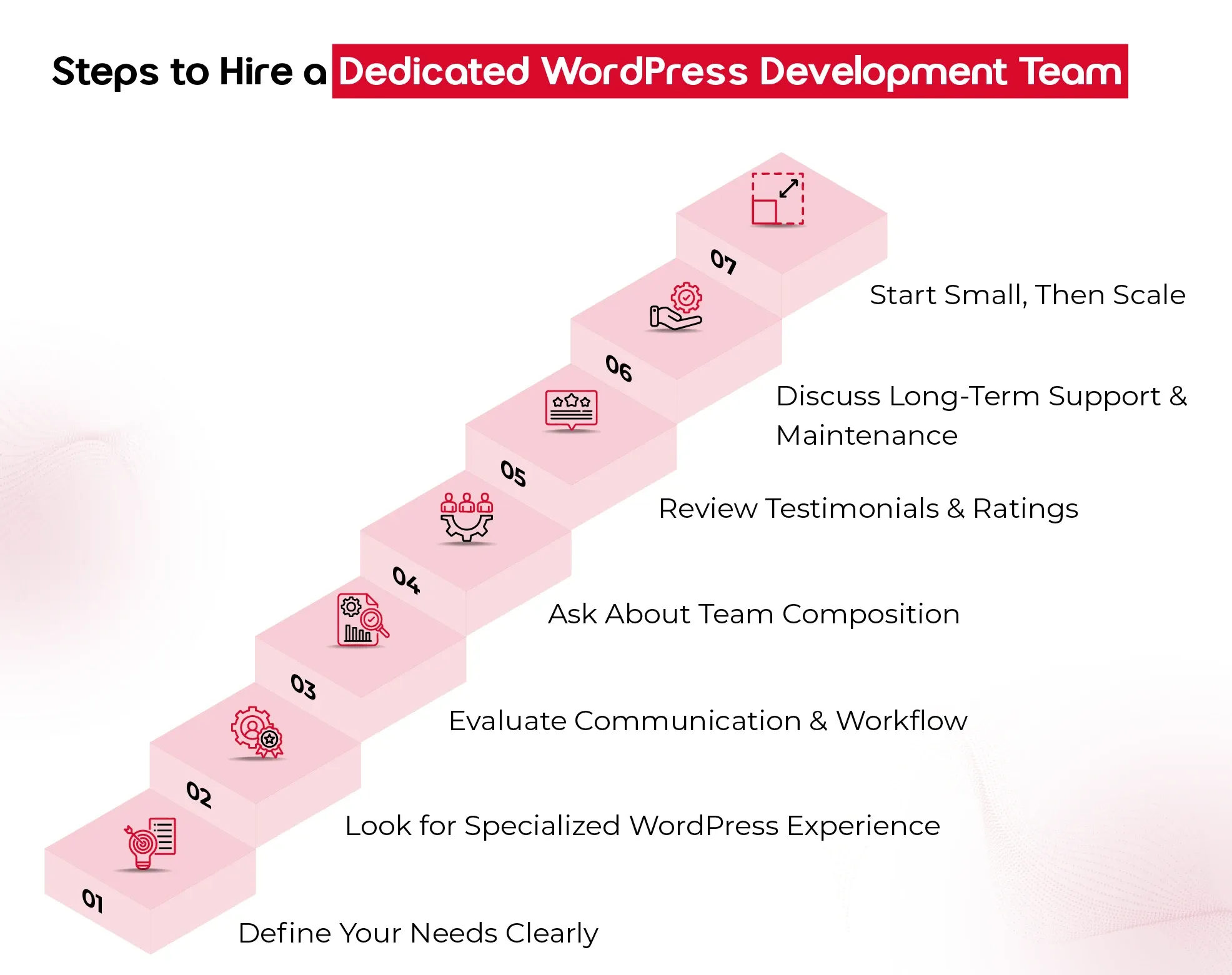
7 Easy Steps to Hire a Dedicated WordPress Development Team

Hiring the right WordPress development team can feel like a big decision and it is. Your website isn’t just a digital storefront; it’s the engine powering customer experiences, driving conversions, and reflecting your brand at every click. So, choosing the right team to build, scale, and support it is worth getting right. Here are the essential steps to help you make a smart, confident hiring decision.

1. Define Your Needs Clearly

Before you even start looking for a team, take a step back and ask: What do you need this team to do?
Are you:

  • Building a website from scratch?
  • Redesigning an existing platform?
  • Adding custom features or integrations?
  • Needing ongoing support and maintenance?

Documenting your goals, technical requirements, timeline, and budget upfront gives you clarity—and makes it easier for the team you hire to deliver the results you expect.

2. Look for Specialized WordPress Experience

Not all developers who “know WordPress” are the same. For enterprise-grade projects, you need a team that specializes in:

  • Custom WordPress development (not just tweaking themes)
  • Scalable architecture and database management
  • Performance optimization and security
  • API integrations with CRMs, ERPs, or marketing tools

Ask to see case studies or a portfolio that reflects similar work to your needs. The right team won’t just say “yes” they’ll ask thoughtful questions, spot risks, and bring proactive solutions.

3. Evaluate Communication & Workflow

A great development team doesn’t just build well — they communicate well. Pay attention to how they:

  • Respond during your initial inquiry
  • Handle your questions (Are they clear, honest, and transparent?)
  • Explain their development process and timelines

You want a team that’s structured, easy to reach, and keeps you in the loop throughout the project. Especially if you’re hiring an offshore WordPress development team, time zone compatibility, tools for collaboration (like Slack or Trello), and clear project documentation become extra important.

4. Ask About Team Composition

An experienced WordPress development team is more than just developers. Ideally, you’re getting:

  • A project manager to guide and coordinate
  • Front-end and back-end developers
  • Designers (if design is in scope)
  • QA testers ensure everything runs smoothly

Understanding who’s involved and what roles they play helps you assess whether the team can handle your scope effectively, especially for large or ongoing enterprise projects.

5. Review Testimonials and Ratings

What others say about them matters. Look for:

  • Verified reviews on platforms like Clutch
  • References from past clients (especially other enterprises)
  • Detailed testimonials that speak to delivery quality, communication, and problem-solving

If they have a 5/5 rating on Clutch, that’s a great sign — but always dig deeper. Strong reviews should reflect more than surface-level praise.

6. Discuss Long-Term Support and Maintenance

Building the site is just one part of the journey. Make sure your potential team offers:

  • Post-launch support
  • Bug fixes
  • Regular updates and security monitoring
  • Scalability planning as your business grows

Your WordPress site should evolve with you, so choose a team that’s in it for the long haul, not just the build phase.

7. Start Small, Then Scale

If you’re unsure, start with a smaller engagement, like a test project, performance audit, or a single feature build. This gives you a real-world look at how the team works before committing to a larger, long-term contract.

Final Thought

In today’s digital-first landscape, a website isn’t just a marketing tool; it’s the backbone of customer experience and enterprise growth. Partnering with an offshore WordPress development team for enterprises gives you the best of both worlds: cost efficiency and access to specialized global talent. From custom architecture to long-term support, a skilled team ensures your website scales as your business grows.

At QeWebby, our dedicated WordPress developers for large-scale projects combine technical excellence with enterprise-level strategy. With a proven 5/5 Clutch rating and experience across industries, we help enterprises build, scale, and secure WordPress websites that drive measurable results.

Top 7 UI/UX Design Trends in B2B Websites

In the B2B landscape, first impressions are often digital. Your website speaks before your team does.

With buyers conducting extensive online research before ever speaking to a sales team, your website’s user experience (UX) plays a critical role in shaping trust, clarity, and conversion.

According to a report, 90% of B2B buyers will switch to a competitor if a supplier’s digital experience doesn’t meet expectations. This highlights a growing reality: functional design isn’t enough—your website must also be intuitive, engaging, and built around the user.

Why Great UI/UX Is No Longer Optional for B2B Brands

A website is no longer just a support function. It’s a strategic business asset—often the first real interaction a potential client has with your brand. And in that moment, design isn’t about decoration. It’s about how your business thinks, communicates, and earns trust.

While products and pricing still matter, the way you deliver clarity, reduce friction, and guide decisions through your digital experience is what sets you apart. That’s where UI/UX becomes critical—not as a design checklist, but as a reflection of how seriously you take your customers’ time and attention. Here’s what businesses need to recognize:

Your Buyers are Judging Long Before They Engage

Decision-makers often land on your site with a specific intent—looking for answers, confidence, or a sign you “get it.” Good UX doesn’t just help them find what they need—it reassures them they’re in the right place.

Digital Experience = Perceived Value

A seamless interface subtly says: “We’ve thought this through.” A confusing or clunky site, on the other hand, quietly signals a lack of care, even if your actual offering is solid.

Modern Design Is Modern Thinking

Following current UI/UX trends isn’t about looking trendy—it shows your company is tuned in, adaptive, and forward-moving. That’s the kind of partner clients want to work with.

It Impacts Business Outcomes Directly

Efficient user flows, responsive layouts, and intuitive design reduce drop-offs, shorten sales cycles, and even influence how your sales team is perceived when a lead finally reaches out.

Basically, investing in smart UI/UX is investing in how your business is experienced and remembered.

The trends we’re about to explore aren’t just design updates. They’re part of a broader shift in how successful B2B brands are choosing to show up digitally—with clarity, empathy, and strategic intent.

Trend #1. Minimalist & Conversion-Focused Layouts

Complexity often creeps in unintentionally. Multiple stakeholders, layered service offerings, and long-form content can lead to cluttered interfaces that confuse rather than convert.

That’s why minimalist UI design—when combined with conversion-focused UX thinking—has become a powerful design trend in the B2B space.

But let’s understand that minimalist doesn’t mean empty or oversimplified. It means removing distractions so that what truly matters stands out—your value proposition, your trust signals, and your conversion paths.

B2B buyers are goal-driven. They’re often pressed for time and want fast access to relevant insights, not to wade through jargon or excessive visuals.

Minimalist design helps reduce cognitive load. The more you simplify the experience, the easier it is for decision-makers to say “yes.”

Clean layouts guide the eye toward CTAs, lead capture forms, demo buttons, or product documentation.

What does a minimalist, conversion-focused layout look like?

  • Clear hierarchy of information (headlines, subheads, short content blocks)
  • Generous white space that enhances focus and calm
  • High-contrast buttons with a single, strategic CTA per section
  • Limited color palettes that align with your brand’s tone
  • Decluttered menus with intent-based navigation

It’s a quiet but powerful signal that says:

“We respect your time, we know our value, and we’re here to make your decision easier.”

Trend #2. Personalization & AI-Driven Experiences

Relevance is everything. Buyers come to your website with different goals, backgrounds, and levels of urgency. A CTO may be looking for technical documentation, while a marketing lead wants case studies and ROI insights.

When your website delivers the same generic experience to everyone, it misses the opportunity to truly connect.

What does personalization in B2B UI/UX look like?

  • Smart content modules that adapt based on user behavior, industry, or job role
  • Dynamic CTAs that reflect the stage of the buyer journey
  • AI-powered chatbots or assistants offering tailored support in real time
  • Customized dashboards or portals for existing clients or partners

Personalization removes friction by helping users get to the information they need faster. Decision-makers want efficiency.

AI enables scale. Machine learning tools help B2B websites adapt in real time without constant manual intervention.

Tailored journeys build trust. When visitors feel seen and understood, they’re more likely to engage, explore, and eventually convert.

Trend #3. Micro-Interactions for Engagement

Micro-interactions are the small, sometimes overlooked elements of design that give digital interaction a sense of responsiveness, intuitiveness, and humanity.

Think of a subtle hover effect, a form field that highlights when clicked, or a gentle animation when a button is pressed.

Although these animations appear insignificant, they hugely contribute to B2B UI/UX design, particularly in an area where it’s harder to gain engagement.

Where micro-interactions show up in B2B UX:

  • Navigation cues that show progress (like a progress bar during form fills or onboarding steps)
  • Card hover effects, button hover effects, chart hover effects that show additional information without clicking
  • Real-time feedback upon an action (e.g., “Form submitted successfully,” “Copied to clipboard,” “Added to dashboard”)
  • Animated transitions that direct the eye’s attention across one portion to the next

Micro-interactions are not decorative; they’re strategic. They’re a way to say: “We’ve thought about the details because we care about how people experience our brand.”

These interactions might not be called out in a boardroom, but they’re felt in every click, every form, every page transition. And they leave a lasting impression.

Trend #4. Mobile-First, Performance-Optimized Design

It’s easy to assume that most digital experiences happen on a desktop. But the reality tells a different story. Decision-makers are increasingly browsing solutions, reviewing proposals, and even initiating vendor conversations via mobile.

Whether it’s a quick glance during a commute or reviewing a demo link between meetings, mobile-first UX design has become essential, not optional.

But mobile-first doesn’t just mean “responsive.” It means designing from the smallest screen up, making speed, clarity, and actionability the core pillars of your experience.

After all, mobile is part of the buying journey. A CFO might check your pricing page on a tablet. A tech lead might review your capabilities via mobile before looping in their team.

Google ranks you based on mobile performance. Core Web Vitals now directly impact SEO, affecting visibility in competitive B2B markets.

First impressions happen fast. If your mobile experience lags or feels broken, the assumption is that your service might be the same.

What does a mobile-first, performance-optimized UI/UX look like?

  • Prioritized content hierarchy for small screens—headline, value, CTA
  • Thumb-friendly interactions, sticky CTAs, and collapsible menus
  • Compressed media, optimized images, and lazy loading for speed
  • Performance-focused code and reduced dependencies for fast load times

Think of mobile-first design not just as a design principle, but as a commitment to meeting your buyer where they are.

Trend #5. Advanced Data Visualization & Storytelling

B2B decisions are built on data. But here’s the challenge: presenting data isn’t the same as communicating value.

Your audience doesn’t just want to see numbers—they want to understand what those numbers mean for them. That’s where advanced data visualization and narrative-driven UI/UX design come into play.

It’s about using visual hierarchy, interaction, and storytelling to help users make sense of information—faster and more confidently.

When your site presents complex information in a way that’s not just digestible—but engaging—you’re not just informing buyers. You’re empowering them.

What this looks like in modern B2B UX:

  • Interactive dashboards that allow users to filter and explore metrics based on their interests
  • Animated infographics that explain concepts step-by-step
  • Scroll-based storytelling that connects data points to real-world outcomes
  • Side-by-side comparisons, ROI simulators, or industry benchmarks embedded in product or service pages

Data is your strongest proof, but without clarity, it becomes noise. A well-visualized insights help teams justify buying decisions internally. And moreover, strategic storytelling turns technical content into persuasive narratives.

Trend #6. Accessibility & Inclusive Design

Inclusive UX design is becoming a non-negotiable. It’s not just about compliance—it’s about values, reach, and long-term sustainability.

Whether your users are navigating with assistive technologies, dealing with temporary limitations (like low bandwidth or a cracked screen), or simply prefer different interaction styles, your website should offer a consistently smooth, respectful experience for all.

What accessibility in B2B web design looks like:

  • Clear visual contrast between text and background for readability
  • Keyboard navigation and screen reader compatibility
  • Alt-text for images, semantic HTML, and ARIA roles for clarity
  • Transcripts or captions for video and audio content
  • Logical, predictable navigation and form flows

Accessible sites are often better for everyone. Simpler navigation, clear content, and fast performance benefit all users—not just those with specific needs.

In addition to this, regulations are tightening. Accessibility standards (like WCAG 2.2) are increasingly being baked into legal and procurement requirements—especially in enterprise and government contracts.

Above all, investing in accessibility shows your business is mature, thoughtful, and built for scale.

Trend #7. Video & Interactive Product Demos

No matter how well-crafted your messaging is, there’s a point where your buyers want to see the product in action, experience the flow, or understand how your solution fits into their world.

That’s why video walkthroughs and interactive demos have become a major UX trend across high-performing B2B websites.

They turn passive viewers into active participants—and that’s where confidence starts to build.

What this looks like in modern B2B UI/UX:

  • Short explainer videos on key pages (homepage, product, pricing, use cases)
  • Interactive demos that allow users to click through features, explore interfaces, or simulate outcomes
  • Personalized demo experiences tailored by industry or role
  • Embedded video testimonials or scenario-driven product use cases

Video and interactivity aren’t about looking flashy—they’re about meeting your buyers where they are: curious, busy, and skeptical.

When your website offers a guided experience that feels clear, transparent, and immersive, you’re removing barriers and building trust at the same time.

Avoid These Common UI/UX Pitfalls in B2B Website Design

Adopting the latest UI/UX design trends can elevate your B2B website—but only when applied with clarity, purpose, and user understanding. Without strategic execution, even the most promising trends can backfire, confusing users, hurting conversions, or diluting your brand message.

Here are common mistakes B2B leaders and designers must actively avoid—and what to do instead:

1. Chasing Aesthetics Over Conversions

Over-prioritizing sleek visuals without considering the buyer journey.

Every layout, interaction, or animation should lead users toward a specific business goal—whether that’s requesting a demo, downloading a whitepaper, or booking a call. Keep it conversion-focused, not just pretty.

2. Overusing Personalization Without Value

Implementing AI-driven personalization that feels invasive or irrelevant.

Use user behavior, role-based logic, or firmographics to enhance relevance—but always give users control. Respect privacy and keep personalization subtle and helpful. Make it feel intelligent, not intrusive.

3. Adding Micro-Interactions Without Intent

Using hover effects, animations, and transitions that serve no functional purpose.

Micro-interactions should reinforce clarity—highlight a CTA, validate form inputs, or show feedback. Avoid flashy distractions that hinder usability. Delight through simplicity, not gimmicks.

4. Ignoring Mobile Optimization

Designing desktop-first and trying to retrofit it for mobile later.

Adopt a mobile-first UI design approach from day one. B2B buyers are increasingly on mobile—ensure fast load times, thumb-friendly CTAs, and clean navigation. Mobile is not secondary—it’s primary.

5. Overcomplicating Data Visualizations

Presenting charts or dashboards that look impressive but confuse decision-makers.

Use visual storytelling to break down complex data into actionable insights. Choose clarity over cleverness. Highlight trends, not just numbers. Your data should talk, not puzzle.

Trends are only effective when anchored in strategy and empathy. Also, it is important to stay aligned with what your users actually need to move forward confidently.

How to Choose UI/UX Trends That Fit Your B2B Needs

With so many UI/UX design trends making waves, it’s tempting to apply them all. But in B2B, success lies not in how many trends you follow, but in how well they align with your customer experience goals, buyer intent, and industry context.

Here’s how to choose the right UI/UX elements for your B2B website—smartly, intentionally, and impactfully:

Start with Your Buyer Journey

Start by asking: What are your visitors looking for when they land on your site?

Your UX should guide them—intuitively—from awareness to trust to action. Whether they’re exploring solutions, comparing vendors, or ready to request a quote, your design choices should meet them where they are.

Use trend elements like micro-interactions or data visualization to simplify complex buying decisions, not overwhelm them.

Match Trends to Business Goals

Not every interaction needs a trend. Some need clarity.

If your priority is more demo sign-ups, consider minimalist layouts with clear CTAs. If you want to showcase product complexity, invest in interactive product demos or video walkthroughs.

Align every UI/UX element with a measurable outcome—lead quality, engagement time, or conversion rate.

Stay Future-Focused, But User-Centered

A trend is only valuable if it enhances user experience for the long haul.

Look beyond visual appeal. Will this trend scale as your product evolves? Does it improve accessibility? Will it work seamlessly across devices?

Conduct UX audits regularly. A professional B2B UI/UX design partner can help you evaluate what’s working and what’s just noise.

Prioritize Performance & Personalization

Speed, relevance, and smooth interaction are non-negotiable.

If your B2B users are enterprise clients or time-strapped professionals, the design must perform fast, feel personalized, and avoid friction.

Consider tools like AI-driven personalization or mobile-first design frameworks—implemented by teams that understand the tech and the psychology behind them.

When in Doubt, Test—Then Optimize

No trend should go live without validation.

Even small changes in design can shift engagement drastically. A/B test your UI elements, collect heatmaps, and gather user feedback to refine experiences iteratively.

Partner with a team that offers continuous UX optimization—not just one-time design.

Future Trends in UI/UX Every B2B Website Should Watch

Agentic AI & Generative Interfaces – Interfaces that proactively assist users by generating content, suggestions, and decisions using AI.

Voice, Ambient & Zero-UI Experiences – Seamless interactions using voice or background automation—no buttons, just intuitive actions.

Spatial Computing & AR-Driven Visuals – Blending physical and digital worlds with immersive, 3D experiences using AR and spatial tech.

Predictive UX Powered by Real-Time Analytics – Smart interfaces that anticipate user needs before they act, reducing friction and improving flow.

Final Thought

Trends will come and go, but great UI/UX design is about knowing which ones to lean into, and when to say no. Especially in B2B, where the goal isn’t just to look good—it’s to build trust, speed up decisions, and quietly guide users toward the right action.

If you’re at a stage where your site needs to not just look better but perform better, now might be the right time to explore what thoughtful, strategic UI/UX design services can do for your business. Because in a B2B world where attention is earned, experience speaks louder than words.

8 Game-Changing WordPress SEO Trends to Dominate in 2025

93% of online experiences start with a search engine. If your website isn’t optimized for SEO, your business is missing out on a huge opportunity.

Without effective SEO, even the best WordPress site can get lost in the sea of online content. It’s the key to standing out.

SEO is the foundation of any successful WordPress website. And without effective SEO, even the best WordPress site can get lost in the sea of online content. So if you’re not staying on top of the latest trends, your business website will get lost in the shuffle.

Here, we’ll walk you through the top SEO strategies for WordPress that will help you stay ahead. Whether you’re looking to boost your rankings, improve user engagement, or make your site easier to find, we’ve got you covered.

Ready to level up your SEO? Let’s get started!

Why SEO Matters More Than Ever in 2025

Google’s algorithms have evolved significantly, with over 600 updates every year. These changes now focus on more than just keywords. Factors like user experience, content relevance, and site speed are now major ranking signals. Google’s shift towards AI-driven algorithms means that ranking isn’t just about matching keywords—it’s about understanding intent and providing a seamless user experience.

In 2025, mobile optimization is non-negotiable. More than 60% of global searches are now done on mobile devices, and Google ranks mobile-friendly sites higher. If your site isn’t optimized for mobile, you’re losing traffic and sales.

But it’s not just about being mobile-friendly; it’s about creating a superior user experience. Websites that load quickly, have easy navigation, and provide value are the ones that keep users engaged. Google rewards sites that prioritize the user, meaning better content, faster load times, and intuitive design are essential.

8 WordPress SEO Trends for 2025

#1 Implement Core Web Vitals for Better User Experience

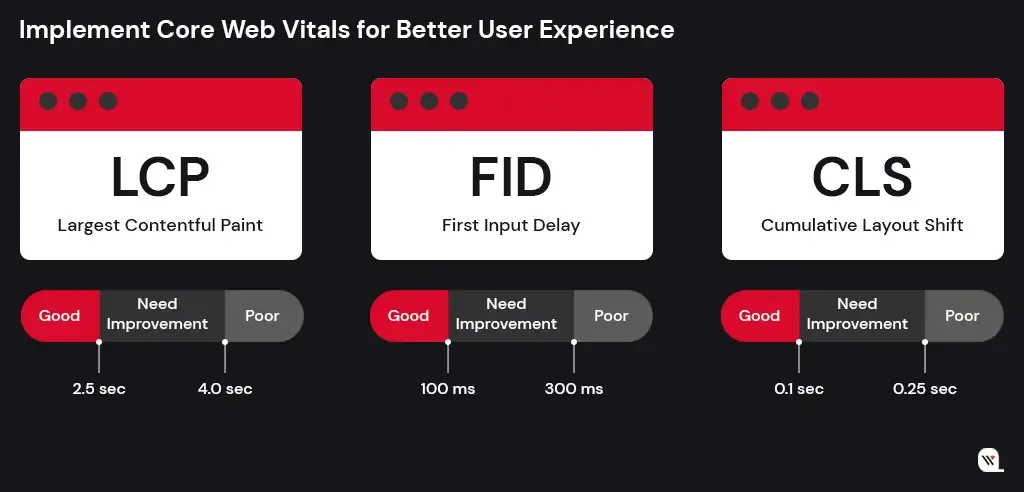
Core Web Vitals are a set of key metrics that Google uses to measure the quality of a user’s experience on your website. In 2025, these metrics are more important than ever for SEO and rankings. Google has made these metrics a major ranking factor. And, sites with better Core Web Vitals provide a smoother, faster experience, improving both user engagement and conversions.

Core Web Vitals Explained
  • LCP (Largest Contentful Paint): Measures how long it takes for the largest visible content element (like an image or text block) to load.
  • FID (First Input Delay): Measures the time between a user’s first interaction with the page and the browser’s response.
  • CLS (Cumulative Layout Shift): Tracks visual stability—how much content moves around during page load.

Practical Tips for Improving Core Web Vitals

  • LCP: Optimize large images, use modern image formats (e.g., WebP), and implement lazy loading.
  • FID: Minimize JavaScript execution and reduce third-party scripts.
  • CLS: Ensure proper layout and avoid elements that shift during loading (e.g., ads, fonts).
#2 Mobile-First Indexing

With over 60% of global web traffic coming from mobile devices, Google has shifted to mobile-first indexing. This means Google primarily uses the mobile version of your site to determine rankings. If your site isn’t optimized for mobile, it could severely impact your visibility in search results. Mobile-first indexing means Google uses the mobile version of your website to evaluate content, usability, and overall site quality. If your desktop version differs from your mobile version, Google will rank your mobile version—so both need to be equally optimized.

Why Mobile Optimization Matters
  • Google prioritizes mobile-friendly websites: Sites that offer a smooth mobile experience are ranked higher.
  • User expectations: Mobile users expect fast-loading, easy-to-navigate websites.
  • Impact on SEO: A mobile-optimized site improves user experience and leads to lower bounce rates, higher engagement, and ultimately better rankings.
Mobile Optimization Techniques
  • Responsive Themes: Use a responsive design that adapts seamlessly to different screen sizes. This ensures your site looks great and functions properly on both desktops and mobile devices.
  • Image Compression: Compress images without sacrificing quality to reduce page load time on mobile devices. Large images can slow down loading times, negatively affecting user experience and SEO.
  • Fast Loading Times: Mobile users expect quick access to information. Aim for a load time of under 3 seconds to prevent users from leaving your site. Consider optimizing JavaScript, CSS, and leveraging browser caching.
  • Easy Navigation: Ensure menus, buttons, and forms are easy to interact with on mobile screens. Use larger buttons and simplify navigation for small screens.

By prioritizing mobile optimization and adhering to mobile-first indexing, you’ll ensure that your WordPress site performs well across all devices, improving both user experience and your position in search rankings.

Make Sure Your WordPress Website is Ready for Mobile-First SEO!

Let’s Connect

#3 Leverage Artificial Intelligence for Content Creation

In 2025, Artificial Intelligence (AI) is revolutionizing the way we create content. From generating blog posts to optimizing content for SEO, AI-powered tools are helping WordPress users save time, improve quality, and enhance rankings.

How AI Can Assist in Generating High-Quality Content

AI tools, such as GPT-powered writing assistants, can help you quickly create well-written, relevant content. These tools can:

  • Generate Blog Posts: AI can create articles, product descriptions, and landing pages in minutes based on your specified topic and keywords.
  • Offer Content Suggestions: AI analyzes your content and suggests improvements, such as adding specific keywords, headings, or questions to make the content more SEO-friendly.
  • Create Unique Content: AI can generate unique content that is free from plagiarism, reducing the time spent on research and drafting.
Balance Artificial Intelligence with Human Creativity
  • Keep the Authenticity: AI-generated content may lack a personal voice or brand tone. Balancing AI with human edits ensures your content stays authentic and connects with your audience.
  • Keep the Relevance: AI doesn’t always understand nuanced topics or trends. Human input is necessary to ensure the content remains relevant, timely, and aligned with your audience’s interests.

By leveraging AI for content creation, you can improve efficiency, create SEO-friendly content faster, and stay ahead in the competitive digital space. Just remember to balance AI tools with your unique voice and human creativity to maintain authenticity and relevance.

#4 Focus on E-A-T (Expertise, Authoritativeness, Trustworthiness)

As Google continues to prioritize high-quality content, sites that demonstrate strong E-A-T signals are more likely to rank higher in search results. E-A-T ensures that your website provides value, is credible, and offers reliable information to users.

Google wants to ensure that the content on your site is written or reviewed by subject matter experts, especially for topics related to health, finance, or law (YMYL – Your Money Your Life pages). Content from qualified experts is more likely to rank higher.

Search engines like Google look at your website’s reputation and authority within its niche. If your site is frequently cited by reputable sources or has strong industry recognition, it signals authority.

Trust is a key component in Google’s algorithm. Websites that are transparent, secure (e.g., HTTPS), and offer a good user experience are more likely to be seen as trustworthy.

Here’s Easy Way To Enhance Your Site’s E-A-T

1. Create High-Quality, Expert Content:
  • Produce in-depth, accurate, and well-researched content that showcases your expertise in your niche.
  • Cite authoritative sources, such as research studies or reputable websites, to back up your claims.
2. Build Backlinks from Trusted Sites:
  • Earning backlinks from high-quality, authoritative websites signals to Google that your site is credible.
  • Engage in guest blogging, partnerships, or content collaborations to build these valuable backlinks.
3. Add Author Bios with Credentials:
  • Clearly display author credentials and qualifications on relevant pages. For instance, if writing about health, include the author’s medical background.
  • This adds credibility and shows that the content is written by someone with expertise in the subject matter.
Regularly Update Content:
  • Keep your content up-to-date, especially for topics that evolve frequently (e.g., technology, trends). Google values fresh and relevant information.
#5 Focus on Long-Tail Keywords and Semantic Search

Semantic search refers to how search engines understand the context of a query, rather than just matching exact keywords. Google uses advanced AI, like BERT (Bidirectional Encoder Representations from Transformers) and RankBrain, to interpret search intent, understand the meaning behind words, and deliver results that best match the user’s needs.

Instead of focusing solely on keywords, semantic search looks at the broader context of a query, considering synonyms, related concepts, and the user’s search history. This shift means that Google prioritizes content that provides comprehensive, useful information over keyword-stuffed pages.

Moreover, long-tail keywords are more likely to match specific user intents. For example, someone searching “how to bake chocolate chip cookies from scratch” is more likely to engage with your content than someone searching simply “cookies.”

It often faces less competition, making it easier to rank for them, even if your site is relatively new. And more importantly, users searching with long-tail keywords are often further down the sales funnel, meaning they are more likely to convert.

Tools to Find Long-Tail Keywords
  • Google Keyword Planner: Helps you find long-tail keywords based on search volume and competition. Simply enter a broad term, and Google will suggest related long-tail phrases.
  • – Ubersuggest: Offers long-tail keyword suggestions and also gives insights into search volume, competition, and trends. It’s a great tool for finding keywords with high conversion potential.
  • – AnswerThePublic: This tool visualizes the questions people are asking around your target keywords, helping you find common long-tail phrases related to your topic.
  • SEMrush: Provides keyword suggestions and related long-tail variations, along with insights into search trends and competition.
#6 Update Your Content Regularly to Stay Relevant

Search engines love websites that keep their content up-to-date, as it signals that your site is active, relevant, and providing the latest information. Regularly updating your content can help maintain or improve your rankings, keep visitors engaged, and boost your authority in your niche.

Why Fresh Content Matters for SEO in 2025
  • Google’s Algorithm Prioritizes Freshness: Google rewards sites that regularly update their content. Fresh, relevant content is more likely to appear in search results, especially for topics where timely information is key (e.g., news, trends, or technology).
  • Improves User Engagement: Visitors are more likely to return to a site that provides new insights, updated statistics, and the latest industry news. This engagement signals to Google that your site offers ongoing value.
  • Outdated Content Hurts SEO: Pages with outdated or irrelevant information are less likely to rank well. Updating content ensures that your website remains trustworthy and authoritative.

Best Practices for Content Updating

  • Review and Update Old Posts: Periodically go through your older blog posts and refresh them with new data, insights, or examples. Make sure the information is still accurate and relevant. This is especially important for evergreen content.
  • Add New Information: If a topic has evolved, add new sections or updates to reflect the latest trends, discoveries, or news. For example, if you’re writing about digital marketing strategies, update your post with the most recent algorithm changes or tools.
  • Refresh Outdated Keywords: Review your content for outdated keywords that may no longer be effective. Swap them for more relevant, high-traffic long-tail keywords or terms aligned with current search trends.
  • Improve Readability: As you update, make sure the content is well-structured and easy to read. Break up long paragraphs, add subheadings, and include images or videos where necessary.
  • Update Meta Descriptions and Titles: Ensure that your meta descriptions, titles, and URLs reflect any changes made to the content. These elements are essential for search visibility and user click-through rates.

By regularly updating your content, you ensure that your site remains relevant in 2025’s ever-changing digital landscape. This practice not only helps you stay on top of search rankings but also builds trust with your audience, proving that your content is consistently providing valuable and up-to-date information.

#7 Optimize Your Site’s Internal Linking Structure

Internal linking is a crucial yet often overlooked aspect of SEO that can significantly impact your WordPress site’s visibility, crawlability, and user experience. These links pass link authority (or “link juice”) from high-ranking pages to other pages, helping them rank better in search results.

Search engines use internal links to crawl and index your pages. A well-structured internal linking strategy makes it easier for bots to navigate your site and discover all its content.

Internal links help search engines understand the relationship between different pieces of content, which can improve your site’s topical relevance and ranking.

Best Practices for Internal Linking
  • Use Descriptive Anchor Text: The anchor text (the clickable text in a link) should be relevant to the linked page. Avoid generic phrases like “click here.” Instead, use specific keywords that describe the content, helping search engines understand what the linked page is about.
  • Maintain a Logical Link Structure: Ensure your internal links follow a logical structure, ideally from more general content (like your homepage or main categories) to more specific content (like blog posts or product pages). This structure helps both users and search engines easily navigate your site.
  • Link to Relevant Content: Only link to pages that are contextually relevant. Linking unrelated pages can confuse both search engines and users, potentially harming your SEO efforts.
  • Avoid Over-linking: Too many internal links on a single page can overwhelm users and reduce the effectiveness of each link. Keep your internal links concise and focused, ideally linking to 3–5 relevant pages per post or page.
How Internal Linking Improves Crawlability and User Navigation
  • Better Crawlability: A well-organized internal linking structure ensures that search engine crawlers can easily access all important pages of your website. This can help pages that may not otherwise be discovered gain visibility in search results.
  • Improved User Navigation: Internal links make it easier for visitors to find related content, which improves their experience and keeps them engaged longer. This can reduce bounce rates and improve on-site metrics, which in turn boosts SEO.

By optimizing your internal linking structure, you enhance both the crawlability of your site and user navigation, ultimately boosting your WordPress site’s SEO performance. Take the time to review and improve your internal linking strategy to achieve long-term success in 2025.

#8 Optimize for Voice Search

With the rise of voice-activated devices like smartphones, smart speakers, and virtual assistants, voice search is rapidly transforming how people search for information online. By 2025, voice search is expected to account for over 50% of all searches, making it a critical SEO factor that WordPress users cannot afford to overlook.

This shift requires a change in SEO strategy, focusing more on long-tail keywords, question-based content, and optimizing for natural language rather than the keyword-heavy phrases traditionally used in text search.

Key Differences Between Text and Voice Search Queries
  • Longer Queries: Voice search queries are typically longer and more specific than text queries. For example, a voice search might be, “How can I improve my website’s SEO on WordPress?” compared to the text search term “WordPress SEO tips.”
  • Conversational Tone: Voice searches often mimic everyday speech, so optimizing for a more conversational tone can help your content rank better.
  • Local Intent: Many voice searches are locally focused (e.g., “Where can I get coffee near me?”), so optimizing for location-based keywords is crucial for businesses aiming to capture voice search traffic.
Quick Tips for Optimizing WordPress Content for Voice Search

1. Create Question-Based Content
2. Optimize for Featured Snippets
3. Use Structured Data (Schema Markup)
4. Improve Local SEO

Want to Improve Your Online Visibility to Reach More Audience?

Let’s Connect

Wrap Up

The future of SEO is here, and 2025 will bring even more opportunities for WordPress users to boost their online presence. By adopting the latest SEO strategies, from optimizing for Core Web Vitals to leveraging AI-driven content, you’ll set your site up for success. As search algorithms become more sophisticated, staying on top of these trends will ensure your website stands out, ranks higher, and attracts the right audience.

Ready to elevate your WordPress site’s SEO and performance? Our expert team specializes in WordPress SEO and development—from on-page optimization to custom solutions that drive real results. Get in touch with us today to start optimizing your website for 2025 and beyond!

Top 7 WordPress Development Trends to Watch in 2026

The days of evaluating WordPress solely by its aesthetic themes and basic publishing workflows are officially over. As we navigate 2026, the platform has transformed into a sophisticated operating layer. For direct-to-consumer brands looking to scale, the focus has fundamentally shifted. You are no longer just building a digital destination. You are engineering a content ecosystem built to survive and thrive alongside Agentic AI and rapidly evolving search algorithms.

This evolution changes every metric of success. The most critical WordPress development trends today intersect directly with advanced visibility strategies like Answer Engine Optimization and Generative Engine Optimization.

The objective is no longer just rendering web pages. It is about structuring data so AI models can confidently discover, extract, and cite your brand authority, all while maintaining uncompromising rendering speeds.

If your development team is planning a new digital experience or growth stack, sticking to legacy build models is a massive risk. These seven trends highlight the precise architectural and operational shifts you must implement now to ensure your platform remains resilient, visible, and highly functional.

Quick Trend Snapshot

Trend Why It Matters in 2026 Primary Impact Priority Level
Full Site Editing Block-first workflows are becoming standard. Faster delivery and reusable systems High
Headless WordPress Modern delivery models need more flexibility. Architecture freedom Medium-High
AEO and GEO AI search visibility is reshaping discoverability Better AI citations and visibility Critical
AI-Powered Workflows Teams need faster production without operational overload Workflow efficiency High
Core Web Vitals Performance directly affects rankings and conversion Better UX and SEO Critical
Low-code delivery Businesses want faster launch cycles and iteration Faster deployment Medium
Composable integrations WordPress now powers connected digital ecosystems Operational scalability High

Why Does WordPress Still Matter in 2026?

WordPress remains foundational because it strikes a rare balance among editorial control, developer extensibility, and ecosystem depth. While newer platforms push highly opinionated architectures, few match WordPress when content scale, workflow flexibility, and deployment speed are required simultaneously.

The critical shift is strategic. In 2026, WordPress will no longer be evaluated merely as a content management system. It is a content operating layer built to support SEO, AI-driven discovery, analytics integrations, and multi-channel delivery within a single cohesive stack.

The stakes for getting this right are high. According to recent McKinsey research, data-driven organizations are 23 times more likely to acquire customers and 19 times more likely to be profitable. Your CMS is the engine that structures and distributes that data.

1. Full Site Editing Is Becoming the Default Build Model

Full Site Editing continues to mature into the definitive standard for assembling modern WordPress sites. Instead of isolating templates, headers, and styling controls from daily content management, FSE unifies these layers within a single block-based editing system.

This standardization is a critical signal for digital agencies and in-house teams. According to Accenture’s 2026 Technology Vision research, 84 % of executives at diversified technology platforms are focused on fundamental transformation, compared to just 52 % at legacy companies. Sticking to rigid legacy theme architectures is an incremental tactic that slows down agility.

For developers, FSE delivers cleaner architectures and reusable components. For marketing teams, it allows template adjustments without creating engineering bottlenecks. Defaulting to classic themes without a strict legacy requirement is now a strategic misstep.

2. Headless WordPress Is Expanding Beyond Niche Use Cases

Headless WordPress is now a primary architectural strategy entering 2026. By decoupling the backend content workflows from a modern frontend presentation layer like Next.js or Astro, organizations gain unprecedented architectural freedom.

This is a practical requirement for DTC brands and enterprises that demand multi-channel publishing, granular performance control, and composable frontend stacks. The advantages include superior rendering performance and alignment with modern JavaScript patterns. The tradeoff involves increased deployment complexity and a higher coordination burden between content and engineering units.

Headless is a fit, not a default. Smart teams adopt it when the user experience ambition or a technical roadmap clearly justifies the separation.

3. AEO and GEO Are Becoming Core WordPress Visibility Priorities

Digital visibility in 2026 cannot rely on classic search models. Answer Engine Optimization and Generative Engine Optimization are mandatory priorities. Gartner predicts a 25 % decline in traditional search engine queries by 2026 as users shift to AI-generated answers and summaries.

Daily usage of AI integrated directly into search will be three times that of any standalone AI tool, with nearly one-third of adults encountering AI search summaries daily. Forbes corroborates this impact, noting that organic click-through rates have dropped 61 % on queries where AI Overviews appear, and 60 % of searches now end without a traditional click.

For WordPress teams, pages must be structured so AI systems can confidently extract and cite them. This requires sharp heading hierarchies, concise answer blocks, clean internal linking, and flawless schema markup. Technical SEO and citation readiness are now fundamental engineering tasks.

4. AI-Powered WordPress Workflows Are Becoming Operational Infrastructure

Artificial intelligence within WordPress has moved past the novelty phase. It is an operational infrastructure used to accelerate metadata generation, internal linking, and publishing operations.

The objective is not to flood the internet with thin content. The goal is operational efficiency. Agentic AI is driving the next era of enterprise integration, predicting that the majority of organizations will adopt agentic workflows by 2026. When integrated correctly, AI reduces production drag, allowing developers and strategists to focus on precision and conversion quality.

5. Core Web Vitals and Hosting Architecture Still Shape Outcomes

Performance remains a commercially critical development trend because it dictates visibility, retention, and conversion metrics. A visually polished site that responds slowly is a failing asset.

The current performance conversation revolves around LCP, INP, and CLS. With INP now the standard metric for interactivity, performance engineering must encompass script loading, font strategy, cache behavior, and rigorous plugin restraint.

Performance is an infrastructure decision that relies heavily on edge and object caching, as well as managed cloud environments.

6. Low Code and Pattern-Driven Delivery Are Speeding Up Launch Cycles

Pattern-driven workflows are accelerating how projects are shipped. Repeatable layout execution is becoming faster, freeing engineering teams to focus on bespoke integrations and performance-critical elements.

This rapid deployment is vital for minimal viable products, campaign hubs, and landing pages. Reusable block libraries reduce the time to market materially when governed with strict discipline. The optimal approach is selective acceleration: utilizing visual assembly tools to reduce drag while aggressively avoiding long-term technical debt.

7. Composable Integrations Are Defining the Next WordPress Stack

WordPress operates within a broader digital ecosystem. The most capable 2026 implementations connect seamlessly with CRMs, marketing automation platforms, commerce systems, and external APIs.

Content supports lead generation, customer education, and retention simultaneously. A platform that publishes well but integrates poorly creates systemic friction. Developers are building modular data flows and intentional plugin stacks, moving WordPress toward a composable operating model that delivers enterprise connectivity without forcing full headless complexity.

Final Thoughts

WordPress remains relevant in 2026, but the reasons are more strategic than before. It is no longer enough for a site to be easy to edit or quick to launch. It also has to perform well, integrate cleanly, stay secure, and remain visible in both traditional search and AI-mediated discovery.

That is why the most important WordPress development trends in 2026 intersect content, engineering, infrastructure, and discoverability. Teams that adapt early will build sites that are easier to scale, easier to govern, and far more resilient as the web continues to shift toward answer-driven discovery.