Custom WordPress vs Page Builders: Which is Right for Your B2B Business?

A B2B business website is not just a gateway for your customers to interact with your services and products. It’s a powerful platform for demand generation, CRM integration, and improving brand credibility. So, you need to get it right, and a wrong architectural choice can impact your site performance.

One way is to use WordPress page builders that offer development speed. Just drag, drop, and launch the site. The platform handles everything else. And yet, your team has complete control over every functionality without writing a single line of code. The second approach is to opt for custom WordPress development, which offers more than WordPress page builders.

You don’t just get a fully functional site with a custom WordPress development approach, but one that has tailored themes, templates, and features. It’s engineered to your needs and offers CRM integration from day one.

So, which approach should you choose: Custom WordPress or page builders?

This article answers it with a clear comparison between Custom WordPress vs page builders. It covers everything from technical comparison to business trade-offs. But first, let’s understand each of these approaches individually.

What is Custom WordPress Development?

According to W3Techs, WordPress powers over 43% of all websites globally, making it the most widely adopted content management system. For B2B businesses, this dominance translates into long-term stability, a mature ecosystem, and strong compatibility with enterprise tools and integrations.

Custom WordPress development is an approach to building your website customized to specific business goals. This includes developing custom themes and templates with the exact content structure you need to cater to your audience.

A custom WordPress website has purpose-built components that offer functionalities as per your business requirements. Whether you need an ROI calculator that integrates with your CRM or want to create a resource library for gated content or lead scoring, it allows you to design and develop a site tailored to your needs.

A custom WordPress solution offers,

  • Optimized database queries that make your site faster
  • Tailored integrations that connect your site with the systems you need.
  • Brand differentiation through customizations of themes and templates
  • Optimal performance, both technically and SEO-based
  • Advanced SEO and structured content to improve visibility across channels

What are WordPress Page Builders?

WordPress page builders are drag-and-drop interfaces that let anyone build webpages without coding. It comes with pre-built blocks, widgets, and templates, which you can assemble to create high-performance websites.

It offers a live preview editor that lets you drag and drop hero sections, testimonial sliders, pricing tables, and contact forms. You can even tweak colors, fonts, and spacing with sliders without knowledge of CSS. Plus, it offers pre-built templates like “SaaS Landing Page,” and you can even add your custom logo. After all of this, your site will be ready to launch, and that too in hours and not weeks.

But its biggest advantage is also its most significant disadvantage. You don’t have control over how elements, functions, and components behave whenever a user interacts. Plus, maintaining branding consistency becomes complex.

But does that mean custom WordPress development is better?

Let’s evaluate custom WordPress development vs. page builders using different criteria.

Custom WordPress vs Page Builders: Key Comparison Areas

B2B businesses choose the web development approach based on what compounds revenue over time. Here is a comparison of custom WordPress development vs page builders.

Comparison Area Custom WordPress Page Builders Winner for B2B Scale
Performance & Core Web Vitals Lean code, optimized assets, 90+ Lighthouse scores. Your pricing page loads in 1.2s Bloated DOM, unused CSS/JS everywhere. 50-70 Lighthouse scores are typical Custom – Speed wins SEO and conversions
SEO & Content Structure Granular HTML control, custom schema, semantic content models, Limited markup, bloated layouts dilute semantic signals Custom – Google rewards clean structure
Scalability & Long-Term Growth Handles 100k+ pages, complex content types, deep integrations Restrictive at 10k+ visitors, content sprawl kills performance Custom – Built for your 5-year roadmap
Flexibility & Custom Integrations Deep CRM/automation connections, purpose-built functionality Plugin-dependent, shallow integrations, API limits Custom – Your workflows, not vendor limits
Time-to-Market 4-8 weeks planning + build 1-2 weeks drag-drop-launch Page Builders – Speed for MVPs
Maintenance & Technical Debt Clean architecture, dev-friendly, future-proof Lock-in, upgrade breakage, “spaghetti code” inheritance Custom – Lower lifetime ownership cost
Cost Over Time $20-50k upfront, $2-5k/year maintenance $5-15k upfront, $10-30k/year bloat fixes + migrations Custom – ROI compounds Year 2+

For B2B companies focused on long-term growth, custom WordPress consistently outperforms page builders across performance, SEO, and scalability.

1. Performance and Core Web Vitals

Custom WordPress development helps you minimize coding by keeping the focus on the functionality your site needs. There are no unused slider libraries or components that are slowing your site. What this means is your core web vitals are right on point. The Large Contentful Paint (LCP) is under 2 seconds. Similarly, you can keep the Cumulative Layout Shift (CLS) close to zero. Page builders add assets per page, such as animations, fonts, and effects, which are often not useful for your website but can affect performance and core web vitals.

Did you know ? “Google officially confirms that Core Web Vitals are a ranking factor, meaning site architecture, code efficiency, and performance directly influence search visibility.”

2. SEO and Content Structure

Custom WordPress development with custom theme development. WordPress practices enable granular control over HTML, schema markup, and semantic content models through WordPress SEO best practices, allowing precise structured data for rich snippets in B2B searches like “ERP software comparison.”

This approach follows Elementor vs custom WordPress comparisons, where custom builds produce cleaner code that boosts indexing and visibility, unlike Gutenberg vs page builders, where native blocks offer better semantic output than bloated plugins. Page builders like Elementor generate generic divs and bloated layouts that dilute crawler signals and weaken topical authority over time.​ Clean architecture combined with strong UI/UX design helps reduce friction and improve task completion.

3. Scalability & Long-Term Growth

WordPress website scalability shines in custom development, supporting complex content types, API-driven catalogs, and integrations like HubSpot without dips, thanks to its optimized architecture.

Page builders restrict growth due to nested elements causing content sprawl and slowdowns at scale, often requiring migrations that harm SEO equity. Custom setups align with long-term roadmaps, avoiding the limitations of Gutenberg vs. page builders on high-traffic sites.

4. Flexibility & Custom Integrations

Custom WordPress sites support advanced API integration services that connect CRMs, analytics, and internal systems without plugin limitations.

Page builders depend on plugins for integrations, risking shallow APIs, rate limits, and breakage during updates, as highlighted in Elementor vs custom WordPress analyses. This flexibility supports WordPress performance optimization by minimizing dependencies.

5. Time-to-Market

Page builders accelerate launches to 1-2 weeks via drag-and-drop, making them ideal for MVPs in demand gen or pilots where speed trumps depth. Custom WordPress projects require 4-8 weeks of planning to build robust foundations that reduce future rework and support evolution. Balance depends on urgency versus WordPress website scalability needs.

6. Maintenance and Technical Debt

Custom builds provide a clean, modular architecture for easy updates and no vendor lock-in, enhanced by WordPress performance optimization techniques such as lean queries. Page builders create proprietary lock-in, upgrade issues, and spaghetti code that raise costs for teams. Ongoing QA and testing services help ensure updates and new features don’t degrade performance over time.

7. Cost Over Time

According to McKinsey, unresolved technical debt can consume 20–40% of an organization’s IT budget, slowing innovation and increasing long-term costs.

Page builders have lower upfront costs but incur higher costs for fixes and migrations due to bloat. Custom WordPress costs more initially but yields savings in maintenance and SEO gains, as custom solutions outperform in the long term.

Which Option Fits Your B2B Business? (Decision Framework)

Before choosing the best option for your web development, ensure it aligns with your lead generation and retention goals. To make this decision more accurate, here is a framework you can use,

Choose Page Builders if

Leverage a page builder only when you need speed over customizations or are looking to launch a minimum viable product. It suits best for temporary assets or microsites. The performance of the website you get is basic and there are no deep custom integrations.

  • Campaign Landing Pages: Deploy event promos or webinar signups in days for A/B testing lead magnets.
  • MVP Prototypes: Validate SaaS demos or quick commerce pilots with non-technical teams.
  • Temporary Microsites: Run seasonal product launches or partner co-branded pages without long-term commitment.
  • Small Agency Sites: Basic service showcases under 1k monthly visitors, where drag-drop speeds client delivery.

Choose Custom WordPress If,

Select custom WordPress development to build scalable platforms which can offer better SEO optimixations, customizations and integrations. It is the most suitable for enterprise B2B companies with complex workflows, offering better Core Web Vitals.

  • Enterprise Content Hubs: Scale resource libraries, case studies, and blogs to 100k+ pages with semantic SEO.
  • Integrated Lead Funnels: Sync ROI calculators, gated ebooks, and CRM scoring for nurturing pipelines.
  • High-Traffic Portals: Handle surges from LinkedIn campaigns or webinars with optimized Core Web Vitals.
  • Custom Workflows: Build demo schedulers, analytics dashboards, or API-driven catalogs for CTO audiences.

Hybrid WordPress Strategy: When It Makes Sense for B2B

Many B2B companies adopt a hybrid WordPress strategy that leverages custom development as the core foundation while incorporating selective Gutenberg blocks or lightweight page builders for targeted marketing needs.

This approach delivers marketing flexibility through drag-and-drop editing on specific pages without compromising site-wide performance or scalability. Custom themes provide optimized architecture, lean code, and deep integrations, while Gutenberg’s native blocks enable non-technical teams to handle content updates efficiently.

Core Foundation

Custom WordPress themes form the backbone, ensuring 90+ Lighthouse scores, granular SEO control, and CRM syncing from launch. Optimized database queries and semantic HTML support enterprise-scale growth to 100k+ pages without bloat.

Selective Builder Use

Gutenberg blocks or lightweight builders like Beaver Builder integrate sparingly for high-velocity pages such as campaign landing pages or A/B tests. This maintains Core Web Vitals like LCP under 2s and CLS near zero, while avoiding the DOM bloat of full-page builders.

Benefits for B2B Scale

Marketing teams gain speed for MVPs and seasonal microsites, while developers retain control over critical funnels and portals. Long-term ROI compounds through reduced technical debt and seamless evolution.

Final Note

No universal “right” choice exists between custom WordPress and page builders; success depends on your B2B stage and revenue goals. Startups benefit from page builders’ rapid 1-2-week launches for MVPs and A/B testing, delivering quick ROI via low costs and fast demand generation.

Page builders offer short-term speed but dilute SEO over time. Custom development’s upfront investment yields long-term savings, and hybrid flexibility with Gutenberg for marketing pages without performance trade-offs. For B2B sites as revenue engines, prioritize scalable architecture over design ease.
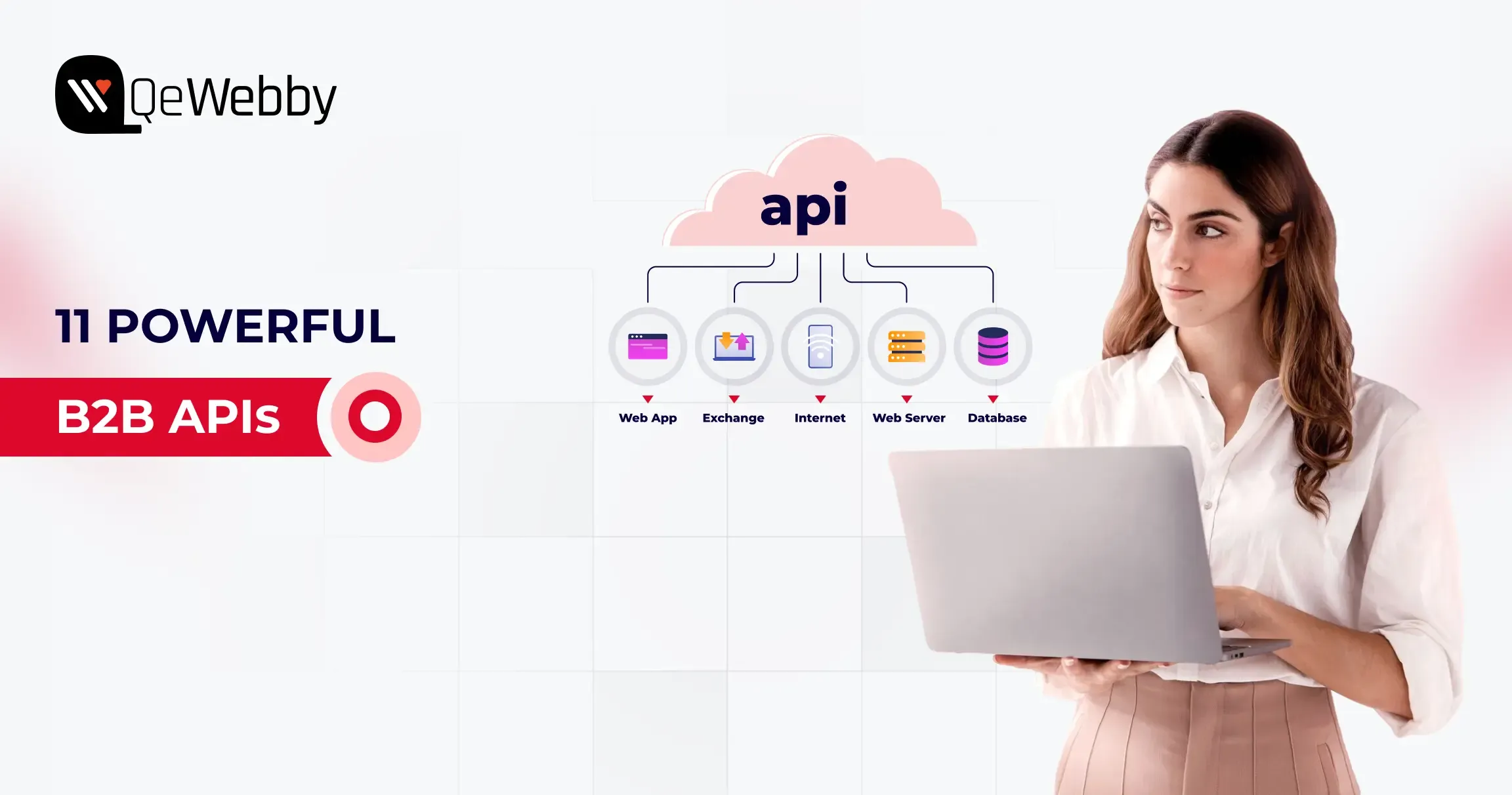
Top 11 APIs for Seamless B2B API Integration in Your Next Business Project

In modern B2B environments, speed, data flow, and seamless API integration determine whether businesses scale or stall. According to Salesforce’s 2025 report, only 27% of enterprise applications in APAC are fully interconnected, leaving most organizations operating in data silos.

As companies embrace innovations such as generative AI, B2B API integrations become increasingly crucial. McKinsey reports that 42% of B2B decision-makers are already using generative AI, or are preparing to use it. But if your systems can’t connect and integrate such innovations seamlessly, your business will lag in an AI-first market.

That’s where API integration for business becomes the real growth driver. APIs aren’t just technical add-ons. B2B APIs help connect your existing systems with CRMs, payment systems, logistics tools, and communication platforms.

The best APIs for B2B integration depend on your business function. CRM APIs like Salesforce and HubSpot unify customer data, payment APIs like Stripe handle secure transactions, communication APIs like Twilio enable real-time messaging, while infrastructure APIs like AWS and Microsoft Graph power scalable, connected enterprise systems. Most modern B2B platforms rely on multiple APIs working together rather than a single solution.

Why B2B API Integration Is the Backbone of Modern Business Operations?

B2B API integrations enable seamless, real-time data exchange between systems, automating processes and reducing errors. It also allows businesses to create an agile, efficient, and connected business ecosystem.

Here are some key reasons why you need to invest in B2B API integrations,

  • Reduced Silos- B2B API integrations help break down silos across CRM, ERP, and supply chain processes. It offers a unified view of all the data and ensures everyone has access to real-time data.
  • Process Automation- Integrating B2B APIs can automate repetitive tasks that take too much time and effort. It also minimizes human error and optimizes outcomes.
  • Improved Collaborations- APIs enable direct, secure data sharing with partners, suppliers, and customers. This fosters smoother collaborations, faster approvals, and transparent communication across the value chain.
  • Faster Decision-Making- With real-time data flowing across integrated platforms, leaders gain timely and accurate information to make better business decisions, respond quickly to market changes, and capitalize on new opportunities.
  • Scalability and Flexibility- APIs make it easy to add or upgrade business systems, launch new products, or scale to new markets without rebuilding core infrastructure.
  • Enhanced Customer Experience- By connecting backend and frontend systems, B2B APIs ensure that customers and partners have seamless interactions, prompt support, and efficient order fulfillment.
  • Stronger Security & Compliance- APIs enable secure, permission-based data exchange and make it easier to track data flows, thereby supporting better compliance with industry regulations.

Now that you know the reason why you need B2B API integrations, it’s time to choose the best option for your project. However, before you select the best B2B APIs, you need to consider some of the key criteria.

Key Criteria for Choosing the Right API for B2B Integration

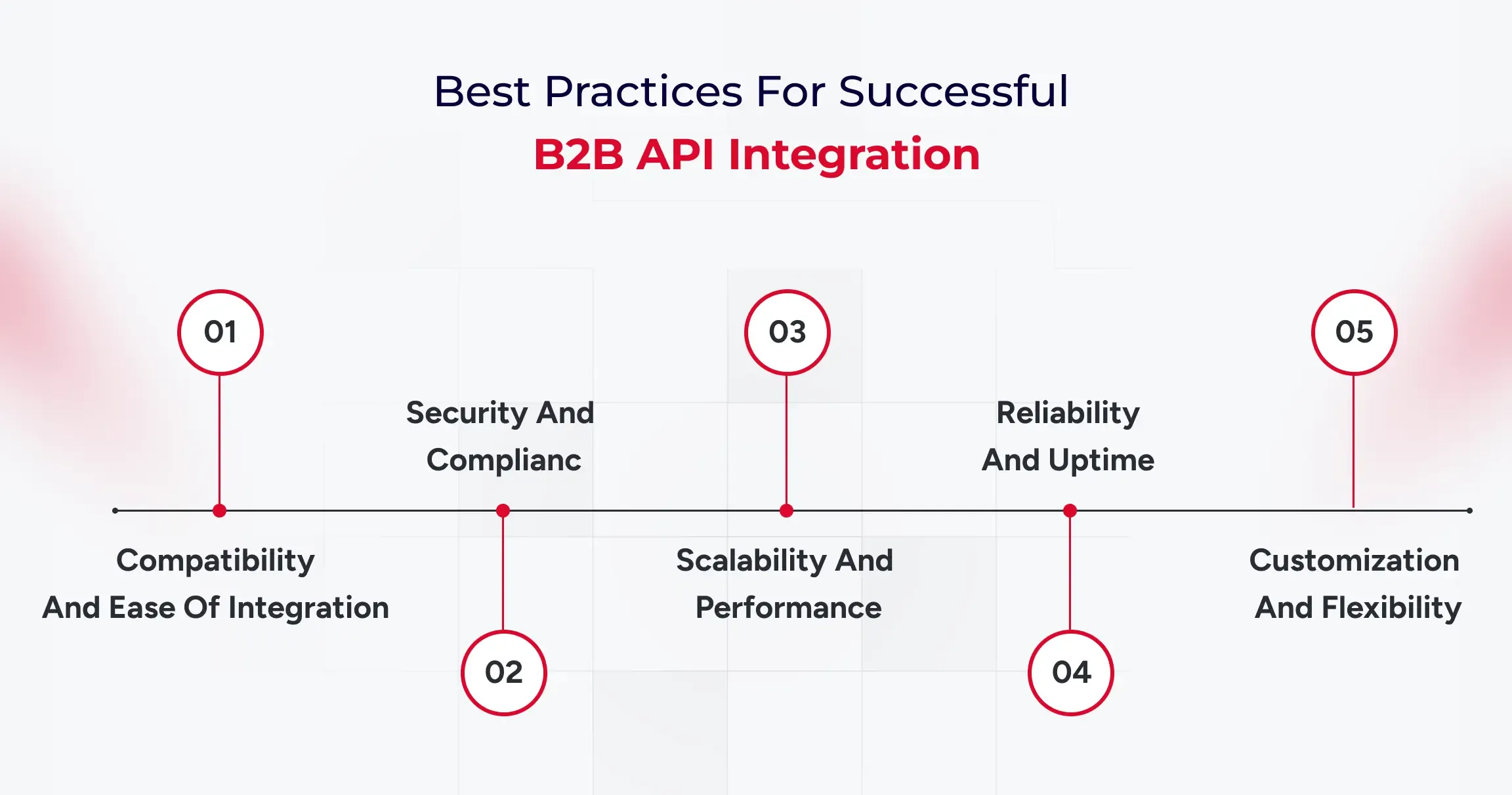
Selecting the best API for your B2B integration project is fundamental to creating a reliable, efficient, and future-ready business operation. Here’s what you should continually evaluate before making your choice:

1. Compatibility and Ease of Integration

Ensure the API works seamlessly with your existing systems (CRM, ERP, supply chain, etc.). Look for well-documented endpoints, SDKs, and support for multiple programming languages to minimize development time and complexity.

2. Security and Compliance

Your chosen API should support secure data transmission and robust authentication protocols (such as OAuth2). Ensure it complies with relevant industry standards, such as GDPR, HIPAA, and PCI DSS, to protect sensitive information and meet regulatory requirements.

3. Scalability and Performance

Consider whether the API can handle increasing volumes of data and users as your business grows. Features such as rate limiting, efficient data formats, and low latency are crucial for high-volume, mission-critical integrations.

4. Reliability and Uptime

Pick APIs with established reputations for stability and high availability. Check for documented SLAs (Service Level Agreements), redundant infrastructure, and clear incident response protocols to avoid costly downtime.

5. Customization and Flexibility

Choose APIs that let you tailor functionality to your specific business needs. This may include support for webhooks, extensible features, and modular endpoints that make it easy to adapt as your processes evolve.

Now that you have the criteria defined to choose the best APIs for integration into your systems, it’s time to choose the most suitable ones.

Top 11 APIs for Enhancing Your B2B Projects

With millions of APIs available, finding the right ones for your B2B projects can feel overwhelming. The goal is to select tools that enhance your B2B API integration capabilities and streamline everything from supply chains to customer communication. A well-chosen API integration platform can transform your operations.

Here are some of the best options,

1. Salesforce API for Streamlined CRM Operations

The Salesforce API is the best CRM API for B2B companies looking to consolidate customer relationship information across connected systems. By connecting Salesforce with your other business applications, you can build a single, unified view of all customer interactions. This integration helps all your sales, marketing, and support organizations work from the same current information.

Key Features:
  • Unified customer data across systems
  • Real-time data synchronization
  • Programmatic access to CRM analytics
  • Workflow automation
  • Extensive data migration
When to Integrate:
  • eCommerce checkout address validation
  • On-demand delivery apps
  • Travel, hospitality, or multi-location directories
  • Real estate or property mapping platforms

2. Stripe API for Seamless Payment Processing

Including the Stripe API in your B2B platform makes it really easy to process payments. Stripe is built to handle complex payment scenarios, making it ideal for companies with recurring subscriptions, marketplace payouts, or high-volume transactions. Using its powerful API, you can include payment gateways directly within your applications.

Key Features:
  • Secure card payments (Apple Pay, Google Pay, etc.)
  • Recurring subscriptions and invoicing
  • Real-time payout tracking
  • Fraud prevention and compliance tools
  • Multi-currency and international support
When to Integrate:
  • eCommerce stores and marketplaces
  • SaaS subscription platforms
  • Mobile apps requiring in-app purchases
  • Donation or fundraising portals

3. Twilio API for Advanced Communication Solutions

The Twilio API provides a comprehensive set of tools for integrating communication capabilities into your applications. To send automated SMS messages, handle voice calls, or add video chat, Twilio gives you the building blocks to reach users in real time. This is what business departments must have today to communicate with customers and trading partners instantly.

Key Features:
  • SMS, MMS, and voice call automation
  • Phone number masking
  • Global phone verification
  • Video and chat integrations
  • Real-time status tracking
When to Integrate:
  • Account signup verification (OTP)
  • Customer service chatbots
  • Marketing campaigns via SMS
  • Telemedicine/video appointment platforms

4. DocuSign API for Secure Document Management

The DocuSign API is essential for companies that want to automate and secure document management processes. It enables you to add electronic signature functionality directly within your own apps, simplifying processes that have long required manual printing, signing, and scanning.

Key Features:
  • Seamless integration with the existing system
  • Secure authentication through OAuth 2.0
  • Compliance with global eSignature laws
When to Integrate:
  • Automated order or signup confirmations
  • Newsletter distribution
  • Password reset/notification workflows
  • Application status updates

5. AWS API for Cloud Infrastructure

The Amazon Web Services (AWS) API is a core B2B API integration, offering cloud infrastructure services and improved data control. Rather than having to manually set up servers, databases, or storage, your applications can leverage the AWS API to provision and manage these resources automatically. This is critical to creating scalable, high-availability B2B applications. This robust B2B API integration enables your systems to dynamically respond to shifting demands in real time.

Key Features:
  • Fully-managed services for API management
  • Offers API Gateway Pattern
  • Automates the process of app integration with third-party services
When to Integrate:
  • Instant messaging apps
  • Real-time user dashboards
  • Multi-user collaboration platforms
  • Event-driven content

6. HubSpot API for Powerful Marketing Automation

The HubSpot API is among the greatest CRM APIs for B2B companies with marketing automation. It enables you to sync customer data across all your tools. It allows seamless data flows between your CRM, email marketing tool, and website, and offers a single view of your marketing and sales funnel.

Key Features:
  • Lead/enquiry syncing
  • Campaign automation
  • CRM and content integration
  • Analytics endpoints
When to Integrate:
  • To streamline marketing, CRM, and sales handoffs
  • Automating end-to-end customer journeys
  • Generating robust marketing analytics

7. Microsoft Graph API for Connected Workflows

The Microsoft Graph API is one gateway to data and intelligence throughout the Microsoft 365 solution. It includes services such as Outlook, Teams, OneDrive, and SharePoint. You can use this API to develop robust application integration solutions that connect business departments and simplify their everyday processes. This B2B API integration simplifies complex business processes spanning multiple applications.

Key Features:
  • Cross-app file and calendar automation
  • Task and message triggers
  • Unified identity/authentication
When to Integrate:
  • Collaborative document sharing/editing
  • Automated notifications across teams
  • Task tracking and reporting

8. QuickBooks API for Efficient Accounting Integration

For any B2B business, seamless accounting integration is not optional, and the QuickBooks API offers a one-way ticket to get there. The API lets your applications talk directly to QuickBooks, automatically exchanging financial information and removing manual data entry between your sales, invoicing, and accounting systems.

Key Features:
  • Invoice/expense syncing
  • Real-time payment updates
  • Comprehensive reporting
When to Integrate:
  • Automated order-to-cash workflows
  • Invoice management in eCommerce
  • Financial reporting for B2B projects

9. Slack API for Real-Time Team Collaboration

The Slack API makes your workspace a unified team collaboration center by bringing together notifications and tools in one location. Coupling third-party APIs with an environment such as Slack enables your team to get real-time updates from applications such as project management software, CRM software, and code repositories without ever leaving their main communication channel.

Key Features:
  • Custom notifications
  • Bot automation
  • Third-party integrations
  • Message/search endpoints
When to Integrate:
  • For instant notifications from business apps
  • Real-time project status updates
  • Automated alerts for support issues

10. Google Maps API for Location-Based Services

Google Maps API is one of the key B2B API integration tools that support businesses through location-based services. It helps you map custom data, calculate logistics routes, and find the closest points of interest. This B2B API integration is used across B2B platforms, particularly in logistics and retail operations.

Key Features:
  • Map and address embedding
  • Geocoding, routing
  • Places info and search
  • Live traffic data
When to Integrate:
  • Delivery, logistics, or fleet solutions
  • Real estate or local business directories
  • eCommerce store locators

11. Shopify API for eCommerce Management

The Shopify API enables you to integrate your Shopify store with other essential business systems, including your ERP, warehouse management system, and marketing platforms. This automates key processes and gives you a single, unified view of your entire operation. When selecting a B2B API integration platform, choose one that supports the multifaceted processes of eCommerce.

Key Features:
  • Product/inventory updates
  • Order processing
  • Customer and sales analytics
  • Integration hooks
When to Integrate:
  • B2B/B2C commerce platforms
  • Businesses expanding into online retail
  • Synchronizing eCommerce with back-end systems

How to Choose the Right API Stack for B2B Integration?

Most B2B platforms require a combination of APIs rather than a single solution. CRM, payments, communication, infrastructure, and collaboration APIs work best when integrated through a unified architecture or API management layer supported by reliable API integration services that ensure secure data flow, scalability, and long-term system stability.

How to Implement These APIs for Optimal Integration?

Successful B2B API integration involves defining clear goals, selecting secure and scalable APIs, designing integration architecture, testing thoroughly, and continuously monitoring performance.

  • Define Integration Objectives- Start by clarifying your business goals, whether it’s automating order processing, real-time inventory updates, or enhancing customer experiences. Map out the data flows and processes you need to connect.
  • Assess Current Systems- Audit existing infrastructure, determine compatibility, and identify any legacy systems or manual workflows that need API-driven transformation.
  • Choose Scalable and Secure APIs- Select APIs based on the criteria outlined earlier, prioritizing security, scalability, and ease of integration.
  • Develop Integration Architecture- Decide on integration patterns (point-to-point, middleware, API gateway) and design your data mapping between systems.
  • Test and Validate- Use sandbox environments or staging to run extensive tests checking for data accuracy, error handling, and performance under load.
  • Monitor and Optimize- Once live, continuously monitor API usage, performance, and security. Collect feedback and iterate to improve reliability, efficiency, and user experience.
  • Train Teams and Document Processes- Equip IT and business users with guides and support to maximize the value of your integrations and respond rapidly to any issues.

What is The Future of B2B API Integration?

B2B API integration is rapidly evolving, transforming how companies collaborate, automate, and scale in the digital age.

  • AI-Driven, Self-Optimizing APIs- Machine learning will allow APIs to auto-adapt to changing workflows, errors, or demand, further reducing manual intervention.
  • Universal API Management Platforms- Unified portals will centralize monitoring, deployment, and security for all API connections, simplifying multi-cloud, multi-partner management.
  • Hyperconnectivity and Industry Standards- A shift towards standardized data schemas and protocols will allow businesses to onboard new partners or applications with minimal development effort.
  • Event-Driven and Real-Time Integrations- Future APIs will enable instant interactions, predictive analytics, and adaptive business logic, ushering in real-time B2B automation.
  • Enhanced Security and Compliance- Next-gen APIs will ace the compliance checks, consent management, and advanced encryption as standard features, safeguarding sensitive B2B data exchanges.

B2B API integration is moving toward real-time, event-driven, AI-optimized ecosystems where systems adapt automatically, scale instantly, and enforce security by design.

Final Thoughts

Effective B2B API integration is not merely a matter of system integration. It is about empowering quantifiable productivity and building a digitally scalable ecosystem. When it comes to weighing the optimal CRM APIs for B2B or the wider API integration to the business, the aim is the same: a smooth bridge that will bring growth.

Incorporated strategically, the API integration in the B2B sphere will become the start of the scalable development and of the smarter decisions. The concepts of data security, scalability and constant optimization must remain at the center of your integration strategy.

To learn more about the ways you can speed up your digital transformation with the integration of API, schedule a strategic consultation with our solution experts.

Managed WordPress Maintenance vs DIY: What B2B Companies Need to Know

For modern B2B organizations, a WordPress website serves as a vital revenue channel and lead-generation engine. However, maintaining its stability, security, and performance is essential and requires ongoing upkeep, especially as businesses scale.

Managed WordPress maintenance is best for B2B companies that rely on their website for lead generation, security, and uptime, while DIY maintenance is suitable only for small or low-risk sites with in-house technical expertise and time to manage updates, security, and performance manually.

Many companies face the dilemma of whether to manage WordPress maintenance in-house or outsource it to specialists. While the DIY approach may seem cost-effective, it can quickly become a burden for stretched marketing and IT teams, especially as the complexity of plugins and cyber threats grows.

With over 300,000+ websites powered by WordPress, competition is high. Making regular updates, implementing security monitoring, maintaining backups, and optimizing performance are crucial. DIY maintenance demands technical expertise and constant attention, whereas outsourcing to trusted providers offers predictable performance, quicker issue resolution, and robust security.

This article will outline the pros and cons of each approach, helping B2B owners, IT managers, and digital marketers select the most suitable maintenance model to ensure business continuity and optimize site performance.

What Is Managed WordPress Maintenance?

Managed WordPress maintenance is a continuous process where a specialist team handles everything from core updates to theme changes, security monitoring, backups, performance tuning, and more. It differs from the DIY approach to handling updates, security, and bug fixes. This reduces the time and expertise required to run a website – how?

Managed WordPress maintenance often comes with hosting services bundles, which add to the WordPress-optimized infrastructure. It offers better scalability and ensures high availability for the site without disruptions. With such a service, you can provide predictable performance, strong security, and rapid bug fixes without the hassle of managing servers.

Who Should Choose Managed WordPress Maintenance?

Managed WordPress maintenance is recommended for:

  • B2B companies generating leads through their website
  • Sites with CRM, marketing automation, or gated content
  • Teams without dedicated WordPress engineers
  • Businesses requiring high uptime, security, and predictable performance

Key Features of Managed WordPress Maintenance Services

  • Automated WordPress updates for core systems, plugins, and themes.
  • Regular site backups with quick restore points that ensure faster recovery in case of incidents.
  • 24/7 security monitoring with comprehensive malware scanning, firewall implementations, and multi-factor authentication.
  • Performance optimization for the website through server-level caching, CDN integrations, and database fine-tuning for faster loading.
  • Complete uptime and health monitoring of the website
  • Access to WordPress expert teams to resolve plugin conflicts, errors, and best practice applications.
  • End-to-end testing of the website, including staging environment configurations and automation.
  • Migration assistance and disaster recovery options

Pros of a Managed WordPress Maintenance Service

  • Managed WordPress maintenance services can help you save time and focus on content, growth, and business priorities.
  • Ensures better website security posture through continuous monitoring, regular updates, and established procedures.
  • Faster, more consistent performance via WordPress-tuned infrastructure and caching/CDN layers.
  • Expert, WordPress-specific support that shortens troubleshooting and reduces downtime.
  • Effortless scalability for campaigns and traffic spikes without manual capacity planning.
  • Peace of mind with automated backups and quick restores if something goes wrong.

Cons of a Managed WordPress Maintenance Service

  • Managed WordPress services can have a higher initial cost but offer more returns in the long term.
  • Businesses have less control over server configurations, advanced customizations, and plugins.
  • No flexibility to run different types of sites or migrate them to another CMS.
  • Some managed services are often limited to specific plugins, which can reduce your options.

What Does DIY WordPress Maintenance Involve?

DIY WordPress maintenance is an approach of taking full responsibility for your website’s care, updates, and performance without relying on any managed service. It requires hands-on management to ensure your WordPress site is up-to-date, secure, and runs smoothly. This includes regular updates, backups, performance checks, and troubleshooting to ensure optimal system performance.

Who Should Choose DIY WordPress Maintenance?

DIY maintenance may be suitable for:

  • Small, low-traffic sites
  • Teams with in-house WordPress expertise
  • Non-critical marketing websites

Key Features of DIY WordPress Maintenance Approach

  • Regular updates for WordPress core, plugins, and themes
  • Routine backups and testing restore points.
  • Security monitoring (utilizing plugins such as Wordfence or Sucuri).
  • Database cleanup and optimization.
  • Spam comment management and user account reviews.
  • Broken link checks and form testing.
  • Performance monitoring and error log review.
  • SEO audits and content updates.
  • Manual documentation and training for involved team members.

Pros of DIY WordPress Maintenance Approach

  • Complete control over server setup, plugins, updates, and customizations.
  • Lower cost, as you avoid fees charged by managed service providers.
  • Flexibility for advanced or unique technical needs, including specialized plugins or scripts.
  • Ability to optimize, experiment, and troubleshoot as needed.

Cons of DIY WordPress Maintenance Approach

  • Time-consuming and requires ongoing attention to detail.
  • Increased risk if security vulnerabilities, plugin conflicts, or errors go unnoticed.
  • Requires technical knowledge to troubleshoot, restore, and prevent major issues.
  • Mistakes during updates or backups can result in downtime or data loss.
  • No guaranteed expert support, leaving all maintenance and fixes up to the site owner.

Now that you know what managed WordPress maintenance is and the DIY approach to it, let’s compare them to understand which is best for you.

Detailed Comparison of Managed WordPress Maintenance vs DIY Approaches

Comparing managed WordPress maintenance services with a DIY approach requires consideration of cost, expertise requirements, security, performance, scalability, and support.

Key Differences at a Glance

The main difference between managed WordPress maintenance and DIY maintenance lies in responsibility, risk, and scalability. Managed services offer proactive security, automated updates, and expert support, while DIY maintenance requires manual effort, technical expertise, and carries higher operational risk as websites grow.

Let’s start with the cost considerations of using both methods for B2B companies.

Feature DIY WordPress Maintenance Managed WordPress Maintenance
Cost (Estimation) $0–$100/month $100–$500+/month
Time Commitment 5–15+ hours/month (staffed) Minimal (provider handles most tasks)
Required Expertise Moderate to high technical troubleshooting skills Minimal WordPress usage/familiarity
Security & Risk Manual, expertise-dependent; higher exposure Proactive, expert auditing, 24/7 monitoring
Performance Manual optimization; plugin/setup dependent Server, CDN, cache optimized by experts
Scalability & Support Poor, increasingly complex with growth Automated scaling, multi-site support

1. Cost Considerations for B2B Companies

Managed services typically cost $100- $500+ per month for enterprise-grade offerings. At the exact time, DIY costs are as low as $0-$100/month, depending on the type of plugins, tools, and internal staff support you may need.

Managed solutions provide bundled packages that include security updates, backups, support, and uptime guarantees. A DIY approach may be cheaper, but it often comes with hidden costs. For example, you need to hire in-house staff who can work dedicatedly on WordPress maintenance or divert existing staff from core business activities.

Especially for the complex B2B sites, managed WordPress maintenance services make more sense due to a predictable cost structure. DIY, on the other hand, is an approach where prices escalate with an increase in the technical complexity of the website.

2. Time Commitment and Required Expertise

DIY maintenance takes more time than managed services due to the extensive workforce needed. Regular security checks, updates, and patches can take days and even months with an in-house team. Plus, you may have restricted resources, which adds to the complexities of an already delayed process of WordPress maintenance.

3. WordPress Site Backups: Managed Service vs DIY

Ensuring you have proper backups is crucial, especially in the event of an incident or cyber attack, as it will help you recover quickly. DIY backups offer the benefit of complete control over backup configurations, but manually testing, removing, and adding backups can be tedious.

On the other side, a managed WordPress maintenance service ensures automation of the backup process. Set a daily schedule according to your requirements for the backup, and the system will automatically create a backup.

4. Plugins & Core Updates

If you choose the DIY approach, maintaining each plugin, ensuring timely updates, and security can be complex. For example, if you have multiple sites, you have to update plugins across all of them. This can increase manual efforts if you choose the DIY approach.

One of the key benefits of WordPress maintenance provided through managed services is the automation of plugin updates. Many WordPress website maintenance packages offer end-to-end plugin update automation by default.

Plus, managed hosting providers handle server maintenance, PHP updates, and server-side software. This means you can optimize core updates by outsourcing WordPress maintenance.

5. Performance Optimizations

Managed WordPress maintenance handles licenses and support, as well as pre-configuring all servers across sites for optimal performance. On the contrary, the DIY approach requires manual configurations, which are necessary to fine-tune site performance.

Each site may have unique challenges in terms of performance, loading time, and server management. Therefore, if you have multiple sites, managed WordPress maintenance is a sensible option.

6. Security And Risk Management

A DIY approach relies heavily on your internal team’s technical expertise. Routine tasks, such as malware scanning, patching vulnerabilities, configuring firewalls, and monitoring suspicious activity, must be performed manually and consistently to ensure optimal security.

Any delays or missed updates can expose your site to significant risks. Especially for B2B companies handling sensitive customer data, CRM integrations, or gated assets, these become crucial. Managed WordPress maintenance, however, offers a proactive security posture.

Providers run continuous 24/7 monitoring, apply real-time threat detection, and implement enterprise-grade firewalls and malware removal tools. Security patches are deployed instantly, reducing the attack window and minimizing operational disruptions. Most managed services also include incident response support, helping you recover quickly without diverting internal resources.

How to Get Started with WordPress Maintenance

WordPress maintenance is a continuous process and needs constant monitoring. This is why you need to plan the entire maintenance. With a managed service, you don’t need to worry about planning or execution. However, if you choose DIY, you need to be mindful of specific tools and access permissions, which you will need before implementing the WordPress maintenance approach.

What You Need Before You Begin (Tools, Access, Resources)

First and foremost, you will require access to WordPress admin, hosting panel, SFTP/SSH, database (phpMyAdmin), DNS, and license portals for premium plugins/themes. You will need to install and configure a reliable backup plugin or service. Verify the off-site storage and ensure multiple copies of the site are stored at different locations. Other prerequisites are,

  • Add a reputable security plugin with a WAF, malware scanning, login security, and optionally two-factor authentication (2FA).
  • Create a safe sandbox to test updates and restores before deploying them to production, which is often included in various services and specialized tools, such as BlogVault workflows.
  • Monitor uptime alerts, performance metrics, and scan the site regularly for malware.

You have all the prerequisites. Now is the time to implement WordPress maintenance.

Step-by-Step Guide to Setting Up and Managing WordPress Site Maintenance

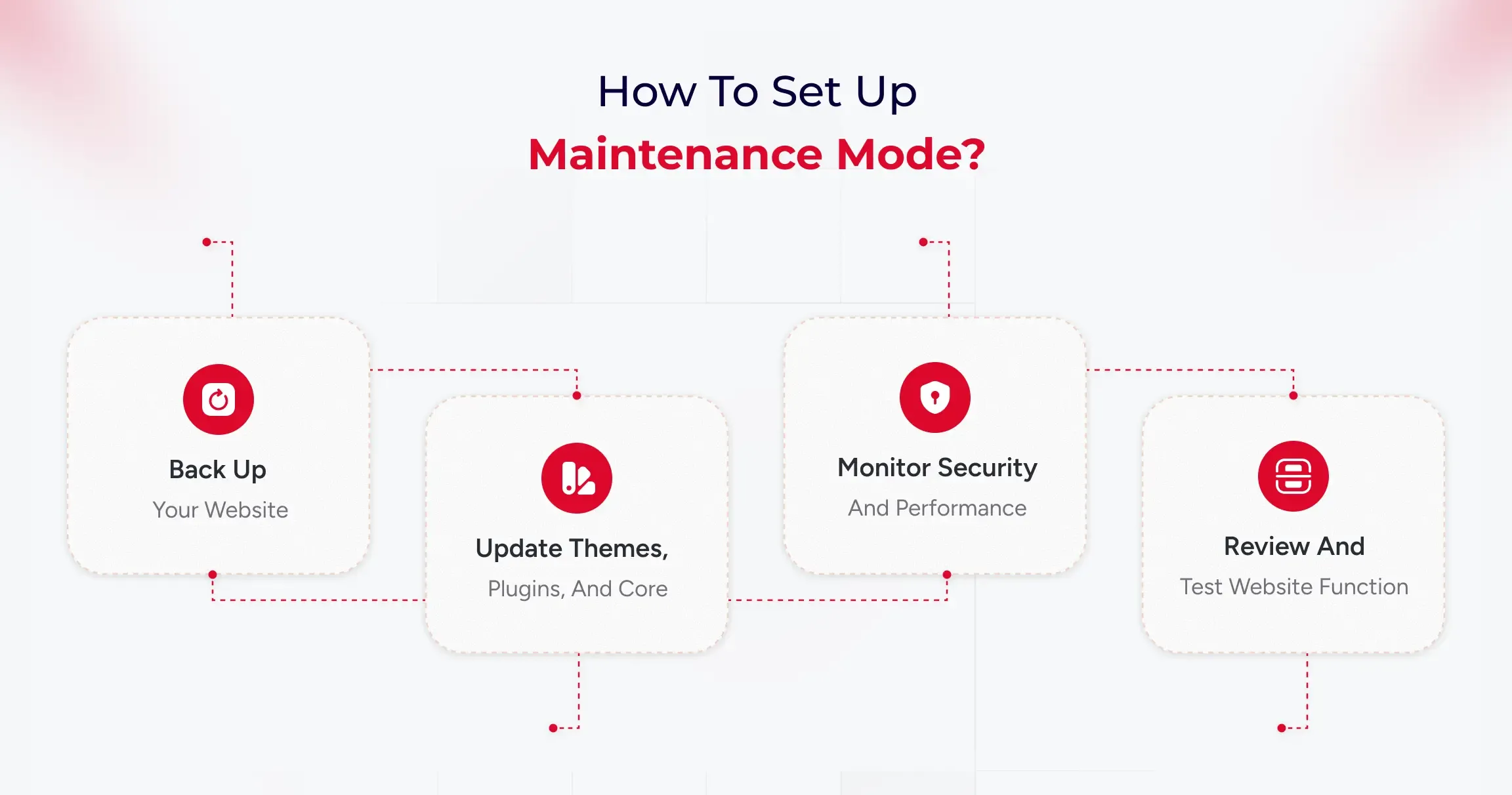
WordPress maintenance involves five ongoing tasks: backing up data, updating software, monitoring security, optimizing performance, and testing functionality. Managed services automate these tasks, while DIY approaches require manual execution and technical oversight.

Step 1: Back up your website

Think of a backup as a safety copy of your entire site, including both the visible content (themes, plugins, uploads) and the hidden infrastructure (the database with posts, pages, users, and settings). Set up automatic full backups on a schedule and store copies off-site (such as Google Drive, Dropbox, or a backup service) so you can restore if anything breaks or gets hacked.

Run a quick “test restore” occasionally to be sure those backups actually work before you need them in an emergency.

What to do in practice:

  • Install a reputable backup tool and schedule both file and database backups (daily/weekly, depending on how frequently your site changes).
  • Save backups to external storage and keep several recent versions for safety.
  • Make a quick note of restore steps so you’re not guessing during a crisis.

Step 2: Update themes, plugins, and core

Updates fix bugs, patch security holes, and improve compatibility, so keeping WordPress core, plugins, and themes current is one of the easiest ways to stay secure and stable. Before updating, ensure that a fresh backup exists. For larger or more complex sites, test updates on a staging copy first to avoid breaking live pages.

After updating, give the site a quick check to confirm layouts, forms, and key features still work as expected.​

What to do in practice:

  • Update weekly (or sooner for security releases), starting with plugins, then themes, then core if needed, while having a recent backup ready.
  • Remove plugins and themes you don’t use; fewer moving parts means fewer risks and faster pages.
  • For significant updates, consider delaying a couple of weeks if your site is sensitive, and test on a staging environment first to catch conflicts early.

Step 3: Monitor security and performance

Security monitoring identifies malware, suspicious logins, and known vulnerabilities, allowing you to respond quickly if something’s amiss. Enable basics like strong passwords, two-factor authentication, and limited login attempts, and use a security scanner to run routine checks automatically. At the same time, keep an eye on performance uptime alerts, page speed, and Core Web Vitals.

What to do in practice:

  • Turn on daily security scans and get alerts for downtime and unusual activity (user activity logs help pinpoint what changed and who did it).
  • Review speed weekly: large images, bloated plugins, and full caches can slow you down, so optimize images, purge cache, and prune heavy add-ons.
  • Set a cadence: daily automated scans/uptime checks, weekly performance updates, monthly backup tests, and a deeper audit for peace of mind.

Step 4: Review and test website functionality

After changes or on a regular schedule, click through your most essential paths like a visitor to ensure everything still works, such as menus, contact forms, checkout, and search. Check for broken links, missing images, and unusual layout shifts, as even minor issues can frustrate users or lead to lost conversions.

If something’s off, roll back using your latest backup or disable the last update to isolate the problem, then retest before going live again.​

What to do in practice:

  • Keep a short checklist: homepage load, key landing pages, forms, login, cart/checkout, and search.
  • Run a quick broken link and spam comment cleanup as part of routine maintenance to keep the site tidy and trustworthy.
  • If you manage multiple sites, consider using a central panel to view updates, uptime, and performance at a glance, saving you time.

How to Choose the Best Managed WordPress Maintenance Service for Your Company

When selecting a managed WordPress maintenance partner, consider it as finding a long-term team member. Your provider should offer consistent performance, strong security, reliable support, and a plan that aligns with your business goals.

For B2B organizations, it’s vital to choose partners that understand complex site setups and the need for smooth digital operations. A good service should require little involvement from your internal teams.

Updates, monitoring, backups, and performance tuning should happen regularly. The best providers keep your site stable and anticipate issues before they arise.

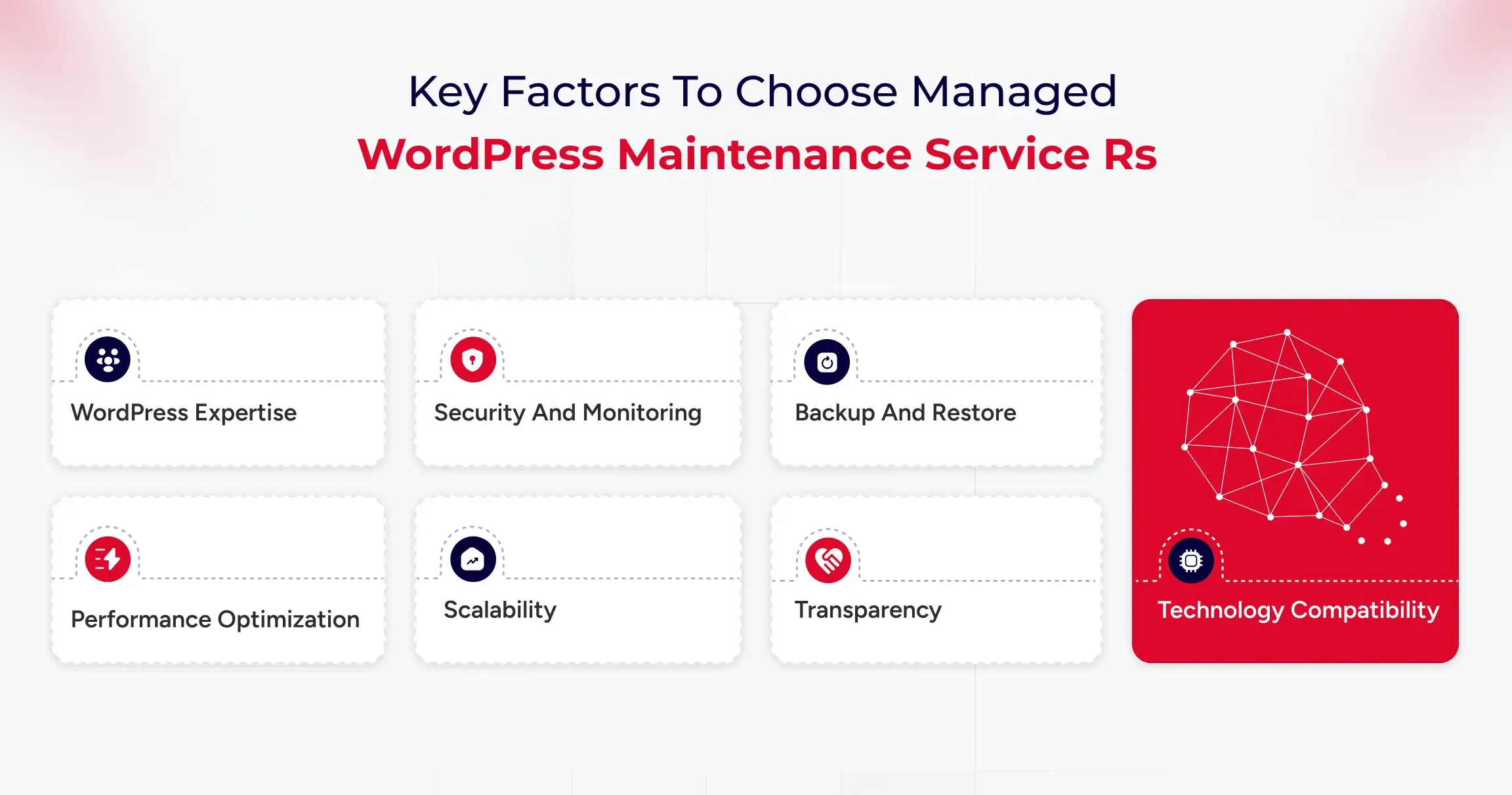
Key Factors to Consider

  • WordPress Expertise: Ensure the team has experience with enterprise-level WordPress and can handle plugin conflicts and performance optimization.
  • Security and Monitoring: Look for 24/7 threat detection, web application firewall (WAF) protection, and clear incident response plans to reduce risks during attacks.
  • Backup and Restore: The provider should offer daily backups, off-site storage, and tested restore options to ensure business continuity.
  • Performance Optimization: Evaluate their caching methods and load testing to support high traffic.
  • Scalability: Your provider should support growth, such as adding subdomains or expanding to multi-site setups.
  • Transparency: Request access to uptime logs, performance metrics, and support documentation to understand what’s being maintained.
  • Technology Compatibility: Ensure the service works with your preferred plugins, tools, and systems.

Affordable Maintenance Solutions for Small Businesses

Small businesses often struggle to strike a balance between costs and reliability. While enterprise-level services offer extensive coverage, many companies don’t need such expensive plans. It’s essential to find providers that deliver affordable packages without sacrificing key security, updates, and backups.

Cost-effective maintenance solutions typically include automated updates, uptime monitoring, malware scanning, regular backups, and basic performance improvements, often at a fraction of the cost of a full-time technical team. These services help businesses stay secure and ensure their site runs smoothly.

The right plan should be easy to manage and reliable, allowing you to focus on attracting customers and growing your business. If a provider offers add-ons, transparent pricing, and straightforward service agreements, it’s likely a good fit.

User Experiences and Feedback on Managed WordPress Maintenance

Many B2B companies find that outsourcing WordPress maintenance reduces their workload and improves website reliability. Regular updates, automated backups, security monitoring, and performance optimization are key benefits.

Professional maintenance helps prevent problems, providing stability during busy times and product launches. Companies with multiple websites, especially those with managed plans, benefit from this, as it reduces plugin conflicts and downtime.

Most users are satisfied but suggest choosing a service with clear deliverables and proactive communication. Overall, businesses appreciate the peace of mind that comes with outsourcing this task.

Common Challenges and How Services Address Them

Here are some of the key challenges that managed WordPress maintenance services can handle.

Frequent Updates and Compatibility Issues

B2B companies often struggle with keeping WordPress up to date, which can lead to compatibility issues if not thoroughly tested. Managed maintenance services test updates in staging environments and apply them only after confirming stability, preventing downtime, and ensuring smooth website functionality.

Growing Security Risks and Vulnerabilities

Security is a significant concern for businesses that use WordPress. Risks like plugin vulnerabilities and malware can disrupt operations. Managed maintenance services offer comprehensive security monitoring, regular scans, robust firewalls, reliable backups, and swift threat responses to maintain a secure environment and minimize downtime and recovery times.

Performance Degradation as Websites Scale

As websites expand, they may become slower, which can impact SEO and user engagement. Maintenance services enhance performance by optimizing caching, cleaning images and databases, configuring CDN, and making hosting adjustments, ensuring the site remains fast and competitive.

Internal Resource Limitations and Time Constraints

Managing WordPress can distract internal teams from essential tasks. Technical issues take time away from campaigns and content creation. Managed maintenance services handle website upkeep, allowing teams to focus on core business activities.

Selecting the Right Maintenance Partner

Choosing a maintenance provider can be a challenging task. Some plans focus solely on basic updates and overlook important areas, such as security and performance. Selecting a service with clear agreements, detailed reporting, and B2B experience ensures effective management and proactive problem-solving.

Final Verdict: Managed vs DIY WordPress Maintenance

Managed WordPress Maintenance is a strategic investment that protects brand reputation, boosts digital performance, and supports scalability for B2B organizations. As websites become increasingly vital for lead generation and customer experience, reactive management is no longer sufficient.

A dedicated maintenance partner ensures precise execution of updates and optimizations, minimizing the risks of downtime and security breaches. For growth-focused businesses, this leads to consistent performance, enhanced search visibility, and a digital infrastructure that evolves to meet changing business objectives.