How to Make Your WordPress Site Visible in AI Search (AEO, GEO & AI Overviews)

The way people search for information has changed significantly over the past few years. Instead of typing short keywords and browsing multiple websites, users increasingly ask complete questions and expect immediate, accurate answers powered by AI.

The discovery of information on online platforms by users is now accompanied by artificial intelligence (AI), and it’s changing how users discover information online. Instead of browsing multiple websites, users are increasingly receiving direct answers through AI-powered search results. Users are increasingly relying on conversational AI assistants and AI-powered search experiences such as Google’s AI Overviews, ChatGPT, Gemini, and Perplexity.

According to Gartnertraditional search engine volume is expected to decline by 25% by 2026 as users increasingly adopt AI assistants and generative search experiences. So, now businesses also need to optimize their strategies for search engines as well as AI systems.

These evolving shifts come as an opportunity and a challenge for WordPress websites. Before the AI overview, if your website was ranking and performing well in traditional search results, it didn’t guarantee a place in the AI overview. Why? Because the content of your website is lacking the structure, authority, and context AI systems rely on.

So, relying only on technical SEO improvements is not enough for improving your website’s AI search visibility. It has to be aligned with AEO and GEO rules, structure, and semantic optimization, along with high-quality content and SEO strategy.

Why Is AI Search Changing WordPress Visibility?

For that, you need to think from the user’s perspective. As a user, you would like to get the exact answer to your question, and not all users want to go through the entire information; they come with a specific question in their mind, and they ask for it.

Now, users don’t want to browse multiple websites or web pages related to their search; they want the exact information related to their search query.

AI search visibility for WordPress works in a different way. Now AI-powered search analyzes information from multiple trusted sources and generates fast, accurate responses.

Instead of prioritizing and ranking the content that simply contains the right keywords, AI systems prioritize information that demonstrates expertise, clarity, and relevance, influencing WordPress SEO service providers to adapt their optimization strategies.

According to a report, Google AI Mode reached 75 million users by December 2025, while revenue from its generative AI products increased by nearly 400%. The number itself showcases how AI-generated conversational search results are becoming users’ first choice over traditional search that relied on keywords only.

For WordPress websites, this changes how they increase their visibility, build a brand, and drive traffic.

Improving AI search visibility in WordPress requires creating content that both search engines and AI models can easily interpret, validate, and reference.

Businesses shouldn’t lose their opportunity to appear in AI searches, and it doesn’t mean that traditional SEO ranking is of lesser importance.

Appearing in AI-generated summaries, featured responses, and conversational search results helps you get more traffic, leads, authority building, and brand awareness. It’s not about AEO vs GEO vs SEO for WordPress websites, but it’s about how you can sync all of these.
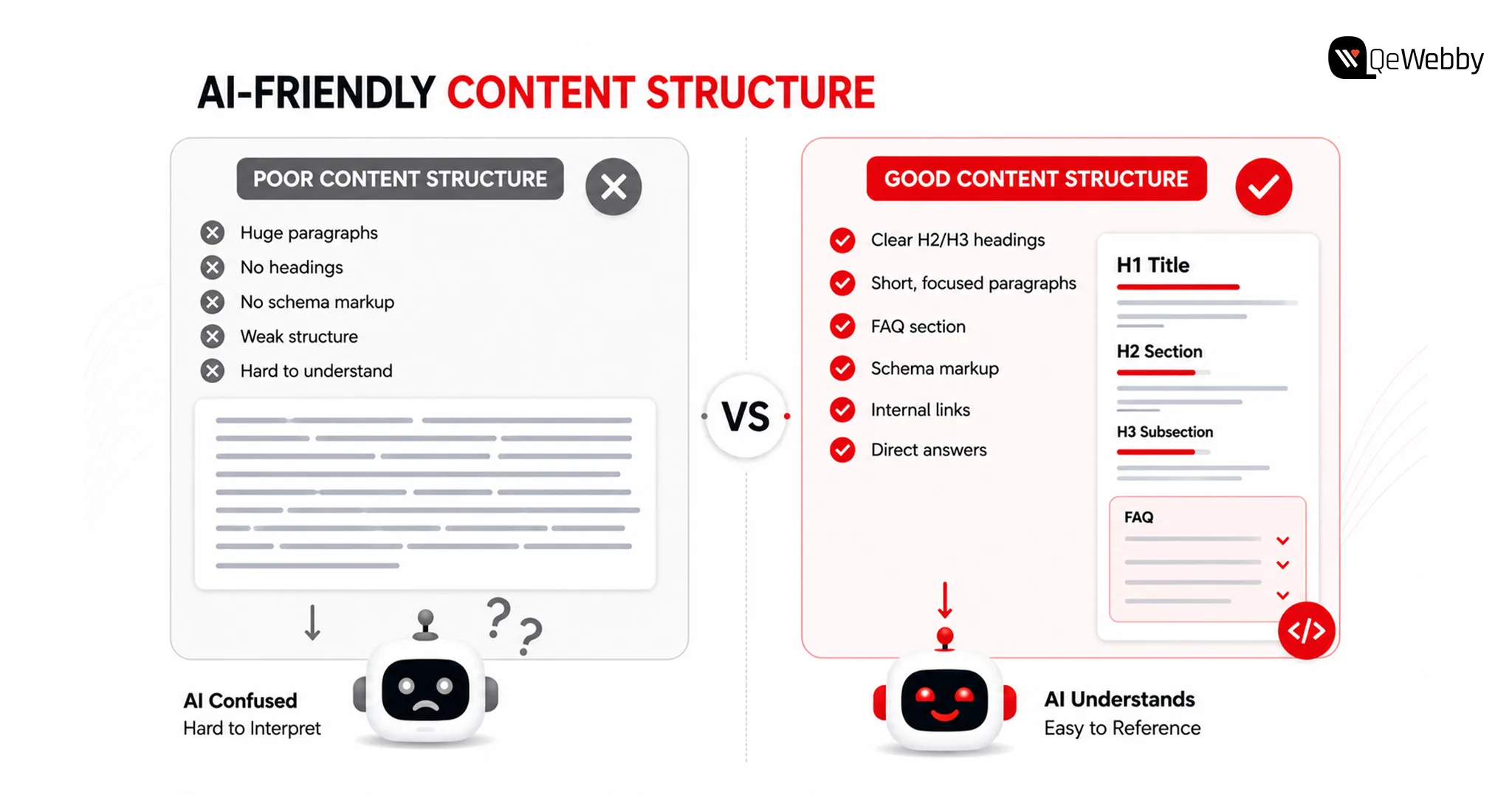
AI Friendly Content Img

Why Traditional SEO Alone Is No Longer Enough?

Traditional SEO continues to be an important foundation for online visibility. However, AI-powered search experiences evaluate content differently by considering context, expertise, and how well information answers user intent.

Businesses looking to improve AI search visibility on WordPress should view SEO, AEO, and GEO as complementary strategies rather than separate initiatives.

Modern AI systems evaluate how information is organized, whether it demonstrates topical expertise, and how confidently it can be cited when generating responses. This makes content quality, semantic relevance, and technical optimization just as important as keyword placement.

Traditional SEO and AI optimization work together through:

  • Search Intent: Create content that answers complete user questions instead of targeting individual keywords.
  • Content Depth: Cover topics comprehensively rather than publishing isolated articles.
  • Technical Foundation: Maintain strong website performance, crawlability, and structured data.
  • Authority Signals: Build topical expertise through consistent, high-quality content.

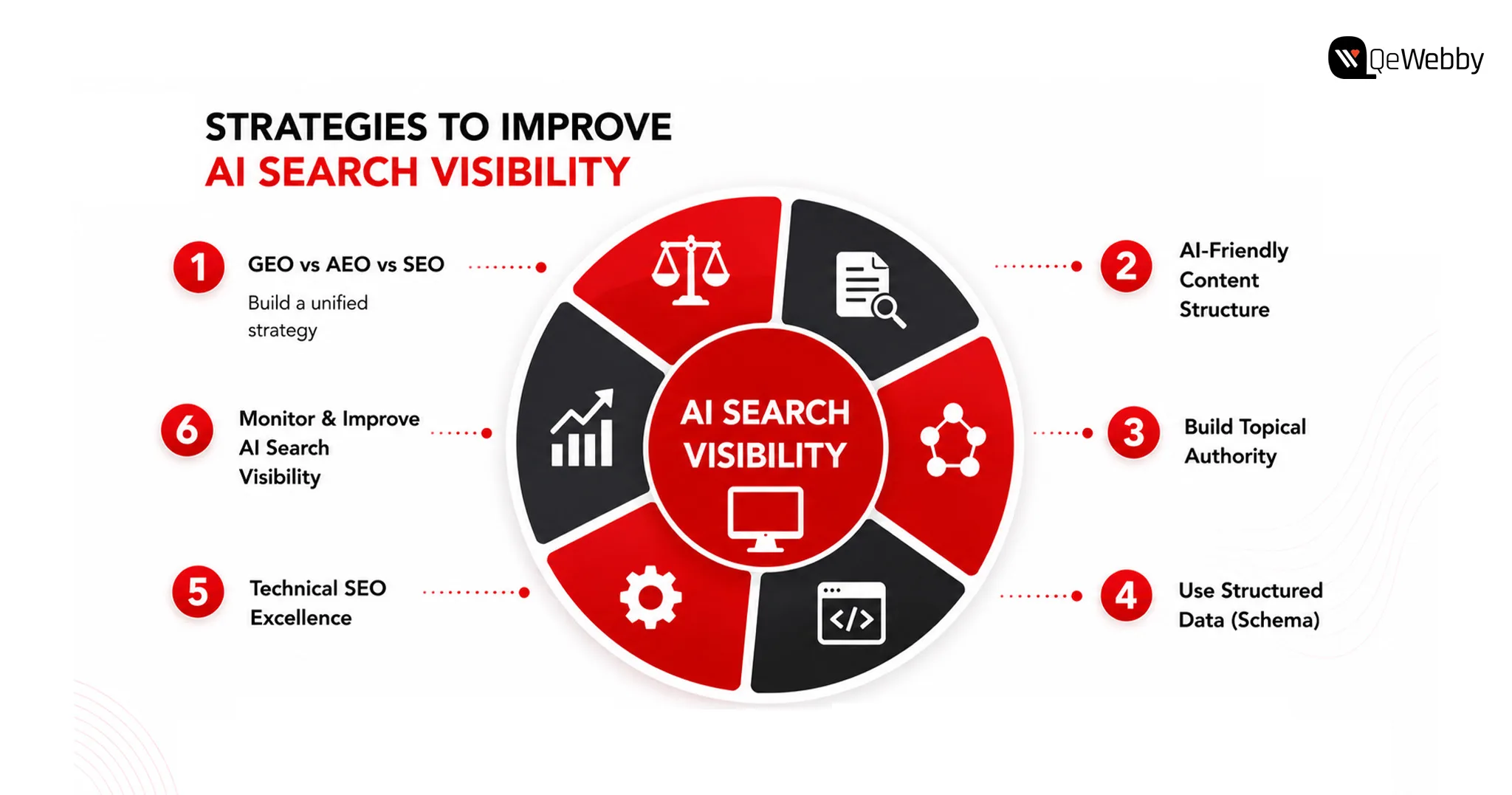
6 Strategies to Improve AI Search Visibility for WordPress Websites
Strategies to Improve

1. GEO vs AEO vs SEO WordPress

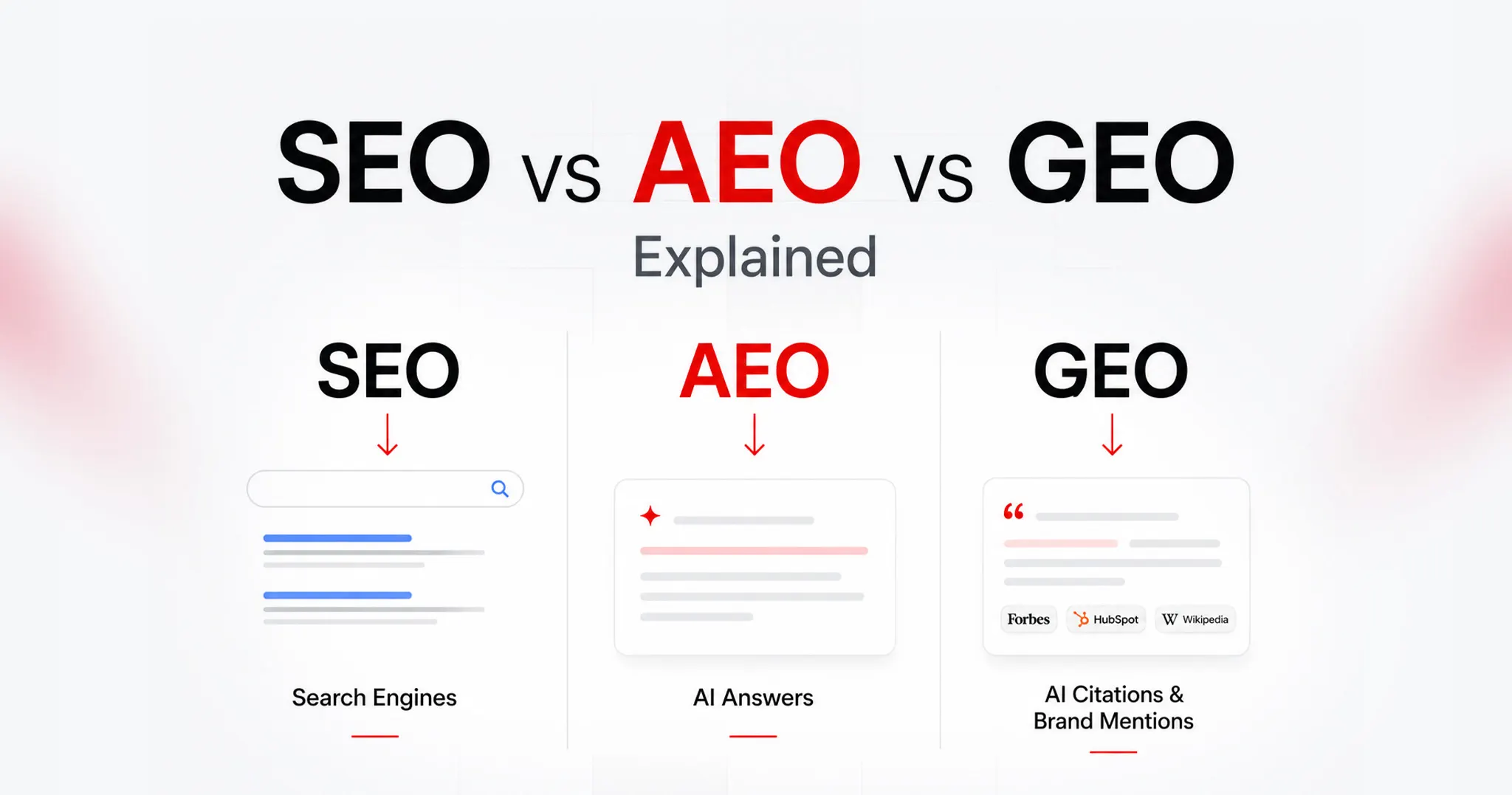
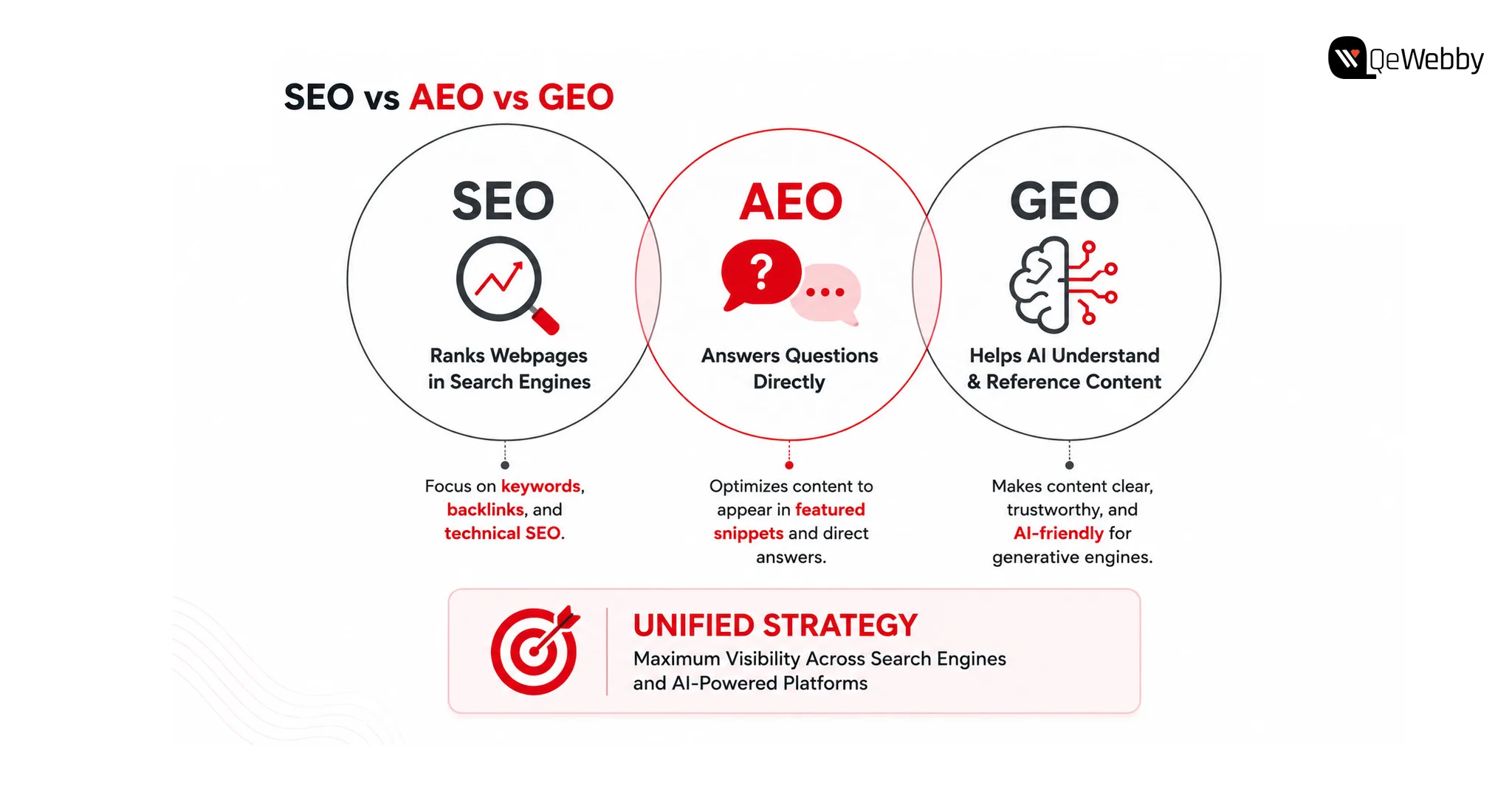
Understanding GEO vs AEO vs SEO in WordPress helps businesses build a strategy that supports both traditional search engines and AI-powered discovery platforms.

SEO focuses on improving visibility in search engine results. Answer Engine Optimization (AEO) helps content appear as direct answers to user questions, while Generative Engine Optimization (GEO) focuses on making content understandable and trustworthy enough for AI systems to reference when generating responses.

Rather than replacing SEO, GEO, and AEO, build upon them. Businesses that combine all three approaches create stronger visibility across both conventional search results and AI-powered experiences.

Together, these approaches create a more resilient search strategy across both traditional and AI-powered search.

What Steps Can WordPress Websites Take?

  • Build content around user intent
  • Answer questions clearly and directly
  • Strengthen topical authority
  • Combine SEO, AEO, and GEO strategies

Bonus Tip: Review your highest-performing blog and identify whether it answers customer questions directly or simply discusses the topic. AI systems often prioritize content that provides immediate, well-structured answers.

2. Create Content That AI Can Easily Understand

AI models process content differently from traditional search engines.

Instead of relying heavily on keyword repetition, they evaluate how clearly ideas are explained, how topics connect, and whether the content demonstrates expertise. Pages with logical headings, well-organized sections, and contextual relationships are easier for AI systems to interpret.

For businesses improving AI search visibility in WordPress, content structure becomes just as important as content quality. Articles should answer specific questions, explain concepts thoroughly, and maintain consistency throughout the page.

What Steps Can WordPress Websites Take?

  • Use descriptive headings
  • Organize content into logical sections
  • Answer common customer questions
  • Maintain a consistent content structure

Bonus Tip: Review one existing article and rewrite the introduction to answer the primary search intent within the first few paragraphs instead of delaying the key information.

3. Build Topical Authority Instead of Publishing Isolated Content

Many WordPress websites publish articles independently without connecting them to a broader content strategy.

AI systems are more likely to trust websites that consistently cover related subjects in depth. Publishing multiple high-quality articles around a specific topic helps establish expertise and improves contextual understanding across your website.

For example, a business writing about WordPress performance should also cover website security, technical SEO, Core Web Vitals, website architecture, AI optimization, and content strategy. Together, these resources create stronger topical relevance than isolated blog posts.

Strong topical authority also improves AI search visibility in WordPress by helping AI systems recognize your website as a reliable source within a specific domain.

What Steps Can WordPress Websites Take?

  • Build topic clusters around core services
  • Strengthen internal linking
  • Update older content regularly
  • Expand related content strategically

Bonus Tip: Instead of publishing your next blog on a completely new topic, create supporting content that strengthens an existing content cluster and reinforces your website’s expertise.

4. Structured Data Helps AI Understand Your Website Better

AI systems rely on context to understand webpages, and structured data provides many of the signals needed to interpret that context accurately.

Schema markup helps search engines and AI platforms identify important information such as articles, FAQs, products, services, organizations, and authors. While structured data does not guarantee AI visibility, it improves how your content is interpreted and connected with relevant search queries.

For businesses focused on improving AI search visibility in WordPress, implementing the right schema strategy can strengthen both traditional search performance and AI-generated search experiences.

What Steps Can WordPress Websites Take?

  • Implement relevant JSON-LD schema markup
  • Validate structured data regularly
  • Add organization and author information
  • Keep schema aligned with page content

Bonus Tip: Use Google’s Rich Results Test to verify that your structured data is correctly implemented and reflects the actual content on each page.
Websites Take Call

5. Technical SEO Still Influences AI Search Visibility

Even the most informative content can struggle to gain visibility if technical issues prevent search engines and AI systems from accessing it efficiently.

Website speed, mobile responsiveness, crawlability, internal linking, and clean site architecture continue to play an important role in content discovery. AI platforms often rely on search engine indexes, making technical optimization an essential foundation for long-term visibility.

Businesses investing in WordPress SEO services should ensure technical SEO evolves alongside their content strategy instead of treating them as separate initiatives.

What Steps Can WordPress Websites Take?

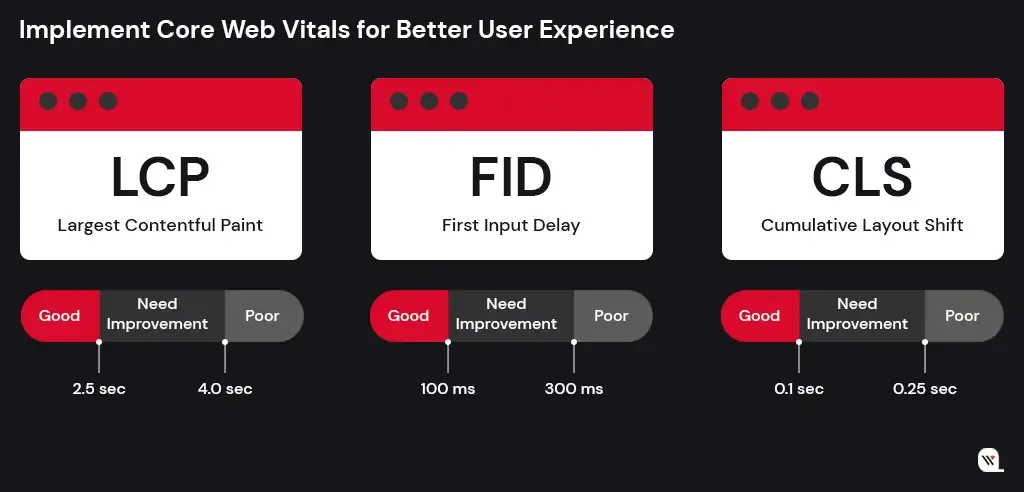
  • mprove Core Web Vitals
  • Fix crawl and indexing issues
  • Optimize internal linking
  • Monitor website performance regularly

Bonus Tip: Run a technical SEO audit every quarter to identify performance issues before they begin affecting your website’s visibility.

6. Monitor and Improve AI Search Visibility Regularly

Google’s AI Overviews, ChatGPT, Gemini, and Perplexity continue evolving rapidly, which means optimization cannot be treated as a one-time activity.

Businesses should regularly review how their content appears in AI-generated responses, identify pages losing visibility, and update information to maintain relevance. Monitoring user behaviour, search intent, and content performance helps ensure your website continues meeting the expectations of both users and AI systems.

An AI search visibility audit service provides valuable insights into content quality, technical readiness, semantic relevance, and opportunities to improve AI discoverability across your website.

What Steps Can WordPress Websites Take?

  • Review AI search performance regularly
  • Update outdated content
  • Monitor changes in search behaviour
  • Conduct periodic AI visibility assessments

Bonus Tip:Choose five important service pages and evaluate whether they clearly answer the questions your prospective customers are most likely to ask AI search platforms.
AI Search Visibility Img

Is Your WordPress Website Ready for AI Search?

Many websites perform well in traditional search results but still struggle to appear in AI-generated responses. The difference often lies in how well the website communicates information rather than how many keywords it targets.

A periodic review helps identify whether your website is prepared for the evolving search landscape.

Use This Quick Checklist To Evaluate Your Website’s AI Readiness:

  • Content Structure: Is information organized with clear headings and logical sections?
  • Topical Authority: Does your website cover subjects in sufficient depth?
  • Technical SEO: Are pages fast, mobile-friendly, and easily crawlable?
  • Structured Data: Is schema helping search engines understand your content?
  • Content Freshness: Are important pages reviewed and updated regularly?

Even small improvements across these areas can strengthen AI search visibility in WordPress over time. Businesses often use an AI search visibility audit service to identify gaps that are difficult to detect through traditional SEO reporting alone.
Get Free Call

How QeWebby Helps Businesses Improve AI Search Visibility

Improving AI search visibility in WordPress involves aligning technical SEO, content strategy, structured data, website performance, and semantic optimization to create a website that both search engines and AI systems can understand.

QeWebby helps businesses build future-ready WordPress websites through practical optimization strategies designed for evolving search experiences.

AI Search Visibility Audit Service

Our AI search visibility audit service evaluates your website’s technical foundation, content quality, structured data, topical authority, and AI readiness to identify opportunities for improved visibility.

WordPress SEO Services

Our WordPress SEO services combine technical optimization, content strategy, website architecture, and performance improvements to strengthen long-term organic growth.

Content and AI Optimization

We help businesses develop content that answers user intent, improves contextual relevance, and increases the likelihood of appearing in AI-generated search experiences.

Technical WordPress Improvements

Our team optimizes website performance, structured data, internal linking, crawlability, and indexing to create a stronger technical foundation for modern search.

We focus on building WordPress websites that remain competitive as search continues evolving beyond traditional rankings.
Vsxrx7kiwoxqosvz8nm7

Conclusion

As AI continues reshaping how users discover information, businesses have an opportunity to rethink how they build and optimize their digital presence. The goal is no longer just to improve rankings but to create content that can be understood, referenced, and recommended across multiple search experiences.

QeWebby helps organizations prepare for this shift through strategic WordPress SEO services, technical optimization, and a comprehensive AI search visibility audit service tailored to evolving search technologies.

Contact QeWebby to strengthen your website’s visibility across both traditional search engines and AI-powered search experiences.
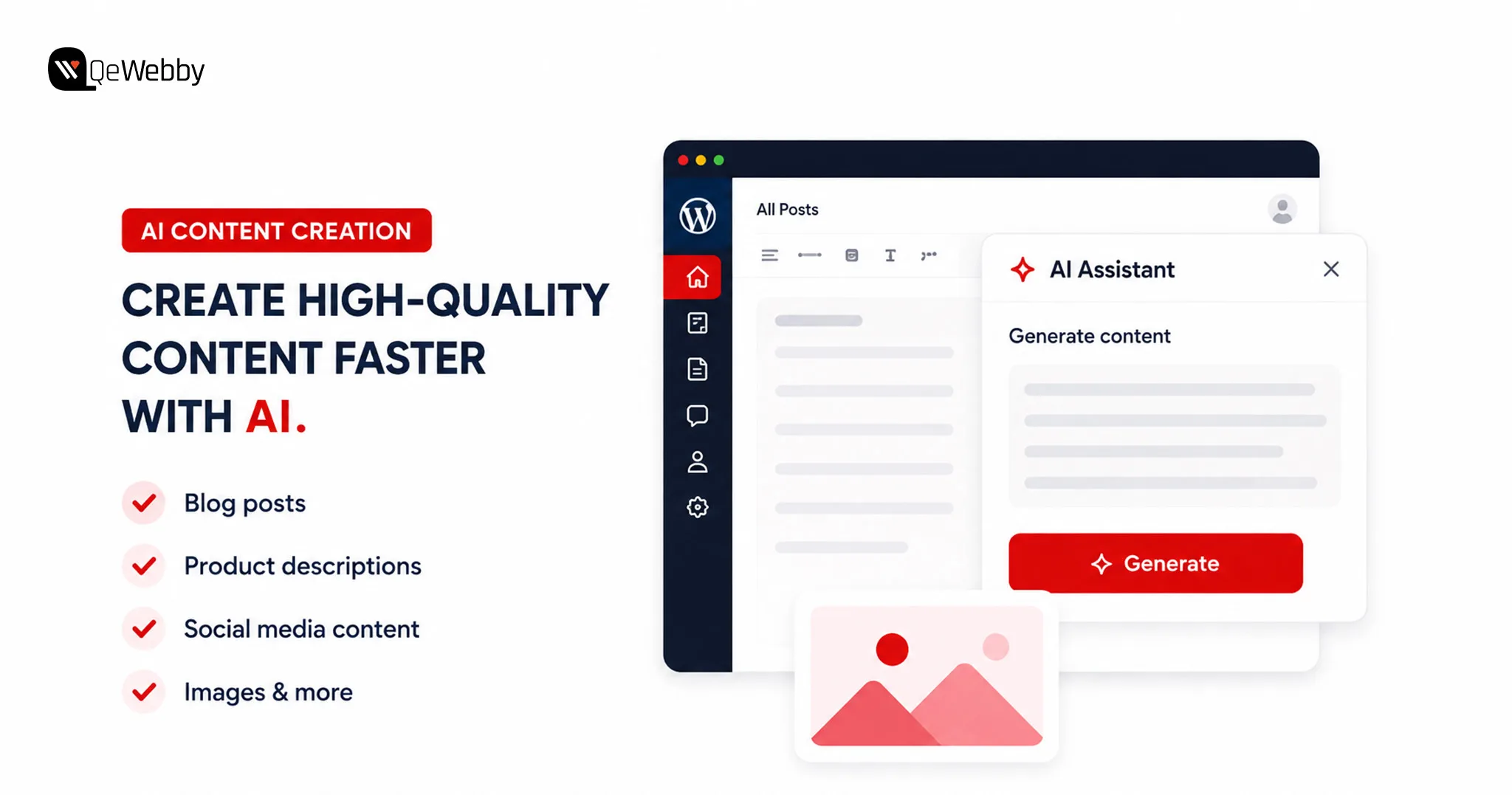
Top 8 AI Plugins for WordPress That Are Transforming Websites in 2026

Your competitors are publishing content faster, ranking for more keywords, and responding to customer questions long after business hours. Many of them aren’t expanding their teams. They are simply using the right WordPress AI plugins to automate repetitive work and improve productivity.

WordPress powers over 43% of all websites worldwide, making it the world’s most widely used CMS. Businesses investing in WordPress website development services can now integrate AI capabilities without rebuilding their websites.

The role of AI in WordPress has changed significantly over the past few years. It is no longer limited to generating blog posts or fixing grammar. AI helps businesses optimize SEO, build landing pages, automate workflows, create forms, and improve customer support from a single dashboard through modern WordPress SEO services and AI-powered automation.

Businesses that use the best AI plugins for WordPress as productivity tools, rather than copy-and-paste machines, consistently achieve better results.

There is one challenge that often goes unnoticed, though. Every new plugin affects website performance in some way. Installing several WordPress AI plugins that perform similar functions can increase server requests and create unnecessary complexity.

This is why choosing the right AI tools for WordPress website management matters more than installing the most tools.

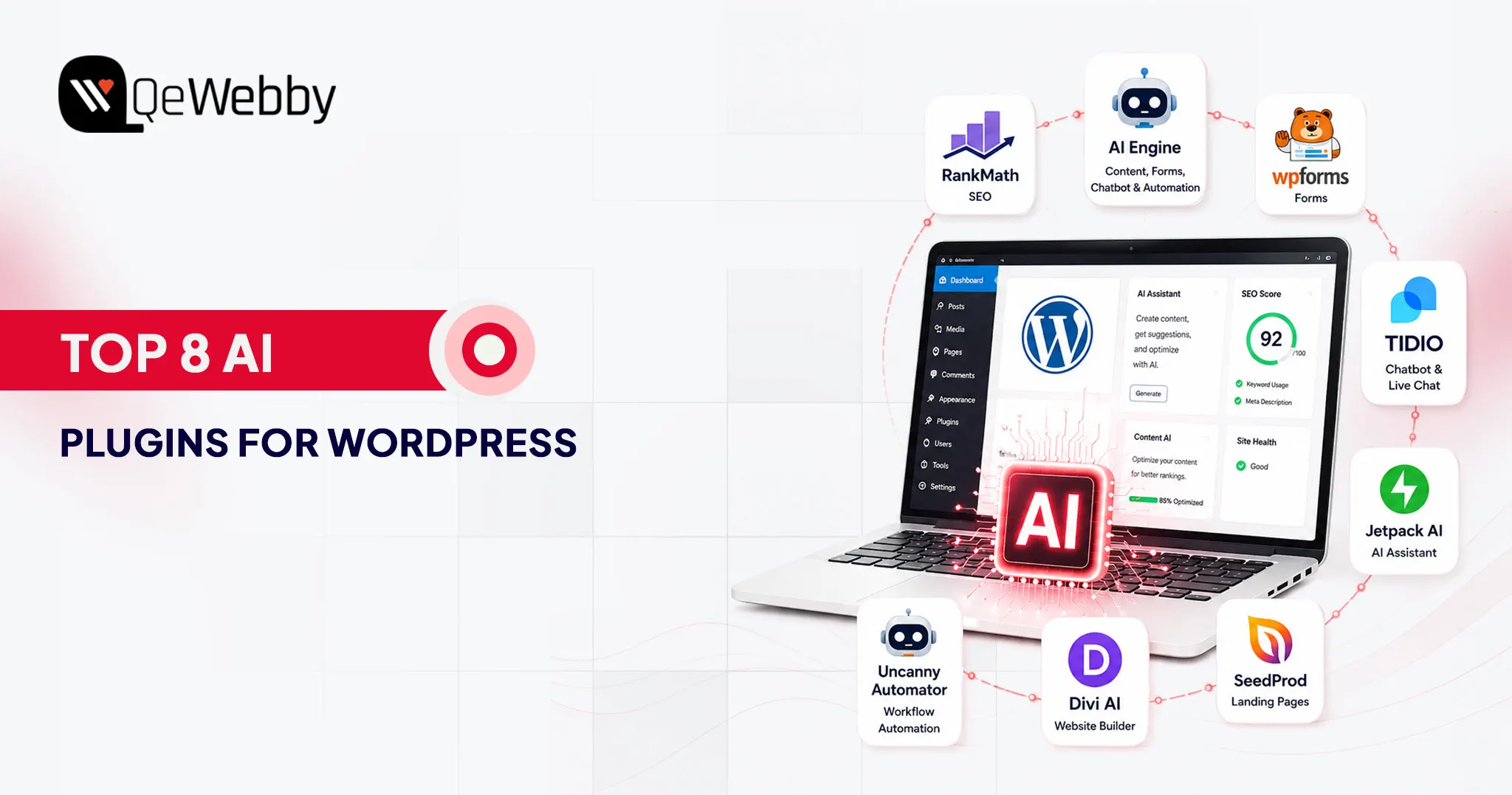
In this guide, we’ll explore eight of the best AI plugins for WordPress that are genuinely changing how WordPress websites work.

Why AI Plugins Are Not Optional Anymore for Serious WordPress Sites

Artificial intelligence has become a practical business tool that helps teams work faster, improve user experiences, and reduce repetitive tasks. The key is choosing AI solutions that solve real problems instead of adding unnecessary complexity.

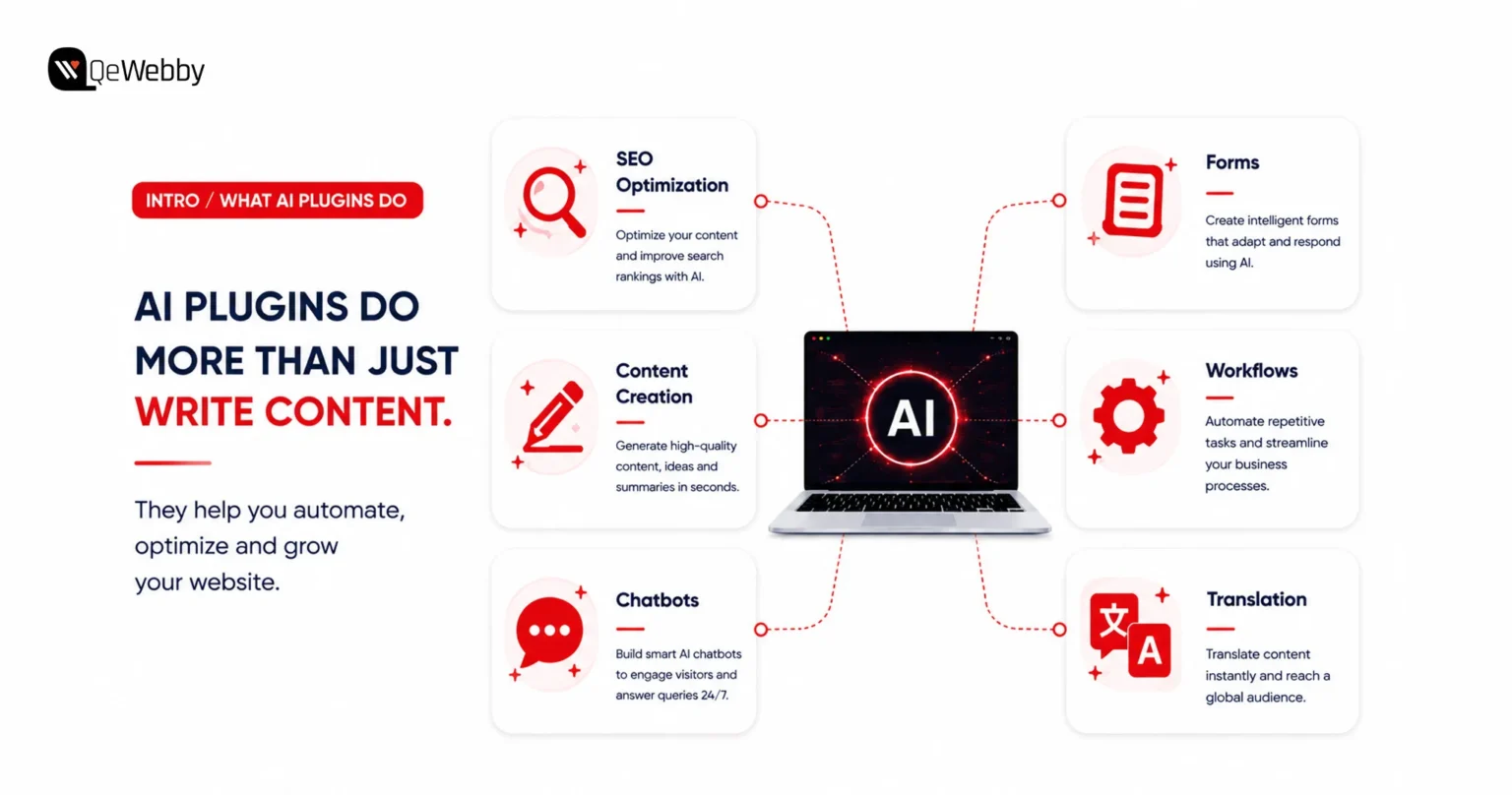
What AI Plugins Actually Do, Beyond Writing Blog Posts

AI content creator

When people hear the word AI, they usually think about writing articles. While content generation is popular, modern WordPress AI plugins do much more than that.

AI can optimize SEO, create landing pages, build intelligent forms, automate workflows, translate content, generate images, and power customer support chatbots.

One of the best examples is AI Engine. It connects WordPress with leading AI models, allowing users to generate content, create AI-powered forms, build intelligent chatbots, and automate routine workflows from a single interface.

These capabilities save valuable time because teams can complete everyday tasks without leaving WordPress.

Whether you need an AI content generator WordPress solution for publishing blogs, a WordPress chatbot plugin for customer engagement, or an AI writing plugin WordPress to speed up content production, there is now a purpose-built solution available.

The One Rule Before Installing Any AI Plugin

Not every AI plugin deserves a place on your website. The fastest-growing plugin is not always the best choice because reliability, compatibility, and long-term support matter far more than flashy features.

Always choose plugins from established developers with regular updates and strong community adoption. Well-maintained plugins reduce security risks and work more reliably with future WordPress updates.

Before installing anything, identify the exact problem you want to solve. Avoid using multiple plugins that perform the same job because overlapping functionality creates conflicts and unnecessary maintenance.

Performance testing should become part of every installation process. Businesses using ongoing WordPress maintenance services can identify plugin conflicts before they affect website performance.

Some plugins load scripts across every page, even when visitors never use those features. A carefully selected AI stack delivers better performance than installing every trending plugin available.

The 8 Best AI Plugins for WordPress

Artificial intelligence is transforming how WordPress websites are built and managed. From improving SEO and creating content to automating workflows and supporting customers, the latest WordPress AI plugins help businesses save time while delivering a better user experience.

The eight plugins below represent some of the best AI plugins for WordPress because they solve real business challenges instead of adding unnecessary complexity.

1. Rank Math SEO

Rank Math has become one of the most trusted SEO plugins for WordPress, and its AI capabilities make it even more powerful. It combines intelligent optimization with technical SEO features, helping websites improve visibility without requiring multiple plugins.

What It Does:

  • Suggests keywords and analyzes content in real time while you write
  • Generates AI-powered SEO titles and meta descriptions inside the WordPress editor
  • Automates schema markup to improve search engine understanding
  • Recommends smart internal links to strengthen website architecture
  • Integrates with Google Search Console for SEO insights and performance tracking
  • Includes an LLMs.txt generator, helping websites prepare for AI-powered search platforms, making it a forward-looking companion to any ChatGPT WordPress plugin strategy
  • Delivers one of the most complete AI SEO plugin WordPress experiences, even in the free version

Who It’s Best For and What It Costs

Best for:

  • Bloggers and publishers
  • Business websites
  • WooCommerce stores
  • Agencies managing multiple websites
  • Anyone launching a new WordPress project

Pricing: Free version available. Pro plans start at $59/year. It’s also one of the most capable WordPress AI tools free users can start with.

2. AI Engine

If you’re looking for AI tools for WordPress website management that can handle multiple AI tasks, AI Engine is one of the strongest options. AI Engine has surpassed 100,000+ active installations on WordPress.org, making it one of the most widely adopted AI plugins in the WordPress ecosystem.

What It Does:

  • Connects WordPress with OpenAI, Anthropic, Google, OpenRouter, and Mistral
  • Creates AI-powered chatbots trained on your website content
  • Generates blog posts, marketing copy, product descriptions, and AI images
  • Translates website content into multiple languages instantly
  • Includes a virtual AI assistant inside the WordPress dashboard
  • Supports REST APIs, function calling, MCP, and developer-friendly integrations
  • Works as a powerful AI plugin for WordPress blog management and workflow automation

Who It’s Best For and What It Costs

Best for:

  • Developers building AI-powered WordPress solutions
  • Digital agencies managing multiple websites
  • Businesses looking for one plugin to handle several AI tasks
  • Teams that prefer a bring-your-own-API-key model

Pricing: Free version available. Premium plans start with paid monthly plans.

3. WPForms AI

Creating forms no longer has to involve dragging fields or configuring complex settings. WPForms AI lets users describe the form they need in plain English, then automatically generates a ready-to-use form within seconds.

What It Does:

  • Builds complete forms from simple text prompts
  • Creates contact, booking, payment, survey, and multi-page forms automatically
  • Reduces manual configuration with AI-generated field suggestions
  • Integrates seamlessly with the trusted WPForms drag-and-drop builder
  • Makes form creation accessible for both technical and non-technical users
  • Speeds up website development without sacrificing customization

Who It’s Best For and What It Costs

Best for:

  • Small business owners
  • Freelancers
  • Agencies building client websites
  • Anyone creating forms without coding experience

Pricing: Free Lite version includes AI form building and Stripe payments. Basic plans start at $59.50/year.

4. Tidio

Tidio is one of the most popular WordPress chatbot plugin solutions for businesses that need 24/7 customer support. Tidio solves challenges by combining live chat with AI automation, helping websites answer common questions around the clock.

What It Does:

  • Provides live chat with the Lyro AI chatbot
  • Learns from your website’s content to deliver accurate responses
  • Answers product, pricing, shipping, and support questions automatically
  • Helps recover abandoned carts on WooCommerce stores
  • Qualifies leads before they reach your sales team
  • Delivers 24/7 customer support without increasing staffing costs

Who It’s Best For and What It Costs

Best for:

  • WooCommerce stores
  • Service-based businesses
  • Online retailers
  • Websites handling frequent customer enquiries

Pricing: Free plan available with basic chat features. Paid plans start at $29/month.

what ai plugin do

5. Jetpack AI Assistant

Jetpack AI Assistant works as an AI content generator WordPress users can access directly inside the Gutenberg editor. Jetpack AI Assistant keeps everything inside the WordPress editor, making content creation smoother and much more efficient.

What It Does :

  • Generates blog posts directly inside the Gutenberg editor
  • Rewrites, expands, summarizes, and improves existing content
  • Translates articles into multiple languages
  • Adjusts writing tone based on different audiences
  • Helps transform outlines into complete articles faster
  • Functions as a native AI writing plugin WordPress users can access without leaving the editor

Who It’s Best For and What It Costs

Best for:

  • Bloggers
  • Content marketers
  • Editorial teams
  • Businesses publishing content regularly

Pricing: Free tier available with limited monthly requests. AI plans start at $4.95/month.

6. SeedProd AI

SeedProd has become one of the most popular WordPress AI page builder solutions for businesses that want to launch landing pages quickly. SeedProd AI helps generate complete website layouts from a simple business description, giving users a faster starting point for design.

What It Does :

  • Generates websites and landing pages using AI prompts
  • Creates headlines, page copy, and layouts automatically
  • Rewrites content in different tones and lengths
  • Translates pages into more than 50 languages
  • Allows full customization using its drag-and-drop editor
  • Helps marketers launch campaigns significantly faster while supporting landing page optimization initiatives.

Who It’s Best For and What It Costs

Best for:

  • Marketing teams
  • Small businesses
  • Startup founders
  • Businesses launching products or campaigns quickly

Pricing: Starts at $39.50/year.

7. Divi AI

Divi AI is another powerful WordPress AI page builder that understands the design context of your website. It generates content, layouts, and code that align with the existing brand, making the editing experience much more cohesive.

What It Does :

  • Generates website copy directly inside the Divi Builder
  • Creates AI-generated images without external tools
  • Produces HTML, CSS, and code snippets when needed
  • Understands existing page layouts and branding
  • Builds complete hero sections with headlines, descriptions, and CTAs
  • Keeps content consistent with the site’s visual identity

Who It’s Best For and What It Costs

Best for:

  • Designers
  • Creative agencies
  • Developers already working within the Divi ecosystem

Pricing: Included with Divi subscriptions starting at $89/year.

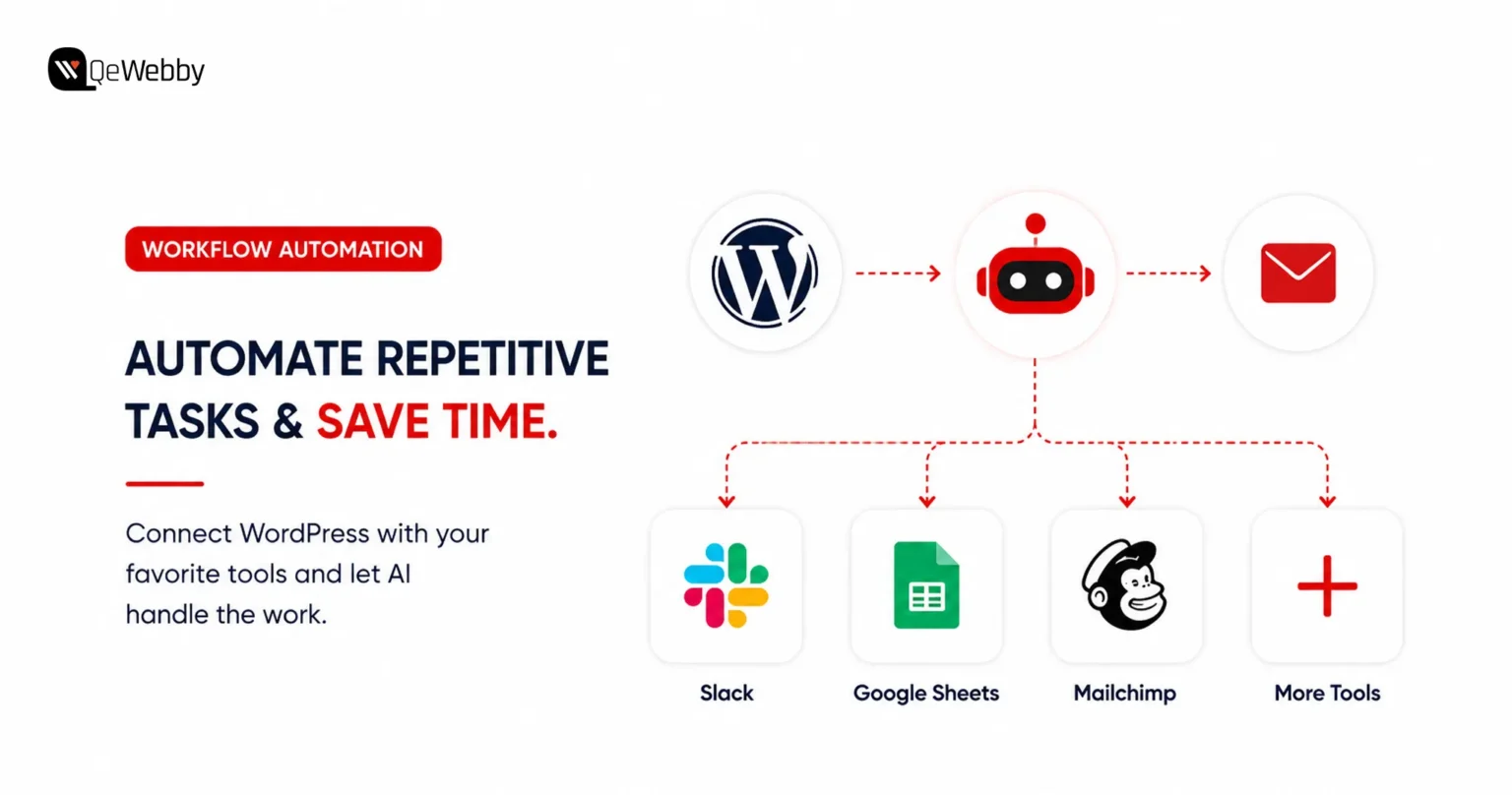
8. Uncanny Automator

Repetitive tasks slow businesses down. Uncanny Automator eliminates manual work by connecting WordPress with AI services, marketing platforms, CRMs, and hundreds of other applications through automated workflows.

What It Does :

  • Connects WordPress with AI platforms and third-party applications
  • Automates repetitive website and marketing tasks
  • Supports hundreds of ready-made automation recipes
  • Creates workflows for user registrations, emails, lead management, and content publishing
  • Eliminates manual processes without requiring coding
  • Strengthens WordPress automation AI capabilities across multiple business tools

Who It’s Best For and What It Costs

Best for:

  • Growing businesses
  • Marketing teams
  • Bloggers managing multiple workflows
  • Organizations looking to automate repetitive processes

Pricing: Free version available for basic automations. Pro plans start at $149/year.

Quick Comparison of the Best AI Plugins for WordPress

Choosing the right WordPress AI plugins becomes much easier when you compare them side by side. The table below provides a quick overview to help you identify the best fit for your requirements.

Plugin Primary Job Free Version Starting Price
Rank Math SEO AI Optimization Yes $59/year
AI Engine All-in-one AI tasks Yes Free+
WPForms AI AI form building Yes $59.50/year
Tidio AI customer support Yes $29/month
Jetpack AI Assistant AI writing in WordPress Yes $4.95/month
SeedProd AI AI landing page builder No $39.50/year
Divi AI AI design and content generation No $89/year
Uncanny Automator AI workflow automation Yes $149/year

Several of these WordPress AI tools offer free options that offer enough functionality for small businesses before upgrading to premium plans. Different AI tools for WordPress website management solve different business problems.

So choosing the best AI plugins for WordPress depends entirely on your workflow and business goals.

Working with a professional WordPress website development service ensures every plugin is configured, integrated, and tested correctly.

What Every WordPress Owner Searches For But No AI Plugin Guide Answers: “Will These Slow My Site Down?”

One of the biggest concerns surrounding AI plugins has nothing to do with features or pricing. Website owners want to know whether adding AI will affect loading speed, user experience, and search rankings.

Research from Google shows that as page load time increases from one to three seconds, the probability of a visitor bouncing increases by 32%. Plugin efficiency directly influences that experience.

The Honest Answer About AI Plugins and Site Speed

Website speed should never be sacrificed for convenience. Installing several AI plugins that perform similar functions can increase server requests, add unnecessary scripts, and place additional pressure on your database.

Chatbot plugins are often the biggest contributors to performance issues. Many load chat widgets on every page, even when visitors never interact with them. Likewise, AI-powered page builders may include scripts that run across the entire website instead of only where they’re needed.

The smartest strategy is selecting AI tools for WordPress website management that complement one another instead of overlapping. Choose plugins that complement one another instead of overlapping in functionality.

How to Test Whether an AI Plugin Is Hurting Performance

Testing performance should become part of every plugin installation. A few simple checks can quickly reveal whether a new AI tool is affecting website speed.

  • Run Google PageSpeed Insights before and after installing each plugin.
  • Install only one plugin at a time instead of adding several together.
  • Test your website again after each installation to measure any performance changes.
  • Use the free Query Monitor plugin to identify additional database queries or slow page loads.
  • Monitor Core Web Vitals regularly to ensure performance remains consistent after plugin updates.

The Simple Rule That Prevents AI Plugin Speed Problems

The best way to keep a WordPress website fast is to install AI plugins with a clear purpose. Avoid adding tools simply because they offer interesting features that might be useful in the future.

If you’re using chatbot or widget-based plugins, configure them to load only on pages where visitors actually need them. For example, displaying a chatbot on your contact or support page instead of every page can reduce unnecessary resource usage.

Websites running several AI solutions can also benefit from a WordPress maintenance and optimization service. Regular monitoring helps identify speed regressions caused by plugin updates, configuration changes, or newly added AI tools before they begin affecting user experience and search rankings.

start your project button

Conclusion

Artificial intelligence is already helping businesses publish content faster, improve SEO, automate customer interactions, and streamline everyday website management through smarter WordPress automation AI capabilities. The right AI tools for WordPress website management can fundamentally change how your website performs.

The real question is not whether AI belongs on your website, but which tools will deliver the greatest value without creating unnecessary complexity.

If you need expert guidance on selecting, integrating, and optimizing the best AI plugins for WordPress, our team at QeWebby can help. From plugin implementation and performance optimization to custom WordPress development, we ensure your website leverages complete AI capabilities.

Contact us today and let our experts help you choose, implement, and optimize the right AI solutions for your business.

White Label AEO Services: The Strategic Advantages Agencies Cannot Afford to Overlook

Your clients are already asking the question. It showed up in a Q2 retainer review, phrased exactly like this: “Why does our competitor appear in ChatGPT answers, and we don’t?”

Here’s why it matters now. Zero-click searches hit 69% in 2025, up from 56% a year earlier. Google AI Overviews now appear on 13.14% of U.S. desktop queries. That number has doubled since January. When AI Overviews trigger, 83% of users never click through to any site.

The organic rankings your team reports every month still matter for commercial queries. But the informational layer is different. That’s where brand authority gets built. Where purchase decisions start. And that layer now belongs to AI-generated responses.

Answer Engine Optimization (AEO) structures content so AI platforms cite your clients’ brands as sources. White-label AEO services let you deliver that capability under your own brand without building specialist teams or tooling from scratch.

This piece breaks down the strategic, operational, and client-retention reasons for adopting white-label AEO. No pricing analysis. No margin math.

Why Agencies Cannot Defer the AEO Decision

Technology adoption cycles in digital marketing services are well-documented. Advantageous periods for new service categories typically last 18 to 24 months, after which the capability becomes a baseline expectation and competitive differentiation shifts to price. AEO is approximately 12 to 18 months into meaningful commercial availability as a service category.

65% of digital marketing practitioners identified AI-driven search changes as their single biggest challenge in 2026, according to a Goodfirms survey of 100-plus practitioners across 20 countries. Only 43% had actively implemented GEO or AEO strategies at the time of the survey.

That gap between problem recognition and active response is the operational window that agencies offering white-label AEO can close for their clients.

The competitive implication is direct. Agencies offering AEO in 2026 are positioning themselves as capability leaders. Those entering when AEO becomes standard practice will compete on price alone. The service category rewards early entrants with durable brand authority that late movers cannot replicate by simply launching the same offering in a saturated market.

Dimension Traditional SEO AEO GEO
Target output Blue-link rankings in Google and Bing Featured snippets, AI Overviews, PAA boxes Brand citations in ChatGPT, Perplexity, and Gemini answers
Optimisation signal Backlinks, on-page factors, and Core Web Vitals E-E-A-T, schema markup, answer-first structure Topical authority, entity coverage, citation-worthy content
Measurement Rankings, organic traffic, CTR Snippet wins, PAA appearances, AIO share AI citation rate, brand mention monitoring across LLMs
Service maturity Established, high competition Growth phase, mid adoption Early stage, low saturation, high differentiation potential

The table above is not a theoretical framework. It reflects the actual service architecture that enterprise clients are increasingly requiring of retained agencies.

Six Strategic Benefits of White Label AEO for Agencies

The case for white-label AEO rests on six distinct operational and strategic advantages. Each operates independently of pricing considerations. Together, they represent a structural improvement in how agencies serve clients, retain accounts, and compete for new business.

Benefit What It Means for Your Agency Measurable Outcome
Instant capability Offer enterprise-grade AEO from day one without building specialist expertise in-house Faster service launch timeline
Complete service portfolio Address every client question about AI search visibility without referring work outward Higher contract value per retainer
Client retention protection Agencies with AEO retain clients at materially higher rates than SEO-only operations Stronger renewal conversations
Competitive differentiation Offer a capability most regional and mid-size agencies cannot deliver independently Improved new business win rate
Operational scalability Add new clients without proportional headcount growth or technical recruitment Preserved delivery margins
Early-mover positioning Establish authority before AEO becomes a commoditized baseline service Durable brand positioning

SEO Aeo Geo

1. Immediate Access to Specialist Capability Without Internal Recruitment

AEO requires a convergence of expertise that most generalist agencies lack on staff: schema markup architecture, answer-first content restructuring, entity authority building, and multi-platform AI visibility monitoring across ChatGPT, Perplexity, Gemini, and Bing Copilot.

Building this competency in-house requires dedicated recruitment, onboarding time, and ongoing investment in specialist tooling.

White-label AEO eliminates that runway. A white-label fulfillment partner absorbs that operational cost as part of the service structure. Your agency has access to the full capability stack from the first client engagement.

The practical consequence is a compressed time-to-market. An agency that decides today to offer AEO through a white-label partner can have a fully structured engagement delivered to its first client within one to two weeks.

An agency that decides to build the same capability internally faces a materially longer timeline before any client-facing delivery is possible.

2. Portfolio Completeness as a Client Retention and Acquisition Asset

Agencies with an incomplete service offering create referral risk. When a retained client asks about AI search visibility and the agency cannot address it, the conversation introduces a competitor into the account. QeWebby’s white-label marketing services are designed specifically to close that gap: agencies maintain a single point of contact for clients across the full search visibility spectrum, from traditional SERP optimization through to AEO and GEO.

Portfolio completeness also changes the nature of new business conversations. Prospects evaluate agencies not only on what they have delivered for comparable clients but also on the breadth of problems they can address in the future.

An agency that can present a unified strategy covering traditional SEO, featured snippet capture, and AI citation building occupies a structurally stronger position in a competitive pitch than one that leads with keyword rankings alone.

3. Measurable Improvement in Client Retention Rates

Client retention is the most direct indicator of service value in an agency business model. A clear retention gradient across service configurations: agencies delivering traditional SEO only report 72 to 78% retention, with the primary churn reason being clients citing a lack of AI visibility.

Agencies offering SEO with basic AI awareness report 82-87% retention. Agencies offering proactive, comprehensive AEO report the strongest retention performance in the cohort.

The mechanism behind that gradient is straightforward. Clients experiencing declining organic traffic are now aware that AI search behavior is a contributing factor.

An agency that can address that concern directly, with structured AEO deliverables and monthly reporting on AI citation rates, provides an evidence-based response to the question every client is beginning to ask. An agency that cannot address it creates an opening for a competitor that can.

The retention implication extends to renewal contract value. Clients who understand AI visibility as a measurable, improving outcome are more likely to authorize expanded scope and longer contract terms. This is not a marginal effect.

4. Competitive Differentiation in a Crowded Service Market

The differentiation value of AEO as a service offering is a function of supply, not demand. Demand is clear and growing. ChatGPT recorded 5.8 billion monthly visits in late 2025, with users sending 14 billion daily queries. Client awareness of these platforms as discovery channels is now mainstream.

Supply, however, remains constrained. Most regional and mid-size agencies lack the specialist expertise to execute AEO independently. The agencies that can credibly present AEO capability in a pitch, back it with a structured delivery methodology, and report against measurable AI visibility outcomes occupy a differentiated position that competitors without the capability cannot match on service grounds alone.

White-label delivery through a specialist partner like QeWebby provides the methodology, tooling, and delivery infrastructure that makes that credibility possible. The agency presents the capability. QeWebby executes it, invisibly, under the agency’s brand.

5. Operational Scalability Without Proportional Headcount Growth

The operational constraint that limits most agencies from launching new service lines is not a lack of capability. It is capacity. Adding a genuinely new technical service requires recruitment, training, process design, tooling acquisition, and quality assurance infrastructure before the first client deliverable can be produced. That sequence is time-consuming and operationally expensive.

White-label AEO removes that constraint from the equation. The fulfillment infrastructure, specialist team, tooling stack, and quality assurance process are part of the white-label partner’s operations. The agency adds AEO to its service portfolio and begins delivering it to clients without any of the internal scaling work that would otherwise precede the first engagement.

The scalability principle compounds. An agency that adds five AEO clients through a white-label model adds five retainer accounts without a corresponding increase in headcount, management overhead, or delivery risk. The same logic applies to ten, twenty, and beyond. QeWebby’s services infrastructure is built to absorb that scale, meaning the agency’s growth ceiling is not constrained by the white-label partner’s capacity.

6. Early-Mover Brand Positioning Before Market Saturation

Brand authority in a service category is built through consistent, visible execution before the category reaches saturation. Brands and agencies that establish entity authority before answer engines are saturated with optimized content accumulate more citations, which in turn build further authority. This dynamic rewards early movers with a compounding advantage that late entrants cannot replicate through volume alone.

The same dynamic applies at the agency level. An agency that is known in its market for AEO capability in 2026 is positioned differently from one that adds the service in 2028, when it has become a standard offering.

The former can speak to client outcomes, case evidence, and delivery methodology built over two years of active engagements. The latter is entering a commoditized market on the same footing as every other late adopter.

White-label delivery through QeWebby enables agencies to establish that positioning now, without the internal development timeline that building the capability independently would require. The brand authority belongs to the agency. QeWebby’s specialist team manages the execution infrastructure.

Differentiate Your Agency

What White Label AEO Actually Delivers: The Engagement Structure

Understanding the operational benefits of white-label AEO requires a clear picture of what a structured engagement includes. The following breakdown represents the standard deliverable framework QeWebby operates under for agency partners.

#1. AI Visibility Audit

Every engagement begins with a baseline audit. This establishes which queries in the client’s category currently trigger AI-generated answers across ChatGPT, Perplexity, Google AI Overviews, and Bing Copilot; whether the client brand appears in any of those answers; which competitors are being cited; and where structural content gaps prevent citation.

The audit output is branded to the agency and presented to the client as the evidence base for the engagement scope.

#2. Answer-First Content Restructuring

AI systems do not read full articles. They extract the first one to two sentences of each H2 or H3 section. Answer-first restructuring rewrites section openings so they lead with a direct, extractable answer. It adds definition blocks in the 40- to 60-word format that trigger featured snippet eligibility.

It introduces the FAQ schema for question-based content and the HowTo schema for process content. On a WordPress site, this restructuring integrates directly into existing page architecture without requiring a full content rebuild.

#3. Schema Markup Implementation

FAQ schema, Article schema, and HowTo schema form the machine-readable layer that signals content structure to AI crawlers. Without a structured schema, well-optimized content may not be correctly parsed by the AI systems that depend on structured signals to identify extractable answers.

Schema implementation is a technical deliverable that sits squarely within WordPress development competency, making it a natural complement to existing wordpress seo optimization service operations.

#4. Entity Authority Building

AI systems associate brands and practitioners with specific topic areas through entity relationships built from third-party citations, knowledge graph data, and cross-platform mentions.

Entity authority building creates and reinforces those associations: securing citations from sources that AI systems assign high trust weighting, building topical associations with the right industry entities, and ensuring the client’s knowledge graph profile is accurate and comprehensive.

This is the GEO layer of AEO work. It compounds over time and creates durable AI visibility that is significantly harder for a competitor to replicate than a schema update or content restructure.

#5. AI Visibility Monitoring and Reporting

Monthly reporting tracks featured snippet wins, PAA appearances, and brand citation rates across all major AI platforms.

This is the retainer-justification layer. Clients who receive a monthly report showing their AI visibility score improving quarter over quarter do not cancel.

The reporting cadence also provides the agency with a consistent touchpoint to discuss expanded scope, additional pages for restructuring, and new query categories as the client’s visibility footprint grows.

Is Your Agency Positioned to Add AEO? A Practical Readiness Assessment

The following indicators are not prerequisites. They are signals that the operational and commercial conditions for a successful AEO service launch are already in place. Two or more positive responses indicate that the structural conditions for a successful launch are in place.

  • Existing retainer clients have asked about AI search visibility or have questioned why their brand does not appear in AI-generated responses.
  • A client mentioned ChatGPT, Perplexity, or Google AI Overviews by name in a retainer review conversation in the past six months.
  • Retainer renewal conversations require more justification than they did 12 to 18 months ago, and declining organic click-through rates are part of that conversation.
  • The agency currently delivers wordpress seo optimization services and is positioned to add a complementary AI visibility layer to existing engagements.
  • New business pitches require a differentiation narrative that goes beyond keyword rankings, traffic volume, and content production capacity.
  • The agency wants to expand the addressable contract value per client without the recruitment and onboarding timeline required to build a new internal service line.

If two or more of these apply, the commercial and operational rationale for white-label AEO is already present in your client base. The question is not whether to offer AI visibility services. It is whether your agency is positioned to offer them before the competitive window narrows.

Become an Early aor Leader

Final Thoughts

White-label AEO is not a short-term revenue play. It is a structural response to a permanent shift in how consumers and B2B decision-makers discover, evaluate, and engage with brands. The agencies that build AEO capability into their service portfolio now, through white-label delivery or otherwise, are establishing a defensible position before the capability becomes a commodity.

The white-label model accelerates that positioning. It removes the internal development timeline. It provides immediate access to specialist tooling and methodology.

This allows agencies to compete on capability from the first client conversation, without waiting for an internal team to reach production readiness. Our white-label AEO services operate on exactly that model: your brand, your client relationship, QeWebby’s execution.

The search landscape your clients operate in has changed. The agencies that acknowledge that change and act on it now will be the ones leading retainer renewal conversations in 2027 from a position of demonstrated capability.

AI Search Visibility Audit: 7-Step Checklist to Rank in ChatGPT, Perplexity & Google AI Overviews

An AI search visibility audit is a process that evaluates how often your brand is mentioned, cited, and accurately represented across AI search engines like ChatGPT, Google AI Overviews, and Perplexity.

It measures citation frequency, retrieval accuracy, and whether your content is selected as the source in AI-generated answers.

Clients want to know why their brand does not appear in ChatGPT answers or Google AI Overviews’ citations. And agencies need to answer in terms of strategy and numbers. But why is this so urgent?

In July 2025, TechCrunch reported that Google AI Overviews reached about 2 billion monthly users, with AI Mode at around 100 million in the US, making AI discovery a measurable channel rather than a future bet.

Google is no longer the only search engine that matters for your traffic. In 2026, ChatGPT Search, Perplexity, and Google’s own AI Overviews collectively influence millions of queries and most websites have no idea whether they’re showing up.

This 6-step audit tells you exactly where you stand across all three AI search surfaces, what’s blocking your visibility, and what to fix first.

What Is an AI Search Visibility Audit (And Why It’s Different from an SEO Audit)?

Traditional SEO is about ranking in a list of 10 blue links. AI search visibility is about being the source an AI model cites, quotes, or summarizes when a user asks a question.

The rules are different:

  • Google ranks pages. AI models cite authoritative sources.
  • SEO rewards keywords. AI search rewards structured, factual, quotable content.
  • A page can rank #1 on Google and never appear in an AI Overview or vice versa.

You need both strategies. This audit covers what’s unique to AI search.

Get The Audit Framework

How AI Search Visibility Differs from Traditional SEO?

Traditional SEO still plays a foundational role in AI visibility, especially for crawlability, content structure, and authority signals. Many businesses now combine SEO services with GEO/AEO strategies to improve both search rankings and AI citations.

This matters because AI answers compress the buyer journey, and a single cited source can win the click that organic listings used to capture.

Here are some key differences.

Dimension SEO Audit AI Visibility Audit (GEO and AEO)
Primary goal Improve rankings and traffic Improve citations and answer selection
Inputs measured Keywords, pages, links, crawl Prompts, entities, schema, citations, trust
Success metrics Rank, CTR, sessions Mentions, cited URLs, accuracy, coverage gaps
Optimization focus SERP positions Model retrieval and citation readiness
Client question answered Did we rank? Did we become the answer?

Why AI Search Visibility Matters in 2026

AI search visibility matters because buyers are outsourcing evaluation to assistants that summarize, compare, and recommend vendors in one step. For businesses, the risk is that a competitor becomes the default recommendation inside answers, even when your brand ranks well for classic queries.

The fastest way to make this tangible is to define a baseline AI visibility audit score, then map each fix to the exact prompts where the brand currently disappears.

When you present improvements as citation lift and answer coverage, the audit stops being subjective and becomes operational.

Step 1: Set the Audit Scope (Platforms, Audience, Goals)

The audit scope matters because you cannot fix what you cannot measure across the right engines and buyer intents.

Start by selecting the AI platforms relevant to this client’s market.

  • A B2B SaaS client may prioritize ChatGPT and Perplexity prompts, while a multi-location consumer brand may prioritize Google AI Overviews.
  • Next, map prompt intent to the ideal customer profile and the buying stage, because informational prompts and vendor selection prompts require different content structures.
  • Finally, define what winning means for this client, such as accurate positioning, brand-mention coverage, or citations for high-intent prompts.
  • Create a one-page audit scope sheet that lists target engines, target personas, and the goal definition for reporting.

Step 2: Build Your Money Prompt Set (10-30 Prompts)

A money prompt set matters because prompts replace keywords as the unit of measurement for AI discovery. Build ten to thirty prompts that mirror real buyer questions and decisions, and then use the same prompt set as your audit baseline and ongoing reporting cadence. Use three prompt categories so you capture awareness, evaluation, and conversion intent in one system.

Category prompts for agency services.

Write prompts like Best payroll software implementation partner for healthcare so you can test whether the client appears in curated recommendations. Track which competitors show up, and record which URLs get cited in the answer.

Problem solution prompts for buyer pain.

Write prompts like How do retail brands reduce checkout abandonment without redesigning everything so you can test whether the client’s expertise gets pulled into the explanation. These prompts often cite guides, research summaries, and pages with clear definitions.

Comparison prompts for shortlist decisions

Write prompts like Brand A vs Brand B and Alternatives to Brand B so you can see where the model positions the category and which comparison pages it trusts. This is where agencies can sell AI-driven visibility services in geo aeo as a recurring program, because the prompts keep changing with the competitive landscape.

Deliverable: Create a prompt tracker sheet with columns for engine, prompt, response summary, brand mention, cited URLs, and competitors shown.

Top ai search visibility audit checklist 2048x1077 4b5f35ffd5

AI Search Visibility Audit Checklist

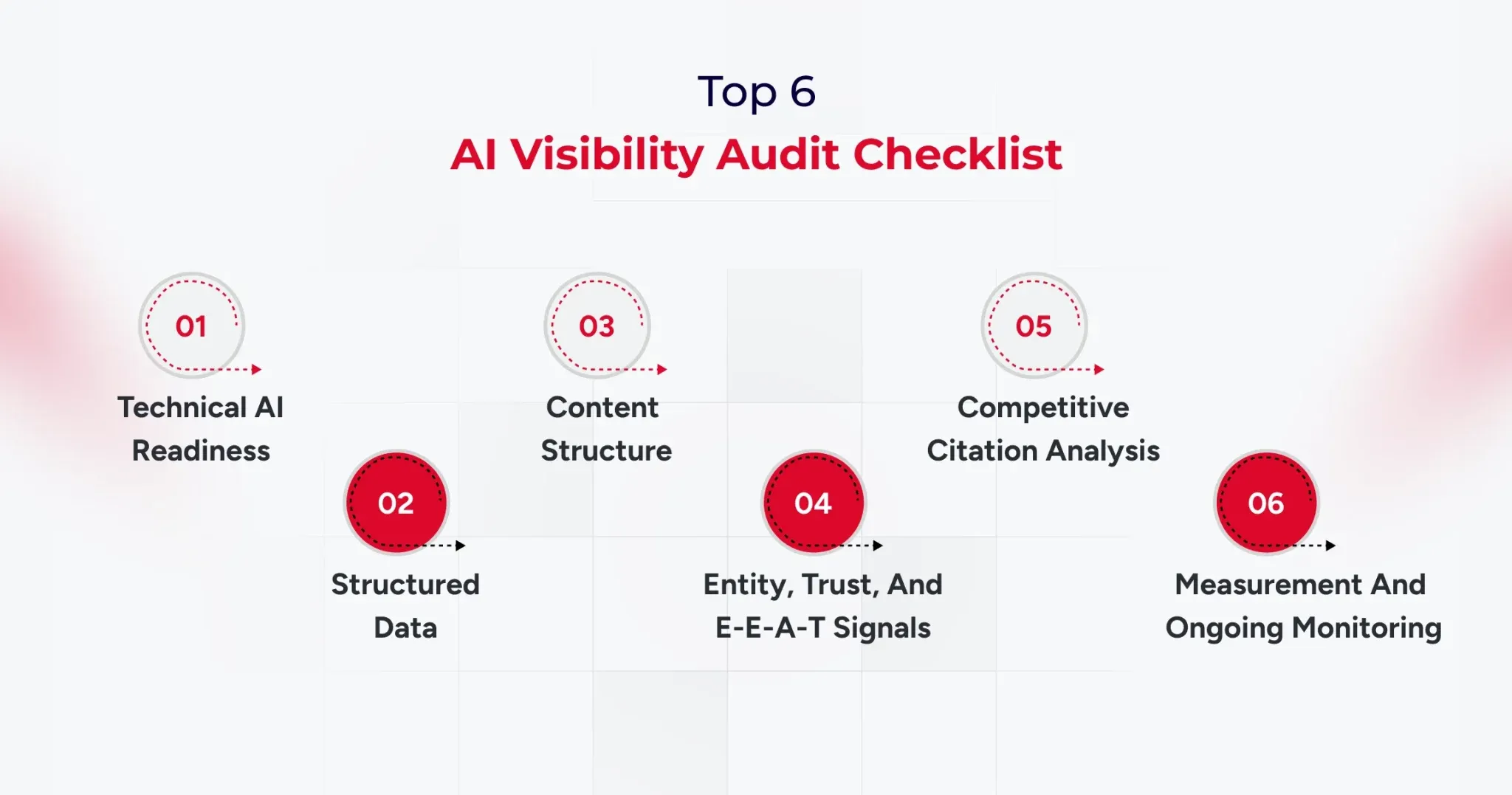
A six-category checklist matters because clients approve audits when you show clear weights, concrete checks, and failure definitions. Use a scored checklist totaling 0 to 100 points, and force every finding into a measurable category with a clear remediation path.

1) Technical AI Readiness (20 points)

  • Confirm that key AI user agents are not blocked in robots.txt, including GPTBot, ClaudeBot, and PerplexityBot.
  • Verify crawl eligibility, indexability, and snippet extractability on priority pages.
  • Check performance, rendering, and stability on critical templates, especially on mobile.
  • Confirm HTTPS, canonical consistency, and sitemap freshness for the pages you expect to be cited.

Failure looks like blocked bots, inconsistent canonicalization, and pages that render poorly for crawlers.

2) Structured Data and Machine Understanding (20 points)

  • Validate JSON-LD schema for Organization, Article, FAQ, and Product where relevant.
  • Confirm that the schema matches the visible content, with no mismatches that could raise trust issues.
  • Check for an llms.txt file if the client uses one, and ensure it aligns with content priorities.
  • Verify Knowledge Graph entity claims, including consistent brand descriptors across properties.

Failure can look like missing, mismatched, or inconsistent entity descriptions.

3) Content Structure and Citation Readiness (30 points)

  • Ensure the answer appears in the first two to three sentences after each heading.
  • Write clean definitions that are copy-friendly and context complete.
  • Add lists and tables where the prompt expects them.
  • Support claims with proof such as data, case studies, and measurable outcomes.
  • Use question-based H2 structures when the prompt set indicates direct questions.

Failure looks like slow responses, vague claims, and pages that read like marketing copy rather than evidence.

4) Entity, Trust, and E-E-A-T Signals (20 points)

  • Add author bylines with credentials when expertise matters.
  • Maintain consistent brand descriptions across the website, profiles, and listings.
  • Identify third-party mentions, citations, and references from authoritative sources.
  • Evaluate the entity’s presence on sources like Wikipedia and Wikidata when relevant to the brand.
  • Document methodology on key pages so claims look reviewable.

Failure looks like anonymous content, inconsistent brand bios, and no third-party validation.

5) Competitive Citation Analysis (5 points)

  • Identify which competitors win citations for the target prompt set.
  • Capture which competitor URLs are being cited and why they fit the prompt.
  • Map content gaps where the client is missing pages that match the prompt intent.

Failure appears when competing pages are consistently cited, even though the client has no equivalent asset.

6) Measurement and Ongoing Monitoring (5 points)

  • Maintain a prompt tracking system with weekly or biweekly checks.
  • Track citation frequency and brand mention coverage by engine and prompt cluster.
  • Create a before-and-after report format that clients can sign off on.

Failure looks like one-off screenshots and no repeatable baseline.

Scoring note: A score below 60 indicates a high risk of AI invisibility and should be addressed as a priority.

Check My AI Visibility

AI Visibility Checking Tools Agencies Should Use in 2026

AI visibility checking tools matter because agencies need proof, baselines, and ongoing monitoring beyond traditional rank tracking.

You need four tool categories, and you should select tools based on the audit category they support, not based on brand popularity.

AI Visibility Checking Tools for Technical and Crawl Readiness

Use Google Search Console, Screaming Frog, and a crawler suite like Semrush to validate indexability, rendering, and template issues. Tie every finding back to the prompt set pages you expect to be cited, because generic crawl stats do not move AI citations by themselves.

AI visibility checking tools for structured data validation

Use Google’s Rich Results Test and Schema Markup Validator to confirm schema accuracy and coverage. Report schema findings as pass fail checks with URLs, so the remediation list becomes straightforward for engineering teams.

AI visibility checking tools for citation monitoring and AI tracking

Use an AI visibility tracker when you need prompt-level history, citation URLs, and sentiment trends across engines. Platforms like Profound and Wellows are positioned around multi-engine citation tracking and workflow reporting, while suites like SE Ranking are building bridges between classic SEO signals and AI visibility monitoring.

AI visibility checking tools for reporting and workflow proof

Use prompt tracking spreadsheets, annotated screenshots, and versioned reporting templates so the client can see progress by prompt cluster.

This is also how you turn AI visibility work into a monthly program, because the system becomes your audit-and-reporting engine.

How to Package AI-Driven Visibility Services in GEO/AEO for Clients

Packaging matters because the AI visibility audit becomes more valuable when it leads directly to an execution motion. You can offer three service models, each with a clear scope, deliverables, and reporting cadence.

Model 1: One-time AI Visibility Audit Report

The scope focuses on baseline scoring, findings, and a Top 10 GEO fixes list.

Model 2: Monthly GEO retainer

Scope focuses on prompt tracking, monthly citation delta reporting, and ongoing content and structure improvements.

Model 3: Full GEO as a service

Scope includes audit, content restructuring, technical fixes, schema improvements, entity building, and reporting.

Timeline expectations should be conservative and measurable, with early movement often visible within four to eight weeks and more stable citation gains typically visible within eight to sixteen weeks.

Scoring Your Client’s AI Visibility (0-100 Agency Rubric)

A scoring rubric matters because clients approve work when you quantify risk and prioritize fixes with a consistent standard.

  • Use the 0 to 100 score as a weighted summary of the six audit categories, and make sure every finding can be traced to an explicit score impact.
  • Use three score bands so the client can quickly understand severity.
  • A score below 60 indicates high risk and major visibility gaps.
  • A score from 60 to 79 indicates moderate risk with clear optimization opportunities.
  • A score of 80 or above indicates strong readiness, with effort shifting to competitive citations and prompt coverage expansion.

From Audit to Action: The 30/60/90-Day GEO Roadmap

A 30/60/90 roadmap matters because clients want a plan that converts audit findings into a calendar they can approve.

Start by building a priority matrix based on impact and effort, then map each fix to a time-bound sprint.

30/60/90 structure

  • Days 0 to 30: complete technical fixes, finalize baseline prompt tracking, and deliver the scored report.
  • Days 31 to 60: restructure content for answer first format, improve definitions, add tables and comparisons, and align entity language.
  • Days 61 to 90: monitor citations, run competitive gap analysis, and deliver a second baseline comparison with deltas.

Deliverable: Create a Top 10 GEO fixes list with issue, impact, effort, owner, and deadline.

Conclusion

An AI visibility audit is now a core agency deliverable because AI answers shape discovery at a massive scale. When Google AI Overviews alone reach about two billion monthly users, agencies cannot treat citations and answer selection as optional.

Use this AI visibility audit checklist to score readiness, prioritize fixes, and move from baseline to measurable citation gains with a 30/60/90 roadmap. If you standardize prompts, scoring, and reporting, you can turn AI visibility audit work into a repeatable service line with clear proof.

And if you are looking to improve AI search visibility without going through the hassle of creating a template, connect with our experts now.

Get The Audit Framework

Best AI-Powered A/B Testing Tools For WordPress Development

WordPress AI plugins are experiencing a surge in popularity. These plugins generate over 315 million visits annually as businesses rush to automate their optimization efforts.

Here’s what most business owners get wrong. They’re still playing guessing games with their websites. They move buttons around, change colors randomly, and wonder why their conversion rates stay flat. It’s like running a store blindfolded while customers walk out empty-handed.

Innovative businesses take a different approach. They use AI-powered A/B testing tools that analyze every click, scroll, and purchase decision in real-time. These tools don’t just test variations.

They predict winners before the test even ends, automatically optimize for peak performance, and deliver results 300% faster than manual testing. This guide reveals the best AI-powered A/B testing tools for WordPress that turn visitor behavior into conversion gold.

What Are A/B Testing Tools for WordPress?

A/B testing is akin to running a controlled experiment on your website. You take two versions of a page: Version A (your current setup) and Version B (the variation), and see which one performs better with your visitors. It’s simple in concept but incredibly powerful in execution.

A/B testing tools for WordPress make this entire process seamless. These tools automatically split your website traffic, showing different users different versions of a page, and then track how each version performs.

Whether you’re testing headlines, call-to-action buttons, product images, or checkout flows, these tools reveal what actually drives engagement, sign-ups, or sales.

When AI enters the picture, testing becomes even smarter. Modern A/B testing tools utilize machine learning to predict winning variants more quickly, personalize user experiences in real-time, and eliminate guesswork. It’s data-driven optimization on autopilot, which helps your WordPress site continuously evolve and perform at its peak.

Why Using AI-based A/B Testing Tools Is Important?

A/B testing tools help websites perform better by tracking user behavior, optimizing designs, and fine-tuning overall performance. Check below how these tools can make a tangible and significant difference:

1. Understanding User Behaviour

These tools can help uncover hidden patterns by analyzing every visitor’s interactions, which range from clicks and scrolls to session duration and exit points, thereby driving real business results.

It becomes easier for stakeholders to spot the pages that need modifications and improvements in terms of design or functionality to meet visitors’ evolving preferences and expectations.

2. Safeguarding Search Engine Optimization (SEO) Performance

When experimenting with high-performing pages, AI-based A/B testing tools utilize temporary redirects and canonical tags to mitigate any potential negative impact on page rankings and performance. With this approach, it is possible to carry out the optimization without risk, thereby protecting the existing SEO ranking.

3. Better Conversion Rates

AI-powered A/B testing can help track where users drop off in your sales funnel, allowing you to remove that bottleneck by making necessary improvements.

It is possible to enhance the customer journey and boost conversion rates by testing various elements, including user experience (UX), at every stage of the process.

4. Lower Bounce Rates

Bounce rates indicate how often users visit your website but don’t view the second page and leave it. A high bounce rate indicates that visitors aren’t finding what they are looking for and need on the site.

A/B testing helps identify which content, design, or page encourages users to stay and navigate further on other pages of the site. It can help stakeholders remove the features, design, or content that caused them to leave too soon.

If you run an online store, these WooCommerce conversion strategies pair perfectly with A/B testing to boost sales.

What Are The Different Types Of A/B Testing Tools?

Depending on your goals, traffic volume, and the elements you want to experiment with, the A/B test approach can take on a very different appearance.

Understanding these variations is key to making smarter optimization decisions, especially when evaluating an AI-based testing tools comparison or choosing the right A/B testing tools for WordPress.

1. Standard A/B Testing

This is the classic version, which is simple, direct, and effective. You test two variations of a page or element to see which performs better. For instance, you might change the colour of your “Buy Now” button, adjust a headline, or tweak your hero image.

The goal is to identify which version resonates most with visitors and leads to more clicks, sign-ups, or sales.

2. A/B/n Testing

Sometimes two options just aren’t enough. A/B/n testing allows you to test multiple versions simultaneously of the elements you want to test. This method is most effective for websites with consistent traffic, as it requires sufficient data to compare various variations accurately. It’s like running multiple experiments simultaneously to uncover what users honestly respond to.

3. Multipage Testing

Multipage testing examines the broader picture by evaluating how design and content changes impact a user’s journey across multiple pages. For example, you might test different sequences in your checkout process or see how variations in your product descriptions impact conversions from one page to the next.

4. Multivariate Testing

If you’re ready to go deeper, multivariate testing examines several elements on a page simultaneously. You could test combinations of headlines, button placements, and colour schemes to see which blend performs best. Because this method measures multiple variables at once, it’s ideal for sites with high traffic and complex designs.

Top 10 AI-based A/B Testing Tools For WordPress Sites

Choosing the right testing tool can make or break your website optimization strategy. The market is filled with options, but the key is finding one that uses artificial intelligence to deliver faster insights and more intelligent decisions.

As AI becomes central to modern websites, staying updated with the latest WordPress development trends helps you adopt smarter testing methods.

In this AI-based testing tools comparison, we’ll explore the leading A/B testing tools for WordPress that bring automation, analytics, and AI innovation together to help your website grow smarter every day.

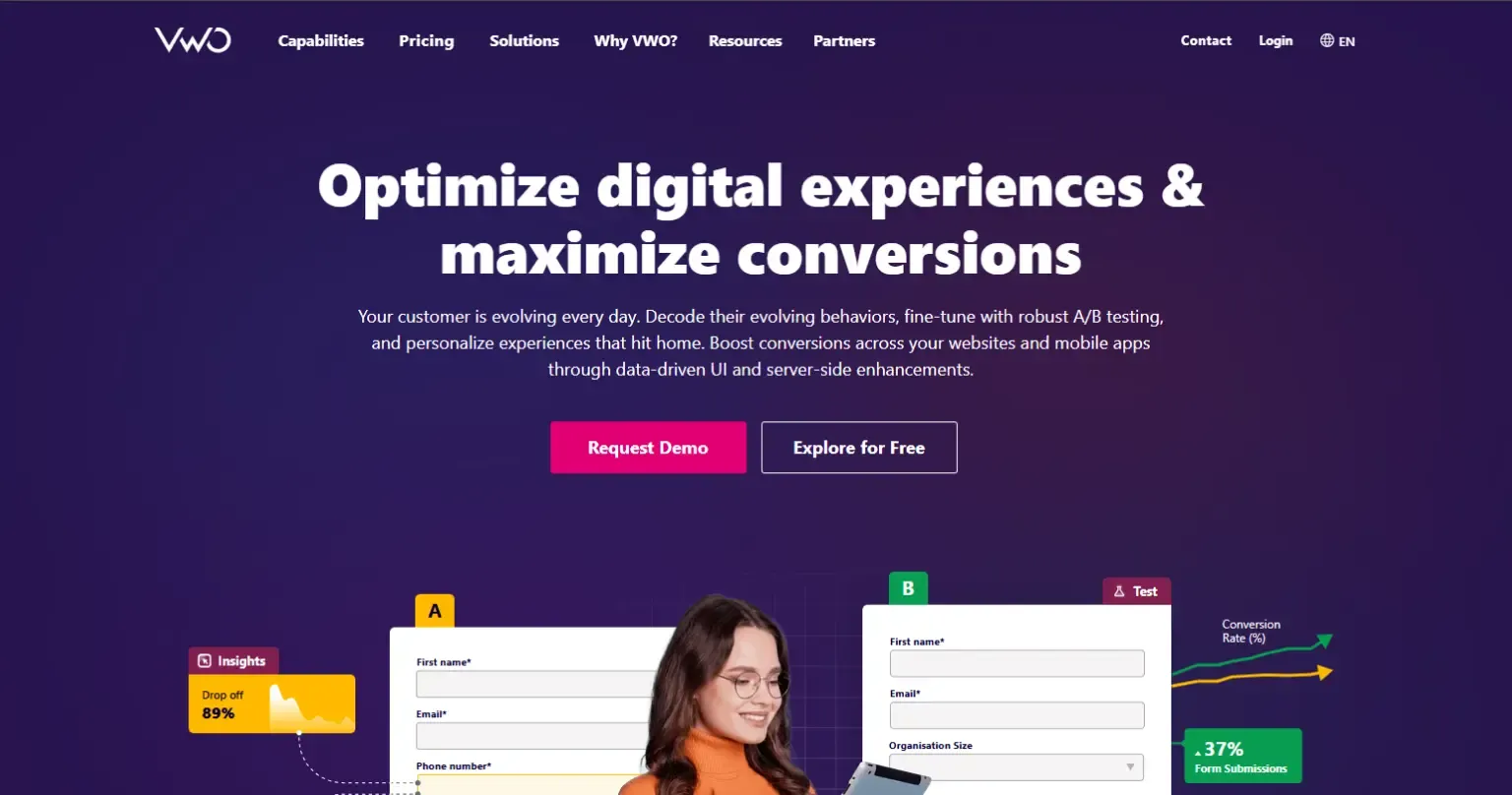
1. VWO (Visual Website Optimizer)

VWO is one of the most comprehensive A/B testing platforms designed for businesses that want both simplicity and depth. It allows you to run experiments, analyze visitor behaviour, and make real-time improvements. Its AI-driven algorithms learn from every interaction to give you faster, more accurate insights.

Key Features and AI Capabilities:
  • AI-powered SmartStats for faster and more precise conclusions.
  • Heatmaps, clickmaps, and session recordings to visualize user behaviour.
  • Predictive analytics that highlight high-performing elements.
  • Visual editor for no-code test creation.
  • Seamless integration with analytics, CRM, and CMS tools.
Benefits of Using VWO:
  • Provides faster and more accurate experiment results.
  • Easy for beginners yet robust for professionals.
  • Reduces decision fatigue with data-backed insights.
  • Enhances conversions with continuous testing.

2. AB Tasty

AB Tasty is an experimentation platform built for marketers who value personalization and performance. It combines A/B testing, AI-driven insights, and behaviour analytics to create meaningful user experiences that drive results. The tool adapts in real time, ensuring each visitor sees the most relevant version of your content.

Key Features and AI Capabilities:
  • AI-based predictive targeting and personalization.
  • Visual editor for quick test setup.
  • Dynamic segmentation to tailor experiences.
  • Integrated heatmaps and session replay tools.
  • Machine learning recommendations to optimize engagement.
Benefits of Using AB Tasty:
  • Delivers tailored experiences across user segments.
  • Simplifies complex experiments into easy workflows.
  • Helps increase conversions and retention rates.
  • Suitable for teams of all technical levels.

3. Kameleoon

Kameleoon is a data-driven experimentation and personalization platform that uses AI to predict conversion intent. It’s ideal for businesses that want to combine testing with deep personalization insights. Kameleoon’s algorithms automatically adapt your content for each visitor to maximize engagement and revenue.

Key Features and AI Capabilities:
  • AI-powered predictive analytics and targeting.
  • Real-time user intent detection.
  • Visual and code-based experiment editors.
  • Automated reporting with deep insights.
  • Privacy-first, GDPR-compliant platform.
Benefits of Using Kameleoon:
  • Improves targeting accuracy with machine learning.
  • Adapt experiences based on user behaviour.
  • Reduces manual optimization time.
  • Works well for enterprise-level traffic.

4. Fibr AI

Fibr AI focuses on intelligent automation and predictive modelling, enabling faster and smarter experimentation. Designed for marketers and developers alike, it minimizes manual setup and uses machine learning to identify winning variations early. This helps you act on insights before competitors do.

Key Features and AI Capabilities:
  • AI-powered clustering for data-driven segmentation.
  • Automated traffic allocation and balancing.
  • Instant performance insights and live monitoring.
  • Predictive modelling for conversion optimization.
  • Compatible with WordPress and other CMS platforms.
Benefits of Using Fibr AI:
  • Speeds up testing cycles significantly.
  • Reduces dependency on large data samples.
  • Makes optimization easier through automation.
  • Perfect for small and mid-sized teams.

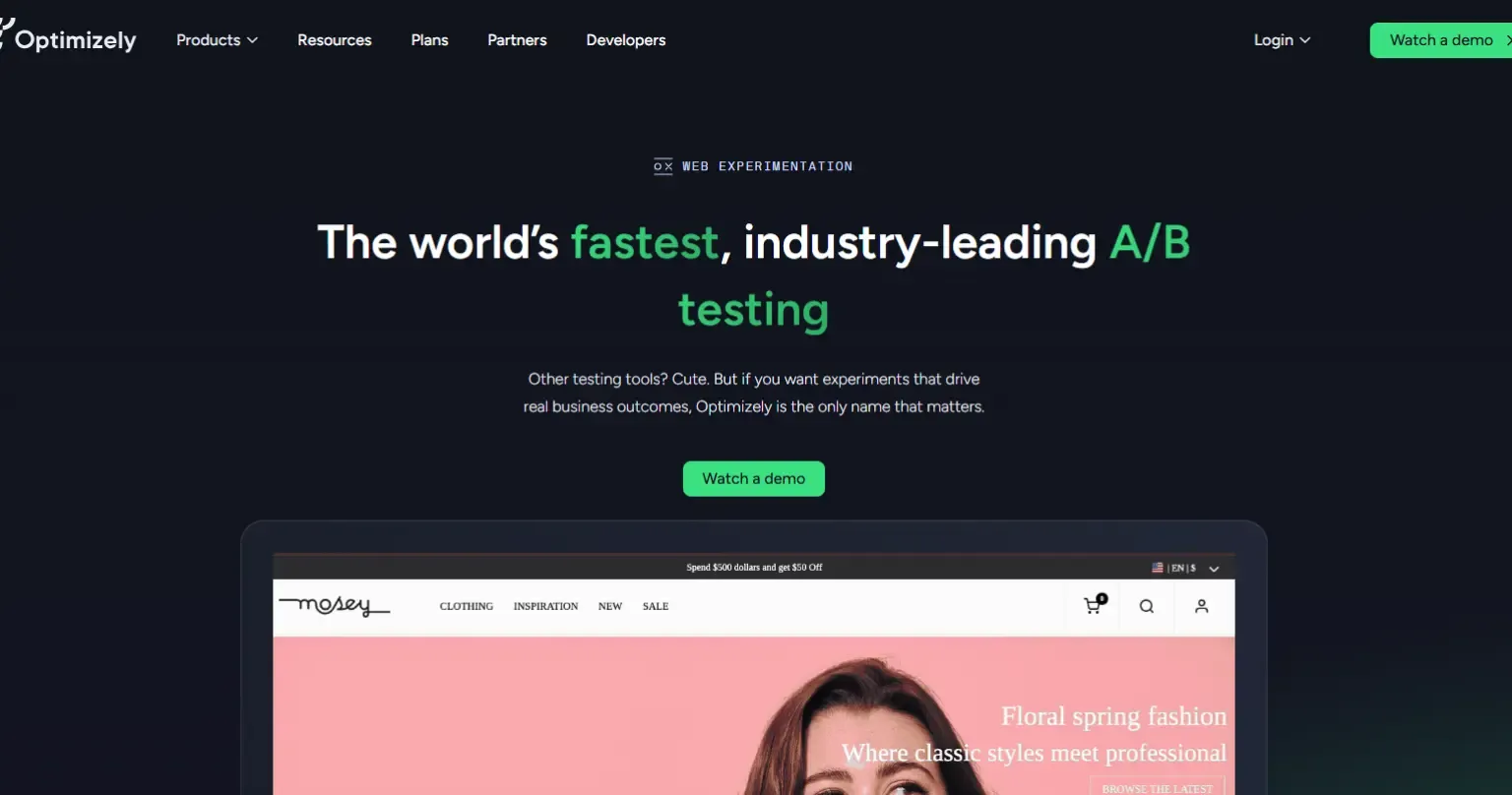
5. Optimizely

Optimizely is the gold standard in digital experimentation, trusted by enterprises worldwide. It combines A/B testing, multivariate testing, and AI-powered decision-making to help teams create exceptional digital experiences. Its platform uses machine learning to deliver better-performing versions to the right audiences dynamically.

Key Features and AI Capabilities:
  • Machine learning for traffic allocation and result prediction.
  • Multivariate, multipage, and server-side testing.
  • AI-driven personalization for targeted experiences.

  • Advanced analytics with statistical confidence scoring.
  • Integrates easily with WordPress and analytics stacks.
Benefits of Using Optimizely:
  • Ideal for enterprise-level experimentation.
  • Reduces manual monitoring with smart automation.
  • Provides actionable insights at scale.
  • Drives consistent, data-backed growth.

6. Unbounce

Unbounce is designed for marketers who prioritize landing page performance and conversions. Its AI-driven Smart Traffic feature automatically sends visitors to the best-performing version of your page. Whether you’re testing ad campaigns or product launches, Unbounce makes optimization effortless.

Key Features and AI Capabilities:
  • Smart Traffic AI that automatically redirects to the winning variants.
  • Drag-and-drop page builder with custom templates.
  • AI-generated copy and content suggestions.
  • Conversion tracking and analytics dashboard.
  • Supports A/B and multivariate testing.
Benefits of Using Unbounce:
  • Increases conversions without technical expertise.
  • Saves time through automation and pre-built designs.
  • Perfect for marketers running paid campaigns.
  • Improves ad relevance and ROI instantly.

7. Nelio A/B Testing

Nelio A/B Testing is a native WordPress plugin designed for simplicity and full integration. It lets you experiment with themes, headlines, menus, and layouts—all within your WordPress dashboard. Its AI tools automate the testing process and suggest improvements based on visitor interactions.

Key Features and AI Capabilities:
  • AI-driven heatmaps and engagement tracking.
  • Test any page element directly in WordPress.
  • Automatic identification of winning versions.
  • Real-time conversion analytics.
  • Lightweight, easy to install, and beginner-friendly.
Benefits of Using Nelio A/B Testing:
  • Perfect for WordPress users of all skill levels.
  • No external setup or complex coding needed.
  • Saves time with automated winner selection.
  • Offers high-value insights for small sites.

8. Convertize

Convertize blends behavioural psychology and AI automation to simplify testing. Its unique AutoPilot system dynamically shifts traffic toward the highest-performing version, ensuring continuous improvement with minimal input. It’s great for teams that want hands-free optimization.

Key Features and AI Capabilities:
  • AutoPilot AI for automated traffic allocation.
  • Pre-built persuasion templates for faster results.
  • Smart notifications and dynamic triggers.
  • Real-time performance and conversion tracking.
  • WordPress integration for easy setup.
Benefits of Using Convertize:
  • Reduces manual effort with intelligent automation.
  • Boosts engagement using behavioural science.
  • Quick to set up, even for non-developers.
  • Adapts tests automatically based on visitor data.

9. Instapage

Instapage is an AI-powered landing page optimization platform designed for marketers who prioritize post-click experiences. Its automation tools help improve ad relevance, personalization, and conversion rates effortlessly.
Key Features and AI Capabilities:
  • AI-based heatmaps for user journey tracking.
  • Dynamic text replacement for audience-specific messaging.
  • Drag-and-drop editor for fast design.
  • A/B and multivariate testing support.
  • Integrations with CRMs and analytics tools.
Benefits of Using Instapage:
  • Ideal for PPC and paid campaign optimization.
  • Improves ad conversion and quality scores.
  • Enhances collaboration between teams.
  • Reduces time-to-launch for marketing campaigns.

10. ABtesting.ai

ABtesting.ai utilizes artificial intelligence to automate every aspect of testing, eliminating the need for setup or manual input. It generates variations, runs experiments, and automatically selects winners. It’s perfect for teams that want to optimize without spending hours managing tests.

Key Features and AI Capabilities:
  • AI-generated headlines and CTAs.
  • Automated experiment creation and tracking.
  • Predictive insights to identify top performers early.
  • One-click WordPress integration.
  • Continuous optimization with self-learning models.
Benefits of Using ABtesting.ai:
  • Saves time with end-to-end automation.
  • Great for startups and small businesses.
  • Continuously improves website performance.
  • Requires minimal technical skill to operate.

Conclusion

AI-powered A/B testing tools enable developers to optimize and analyze site performance and user interaction without compromising SEO. Selecting the most suitable A/B testing platform according to your needs can be confusing because every tool has its strengths and weaknesses.

These thorough and detailed AI-based testing tools can help you make informed decisions that align with your business needs and objectives. If you still have any queries related to your business website, you can contact us to address your query with practical and result-oriented solutions from our team.

8 Game-Changing WordPress SEO Trends to Dominate in 2025

93% of online experiences start with a search engine. If your website isn’t optimized for SEO, your business is missing out on a huge opportunity.

Without effective SEO, even the best WordPress site can get lost in the sea of online content. It’s the key to standing out.

SEO is the foundation of any successful WordPress website. And without effective SEO, even the best WordPress site can get lost in the sea of online content. So if you’re not staying on top of the latest trends, your business website will get lost in the shuffle.

Here, we’ll walk you through the top SEO strategies for WordPress that will help you stay ahead. Whether you’re looking to boost your rankings, improve user engagement, or make your site easier to find, we’ve got you covered.

Ready to level up your SEO? Let’s get started!

Why SEO Matters More Than Ever in 2025

Google’s algorithms have evolved significantly, with over 600 updates every year. These changes now focus on more than just keywords. Factors like user experience, content relevance, and site speed are now major ranking signals. Google’s shift towards AI-driven algorithms means that ranking isn’t just about matching keywords—it’s about understanding intent and providing a seamless user experience.

In 2025, mobile optimization is non-negotiable. More than 60% of global searches are now done on mobile devices, and Google ranks mobile-friendly sites higher. If your site isn’t optimized for mobile, you’re losing traffic and sales.

But it’s not just about being mobile-friendly; it’s about creating a superior user experience. Websites that load quickly, have easy navigation, and provide value are the ones that keep users engaged. Google rewards sites that prioritize the user, meaning better content, faster load times, and intuitive design are essential.

8 WordPress SEO Trends for 2025

#1 Implement Core Web Vitals for Better User Experience

Core Web Vitals are a set of key metrics that Google uses to measure the quality of a user’s experience on your website. In 2025, these metrics are more important than ever for SEO and rankings. Google has made these metrics a major ranking factor. And, sites with better Core Web Vitals provide a smoother, faster experience, improving both user engagement and conversions.

Core Web Vitals Explained
  • LCP (Largest Contentful Paint): Measures how long it takes for the largest visible content element (like an image or text block) to load.
  • FID (First Input Delay): Measures the time between a user’s first interaction with the page and the browser’s response.
  • CLS (Cumulative Layout Shift): Tracks visual stability—how much content moves around during page load.

Practical Tips for Improving Core Web Vitals

  • LCP: Optimize large images, use modern image formats (e.g., WebP), and implement lazy loading.
  • FID: Minimize JavaScript execution and reduce third-party scripts.
  • CLS: Ensure proper layout and avoid elements that shift during loading (e.g., ads, fonts).
#2 Mobile-First Indexing

With over 60% of global web traffic coming from mobile devices, Google has shifted to mobile-first indexing. This means Google primarily uses the mobile version of your site to determine rankings. If your site isn’t optimized for mobile, it could severely impact your visibility in search results. Mobile-first indexing means Google uses the mobile version of your website to evaluate content, usability, and overall site quality. If your desktop version differs from your mobile version, Google will rank your mobile version—so both need to be equally optimized.

Why Mobile Optimization Matters
  • Google prioritizes mobile-friendly websites: Sites that offer a smooth mobile experience are ranked higher.
  • User expectations: Mobile users expect fast-loading, easy-to-navigate websites.
  • Impact on SEO: A mobile-optimized site improves user experience and leads to lower bounce rates, higher engagement, and ultimately better rankings.
Mobile Optimization Techniques
  • Responsive Themes: Use a responsive design that adapts seamlessly to different screen sizes. This ensures your site looks great and functions properly on both desktops and mobile devices.
  • Image Compression: Compress images without sacrificing quality to reduce page load time on mobile devices. Large images can slow down loading times, negatively affecting user experience and SEO.
  • Fast Loading Times: Mobile users expect quick access to information. Aim for a load time of under 3 seconds to prevent users from leaving your site. Consider optimizing JavaScript, CSS, and leveraging browser caching.
  • Easy Navigation: Ensure menus, buttons, and forms are easy to interact with on mobile screens. Use larger buttons and simplify navigation for small screens.

By prioritizing mobile optimization and adhering to mobile-first indexing, you’ll ensure that your WordPress site performs well across all devices, improving both user experience and your position in search rankings.

Make Sure Your WordPress Website is Ready for Mobile-First SEO!

Let’s Connect

#3 Leverage Artificial Intelligence for Content Creation

In 2025, Artificial Intelligence (AI) is revolutionizing the way we create content. From generating blog posts to optimizing content for SEO, AI-powered tools are helping WordPress users save time, improve quality, and enhance rankings.

How AI Can Assist in Generating High-Quality Content

AI tools, such as GPT-powered writing assistants, can help you quickly create well-written, relevant content. These tools can:

  • Generate Blog Posts: AI can create articles, product descriptions, and landing pages in minutes based on your specified topic and keywords.
  • Offer Content Suggestions: AI analyzes your content and suggests improvements, such as adding specific keywords, headings, or questions to make the content more SEO-friendly.
  • Create Unique Content: AI can generate unique content that is free from plagiarism, reducing the time spent on research and drafting.
Balance Artificial Intelligence with Human Creativity
  • Keep the Authenticity: AI-generated content may lack a personal voice or brand tone. Balancing AI with human edits ensures your content stays authentic and connects with your audience.
  • Keep the Relevance: AI doesn’t always understand nuanced topics or trends. Human input is necessary to ensure the content remains relevant, timely, and aligned with your audience’s interests.

By leveraging AI for content creation, you can improve efficiency, create SEO-friendly content faster, and stay ahead in the competitive digital space. Just remember to balance AI tools with your unique voice and human creativity to maintain authenticity and relevance.

#4 Focus on E-A-T (Expertise, Authoritativeness, Trustworthiness)

As Google continues to prioritize high-quality content, sites that demonstrate strong E-A-T signals are more likely to rank higher in search results. E-A-T ensures that your website provides value, is credible, and offers reliable information to users.

Google wants to ensure that the content on your site is written or reviewed by subject matter experts, especially for topics related to health, finance, or law (YMYL – Your Money Your Life pages). Content from qualified experts is more likely to rank higher.

Search engines like Google look at your website’s reputation and authority within its niche. If your site is frequently cited by reputable sources or has strong industry recognition, it signals authority.

Trust is a key component in Google’s algorithm. Websites that are transparent, secure (e.g., HTTPS), and offer a good user experience are more likely to be seen as trustworthy.

Here’s Easy Way To Enhance Your Site’s E-A-T

1. Create High-Quality, Expert Content:
  • Produce in-depth, accurate, and well-researched content that showcases your expertise in your niche.
  • Cite authoritative sources, such as research studies or reputable websites, to back up your claims.
2. Build Backlinks from Trusted Sites:
  • Earning backlinks from high-quality, authoritative websites signals to Google that your site is credible.
  • Engage in guest blogging, partnerships, or content collaborations to build these valuable backlinks.
3. Add Author Bios with Credentials:
  • Clearly display author credentials and qualifications on relevant pages. For instance, if writing about health, include the author’s medical background.
  • This adds credibility and shows that the content is written by someone with expertise in the subject matter.
Regularly Update Content:
  • Keep your content up-to-date, especially for topics that evolve frequently (e.g., technology, trends). Google values fresh and relevant information.
#5 Focus on Long-Tail Keywords and Semantic Search

Semantic search refers to how search engines understand the context of a query, rather than just matching exact keywords. Google uses advanced AI, like BERT (Bidirectional Encoder Representations from Transformers) and RankBrain, to interpret search intent, understand the meaning behind words, and deliver results that best match the user’s needs.

Instead of focusing solely on keywords, semantic search looks at the broader context of a query, considering synonyms, related concepts, and the user’s search history. This shift means that Google prioritizes content that provides comprehensive, useful information over keyword-stuffed pages.

Moreover, long-tail keywords are more likely to match specific user intents. For example, someone searching “how to bake chocolate chip cookies from scratch” is more likely to engage with your content than someone searching simply “cookies.”

It often faces less competition, making it easier to rank for them, even if your site is relatively new. And more importantly, users searching with long-tail keywords are often further down the sales funnel, meaning they are more likely to convert.

Tools to Find Long-Tail Keywords
  • Google Keyword Planner: Helps you find long-tail keywords based on search volume and competition. Simply enter a broad term, and Google will suggest related long-tail phrases.
  • – Ubersuggest: Offers long-tail keyword suggestions and also gives insights into search volume, competition, and trends. It’s a great tool for finding keywords with high conversion potential.
  • – AnswerThePublic: This tool visualizes the questions people are asking around your target keywords, helping you find common long-tail phrases related to your topic.
  • SEMrush: Provides keyword suggestions and related long-tail variations, along with insights into search trends and competition.
#6 Update Your Content Regularly to Stay Relevant

Search engines love websites that keep their content up-to-date, as it signals that your site is active, relevant, and providing the latest information. Regularly updating your content can help maintain or improve your rankings, keep visitors engaged, and boost your authority in your niche.

Why Fresh Content Matters for SEO in 2025
  • Google’s Algorithm Prioritizes Freshness: Google rewards sites that regularly update their content. Fresh, relevant content is more likely to appear in search results, especially for topics where timely information is key (e.g., news, trends, or technology).
  • Improves User Engagement: Visitors are more likely to return to a site that provides new insights, updated statistics, and the latest industry news. This engagement signals to Google that your site offers ongoing value.
  • Outdated Content Hurts SEO: Pages with outdated or irrelevant information are less likely to rank well. Updating content ensures that your website remains trustworthy and authoritative.

Best Practices for Content Updating

  • Review and Update Old Posts: Periodically go through your older blog posts and refresh them with new data, insights, or examples. Make sure the information is still accurate and relevant. This is especially important for evergreen content.
  • Add New Information: If a topic has evolved, add new sections or updates to reflect the latest trends, discoveries, or news. For example, if you’re writing about digital marketing strategies, update your post with the most recent algorithm changes or tools.
  • Refresh Outdated Keywords: Review your content for outdated keywords that may no longer be effective. Swap them for more relevant, high-traffic long-tail keywords or terms aligned with current search trends.
  • Improve Readability: As you update, make sure the content is well-structured and easy to read. Break up long paragraphs, add subheadings, and include images or videos where necessary.
  • Update Meta Descriptions and Titles: Ensure that your meta descriptions, titles, and URLs reflect any changes made to the content. These elements are essential for search visibility and user click-through rates.

By regularly updating your content, you ensure that your site remains relevant in 2025’s ever-changing digital landscape. This practice not only helps you stay on top of search rankings but also builds trust with your audience, proving that your content is consistently providing valuable and up-to-date information.

#7 Optimize Your Site’s Internal Linking Structure

Internal linking is a crucial yet often overlooked aspect of SEO that can significantly impact your WordPress site’s visibility, crawlability, and user experience. These links pass link authority (or “link juice”) from high-ranking pages to other pages, helping them rank better in search results.

Search engines use internal links to crawl and index your pages. A well-structured internal linking strategy makes it easier for bots to navigate your site and discover all its content.

Internal links help search engines understand the relationship between different pieces of content, which can improve your site’s topical relevance and ranking.

Best Practices for Internal Linking
  • Use Descriptive Anchor Text: The anchor text (the clickable text in a link) should be relevant to the linked page. Avoid generic phrases like “click here.” Instead, use specific keywords that describe the content, helping search engines understand what the linked page is about.
  • Maintain a Logical Link Structure: Ensure your internal links follow a logical structure, ideally from more general content (like your homepage or main categories) to more specific content (like blog posts or product pages). This structure helps both users and search engines easily navigate your site.
  • Link to Relevant Content: Only link to pages that are contextually relevant. Linking unrelated pages can confuse both search engines and users, potentially harming your SEO efforts.
  • Avoid Over-linking: Too many internal links on a single page can overwhelm users and reduce the effectiveness of each link. Keep your internal links concise and focused, ideally linking to 3–5 relevant pages per post or page.
How Internal Linking Improves Crawlability and User Navigation
  • Better Crawlability: A well-organized internal linking structure ensures that search engine crawlers can easily access all important pages of your website. This can help pages that may not otherwise be discovered gain visibility in search results.
  • Improved User Navigation: Internal links make it easier for visitors to find related content, which improves their experience and keeps them engaged longer. This can reduce bounce rates and improve on-site metrics, which in turn boosts SEO.

By optimizing your internal linking structure, you enhance both the crawlability of your site and user navigation, ultimately boosting your WordPress site’s SEO performance. Take the time to review and improve your internal linking strategy to achieve long-term success in 2025.

#8 Optimize for Voice Search

With the rise of voice-activated devices like smartphones, smart speakers, and virtual assistants, voice search is rapidly transforming how people search for information online. By 2025, voice search is expected to account for over 50% of all searches, making it a critical SEO factor that WordPress users cannot afford to overlook.

This shift requires a change in SEO strategy, focusing more on long-tail keywords, question-based content, and optimizing for natural language rather than the keyword-heavy phrases traditionally used in text search.

Key Differences Between Text and Voice Search Queries
  • Longer Queries: Voice search queries are typically longer and more specific than text queries. For example, a voice search might be, “How can I improve my website’s SEO on WordPress?” compared to the text search term “WordPress SEO tips.”
  • Conversational Tone: Voice searches often mimic everyday speech, so optimizing for a more conversational tone can help your content rank better.
  • Local Intent: Many voice searches are locally focused (e.g., “Where can I get coffee near me?”), so optimizing for location-based keywords is crucial for businesses aiming to capture voice search traffic.
Quick Tips for Optimizing WordPress Content for Voice Search

1. Create Question-Based Content
2. Optimize for Featured Snippets
3. Use Structured Data (Schema Markup)
4. Improve Local SEO

Want to Improve Your Online Visibility to Reach More Audience?

Let’s Connect

Wrap Up

The future of SEO is here, and 2025 will bring even more opportunities for WordPress users to boost their online presence. By adopting the latest SEO strategies, from optimizing for Core Web Vitals to leveraging AI-driven content, you’ll set your site up for success. As search algorithms become more sophisticated, staying on top of these trends will ensure your website stands out, ranks higher, and attracts the right audience.

Ready to elevate your WordPress site’s SEO and performance? Our expert team specializes in WordPress SEO and development—from on-page optimization to custom solutions that drive real results. Get in touch with us today to start optimizing your website for 2025 and beyond!

Boost Your WordPress Site’s Speed in 9 Simple Steps

The first 3 seconds of webpage load times can make or break conversion on a website! This means a user will take only 3 seconds to make an opinion about your website. That’s why your website speed is a critical factor in determining success – a user will stay or leave. Slow loading times can have a detrimental effect on user experience, leading to high bounce rates, low conversions, and ultimately, reduced revenue. Moreover, search engines like Google also take website speed into account when ranking websites, which makes it essential for website owners to optimize their website’s speed.

While improving website speed seems dismaying, there are several actionable steps that website owners can take to speed up their WordPress websites. Let us discuss some effective strategies that will help you improve your website’s speed and performance.

9 Steps that will improve your WordPress website speed

Step 1: Choose a Fast and Reliable Web Hosting Provider

When selecting a hosting plan, it’s important to understand the differences between shared, VPS, and dedicated hosting and their impact on website speed. Shared hosting is the most common and affordable hosting option, where multiple websites share the same server resources. Shared hosting can be slow and unreliable, as the server resources are divided among several websites.

VPS (Virtual Private Server) hosting is a more advanced hosting option that offers more control and better performance than shared hosting. VPS hosting involves dividing a single physical server into several virtual servers, each with its own resources and operating system. This ensures that the server resources are not shared among several websites, resulting in better performance and speed.

Dedicated hosting is the most advanced hosting option, where a single physical server is dedicated to a single website. It provides complete control over the server resources and offers the best performance and speed. However, it’s also the most expensive hosting option and may not be suitable for small businesses or websites with low traffic.

Shared Hosting

  • Lowest cost
  • Low performance
  • Low security
  • Restricted configurability
  • Limited scalability

VPS Hosting

  • Highest security
  • High performance
  • Highest configurability
  • Mid-level cost

Dedicated Hosting

  • Highest security
  • Some configurability
  • Mid-tier performance
  • Mid-level scalability
  • High cost

Understanding the differences between shared, VPS, and dedicated hosting and their impact on website speed can help you choose the hosting option that best suits your needs and budget. Some highly exercised hosting providers by our patrons include web hosting providers like GoDaddy, WPEngine, and SiteGround.

Step 2: Use a Lightweight and Optimized WordPress Theme

A theme with excessive features, complex code, and bloated scripts can significantly slow down your website, resulting in a poor user experience, low conversions, and reduced search engine rankings. A lightweight and optimized theme, on the other hand, can provide faster loading times, better performance, and improved user experience.

Highly recommended themes to consider while comparing a variety of others
  • Astra Theme
  • Elegant Themes-Divi
  • Avada Themes
  • Ocean WP Themes
  • Uncode Themes
  • Adios Themes

When evaluating the performance and optimization of a WordPress theme, several key factors should be considered, including page load time, page size, script optimization, and compatibility with caching plugins. Page load time is the time it takes for your website to load, and it should ideally be under three seconds. Page size is the amount of data that needs to be downloaded to load your website, and it should ideally be under 1 MB. Script optimization involves optimizing JavaScript and CSS files to reduce the amount of data that needs to be downloaded to load your website. Compatibility with caching plugins is essential for improving website speed, as caching plugins can help reduce server load and improve website performance.

Step 3: Optimize Images and Media Files

Images and media files are an essential part of any website, but they can also significantly slow down a website if they are not optimized. Large image and media files can increase the loading time of a website, resulting in a poor user experience and reduced search engine rankings. Therefore, it is crucial to optimize images and media files to improve website speed and performance.

Several tools and plugins are available for optimizing images and media files on WordPress websites. These tools can compress, resize, and optimize images and media files to reduce their size without compromising their quality. Popular image optimization plugins for WordPress include Smush, ShortPixel, and Imagify. These plugins can automatically optimize images and media files on your website and reduce their size without compromising their quality.

Smush
ShortPixel
Imagify

To reduce the size and improve the loading speed of images and media files, several tips should be followed.

Firstly, images should be compressed and resized to reduce their size without compromising their quality. Image compression tools can reduce the size of images without affecting their quality.

Secondly, images should be optimized for the web, which involves reducing their resolution, file size, and file format. JPEG and PNG are the most commonly used file formats for images on the web.

Thirdly, lazy loading should be enabled for images and media files. Lazy loading delays the loading of images until they are required, which can significantly improve website speed and performance.

Step 4: Minimize HTTP Requests and Database Queries

Excessive HTTP requests and database queries can have a consequential impact on website speed and performance. HTTP requests are made each time a resource, such as an image or a script, is requested from the server. Similarly, database queries are made each time a user requests data from the website. These requests slow down the website and result in a poor user experience. Therefore, it is crucial to minimize HTTP requests and database queries to improve website speed and performance.

One way to reduce HTTP requests is to minify website resources, such as CSS and JavaScript files. Minifying involves removing unnecessary characters from code, such as white spaces and comments, which can significantly reduce the size of website resources. Additionally, website owners can combine multiple CSS and JavaScript files into a single file to reduce the number of HTTP requests made to the server.

Optimizing database queries is another way to improve website speed and performance. This involves reducing the number of queries made to the database and optimizing existing queries. Additionally, optimizing database queries by using indexes and limiting the number of returned results can significantly improve website speed and performance.

Step 5: Use Content Delivery Networks (CDNs)

Content Delivery Networks (CDNs) are an excellent solution for improving website speed and performance. CDNs work by distributing website resources, such as images, videos, and scripts, across multiple servers located in various geographic regions. By doing so, CDNs reduce the distance between website users and website resources, resulting in faster loading times and improved website performance.

Using a CDN can be particularly useful for WordPress websites that have a global audience. When a user requests a resource from a website, the request is sent to the server hosting the website. However, if the user is located far from the server, the request may take longer to process, resulting in slower loading times. By using a CDN, website resources are distributed across multiple servers, allowing users to request resources from a server located closer to them, resulting in faster loading times.

Popular CDNs for WordPress websites include Cloudflare, MaxCDN, and Amazon CloudFront. Cloudflare, in particular, offers a free plan that includes a range of features, such as content optimization, security, and analytics. MaxCDN and Amazon CloudFront are paid services that offer more advanced features, such as real-time analytics and advanced caching options.

It’s important to note that while CDNs can significantly improve website speed and performance, they are not a replacement for other speed optimization techniques. Website owners should still optimize images and other website resources, minimize HTTP requests, and use a lightweight WordPress theme to achieve the best possible website speed and performance.

Step 6: Enable Gzip Compression and Browser Caching

Enabling Gzip compression and browser caching are two effective techniques for improving website speed. Gzip compression is a method of compressing files before they are sent to the user’s browser, reducing the size of the files and speeding up the website’s loading time. This is particularly effective for text-based files like HTML, CSS, and JavaScript. By enabling Gzip compression, you can significantly reduce the size of these files, resulting in faster load times.

Enabling Gzip Compression:

  • Log in to your WordPress dashboard and navigate to the “Appearance” menu.
  • Click on “Editor” and select “functions.php” from the list of files on the right-hand side.
  • Add the following code to the bottom of the file, and save the changes to the file.

add_filter(‘wp_headers’, ‘my_gzip_output’);
function my_gzip_output($headers) {
$headers[‘Content-Encoding’] = ‘gzip’;
ob_start(‘ob_gzhandler’);
return $headers;
}

Browser caching, on the other hand, allows the user’s browser to store a copy of certain files, such as images, CSS, and JavaScript, on their computer. The next time the user visits your website, their browser can retrieve these files from their cache, rather than having to download them from your server again. This reduces the number of server requests, resulting in faster load times for your website.

Enabling Browser Caching:

  • Install and activate a caching plugin like WP Fastest Cache, WP Super Cache or W3 Total Cache.
  • Navigate to the plugin settings and enable browser caching.
  • Configure the settings according to your preferences. Generally, it’s recommended to set the cache expiration time to at least a month. Save the changes to the settings.
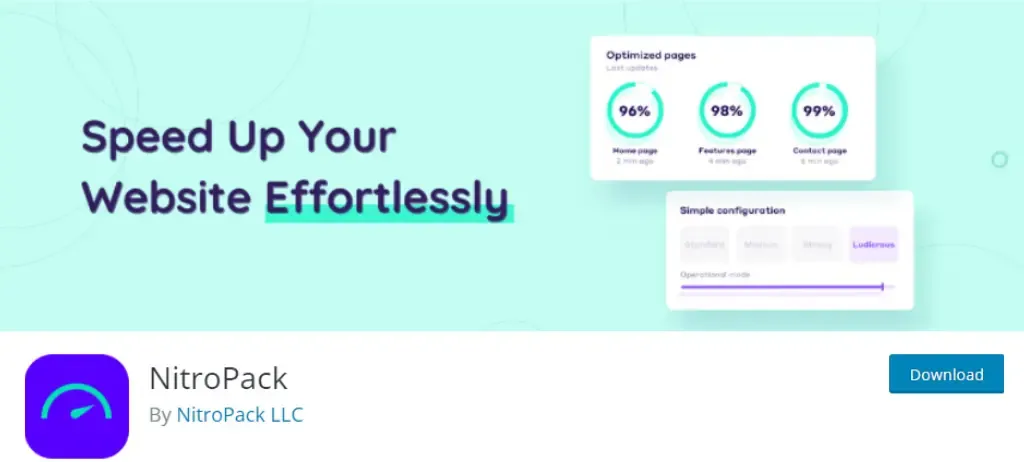
WP Fastest Cache
WP Super Cache
W3 Total Cache

Step 7: Minimize Plugins and Remove Unused Ones

Plugins are undoubtedly one of the key features of WordPress that make it such a popular and flexible platform for website creation. However, it’s important to remember that each additional plugin you install on your WordPress website comes with a cost, in terms of server requests, file size, and potential conflicts. Excessive plugins can significantly slow down your website and negatively impact its performance, which is why minimizing plugins and removing unused ones is an important step in optimizing website speed.

To evaluate and remove unused plugins, start by taking an inventory of all the plugins you currently have installed on your WordPress website. You can do this by logging in to your WordPress dashboard and navigating to the Plugins page, which will list all the plugins you have activated. Take a critical look at each plugin and ask yourself whether it’s really necessary for your website’s functionality or performance. Are there any plugins that you haven’t used in a while, or that duplicate the functionality of another plugin you have installed?

Once you’ve identified the plugins that you no longer need, it’s important to properly remove them from your website. Simply deactivating a plugin isn’t enough, as it can still leave behind residual code and database entries that can negatively affect website performance. To fully remove a plugin, you should first deactivate it, then delete it from your WordPress dashboard. Be sure to check for any plugin-specific settings or options that you may need to manually remove or reset as well. Additionally, try to use plugins from reputable developers who update their plugins regularly and provide good support.

Step 8: Optimize Website Database and Server

The website database is an influential component of a WordPress website. It stores all the website data, including posts, pages, media files, and user information. A poorly optimized database can slow down website performance, leading to longer loading times and increased bounce rates. To optimize the website database, you can use plugins like WP-Optimize, which can remove unnecessary data, compress images, and optimize database tables.

WP Optimize

In addition to optimizing the database, it’s also essential to optimize the server configuration for WordPress. This includes adjusting the server settings, such as increasing the PHP memory limit, enabling caching, and configuring the server to use HTTP/2.

Furthermore, to optimize your PHP configuration, you can edit the php.ini file on your server to adjust settings like memory limits and file upload sizes.

Step 9: Monitor and Test Website Speed Regularly

Monitoring and testing your website speed on a regular basis can help you identify potential issues early and take necessary actions to optimize your website’s performance. Regular monitoring and testing can also help you keep up with the latest website speed trends and best practices, ensuring that your website is up-to-date and competitive in the online market.

Web vitals is an initiative by Google that bestows consolidated guidance for quality signals essential in delivering great user experience on the web. This initiative simplifies the landscape and helps website to focus on the metrics that are crucial for analyzing user experience.

There are several tools available for measuring website speed and performance. Some popular tools include:

  • Google PageSpeed Insights:This tool analyzes website speed and provides a score based on various factors such as page load time, server response time, and more. It also provides suggestions for improving website speed.
  • GTmetrix: This tool provides a comprehensive analysis of website speed and performance, including page load time, page size, and the number of requests made to the server. It also provides recommendations for optimizing website speed.
  • Pingdom: This tool provides real-time monitoring of website speed and performance, including uptime, downtime, and response time. It also provides alerts for potential issues and suggestions for improving website speed.

Pro Tip: Install Nitro Pack

Are you tired of slow-loading WordPress websites?

Look no further than NitroPack – the ultimate solution for website speed optimization.

If you face difficulties implementing the above enhancements and plugins to your WordPress website, the NitroPack plugin will handle it all for you. With NitroPack, you can drastically improve the speed of your WordPress website with just a few clicks. Its powerful optimization algorithms compress and optimize your website files, images, and code, reducing your website’s loading time and improving user experience.

Here are some of the benefits of NitroPack:

  • Instant speed improvements: NitroPack is designed to instantly speed up your website, without requiring any technical knowledge. Our innovative optimization technology ensures that your site is fully optimized for maximum speed and performance.
  • Easy setup: Setting up NitroPack on your WordPress site is quick and easy. Just install our plugin, and our optimization process will automatically begin. You can also customize your optimization settings to suit your specific needs.
  • Reliable hosting: We provide reliable and fast hosting solutions for your website. Our hosting infrastructure is optimized for maximum performance, ensuring that your site is always lightning fast.
  • Continuous optimization: We continuously monitor your website’s performance and make real-time optimizations to ensure that your site is always performing at its best.
  • Comprehensive support: Our support team is available 24/7 to assist you with any questions or issues you may have. We are committed to providing the best possible service and support to our customers.

So, if you want to improve your WordPress site’s speed and performance, NitroPack is the perfect solution for you. Try NitroPack today and experience the difference!

Conclusion

Remember, website speed is a critical factor in the success of your online presence. Slow loading times can negatively impact your bounce rates, conversions, and revenue. By optimizing your website speed, you can keep your visitors engaged, improve your search engine ranking, and boost your bottom line. The actionable tips recommended in this post will help you to improve your site speed and performance. However if you don’t have technical expertise to implement these yourself, consider hiring our professional web development services. Our team of experts can optimize your website speed, enhance its functionality, and provide ongoing maintenance and support.

Don’t let slow website speed hold you back from achieving your online goals. Our team has years of experience in optimizing WordPress websites for maximum speed and performance. We can help you identify areas for improvement, implement the necessary changes, and monitor your website’s progress over time. With our expertise, you can expect faster loading times, improved user experience, and better search engine rankings. Plus, you’ll see an increase in conversions and revenue as a result. So why wait?

Contact us today to learn more about how we can help you take your website to the next level.