How to Monetize a WordPress Blog: 5 Strategies That Work in 2026

You have been publishing consistently. Traffic is slowly growing. The blog looks active. But the income dashboard is still empty.

That is where most “how to make money blogging” advice becomes frustrating. It tells you to add ads, join affiliate programs, write more posts, and wait. Technically true. Practically incomplete.

The truth of the matter is, only a handful of bloggers make their blog a profitable venture. The big money makers aren’t generating revenue by posting random content and hoping an audience magically appears.

For most new bloggers, ads are the slowest method to monetize. The revenue is typically based on sheer volume. If a blog earns $5 to $25 per 1,000 pageviews, making just $500 per month can require 20,000 to 100,000 monthly visitors.

Most new bloggers are not anywhere close to that amount. And this blog is the solution for anyone ready to skip the high-traffic waiting game. We are going to break down high-leverage strategies like targeted affiliate partnerships, premium digital products, and strategic consulting that actually turn a small, engaged audience into sustainable revenue.

Secret 1: Affiliate Marketing Done the Right Way

Why do Most Bloggers Get Affiliate Marketing Wrong?

Dropping random affiliate links into blog posts is not affiliate marketing. It is wishful thinking.

Real affiliate marketing for bloggers starts with buyer intent. The highest-converting posts are not generic informational articles. They are comparison posts, “best tools for” lists, honest reviews, tutorials, and alternative pages.

A reader searching “best email platform for beginner bloggers” is already evaluating options. That reader is far closer to buying than someone reading “what is email marketing?” That is the difference.

If you want to know how to monetize a WordPress blog with affiliate income, build content around decisions. Help readers compare. Help them choose. Make the recommendation clear.

How to Set Up Affiliate Marketing on WordPress Properly?

Start with affiliate programs that match your niche. Amazon Associates, ShareASale, Impact, PartnerStack, and niche-specific private programs are good starting points.

Then install a link management plugin such as ThirstyAffiliates or Pretty Links. These tools help you manage, cloak, organize, and track affiliate links from one dashboard.

Research matters more than most bloggers admit. Read Amazon reviews, Reddit threads, YouTube comments, and niche forums. Find what real buyers love, hate, and regret. That gives your content angles that generic roundups miss.

Feature DIY WordPress Maintenance Managed WordPress Maintenance
Cost (Estimation) $0–$100/month $100–$500+/month
Time Commitment 5–15+ hours/month (staffed) Minimal (provider handles most tasks)
Required Expertise Moderate to high technical troubleshooting skills Minimal WordPress usage/familiarity
Security & Risk Manual, expertise-dependent; higher exposure Proactive, expert auditing, 24/7 monitoring
Performance Manual optimization; plugin/setup dependent Server, CDN, cache optimized by experts
Scalability & Support Poor, increasingly complex with growth Automated scaling, multi-site support

Secret 2: Selling Digital Products Is the Highest Margin Method Nobody Talks About

Why Do Digital Products Change the Income Game?

Digital products change the math because you create once and sell repeatedly. No inventory. No shipping. No stock limits. Almost no cost per additional sale.

That is why selling digital products on WordPress can outperform ads for many bloggers. A $19 template only needs 27 sales to cross $500. A blog relying on ads may need tens of thousands of pageviews for the same result.

The best digital products solve one specific problem for one specific reader. “Blogging ebook” is weak. “30 Affiliate Review Templates for Food Bloggers” is clear. Precision sells because the buyer immediately understands the outcome.

What Actually Sells and How to Launch It on WordPress?

Product Type Realistic Price Range
eBooks $9 to $49
Notion templates $9 to $39
Spreadsheet planners $15 to $79
Printable toolkits $7 to $29
Mini courses $49 to $299
Swipe files $19 to $99

If you’re planning to build a full digital storefront, our WooCommerce Development Services can help you create a scalable selling experience.

Secret 3: The Membership Model Gives Bloggers Predictable Monthly Income

Why Are Memberships the Smartest Long-Term Revenue Play?

Ad income fluctuates with traffic. Affiliate income fluctuates with buying intent. Sponsored content depends on brand budgets. Membership income is different.

It provides a steady stream of income for bloggers. Assume 100 members who pay $10 monthly. This is $1000/monthly recurring income from a small number of readers who trust that the blogger will provide more than what they get for free.

This is one of the strongest WordPress blog monetization strategies for bloggers with a loyal audience.

What Goes Inside a WordPress Membership?

Membership Asset Example
Exclusive content Advanced tutorials or private guides
Templates Downloadable resources
Community access Private forum or group
Monthly calls Q&A, coaching, audits
Resource library Checklists, swipe files, examples

Put together a WordPress membership site with MemberPress or Paid Memberships Pro. BuddyPress can assist you to create your personal member space when the offer features community. Give a discount to the first 20 (or 50) people to build momentum and establish proof.

Secret 4: The Email List Is Worth More Than the Blog Itself

An email list is not an add-on. It is the revenue engine. Search traffic discovers you. Email lets you reach the reader again without waiting for Google, Pinterest, Instagram, or any platform algorithm.

That is why email list monetization should start from the first blog post. Not after the site is ready. Not after traffic grows. Not after 50 articles.

A targeted list of 1,000 subscribers can outperform a blog with 50,000 monthly visitors if the subscribers trust the writer and the offers match their problems.

Method How It Works
Affiliate promotions Recommend relevant tools directly
Product launches Sell templates, ebooks, or courses
Sponsored newsletters Let brands reach your audience
Membership invites Convert loyal readers into members
Service offers Sell audits, consulting, or setup help

Use any of ConvertKit, Mailchimp, FluentCRM, or MailPoet. Place opt-in forms in posts, at the end of articles, and on high-traffic pages. Provide a ‘freebie’ like a checklist, template, planner or mini email course.

If you plan to use a WordPress blog setup service, you will get a professional blog setup the right way from the beginning, including the technical aspects such as having fast-loading pages, capturing emails, lead magnets, analytics, product pages, and conversion paths.
The Email List Images

Secret 5: Sponsored Content Pays Fast Even With a Small Audience

Sponsored Content can generate quicker income than almost any other monetization technique. No need to have a lot of followers. You must have the correct target market.

A food blog that has 3,000 loyal readers is more beneficial to a kitchen brand than a general lifestyle blog with 50,000 visitors who aren’t necessarily loyal to the brand. Attention, trust, and relevance are all paid for by brands.

This is the reason why a small niche blog may be able to secure sponsored content blog deals ahead of being accepted by an ad network. Traffic is useful. It is best to use audience fit.

Item What to Add
Monthly traffic Pageviews and sessions
Email list size Subscriber count and open rate
Audience profile Niche, location, interests
Content examples Best-performing posts
Sponsorship options Blog post, newsletter, bundle
Starting rates Clear pricing range

Include appropriate rel=sponsored or rel=nofollow attributes to paid links. If you are pitching brands on your WordPress website, before pitching brands or selling products, make sure your website looks trustworthy. Follow our WordPress Security Checklist to secure your site before approaching sponsors.

The Thing Every Blogger Searches For But Nobody Honestly Answers: How Long Before This Actually Makes Real Money?

Every monetization blog talks about methods. Very few give honest timelines. That matters because unrealistic expectations kill more blogs than bad writing.

Timeline What Usually Happens Realistic Income
Months 1 to 3 Setup, publishing, indexing, list building $0
Months 3 to 6 First affiliate commissions $50 to $300/month
Months 6 to 12 Affiliate income plus first digital product $300 to $1,000/month
Months 12 to 18 Email list grows, first brand deals, membership test $1,000 to $3,000/month
Month 18+ Multiple revenue streams working together $3,000 to $10,000+/month

Most bloggers quit before month 12. That is the painful part. The income is usually back-loaded. Early work compounds slowly, then suddenly the blog has search rankings, subscribers, affiliate posts, product pages, and brand credibility working at the same time.

Bloggers who want a professional monetization setup can use a WordPress website monetization service to handle payment gateways, membership configuration, email integrations, product pages, analytics, and sponsored content setup.

Plugin Quick Reference: What to Use for Each Monetization Method

Method Best Plugin Free Option
Affiliate Link Management ThirstyAffiliates Pretty Links
Digital Products Easy Digital Downloads WooCommerce
Memberships MemberPress Paid Memberships Pro
Email Capture ConvertKit Forms Mailchimp for WordPress
Display Ads Ad Inserter Advanced Ads
Sponsored Post Disclosure PublishPress Future Sponsored Post Disclaimer

As your blog grows, keeping plugins updated, improving performance, and maintaining security becomes just as important as publishing new content. Explore our WordPress Maintenance Services to keep your website running smoothly.

Stop Treating the Blog Like a Hobby and Start Treating It Like a Business

Bloggers who earn a consistent income are not always smarter or more talented. They simply made better operating decisions. They picked the right monetization method for their stage. They built their email list early. They created content around buyer intent. They sold simple digital products before building complicated funnels. They pitched sponsors once the audience became clear.

That is the real answer to how to monetize a WordPress blog. Pick one method from this list. Set it up this week. One live revenue stream is worth more than five monetization ideas sitting in a notebook.

Every subscriber, affiliate post, digital product sale, and sponsored deal compounds. Choose the method that fits where your blog is right now. Build it properly. Then let the next method stack on top.
Stop Treating the Blog

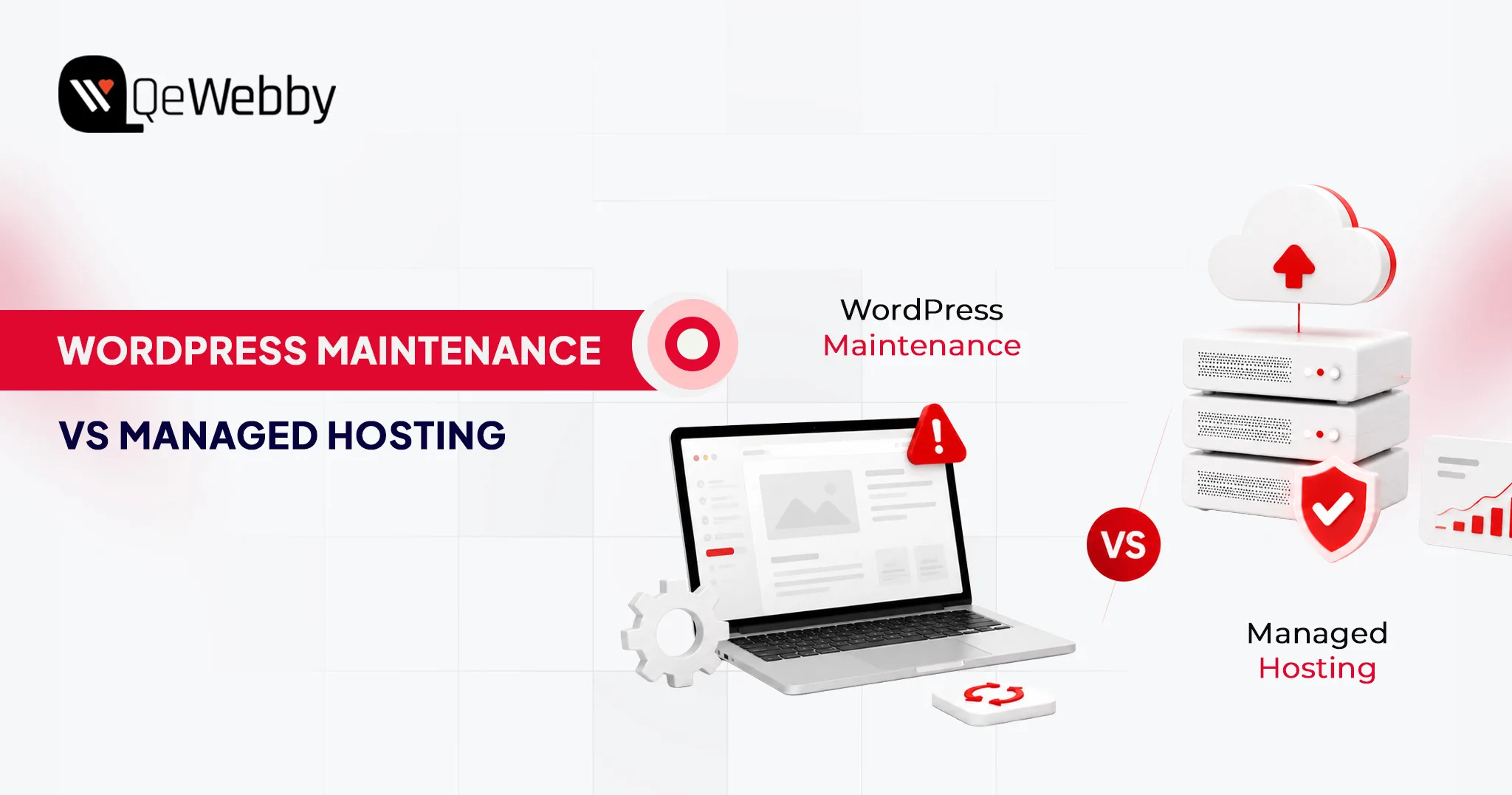
WordPress Maintenance vs Managed Hosting: What’s the Difference and do You Need Both?

A WooCommerce checkout breaks after a plugin update. Your theme stops rendering correctly on mobile. Customers cannot complete purchases. You contact your hosting provider and receive a familiar response: “The server is running normally.”

That’s because managed hosting and WordPress maintenance solve different problems. Hosting keeps the infrastructure online. Maintenance keeps the WordPress application functioning properly.

The server can be healthy while the website is broken.

At revenue-generating sites, there’s no choice of words. Managed hosting is not the same as WordPress maintenance; where one stops, the other begins.

What is WordPress Maintenance?

WordPress maintenance services are regular maintenance schedules that control all the elements above the server: Plugins, themes, core files, database integrity, and security. This is typically offered in monthly WordPress support packages, ranging from the level of your site to the amount of time you will receive support. The top layer is the application layer, and it is called the scope. Not the hardware that’s under it.

That’s something many website owners don’t realize. Managed hosting is responsible for keeping the server online, while comprehensive WordPress maintenance services focus on keeping the website itself secure, updated, optimized, and functioning properly. They solve different problems at different layers of the stack.

What’s inside a WordPress maintenance plan:

  • All plugin updates are also tested in a ‘staging’ environment before being deployed to production. This is the one thing that most managed hosting plans out there don’t have, and that’s why most of the site breakages can be attributed to plugin conflicts.
  • WordPress core updates include security fixes, as well as new features. These releases are also tested and scheduled by maintenance providers, instead of being pushed automatically to live environments where an unexpected release may break any custom functionality.
  • Theme updates, though it might seem otherwise, are more disruptive. Theme updates have the potential to mess up custom CSS, break layouts of page builders, and reset the header/footer settings. A maintenance provider approves the visual rendering before the update gets to the live site.
  • Security monitoring includes malware scanning, login attempt monitoring, file integrity monitoring, and suspicious code injections. Partial scanning might be provided by managed hosts. The maintenance providers fix what they find.
  • Backups mean daily or real-time off-site copies with tested restore procedures. The operative word is tested. A backup nobody has verified isn’t a backup strategy. It’s an assumption waiting to fail at the worst possible time.
  • Performance checks address database optimization, image compression audits, plugin load time analysis, and wordpress seo performance optimization, including Core Web Vitals monitoring and page speed improvements. These aren’t optional maintenance tasks for revenue-generating sites. Slow-site degradation compounds quietly until it starts costing conversion rates.

What is Managed WordPress Hosting?

Managed WordPress hosting isn’t a premium tier of generic hosting. It’s a server environment built and operated specifically for WordPress workloads. The hardware, network architecture, and software stack are configured for WordPress, not shared across a hundred unrelated applications running on commodity infrastructure. Managed WordPress hosting pricing reflects that specialization, and the performance gap over self-managed VPS setups is real for any operator without a dedicated DevOps function.

What it does well, it does very well. Infrastructure-level performance and security sit in a different category from what most site owners can replicate independently. What it doesn’t do is touch the WordPress application running on top of that infrastructure. That boundary is where most buyers get into trouble.

What’s inside a managed WordPress hosting plan:

  • Server management covers operating system updates, server software patching, PHP version management, and hardware resource allocation. The provider owns this layer completely.
  • CDN serves content from edge nodes geographically close to each visitor, cutting page load times without any configuration on your end. Most managed hosts include CDN natively or through a Cloudflare integration.
  • Caching combines server-side page caching, object caching via Redis or Memcached, and opcode caching to absorb traffic spikes without creating database bottlenecks. This is where managed hosting earns its cost premium at scale.
  • Infrastructure security runs Web Application Firewalls, DDoS protection, IP reputation filtering, and network-level threat blocking. Outside-in protection: threats stopped before they reach WordPress. What it doesn’t cover is the application logic running inside.
  • Uptime monitoring backs a provider SLA, typically 99.9% at standard tiers and 99.99% at premium. The distinction worth noting: providers monitor their infrastructure. They don’t monitor whether your site is functioning correctly on top of it.

WordPress Maintenance vs Managed Hosting Comparison

Put these two services side by side, and the gaps become obvious. The confusion in the market isn’t about what managed hosting does; it’s about what it doesn’t do, and whether buyers notice that absence before something breaks.

Feature Maintenance Managed Hosting
Plugin Updates Full (staged) Limited (automated only)
Core Updates Tested Partial (auto-push)
Backups Off-site, tested Server-level
Hosting Infrastructure Not included Full management
Malware Monitoring Detect + Remediate Partial (detect only)
Technical Support App-layer issues Server-layer issues
Database Optimisation Included Not standard
Staging Environment Standard Sometimes included

Get a Free Consultation

Pricing Comparison in 2026

Understanding website maintenance cost versus managed WordPress hosting pricing separately is useful; understanding them together is more useful still. These are not competing budget lines; they cover different functions. Most growing businesses end up running both, which is why combined planning matters.

Monthly Cost Breakdown

Website Type Maintenance Managed Hosting
Small Business $20-$100/mo $20-$80/mo
Growing Business $100-$500/mo $50-$300/mo
Enterprise $500-$2,000+/mo $300-$5,000+/mo

What’s Included at Each Pricing Tier?

WordPress maintenance pricing and hosting costs don’t scale uniformly. What you’re actually buying at each tier is different in kind, not just in volume.

Budget tier ($20–$100/mo maintenance | $20–$80/mo hosting)

Automated backups, core and plugin updates, uptime monitoring, and monthly reporting. Support runs on a ticket system with 24–48 hour response windows. Hosting at this level covers shared or entry-level managed environments with CDN and basic caching. WordPress maintenance pricing here rarely includes staging environments, which means updates go straight to production untested. Workable for brochure sites and low-traffic blogs where a broken checkout isn’t a business event.

Growth tier ($100–$500/mo maintenance | $50–$300/mo hosting)

Staged updates are tested before deployment, malware remediation, performance optimization, priority support, and dedicated account management. Hosting shifts to dedicated resources with staging environments and faster SLA response times. This is where WooCommerce maintenance services typically land. Transactional sites carry update risk that budget plans aren’t built to handle. Staged testing and faster remediation aren’t upsell features at this level; they’re the baseline requirement for any site processing revenue.

Enterprise tier ($500–$2,000+/mo maintenance | $300–$5,000+/mo hosting)

Full-service maintenance with custom development hours, dedicated support engineers, SLA-backed response commitments, advanced security auditing, and proactive performance management. Hosting runs on isolated server environments with multi-region redundancy and enterprise-grade SLAs. Agencies operating white-label WordPress maintenance programs for multiple clients work in this tier. The pricing reflects accountability, not just capability.

Can You Use Managed Hosting and Maintenance Together?

Not only can you generate revenue from any site, but running both is the baseline standard. These services aren’t redundant. They cover different layers of the same stack, and the gap between those layers is exactly where sites break.

Why Hosting Doesn’t Replace Maintenance

Managed WordPress support at the server level tells you when the infrastructure is down. It doesn’t tell you when a payment gateway plugin conflict introduced during an automated update is silently failing your WooCommerce checkout. It won’t clean malware injected through a vulnerable contact form plugin. It won’t touch a database that has bloated to 2GB of autoloaded data.

According to WPScan’s WordPress Vulnerability Database, over 97% of WordPress vulnerabilities originate in plugins and themes, not the server. No managed host is scoped or paid to resolve application-layer problems. That’s a maintenance function.

Why Maintenance Doesn’t Replace Hosting

A maintenance provider manages your WordPress application on whatever server infrastructure you give them. If that server is under-resourced, misconfigured for WordPress workloads, or running on shared hosting with noisy neighbors throttling performance, plugin update management won’t fix it. Infrastructure constraints sit outside the scope of any care plan. A maintenance provider operating on a poorly configured server is competent work applied to the wrong constraint.

Best Combined Setup for Growing Businesses

The professional standard for revenue-generating sites: a premium managed host, WP Engine, Kinsta, Flywheel, or Cloudways, handling infrastructure performance, paired with a dedicated WordPress maintenance services provider managing the application layer. The host owns the server. The maintenance provider owns the site. Each vendor’s accountability is clear, and no coverage gap exists between them.

Agencies serving multiple clients often formalize this model through white-label WordPress maintenance programs, outsourcing application management to a specialist while retaining the client relationship. Maintenance labor is predictable at scale, and white-label providers price to reflect that predictability.

Businesses migrating from shared hosting often combine managed hosting with professional wordpress migration services before implementing ongoing maintenance.

WordPress Maintenance vs Managed Hosting: Who Is Responsible When Something Breaks?

Issue Managed Hosting Maintenance Provider
Server outage
Plugin conflict
Theme issue
Database cleanup
Malware cleanup Sometimes
PHP updates
Core Web Vitals optimization Partial

Hidden Costs Most Website Owners Miss

Advertised WordPress maintenance pricing and managed WordPress hosting pricing are starting points, not total costs. Both categories carry expenses that only surface when something breaks or when the site outgrows its initial plan scope.

Maintenance costs that don’t appear in the plan:

Emergency fixes sit outside most WordPress support plans. Urgent remediation for a broken WooCommerce checkout during a product launch typically runs $200 to $500 per incident, billed separately from the monthly care plan.

Malware cleanup follows the same pattern: basic plans detect the problem; remediation, especially forensic cleanup across hundreds of pages of injected SEO spam, is a separate line item.

Custom development is another gap buyers miss. Care plans cover updates and monitoring. When a plugin conflict requires a code-level fix, that’s development work billed outside the plan entirely. Content updates follow the same logic: most maintenance plans don’t include them, and assuming otherwise leads to invoices that weren’t in the budget.

Hosting costs that don’t appear in the plan:

Traffic overages are the most common surprise. Plans price at bandwidth or visitor thresholds, and a product launch or press mention driving 10x normal traffic can generate overage charges that exceed the monthly plan cost.

According to Kinsta’s managed hosting documentation, overages are calculated per visit above the tier limit, which compounds quickly under unexpected traffic spikes. Storage upgrades hit media-heavy sites faster than expected, priced per increment with no retroactive adjustment.

Migration costs add a one-time $150 to $500 charge when switching hosts, regardless of “free migration” language in the plan terms, which typically applies to one site, one direction, one time.

The pattern across both categories: the advertised price covers the predictable scenario. Every edge case is an add-on.

Which Option is Right for Your Business?

The answer depends less on budget than on what’s currently broken and what failure mode you’re most exposed to. A slow server is a hosting problem. A plugin conflict is a maintenance problem. Most sites eventually face both.

Choose Maintenance If:

  • You’re already satisfied with your hosting performance and uptime
  • You need to update management and staged deployment to prevent site breakages
  • You need ongoing managed WordPress support for plugin conflicts, security incidents, and troubleshooting
  • You’re running a complex plugin stack where automated updates carry genuine risk

Choose Managed Hosting If:

  • Your current host is slow, and performance is the primary complaint from users
  • You’re experiencing uptime instability or unplanned outages
  • You need infrastructure-level support: server configuration, PHP versions, caching
  • You’re migrating from shared hosting and need a WordPress-optimized environment

Choose Both If:

  • You operate a revenue-generating website where downtime has a direct cost
  • You run a WooCommerce store. WooCommerce maintenance services plus managed hosting is the minimum viable setup for transactional sites.
  • You’re an agency managing multiple client sites and need reliable, scalable coverage.
  • You run a membership platform, LMS, or subscription site where application stability is critical.

Schedule a WordPress Audit

Typical Service Provider Categories

The market for both services has stratified significantly. Knowing which provider type fits your situation prevents overpaying for complexity you don’t need or underinvesting in coverage that matters.

DIY Maintenance Tools

With plugins such as ManageWP, MainWP and WP Umbrella, technically competent operators will have dashboard control over updates, backups and uptime monitoring for multiple sites.

They are suitable for the developer/agency who wants control but not the expense of a managed care plan. The downside of this is that human decision-making and remediation continues to rest on the operator.

WordPress Maintenance Agencies

Full-service WordPress maintenance companies can provide updates, security surveillance, custom development, content assistance, and more. They’re ideal for companies looking to have one place to monitor the health of applications, but that they don’t have to create it themselves. Basic plans are $50 per month, enterprise level is $2,000+/month.

White-Label Maintenance Providers

White label WordPress maintenance services are the same services provided under a different name, often by a web design agency who would like to offer maintenance services under their own brand without having to create an internal maintenance service. The agency is responsible for the client relationship, the white-label provider is responsible for the work. For agencies with 10+ client sites, the financial sense of outsourcing maintenance becomes clear, and this model makes sense.

Managed Hosting Providers

These providers, such as WP Engine, Kinsta, Flywheel, and Cloudways, prioritize infrastructure performance and reliability. The price of managed WordPress hosting from these providers starts at $20/month and can climb as high as $500+/month for enterprise-level hosting. Their value proposition is a (WordPress optimized) server stack, their scope is everything above the server layer.

Enterprise Hosting Platforms

For enterprises that have compliance needs, multi-environment workflows, and integration needs with DevOps, there are three options: Pantheon, Acquia, and WP VIP. These are platforms that combine hosting and maintenance capabilities with developer tools, pipelines and professional services and charge an appropriately high price with such capabilities.

WordPress Maintenance vs Managed Hosting: Final Decision Matrix

Most businesses complicate this decision by treating it as a single choice. There are two choices, one for each layer of the stack. Use this matrix to identify where you currently have gaps.

Scenario Recommended Solution
Brochure Website (low traffic, few plugins) Managed Hosting alone (handle updates manually)
Growing Business Site (10+ plugins, moderate traffic) Both maintenance + managed hosting
WooCommerce Store Both WooCommerce maintenance services + managed hosting are non-negotiable
Enterprise Site (compliance, high traffic) Both enterprise hosting platform + dedicated maintenance plan
Infrastructure Problems Only (slow server, outages) Managed Hosting upgrade
Application Problems Only (plugin conflicts, malware) WordPress maintenance services
Agency Managing Multiple Clients Both white-label WordPress maintenance + managed hosting per client

The Bottom Line

Managed hosting and WordPress maintenance services solve different problems at different layers of the same stack. Confusing one for the other is how revenue-generating sites end up exposed at exactly the layer nobody’s watching. The server being up doesn’t mean the site is working. For any business where downtime carries a real cost, the right question isn’t hosting or maintenance. It’s which provider owns which layer, and whether that accountability is clearly defined before something breaks.

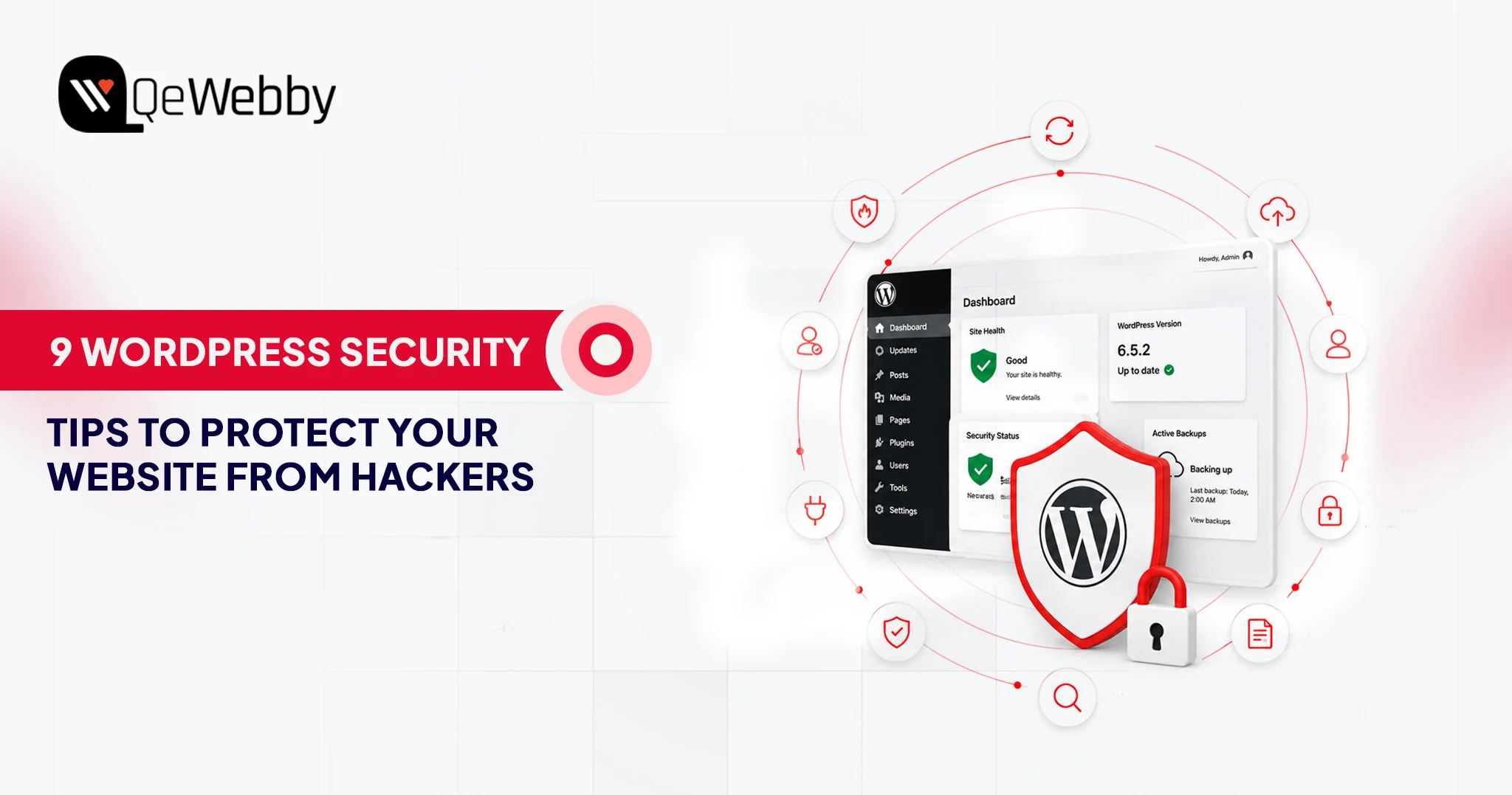
9 WordPress Security Tips to Protect Your Website From Hackers

WordPress runs more than 43% of all websites on the internet. That dominance is what makes it the most targeted platform in the world.

Most site owners know security matters. Far fewer treat it as the ongoing, active discipline it actually needs to be. Attackers are not waiting for you to get around to it.

According to Patchstack’s State of WordPress Security 2025 report, 11,334 new vulnerabilities were identified in the WordPress ecosystem in 2025 alone. That is a 42% year-over-year jump. The median time between a vulnerability’s public disclosure and an attacker’s active exploitation is now just 5 hours.

This guide covers practical WordPress security tips that move the needle: regular updates, strong access controls, two-factor authentication, secure hosting, reliable backups, and a few hardening steps that most sites skip. By the end, you will have a clear WordPress security checklist you can act on today, not someday.

Why WordPress Security Is Critical?

WordPress’s dominance as a platform makes it the most targeted in the world, with new vulnerabilities primarily in plugins identified daily. Ignoring security can lead to persistent threats such as brute-force attacks and cross-site scripting (XSS), which often require no authentication to exploit. A breach is costly, resulting in lost search rankings, account suspensions, and high recovery fees, underscoring the necessity of proactive security measures.

The Platform’s Size Makes It a Permanent Target

WordPress does not get attacked because it is poorly built. It gets attacked because the math works out in the attacker’s favor. A single vulnerability in a plugin installed on 500,000 sites lets an automated scanner find and attempt to exploit it across all those sites within hours. That is a structural problem no individual site owner can solve at the platform level.

Ninety-one percent of vulnerabilities found in 2025 came from plugins rather than WordPress core itself, per Patchstack’s research. Core WordPress is actively maintained and patched quickly. The risk concentrates in the plugin ecosystem: vast, inconsistently maintained, and often abandoned by developers years before anyone notices.

Common Attack Types That Target WordPress Sites

The attack surface on a WordPress site is broader than most owners think. Brute-force login attempts are constant background noise on any public WordPress installation. SQL injection through vulnerable plugin forms still works reliably against unpatched sites.

Cross-site scripting (XSS) flaws in themes let attackers inject code that runs in your visitors’ browsers. And broken access-control vulnerabilities, which became the most-exploited class in 2025, let attackers perform admin-level actions with zero credentials.

43% of new WordPress vulnerabilities in 2025 required no authentication to exploit, according to Patchstack. An attacker does not need your password to use these vulnerabilities. They just need your site to be running an outdated plugin.

What Does a Breach Actually Cost?

A hacked site is not just a technical mess. Search engines blacklist compromised sites, wiping organic rankings that took months to build. Customer data exposure triggers regulatory consequences. Hosting providers suspend accounts when malware is detected. Rebuilding from a compromised state, without a working backup, regularly costs more in recovery time and contractor fees than a year of proper security maintenance would have.

Recovering lost rankings after a security incident can be a lengthy process, which is why security and WordPress SEO should be treated as complementary parts of a long-term website strategy.

Accenture’s State of Cybersecurity Resilience 2025 report found that only 1 in 10 organizations globally are adequately prepared to defend against current cyber threats. For small business site owners, that gap between confidence and actual readiness tends to be wider still.

Why Core WordPress Updates Are Non-Negotiable?

Regular updates are a fundamental security discipline, as every patch publicly announces a vulnerability that attackers immediately start exploiting. Core WordPress updates are non-negotiable, while plugin and theme updates require discipline and testing, ideally in a staging environment, to prevent compatibility issues while eliminating known vulnerabilities.

Every WordPress update that patches a security issue is, implicitly, also a public announcement of the vulnerability that was just fixed. The moment that announcement goes live, automated scanners start testing every site on the internet for the unpatched version. A site running an older WordPress release after a security patch is out is a visible, searchable target.

Updating WordPress core takes under two minutes through the dashboard. For sites where manual update management is not reliable, enabling automatic background updates for minor releases in wp-config.php is a straightforward hardening step. The line is:

define(‘WP_AUTO_UPDATE_CORE’, ‘minor’);

Plugin and Theme Update Discipline

Plugin updates require more judgment than core updates because they occasionally create compatibility issues. That said, leaving a plugin unpatched because you are worried about breaking something trades a certain risk for an uncertain one.

For businesses that do not have the time or technical resources to manage updates, backups, and monitoring internally, managed WordPress maintenance can help ensure security best practices are applied consistently.

A known vulnerability in an installed plugin is a guaranteed exposure. A compatibility issue from an update is a possibility you can test and roll back if needed.

The practical approach: maintain a staging environment to test updates before pushing to production. For agencies managing multiple client sites, this is standard practice. For individual owners, it is worth the setup time.

Use Strong Passwords and Manage User Roles Carefully

Weak passwords remain a reliable attack vector, not because attackers are especially sophisticated, but because so many sites still use them. Passwords for WordPress admin accounts should be at least 16 characters and include uppercase and lowercase letters, numbers, and symbols. Password managers like 1Password or Bitwarden generate and store these without requiring anyone to memorize them.

User role management is the piece most site owners skip. WordPress has five default roles: Administrator, Editor, Author, Contributor, and Subscriber. Every account on your site should have the minimum access level needed to do the job.

A copywriter who publishes blog posts does not need Administrator access. Giving it by default, for convenience, doubles your attack surface. If that account gets compromised, the role determines what an attacker can do with it.

Auditing your user list periodically takes about five minutes. Remove stale accounts. Downgrade roles that were set to Administrator without much thought. These are small actions that meaningfully reduce your exposure.

Implement Two-Factor Authentication (2FA)

Two-factor authentication is a login verification method that requires a second proof of identity beyond the password, typically a time-sensitive code from an authenticator app. Even if an attacker obtains a valid password through phishing or a leaked credential database, they cannot access the account without the second factor.

For WordPress, enabling 2FA on all Administrator and Editor accounts is one of the most efficient security changes available. Plugins like WP 2FA, Google Authenticator, or Wordfence’s built-in module handle this without custom development. Setting up a site with multiple admin users takes under half an hour.

One point that often gets missed: if your hosting provider offers 2FA at the hosting account level, enable it there too. A compromised hosting account bypasses WordPress entirely, granting direct file system access. The hosting layer needs to be as protected as the WordPress layer.

Two Factor Authentication

Install a Trusted Security Plugin and Configure It Properly

A WordPress security plugin is a monitoring and enforcement tool. It is not a passive, install-and-forget solution. Many site owners install one, see a green status dashboard, and assume they are covered. The plugin is only as useful as its configuration.

Wordfence Security, Sucuri Security, and iThemes Security Pro are three consistently solid options. Each provides a web application firewall (WAF), malware scanning, login attempt monitoring, and IP blocking.

Wordfence’s free tier is genuinely capable when configured correctly. The firewall needs to be in enforced mode, not learning mode, which it often defaults to after installation.

Regardless of which plugin you use, verify that the firewall is active in enforced mode, that malware scans run at least weekly, that login attempt limits are set, and that email alerts are active for high-severity events. A security plugin that generates no alerts and runs no scans is not protecting your site.

Use HTTPS and Choose Secure WordPress Hosting

Establishing a secure foundation for your site requires using HTTPS to encrypt data in transit and choosing a robust hosting environment. HTTPS is non-negotiable for security and search visibility. The choice of host determines the security floor, with managed WordPress hosting offering isolation and server-level protection that significantly reduces the risk inherent in shared hosting environments.

HTTPS Is the Baseline, Not an Advanced Feature

HTTPS encrypts data transmitted between your visitors’ browsers and your server. Without it, passwords, contact form submissions, and other data travel across the network as readable plain text. Search engines have treated HTTPS as a ranking signal since 2014. In 2025, a site running HTTP has both a security gap and a search visibility disadvantage.

Most reputable hosting providers include free SSL certificates through Let’s Encrypt. Installation is typically a single click in the hosting control panel. If your site still runs on HTTP, this is the first item to address.

Your Hosting Environment Sets the Security Floor

The quality of your hosting environment determines how much protection you can build on top of it. Shared hosting environments pool resources across thousands of accounts. A vulnerability in another tenant on the same server can, in some configurations, expose your files. That cross-contamination risk sits outside your control.

Managed WordPress hosting from providers like Kinsta, WP Engine, or SiteGround’s managed tier provides server-level firewalls, automatic malware scanning, PHP version management, and infrastructure isolation. The price premium over shared hosting is genuine. So is the security difference.

If your current hosting environment lacks modern security controls, migrating to a more secure infrastructure may be the safest long-term option. A structured WordPress migration ensures the transition happens without data loss or downtime.

Back Up Your Site Regularly and Test the Restoration Process

A backup is only valuable if it works when you need it. That point sounds obvious and gets ignored constantly. Many site owners discover that their backups were incomplete, pointing to an incorrect storage location, or simply broken, only when a breach makes restoration urgent.

The minimum for any WordPress security checklist: daily automated backups stored in at least two locations, one of which is off-site. Plugins like UpdraftPlus, BlogVault, or WP Time Machine handle scheduling and cloud storage integrations with services like Dropbox, Google Drive, or Amazon S3. Backup frequency should match the frequency with which your content changes.

Test it. Once a quarter, restore a recent backup to a staging environment and confirm the site loads, forms work, and no content is missing. That restoration test is the only way to know the process functions. Without it, you have a backup file that may or may not be usable when you actually need it.

Disable File Editing in the WordPress Dashboard

WordPress ships with a built-in code editor accessible through Appearance > Theme Editor and Plugins > Plugin Editor. It exists for convenience. It also creates a significant risk.

If an attacker gains access to any Administrator account, the file editor gives them direct access to your site’s PHP code through the dashboard. They can inject malware, plant backdoors, and modify core functionality without touching the server directly. Disabling the editor removes this escalation path entirely.

One line in wp-config.php does it: define(‘DISALLOW_FILE_EDIT’, true);

This does not affect any front-end functionality. Legitimate developers can still update files through FTP or server-side file management. The dashboard editor is the only thing removed, and it should not be used in production environments anyway.

Following secure development practices is equally important when making theme or plugin customizations. Experienced WordPress development services help ensure new functionality is implemented without introducing unnecessary security risks.

This is one of the most underused items on any WordPress security checklist. It takes thirty seconds and eliminates a meaningful category of post-breach damage.

WordPress Security Checklist: Quick Reference

  • Keep WordPress core updated
  • Update plugins and themes monthly
  • Use 16+ character passwords
  • Enable 2FA
  • Install a security plugin
  • Enable HTTPS
  • Use managed hosting
  • Run daily backups
  • Disable file editing
  • Remove unused plugins
  • Limit login attempts
  • Test backup restoration quarterly

Building a WordPress Security Checklist That Holds Over Time

A one-time hardening pass is not a security strategy. WordPress security problems compound when attention lapses: plugins get installed and forgotten, user accounts accumulate, backup schedules break silently, and hosting environments drift. Maintenance has to be ongoing; otherwise, it does not hold.

A working WordPress security checklist for ongoing maintenance looks like this: monthly review of user accounts and roles, monthly verification that all plugins and themes are up to date, quarterly backup restoration tests, quarterly review of security plugin logs for unusual activity, and annual review of the hosting environment and SSL certificate status.

For agencies managing client sites, this checklist should be included in a service agreement. For individual owners, a recurring calendar reminder is enough. The discipline matters more than the tool you use to track it.

Many agencies incorporate these security processes into their white-label WordPress development workflows, helping clients maintain secure, well-managed websites without expanding internal technical teams.

The Sites That Get Hacked Are Not Unlucky. They Are Unprepared.

The WordPress security tips in this guide are not advanced. None of them requires deep technical knowledge. What they require is consistency: keeping software current, managing access with intention, maintaining tested backups, and using the right tools configured properly.

Most breached sites in 2025 were not under-resourced. They were under-prioritized. Security was something to get to later, and later arrived at the wrong moment.

If you manage your own WordPress site, the WordPress security checklist above gives you a concrete place to start. If you manage sites for clients, these practices are the standard they are paying you to uphold.

And if you want professional WordPress security services that treat this as an ongoing discipline rather than a one-time task, QeWebby’s WordPress team is built to do exactly that.

That Get Hacked Today