Your competitors are publishing content faster, ranking for more keywords, and responding to customer questions long after business hours. Many of them aren’t expanding their teams. They are simply using the right WordPress AI plugins to automate repetitive work and improve productivity.
WordPress powers over 43% of all websites worldwide, making it the world’s most widely used CMS. Businesses investing in WordPress website development services can now integrate AI capabilities without rebuilding their websites.
The role of AI in WordPress has changed significantly over the past few years. It is no longer limited to generating blog posts or fixing grammar. AI helps businesses optimize SEO, build landing pages, automate workflows, create forms, and improve customer support from a single dashboard through modern WordPress SEO services and AI-powered automation.
Businesses that use the best AI plugins for WordPress as productivity tools, rather than copy-and-paste machines, consistently achieve better results.
There is one challenge that often goes unnoticed, though. Every new plugin affects website performance in some way. Installing several WordPress AI plugins that perform similar functions can increase server requests and create unnecessary complexity.
This is why choosing the right AI tools for WordPress website management matters more than installing the most tools.
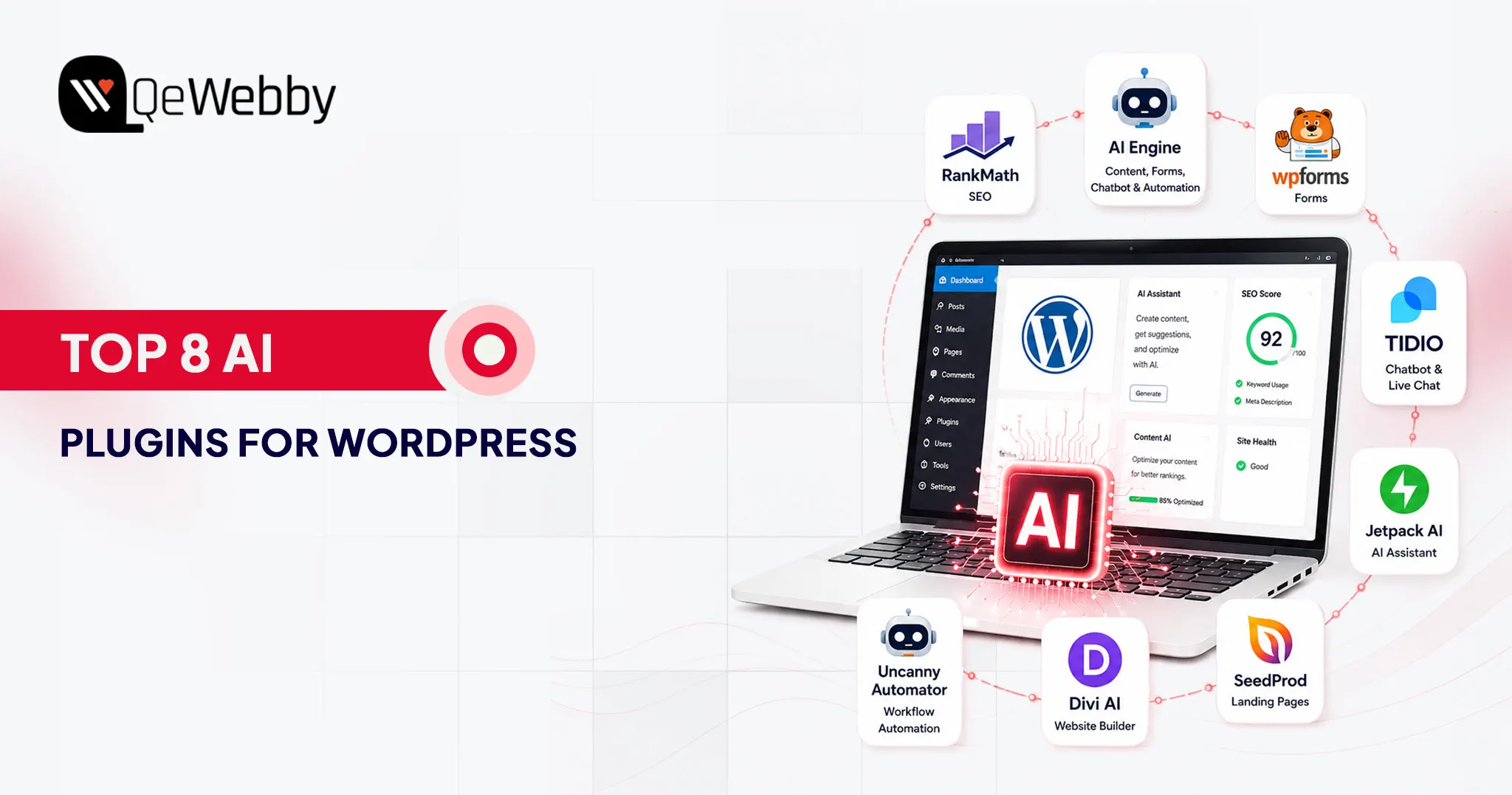
In this guide, we’ll explore eight of the best AI plugins for WordPress that are genuinely changing how WordPress websites work.
Why AI Plugins Are Not Optional Anymore for Serious WordPress Sites
Artificial intelligence has become a practical business tool that helps teams work faster, improve user experiences, and reduce repetitive tasks. The key is choosing AI solutions that solve real problems instead of adding unnecessary complexity.
What AI Plugins Actually Do, Beyond Writing Blog Posts
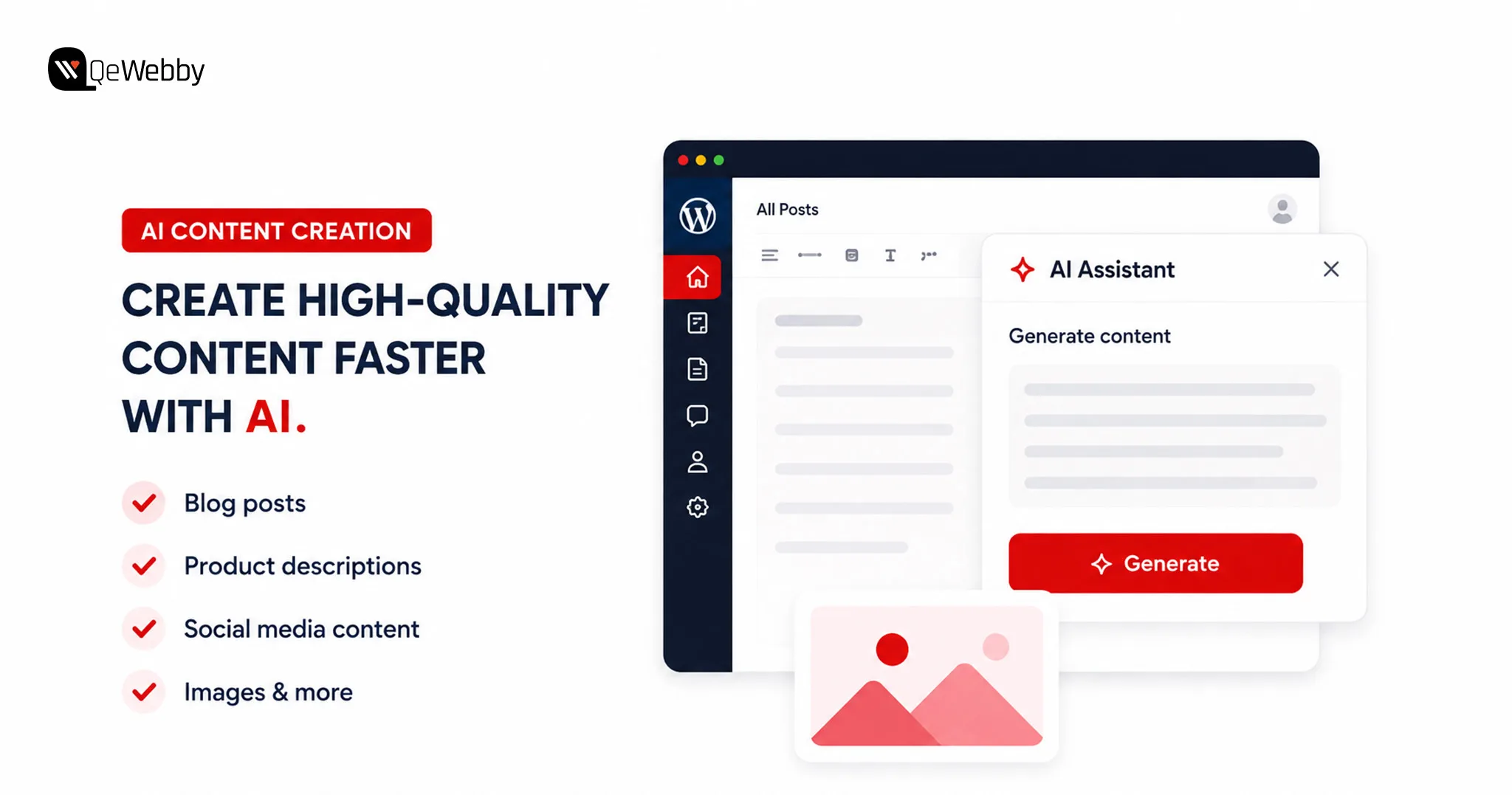
When people hear the word AI, they usually think about writing articles. While content generation is popular, modern WordPress AI plugins do much more than that.
AI can optimize SEO, create landing pages, build intelligent forms, automate workflows, translate content, generate images, and power customer support chatbots.
One of the best examples is AI Engine. It connects WordPress with leading AI models, allowing users to generate content, create AI-powered forms, build intelligent chatbots, and automate routine workflows from a single interface.
These capabilities save valuable time because teams can complete everyday tasks without leaving WordPress.
Whether you need an AI content generator WordPress solution for publishing blogs, a WordPress chatbot plugin for customer engagement, or an AI writing plugin WordPress to speed up content production, there is now a purpose-built solution available.
The One Rule Before Installing Any AI Plugin
Not every AI plugin deserves a place on your website. The fastest-growing plugin is not always the best choice because reliability, compatibility, and long-term support matter far more than flashy features.
Always choose plugins from established developers with regular updates and strong community adoption. Well-maintained plugins reduce security risks and work more reliably with future WordPress updates.
Before installing anything, identify the exact problem you want to solve. Avoid using multiple plugins that perform the same job because overlapping functionality creates conflicts and unnecessary maintenance.
Performance testing should become part of every installation process. Businesses using ongoing WordPress maintenance services can identify plugin conflicts before they affect website performance.
Some plugins load scripts across every page, even when visitors never use those features. A carefully selected AI stack delivers better performance than installing every trending plugin available.
The 8 Best AI Plugins for WordPress
Artificial intelligence is transforming how WordPress websites are built and managed. From improving SEO and creating content to automating workflows and supporting customers, the latest WordPress AI plugins help businesses save time while delivering a better user experience.
The eight plugins below represent some of the best AI plugins for WordPress because they solve real business challenges instead of adding unnecessary complexity.
1. Rank Math SEO
Rank Math has become one of the most trusted SEO plugins for WordPress, and its AI capabilities make it even more powerful. It combines intelligent optimization with technical SEO features, helping websites improve visibility without requiring multiple plugins.
What It Does:
- Suggests keywords and analyzes content in real time while you write
- Generates AI-powered SEO titles and meta descriptions inside the WordPress editor
- Automates schema markup to improve search engine understanding
- Recommends smart internal links to strengthen website architecture
- Integrates with Google Search Console for SEO insights and performance tracking
- Includes an LLMs.txt generator, helping websites prepare for AI-powered search platforms, making it a forward-looking companion to any ChatGPT WordPress plugin strategy
- Delivers one of the most complete AI SEO plugin WordPress experiences, even in the free version
Who It’s Best For and What It Costs
Best for:
- Bloggers and publishers
- Business websites
- WooCommerce stores
- Agencies managing multiple websites
- Anyone launching a new WordPress project
Pricing: Free version available. Pro plans start at $59/year. It’s also one of the most capable WordPress AI tools free users can start with.
2. AI Engine
If you’re looking for AI tools for WordPress website management that can handle multiple AI tasks, AI Engine is one of the strongest options. AI Engine has surpassed 100,000+ active installations on WordPress.org, making it one of the most widely adopted AI plugins in the WordPress ecosystem.
What It Does:
- Connects WordPress with OpenAI, Anthropic, Google, OpenRouter, and Mistral
- Creates AI-powered chatbots trained on your website content
- Generates blog posts, marketing copy, product descriptions, and AI images
- Translates website content into multiple languages instantly
- Includes a virtual AI assistant inside the WordPress dashboard
- Supports REST APIs, function calling, MCP, and developer-friendly integrations
- Works as a powerful AI plugin for WordPress blog management and workflow automation
Who It’s Best For and What It Costs
Best for:
- Developers building AI-powered WordPress solutions
- Digital agencies managing multiple websites
- Businesses looking for one plugin to handle several AI tasks
- Teams that prefer a bring-your-own-API-key model
Pricing: Free version available. Premium plans start with paid monthly plans.
3. WPForms AI
Creating forms no longer has to involve dragging fields or configuring complex settings. WPForms AI lets users describe the form they need in plain English, then automatically generates a ready-to-use form within seconds.
What It Does:
- Builds complete forms from simple text prompts
- Creates contact, booking, payment, survey, and multi-page forms automatically
- Reduces manual configuration with AI-generated field suggestions
- Integrates seamlessly with the trusted WPForms drag-and-drop builder
- Makes form creation accessible for both technical and non-technical users
- Speeds up website development without sacrificing customization
Who It’s Best For and What It Costs
Best for:
- Small business owners
- Freelancers
- Agencies building client websites
- Anyone creating forms without coding experience
Pricing: Free Lite version includes AI form building and Stripe payments. Basic plans start at $59.50/year.
4. Tidio
Tidio is one of the most popular WordPress chatbot plugin solutions for businesses that need 24/7 customer support. Tidio solves challenges by combining live chat with AI automation, helping websites answer common questions around the clock.
What It Does:
- Provides live chat with the Lyro AI chatbot
- Learns from your website’s content to deliver accurate responses
- Answers product, pricing, shipping, and support questions automatically
- Helps recover abandoned carts on WooCommerce stores
- Qualifies leads before they reach your sales team
- Delivers 24/7 customer support without increasing staffing costs
Who It’s Best For and What It Costs
Best for:
- WooCommerce stores
- Service-based businesses
- Online retailers
- Websites handling frequent customer enquiries
Pricing: Free plan available with basic chat features. Paid plans start at $29/month.
5. Jetpack AI Assistant
Jetpack AI Assistant works as an AI content generator WordPress users can access directly inside the Gutenberg editor. Jetpack AI Assistant keeps everything inside the WordPress editor, making content creation smoother and much more efficient.
What It Does :
- Generates blog posts directly inside the Gutenberg editor
- Rewrites, expands, summarizes, and improves existing content
- Translates articles into multiple languages
- Adjusts writing tone based on different audiences
- Helps transform outlines into complete articles faster
- Functions as a native AI writing plugin WordPress users can access without leaving the editor
Who It’s Best For and What It Costs
Best for:
- Bloggers
- Content marketers
- Editorial teams
- Businesses publishing content regularly
Pricing: Free tier available with limited monthly requests. AI plans start at $4.95/month.
6. SeedProd AI
SeedProd has become one of the most popular WordPress AI page builder solutions for businesses that want to launch landing pages quickly. SeedProd AI helps generate complete website layouts from a simple business description, giving users a faster starting point for design.
What It Does :
- Generates websites and landing pages using AI prompts
- Creates headlines, page copy, and layouts automatically
- Rewrites content in different tones and lengths
- Translates pages into more than 50 languages
- Allows full customization using its drag-and-drop editor
- Helps marketers launch campaigns significantly faster while supporting landing page optimization initiatives.
Who It’s Best For and What It Costs
Best for:
- Marketing teams
- Small businesses
- Startup founders
- Businesses launching products or campaigns quickly
Pricing: Starts at $39.50/year.
7. Divi AI
Divi AI is another powerful WordPress AI page builder that understands the design context of your website. It generates content, layouts, and code that align with the existing brand, making the editing experience much more cohesive.
What It Does :
- Generates website copy directly inside the Divi Builder
- Creates AI-generated images without external tools
- Produces HTML, CSS, and code snippets when needed
- Understands existing page layouts and branding
- Builds complete hero sections with headlines, descriptions, and CTAs
- Keeps content consistent with the site’s visual identity
Who It’s Best For and What It Costs
Best for:
- Designers
- Creative agencies
- Developers already working within the Divi ecosystem
Pricing: Included with Divi subscriptions starting at $89/year.
8. Uncanny Automator
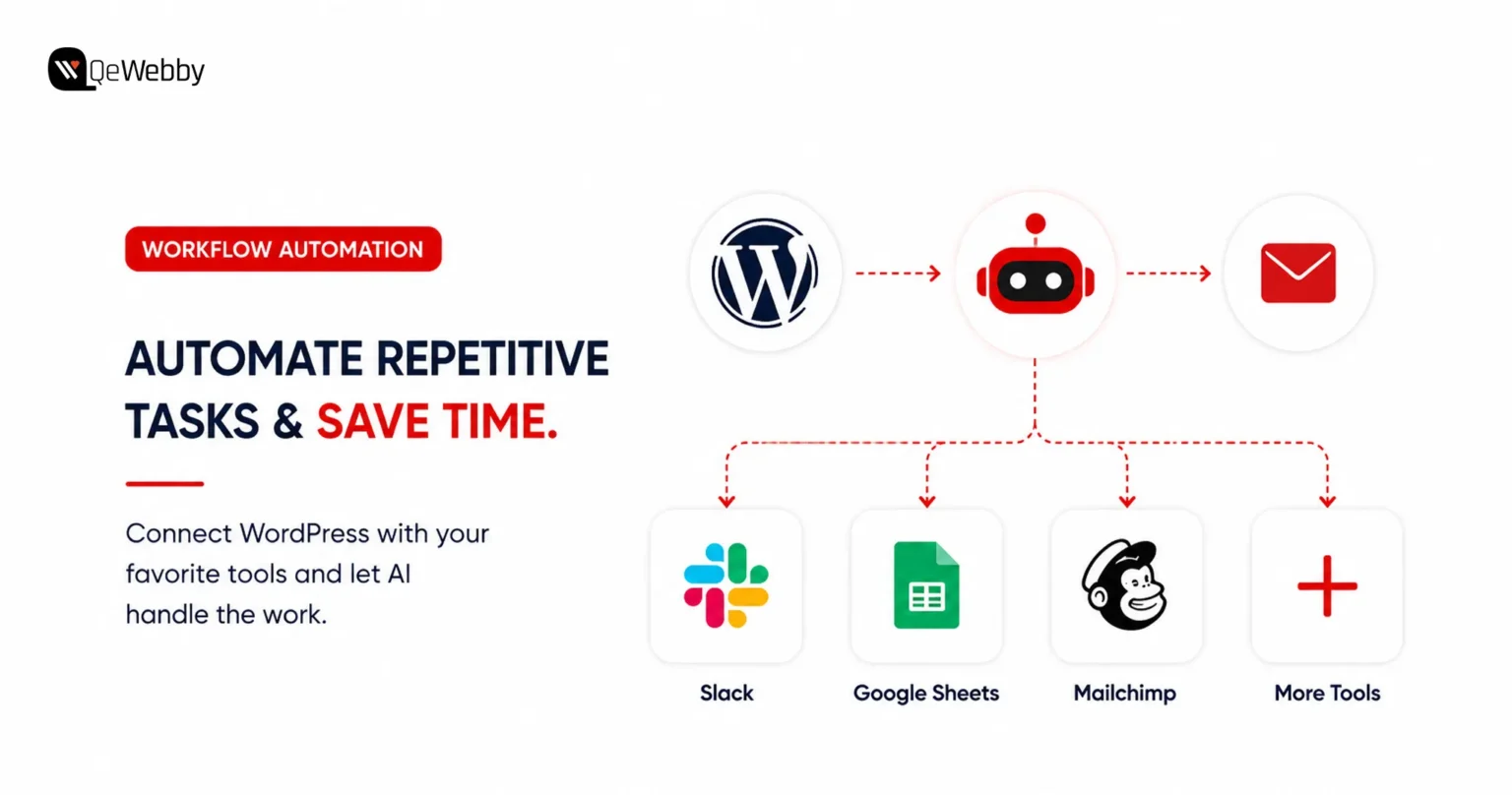
Repetitive tasks slow businesses down. Uncanny Automator eliminates manual work by connecting WordPress with AI services, marketing platforms, CRMs, and hundreds of other applications through automated workflows.
What It Does :
- Connects WordPress with AI platforms and third-party applications
- Automates repetitive website and marketing tasks
- Supports hundreds of ready-made automation recipes
- Creates workflows for user registrations, emails, lead management, and content publishing
- Eliminates manual processes without requiring coding
- Strengthens WordPress automation AI capabilities across multiple business tools
Who It’s Best For and What It Costs
Best for:
- Growing businesses
- Marketing teams
- Bloggers managing multiple workflows
- Organizations looking to automate repetitive processes
Pricing: Free version available for basic automations. Pro plans start at $149/year.
Quick Comparison of the Best AI Plugins for WordPress
Choosing the right WordPress AI plugins becomes much easier when you compare them side by side. The table below provides a quick overview to help you identify the best fit for your requirements.
| Plugin | Primary Job | Free Version | Starting Price |
|---|---|---|---|
| Rank Math SEO | AI Optimization | Yes | $59/year |
| AI Engine | All-in-one AI tasks | Yes | Free+ |
| WPForms AI | AI form building | Yes | $59.50/year |
| Tidio | AI customer support | Yes | $29/month |
| Jetpack AI Assistant | AI writing in WordPress | Yes | $4.95/month |
| SeedProd AI | AI landing page builder | No | $39.50/year |
| Divi AI | AI design and content generation | No | $89/year |
| Uncanny Automator | AI workflow automation | Yes | $149/year |
Several of these WordPress AI tools offer free options that offer enough functionality for small businesses before upgrading to premium plans. Different AI tools for WordPress website management solve different business problems.
So choosing the best AI plugins for WordPress depends entirely on your workflow and business goals.
Working with a professional WordPress website development service ensures every plugin is configured, integrated, and tested correctly.
What Every WordPress Owner Searches For But No AI Plugin Guide Answers: “Will These Slow My Site Down?”
One of the biggest concerns surrounding AI plugins has nothing to do with features or pricing. Website owners want to know whether adding AI will affect loading speed, user experience, and search rankings.
Research from Google shows that as page load time increases from one to three seconds, the probability of a visitor bouncing increases by 32%. Plugin efficiency directly influences that experience.
The Honest Answer About AI Plugins and Site Speed
Website speed should never be sacrificed for convenience. Installing several AI plugins that perform similar functions can increase server requests, add unnecessary scripts, and place additional pressure on your database.
Chatbot plugins are often the biggest contributors to performance issues. Many load chat widgets on every page, even when visitors never interact with them. Likewise, AI-powered page builders may include scripts that run across the entire website instead of only where they’re needed.
The smartest strategy is selecting AI tools for WordPress website management that complement one another instead of overlapping. Choose plugins that complement one another instead of overlapping in functionality.
How to Test Whether an AI Plugin Is Hurting Performance
Testing performance should become part of every plugin installation. A few simple checks can quickly reveal whether a new AI tool is affecting website speed.
- Run Google PageSpeed Insights before and after installing each plugin.
- Install only one plugin at a time instead of adding several together.
- Test your website again after each installation to measure any performance changes.
- Use the free Query Monitor plugin to identify additional database queries or slow page loads.
- Monitor Core Web Vitals regularly to ensure performance remains consistent after plugin updates.
The Simple Rule That Prevents AI Plugin Speed Problems
The best way to keep a WordPress website fast is to install AI plugins with a clear purpose. Avoid adding tools simply because they offer interesting features that might be useful in the future.
If you’re using chatbot or widget-based plugins, configure them to load only on pages where visitors actually need them. For example, displaying a chatbot on your contact or support page instead of every page can reduce unnecessary resource usage.
Websites running several AI solutions can also benefit from a WordPress maintenance and optimization service. Regular monitoring helps identify speed regressions caused by plugin updates, configuration changes, or newly added AI tools before they begin affecting user experience and search rankings.
Conclusion
Artificial intelligence is already helping businesses publish content faster, improve SEO, automate customer interactions, and streamline everyday website management through smarter WordPress automation AI capabilities. The right AI tools for WordPress website management can fundamentally change how your website performs.
The real question is not whether AI belongs on your website, but which tools will deliver the greatest value without creating unnecessary complexity.
If you need expert guidance on selecting, integrating, and optimizing the best AI plugins for WordPress, our team at QeWebby can help. From plugin implementation and performance optimization to custom WordPress development, we ensure your website leverages complete AI capabilities.
Contact us today and let our experts help you choose, implement, and optimize the right AI solutions for your business.