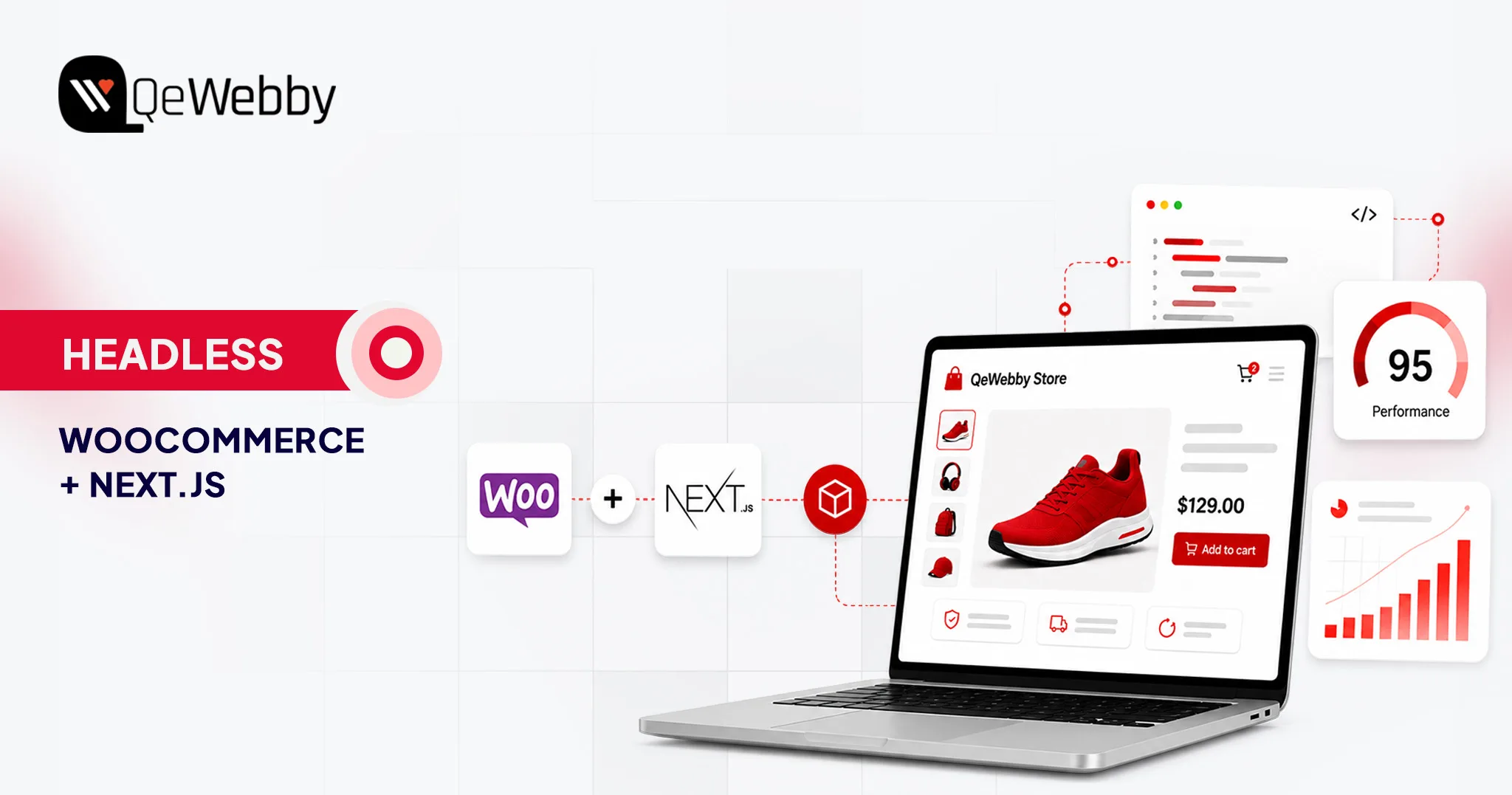
Headless WooCommerce With Next.js: A Practical Guide to Cost, Performance & Migration

For high-volume ecommerce stores, site performance can have a measurable impact on engagement and conversion. As catalogs, integrations, and traffic grow, however, maintaining a fast WooCommerce storefront can become increasingly complex.

When conventional optimization is no longer enough, some brands consider a more fundamental architectural change. This is where the decision to go headless becomes relevant.

Going headless with Next.js can give your team more control over rendering, caching, JavaScript delivery, and frontend architecture. But headless does not automatically make a store faster. Performance still depends on implementation, API architecture, caching, hosting, image optimization, third-party scripts, and the complexity of the storefront.

This guide provides a practical decision framework for implementing Headless WooCommerce with Next.js, including the technical considerations, migration requirements, and total cost of ownership.
kykmbldjt718uxjmzubi

What is Headless WooCommerce?

Headless WooCommerce separates the customer-facing frontend from the WordPress/WooCommerce backend, allowing the two layers to evolve independently while communicating through APIs.

In a conventional WooCommerce setup, WordPress operates as the monolith. It manages the database and uses PHP-based themes to generate HTML and visual design.

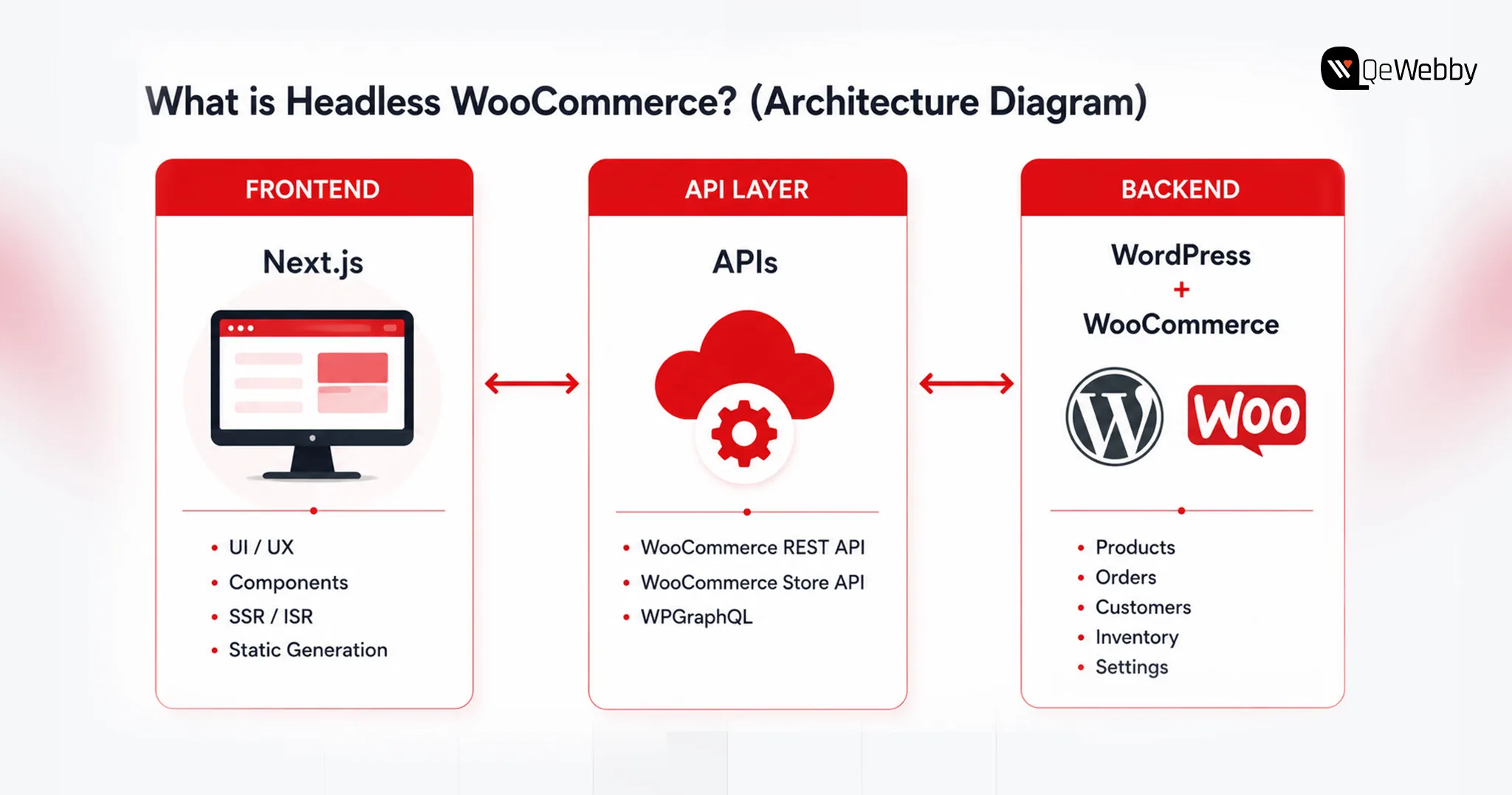
This decoupled system has three distinct layers,

  • Backend as the engine – Your WordPress and WooCommerce installations continue to manage the core commerce operations, including product catalogs, inventory, pricing, taxes, shipping, customers, and orders. Your team can continue using the familiar WordPress admin interface while the customer-facing frontend is handled separately.
  • Frontend as the experience you serve- With Next.js, your customer-facing storefront will be transformed, offering a modern, high-performance experience. With JavaScript at its core, Next.js offers higher flexibility for frontend development, and with the backend being decoupled, you can use edge-rendering content delivery networks.
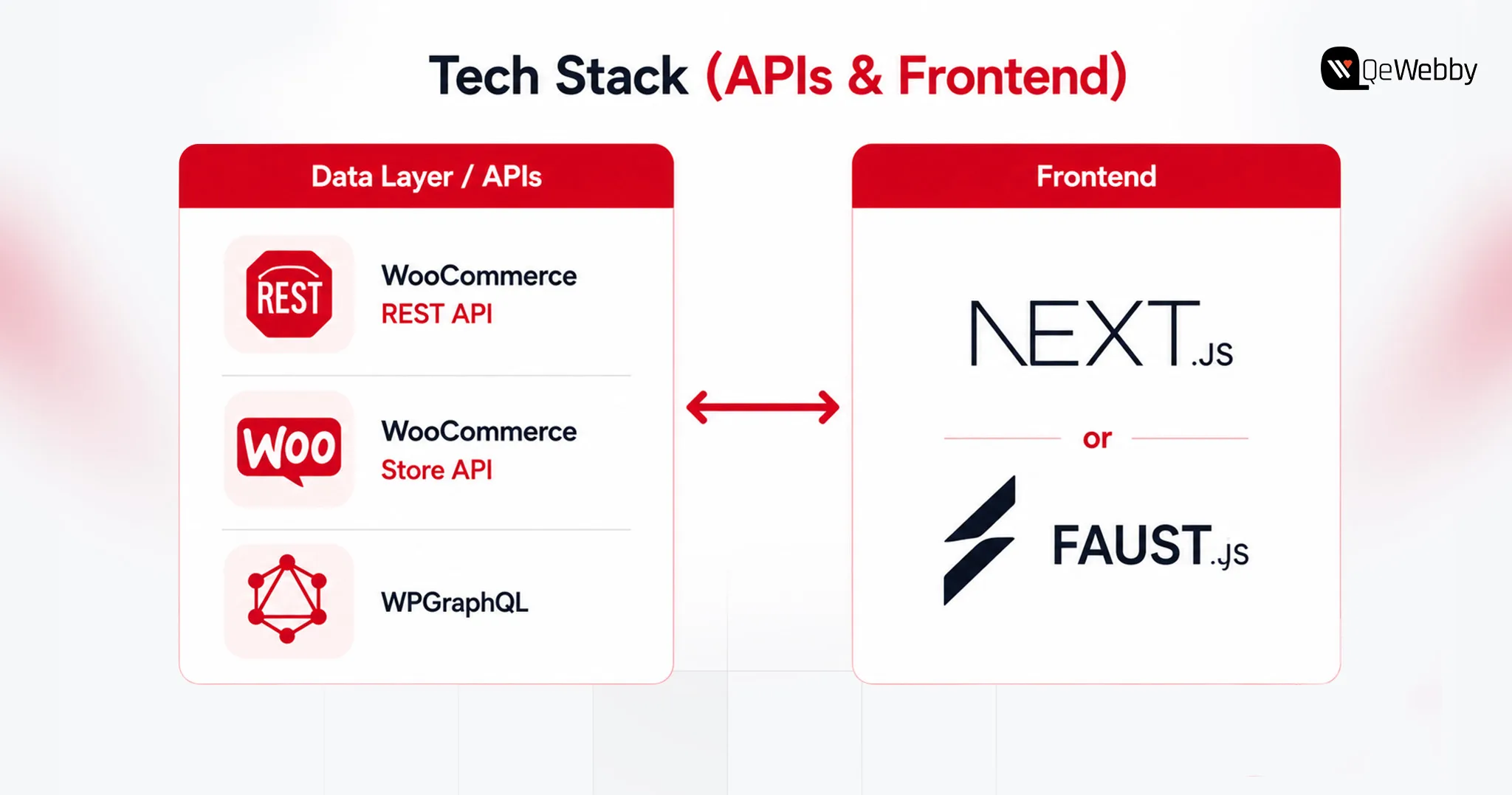
  • API Layer as the bridge between frontend and backend- APIs help your frontend and backend communicate while they are decoupled. You can leverage endpoints like WooCommerce REST API, the WooCommerce Store API, or WPGraphQL. These APIs allow the frontend to request the data it needs while keeping business logic and sensitive backend operations within the appropriate server-side environment.

Using headless WooCommerce with Next.js removes many of the frontend constraints associated with conventional WordPress themes. This moves much of the customer-facing rendering work away from the traditional PHP theme layer, giving developers more control over frontend performance and architecture.

The important question is not whether headless is technically possible, but whether its benefits justify the additional development and maintenance complexity for your store.

Why Stores Are Going Headless: The Performance & Revenue Case

The case for headless is broader than page speed. For some ecommerce brands, the real value is frontend flexibility, faster experimentation, omnichannel delivery, and greater control over how content and commerce experiences are built.

Headless WooCommerce can give development teams greater flexibility when building new storefront features, experiences, and integrations. Better page performance can support user experience and Core Web Vitals, which are among the signals Google uses in evaluating page experience. However, moving to headless does not automatically improve search rankings.

And using headless WooCommerce with Next.js, brands can,

Get Speed Gains

WooCommerce’s monolithic architecture generally makes conventional online stores unnecessarily fat, and prevents easy “tree-shaking” or code-splitting of plugin scripts. What this means for an eCommerce brand is higher loading time, which impacts user experience and conversions. However, with Next.js you can ensure,

What Next.js can improve:

  • More control over server-side rendering and static generation
  • More granular caching and CDN delivery
  • Reduced dependence on PHP theme rendering for the storefront
  • Better control over JavaScript bundles and component loading
  • More control over the factors that influence Core Web Vitals
  • Greater freedom to build custom shopping experiences

The actual performance gain depends on implementation. Headless is an architectural option, not a performance guarantee. A poorly implemented headless storefront can still suffer from slow LCP, excessive JavaScript, inefficient API calls, third-party scripts, and poor Core Web Vitals.

Conversion + SEO impact

Google’s Core Web Vitals directly connect the three dimensions of loading speed, interactivity, and visual stability with search engine rankings and customer behavior. The money impact of meeting these metrics is tremendous, not just in SEO. Deloitte’s research across 37 brands found that a 0.1-second improvement in mobile site speed was associated with an 8.4% increase in retail conversions and a 9.2% increase in average order value.

SSR and ISR can make important page content available as rendered HTML while giving developers greater control over metadata, structured data, internal linking, and page performance. However, headless architecture itself does not guarantee better SEO; implementation still matters.

mft3pqioaokp2xxoz8uq

The Headless-Commerce Market Signal

Headless commerce has become increasingly common among larger brands that need highly customized digital experiences, multiple customer touchpoints, or greater control over their frontend architecture.

Headless commerce has become more common among larger brands that need highly customized digital experiences across multiple channels. However, the architecture used by enterprise brands should not automatically be treated as the right architecture for a mid-market WooCommerce store.

Decoupling can reduce the amount of frontend rendering work handled by the WordPress theme layer and can provide more flexibility around caching and content delivery. However, checkout, cart operations, APIs, and backend transactions can still become bottlenecks under load.
gt8az5p4hgycgjift1mr

How Much Does Headless WooCommerce Cost? (2026 Budgets)

Budgets on a headless rebuild land in a different bracket than standard WooCommerce, and the gap comes down to custom API work, catalog complexity, and specialized talent.

Typical Project Ranges

A typical WooCommerce implementation may fall in the $5,000–$30,000 range, depending on design, functionality, integrations, and customization.

Headless Next.js implementations typically require a larger initial investment because they introduce separate frontend development, API integration, testing, infrastructure, and ongoing maintenance requirements.

These are planning ranges rather than fixed market rates. Actual costs vary significantly based on catalog size, design requirements, integrations, plugin replacements, checkout complexity, migration scope, content modeling, and engineering location.

Cost Consideration Standard WooCommerce Headless Next.js
Initial build $5,000 – $30,000 $60,000 – $150,000+
Hosting $100 – $300/mo $300 – $1,000+/mo
Maintenance Lower Higher
DevOps Usually limited Often required
Plugin redevelopment Lower Potentially significant
TCO Highly variable Highly variable

kpuwmk7wim8bb5nksyup

What Drives the Number

Timeline is the biggest lever, 14–22 weeks versus 8, and labor cost scales with it. Frontend-dependent plugins such as wishlists, loyalty programs, product customizers, and certain membership features may require API integration or frontend redevelopment in a headless setup. Each gets rebuilt in React or Next.js, alongside custom cart state and payment tokenization logic.

Large catalogs add weight too, mapping custom fields into GraphQL fragments and building webhook-based cache invalidation so inventory and pricing stay accurate without forcing a full site rebuild.

Build vs. Partner

A single change can touch WordPress, the API layer, and the frontend at once, demanding dual PHP and React/Next.js expertise. Specialized engineers with WooCommerce/PHP, React/Next.js, API, and DevOps experience can be expensive to hire and difficult to keep fully utilized if headless work is intermittent. Troubleshooting gets harder too, since a bug can originate in any of the three layers.

For organizations without the required internal expertise, working with a headless WordPress agency can reduce the burden of building and maintaining the architecture internally.

How to Actually Build It: Stack & Migration Roadmap

Building headless WooCommerce means replacing the traditional customer-facing WordPress theme with a separate Next.js frontend that communicates with WooCommerce through APIs.

Here’s how the stack and migration typically shake out.

Pick The Data Layer (REST vs WPGraphQL)

Routing data through the right API layer decides both security and performance.

  • REST API (v3): Authenticated REST API requests should not expose consumer secrets in the browser. Server-side requests or a secure backend layer should handle credentials when authentication is required.
  • Store API: The Store API is designed for customer-facing cart and checkout interactions and uses WooCommerce’s session mechanisms rather than requiring the same credential model as authenticated REST API requests.
  • WPGraphQL: WPGraphQL provides the WordPress GraphQL layer, while WooGraphQL exposes WooCommerce-specific data through GraphQL. ACF can then expose structured custom fields when the content model requires them.

Choose the Frontend Framework (raw Next.js vs Faust.js)

  • Raw Next.js: Full control over SSR, ISR, and architecture, but you hand-build the Apollo client and GraphQL queries yourself. Leaner dependency tree, more upfront engineering.
  • Faust.js: Faust.js is a WordPress-focused framework built on Next.js that provides conventions and tooling for common headless WordPress requirements. It can reduce setup work, although teams should evaluate its current ecosystem and fit against a more custom Next.js architecture before choosing it.

Cart, checkout, SEO, and previews

PHP session cookies don’t survive a cross-domain frontend, so Cart state can be managed through WooCommerce’s Store API, including its cart-token mechanism, or through a solution such as CoCart. The implementation determines how sessions or cart tokens are persisted and passed between the frontend and WooCommerce.

For checkout, redirecting to WooCommerce’s native checkout is the most reliable path; a fully custom headless checkout with client-side tokenization (Stripe, for example) works too, but demands real API development.

SSR and ISR can mitigate some SEO and rendering challenges associated with client-heavy JavaScript by making important content available as server-rendered HTML.

Bridge Yoast or Rank Math metadata through GraphQL and rebuild schema markup on the frontend to keep it intact. For editors, Next.js Draft Mode plus a WordPress-minted JWT preview token lets them view unpublished drafts without exposing them publicly.

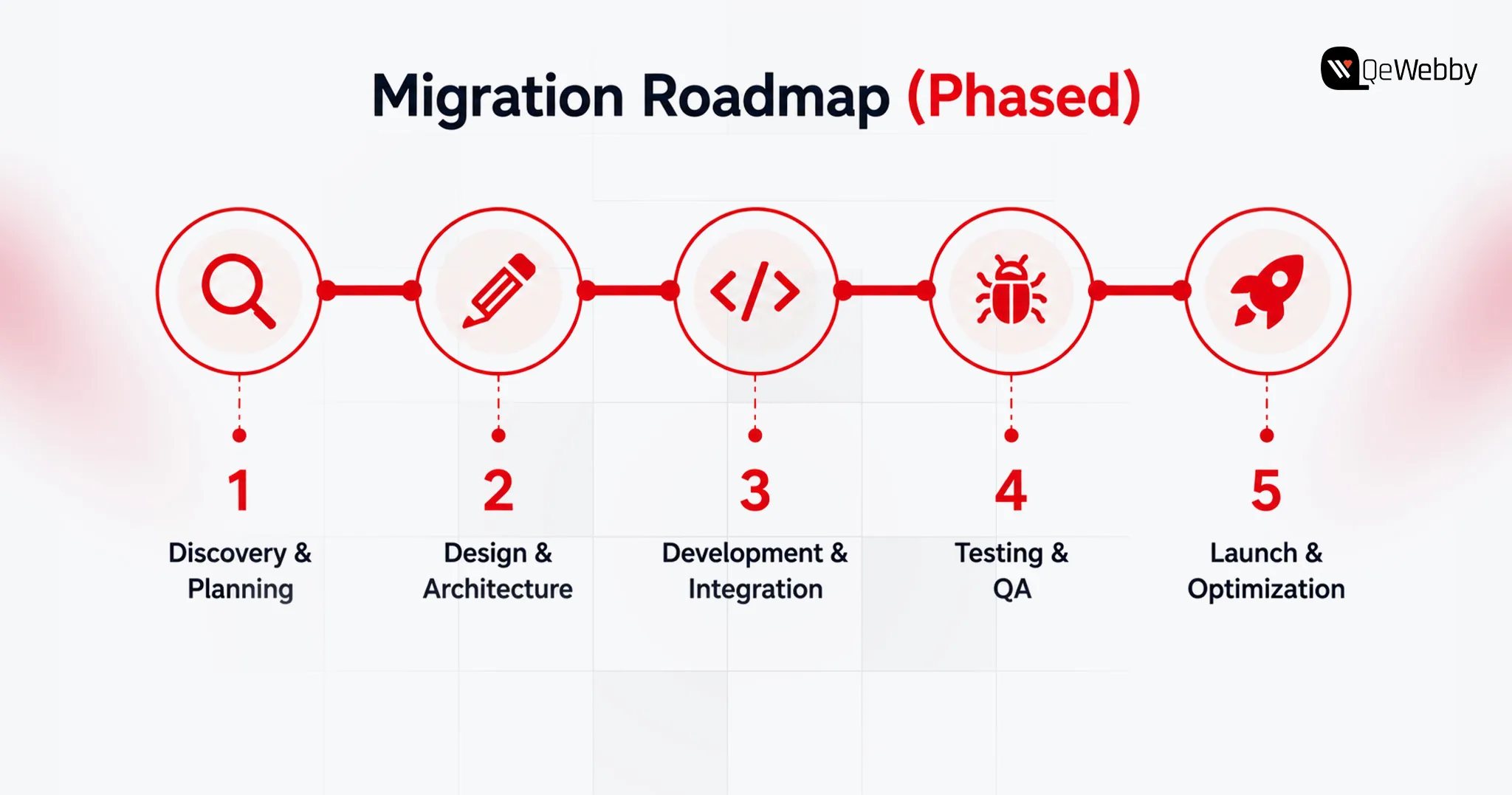
Phased Migration and Testing

Elementor, Divi, and similar page builders often store presentation-specific structures that do not map directly to a Next.js component system. During migration, those layouts may need to be extracted, modeled, and rebuilt as React components or structured content blocks.

SEO Migration and URL Mapping

Before launch, map every existing URL to its corresponding new URL. Implement 301 redirects where URLs change, preserve metadata and canonical tags, regenerate XML sitemaps, and crawl the staging environment for broken internal links and missing pages. Monitor Search Console after launch for indexing and coverage issues.

Here are a few points to consider when deciding between Headless WooCommerce, Traditional WooCommerce, and Shopify Headless.
s4bjhvmaxbs6x5vgbbya

Headless WooCommerce vs Traditional WooCommerce vs Shopify Headless (Decision Matrix)

Decoupling is a business decision, and not simply a technical one: it’s a tradeoff between simplicity and speed and control.

Compare on speed, cost, control, maintenance, best-fit store size

The Shopify Headless column reflects standard enterprise SaaS benchmarks and the rent-vs-own tradeoff, since the underlying data focuses on WooCommerce and Next.js.

Factor Traditional WooCommerce Headless WooCommerce (Next.js) Shopify Headless (Enterprise SaaS)
Frontend performance control Moderate High High
Backend ownership High High Lower
Initial cost Lower High High
Maintenance Lower Higher Moderate
Plugin compatibility Highest Requires evaluation/rebuild App/API dependent
Backend infrastructure Self-managed Self-managed Platform-managed
Checkout complexity Lower Higher Moderate–High
Custom frontend freedom Moderate Very high Very high
Infrastructure responsibility Lower Higher Lower
Best fit Most stores Complex/highly customized stores Enterprise brands wanting SaaS infrastructure

sc0bexgveq0my3g8nzun

utnyvb8yqrx4fbbaxczv

Conclusion

Go headless when the business has a clear reason to own a more flexible frontend architecture and can support the additional development and maintenance burden. Stay with traditional WooCommerce when plugin compatibility, simplicity, speed of implementation, and lower total cost matter more than frontend architectural control.

Go headless if:

  • Your existing frontend architecture is limiting growth
  • You need highly customized experiences
  • You have engineering resources
  • Your integrations justify API-first architecture
  • You can support higher TCO

Stay traditional if:

  • Your current store performs well
  • Your plugin ecosystem is important
  • You need to launch quickly
  • Your team lacks React/API/DevOps expertise
  • Headless doesn’t solve a clearly measurable business problem

Run your own numbers against the cost and decision breakdowns above, then bring them to a headless WordPress partner before you commit a rebuild budget.
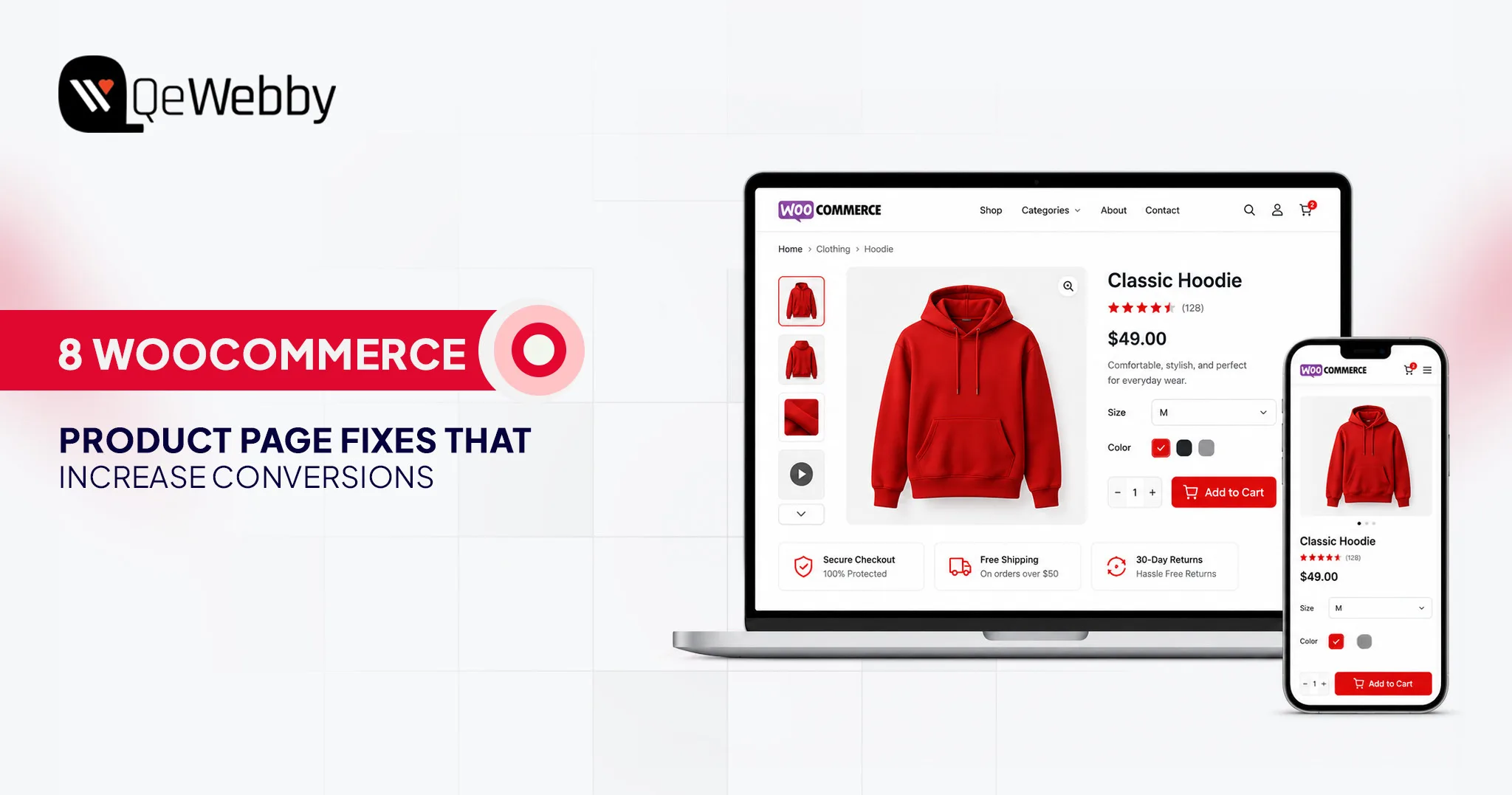
talk to qa specialist

WooCommerce Product Page Optimization: 8 Fixes to Increase Sales

Your WooCommerce store may be attracting hundreds or even thousands of visitors every day, yet sales remain frustratingly flat. Most store owners blame pricing, competition, or the product itself. In reality, the biggest conversion leaks usually begin on the product page.

In reality, the problem often starts much earlier on the product page. Effective WooCommerce product page optimization can turn existing traffic into paying customers without increasing your advertising budget.
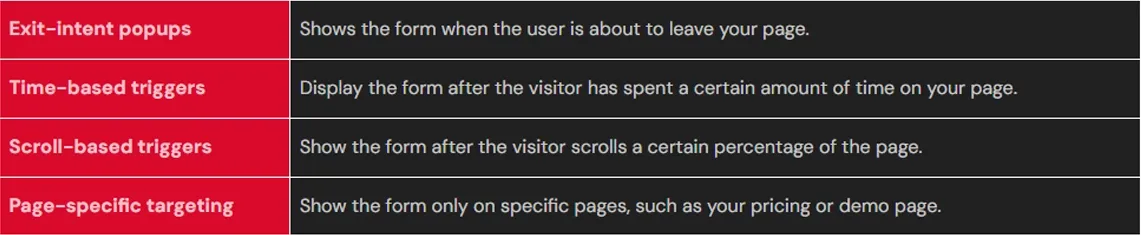
According to Shopify’s eCommerce conversion benchmarks, the average eCommerce conversion rate typically falls between 2% and 3%. That means nearly ninety-seven out of every hundred visitors leave without purchasing, making WooCommerce conversion rate optimization one of the highest-impact growth opportunities.

Those lost opportunities represent revenue you could recover simply by improving how existing visitors experience your product pages instead of spending more on acquiring new traffic.

Whether you manage a growing online business or an established WooCommerce store, these urgent fixes will help transform more visitors into loyal customers by improving the areas that matter most.

book a product page_audit

Why WooCommerce Product Pages Fail: The Real Reasons Visitors Leave Without Buying

Successful product pages do much more than display an item with a price tag. Every visitor arrives with important questions that determine whether they continue shopping or leave your website. Unfortunately, many stores invest heavily in attracting traffic but overlook the experience that actually influences purchasing decisions.

Visitors Arrive With Questions—Most Product Pages Never Answer Them

Every shopper wants immediate answers before making a purchase. They want to know exactly how the product looks, whether the business appears trustworthy, and how easy the buying process will be. When any of those answers remain unclear, visitors usually return to search results and explore competing stores instead.

Many websites showcase attractive products but fail to build confidence through clear policies, customer proof, or intuitive navigation.

An effective product page removes uncertainty quickly by answering key buying questions, building trust, and making the next step obvious.

The Gap Between Traffic and Sales Is Almost Always Fixable

Improving conversions is often far more profitable than spending additional money on marketing campaigns. Even small enhancements to layouts, messaging, navigation, and buying experiences can significantly increase WooCommerce conversions while maximizing the value of your existing traffic.

Start by strengthening customer trust, simplifying the purchasing journey, improving performance, and then refining everything else. This structured approach delivers faster WooCommerce conversion rate optimization while helping you consistently boost WooCommerce sales without rebuilding your entire store.

Fix 1: Product Images That Make Visitors Stop Scrolling

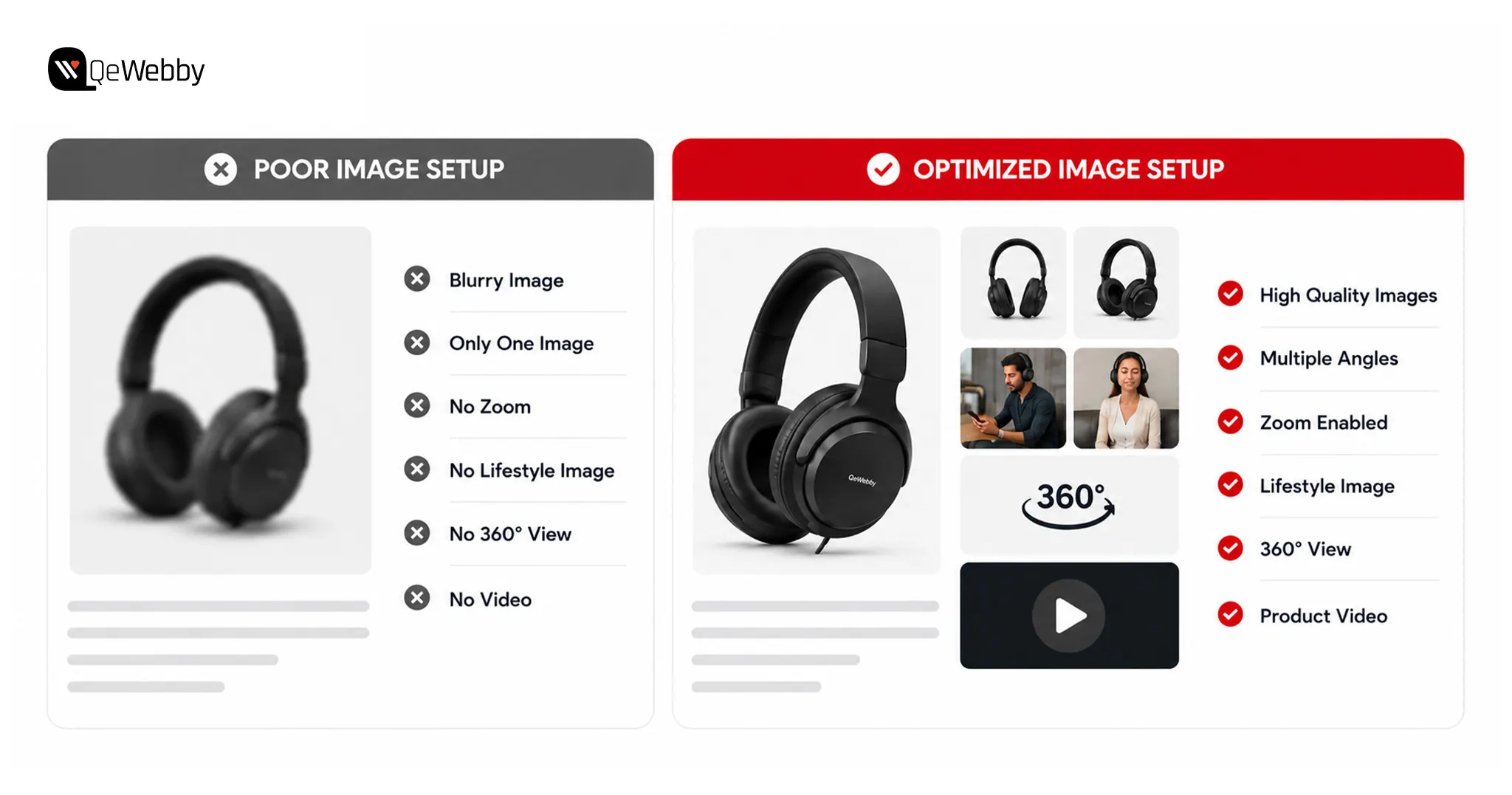
The fastest way to improve WooCommerce product page optimization is by upgrading your visuals. High-quality images build confidence, answer buying questions, and encourage visitors to explore further.

Baymard’s product page research found that 42% of shoppers struggled to judge product size because product images lacked proper scale.

Why Images Are the #1 Sales Driver on Any Product Page

  • Around 93% of consumers consider visual appearance a major factor when making a purchase decision.
  • High-quality WooCommerce product images can generate significantly higher conversions than blurry or low-resolution alternatives.
  • Zoom functionality, multiple viewing angles, and 360-degree views help shoppers evaluate products with greater confidence.
  • Many WooCommerce stores lose potential sales because their images look sharp on desktops but perform poorly on mobile devices.

What a High-Converting WooCommerce Image Setup Looks Like

Start with images that are at least 1000 × 1000 pixels to ensure WooCommerce zoom features work smoothly across every device. Upload three to five photos showing multiple angles, close-up details, product scale, and lifestyle usage to answer common buying questions before they arise.

Enable the WooCommerce gallery and lightbox for easier browsing, then add a short product demonstration video to improve engagement. Finally, compress every image into WebP format because faster-loading pages support better WooCommerce mobile optimization and help boost WooCommerce sales.

Image setup 1

Fix 2: Product Descriptions That Sell, Not Just Inform

Your product description should inspire confidence instead of simply listing features. Following effective WooCommerce product description tips helps shoppers understand value faster and encourages stronger buying decisions.

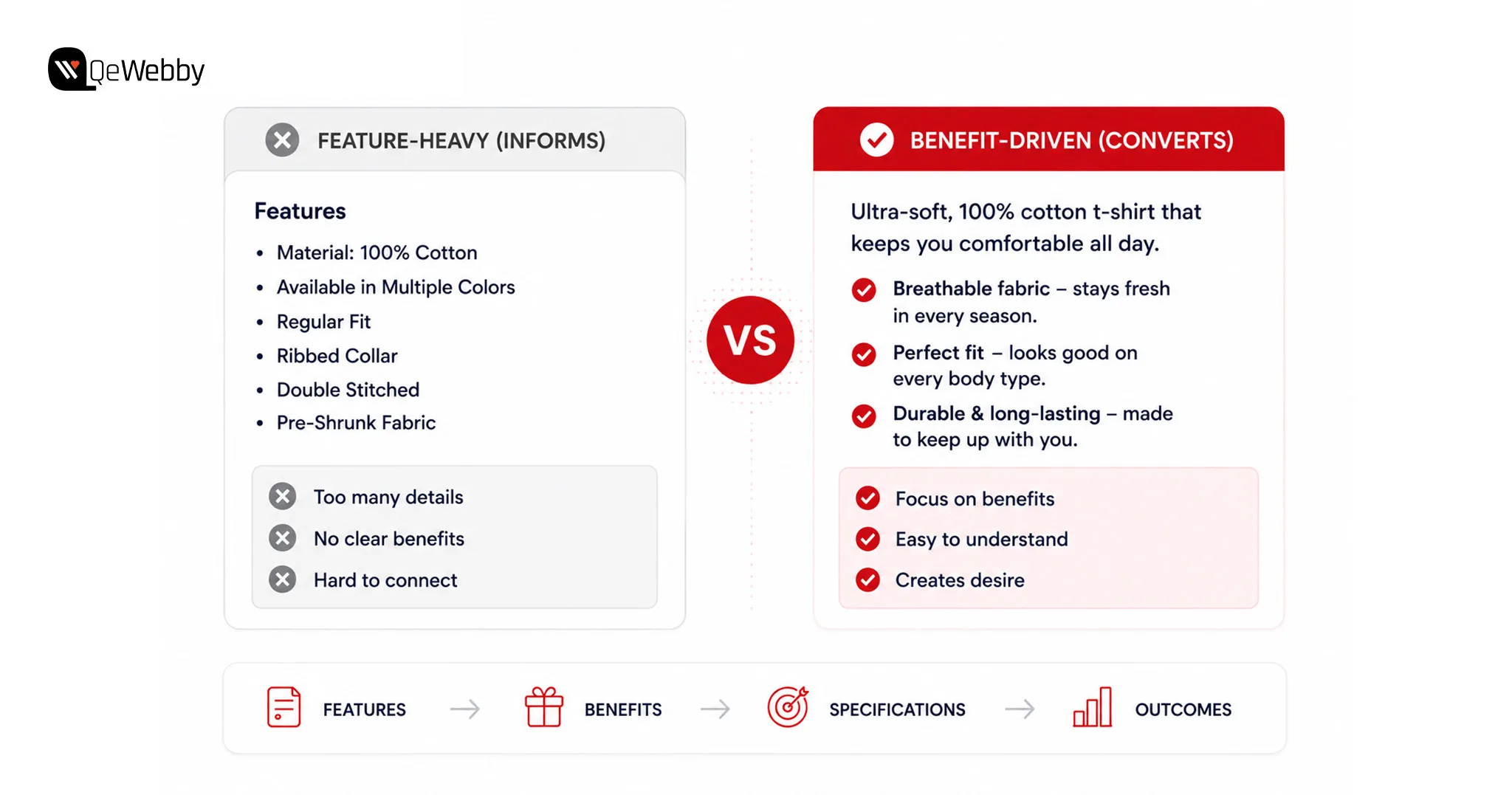
The Difference Between a Description That Informs and One That Converts

  • Buyers care more about the outcome a product delivers than the specifications it includes.
  • Long feature-heavy descriptions often create confusion instead of building purchase confidence.
  • Benefit-focused copy helps shoppers visualize how the product improves their daily lives.
  • Clear descriptions combined with strong visuals reduce hesitation before clicking Add to Cart.

How to Rewrite a Product Description That Actually Sells

Begin every description with the product’s biggest customer benefit instead of technical specifications. Keep your messaging conversational so visitors feel like they are receiving genuine advice instead of reading a sales brochure.

Break important features into short bullet points for easier scanning, then finish with a subtle urgency trigger such as limited stock or same-day shipping. Small improvements like these support WooCommerce conversion rate optimization while helping increase WooCommerce conversions.

Fix 3: Reviews & Social Proof: The Trust Problem Most Stores Ignore

Trust influences every online purchase because shoppers cannot physically inspect products before buying. Strong WooCommerce trust signals reassure visitors and remove doubts before they reach checkout.

Businesses planning a complete storefront redesign often benefit from professional WooCommerce design services that improve product presentation, navigation, and the overall shopping experience.

Research from the Spiegel Research Center found that displaying customer reviews can increase conversion rates by up to 270%, especially for higher-priced products.

Why Trust Is the Conversion Killer Nobody Wants to Admit

  • Customer reviews replace the confidence shoppers normally gain from seeing products in person.
  • Products with genuine reviews consistently outperform those with little or no customer feedback.
  • Even a small collection of verified reviews can noticeably improve conversion rates.
  • Reviews hidden at the bottom of the page rarely influence purchasing decisions.

The Trust Setup That Actually Converts

Move your strongest trust elements closer to the top of the product page where shoppers make important decisions. Display star ratings below the product title so visitors immediately see positive customer feedback.

Enable photo reviews because user-generated images build authenticity faster than text alone. Add money-back guarantee and secure checkout badges beside the purchase button to strengthen WooCommerce reviews optimization and reduce buying anxiety.

talk to woocommerce expert

Fix 4: The Add to Cart Button: The Most Underestimated Element on the Page

Small improvements around your purchase button can create immediate conversion gains. Effective WooCommerce add to cart optimization removes friction and makes completing a purchase feel effortless.

Why the Button Matters More Than Most Store Owners Realise

  • The Add to Cart button is the most important conversion element on every product page.
  • Buttons hidden below the fold reduce conversions, especially for mobile shoppers.
  • Low-contrast colours make the purchase action difficult to notice quickly.
  • Every unnecessary click or scroll increases the chance of losing a potential customer.

What the Button and the Area Around It Should Look Like

Use a bold, high-contrast button colour that immediately attracts attention without competing with other page elements. Keep pricing, availability, and the purchase button grouped together so shoppers never search for important information.

Choose simple button labels such as “Add to Cart” or “Buy Now,” then add a sticky purchase bar for mobile visitors. Including a Wishlist button beside the purchase option keeps hesitant shoppers engaged until they are ready to buy.

Fix 5: Mobile Optimization: Where Most WooCommerce Sales Are Already Lost

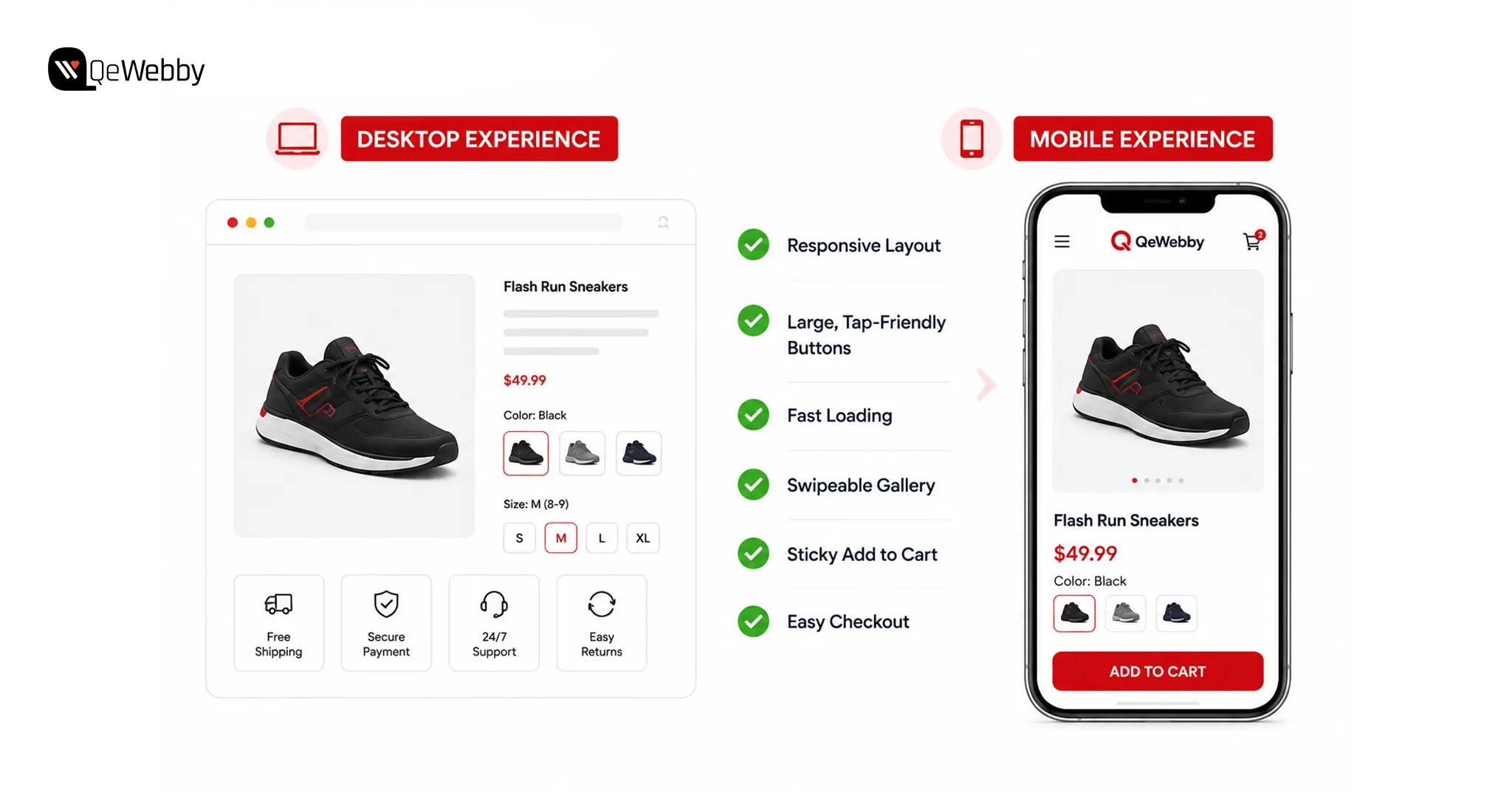
Mobile devices now account for the majority of eCommerce traffic, making mobile optimization essential for improving conversions.

The Mobile Conversion Gap That Is Costing Real Revenue

  • Mobile traffic usually exceeds desktop traffic, yet conversion rates remain significantly lower.
  • Many stores are still designed and tested primarily for desktop experiences.
  • Small buttons, slow pages, and cluttered layouts frustrate mobile shoppers quickly.
  • Mobile usability improvements often deliver some of the fastest conversion gains available.

The Mobile Audit Every WooCommerce Store Needs Today

Test every product page on a real smartphone instead of relying only on browser emulators. Confirm shoppers can immediately see the product image, price, and purchase button without excessive scrolling.

Keep loading times below three seconds, use tap-friendly buttons, and maintain readable font sizes throughout the page. Swipeable galleries and pinch-to-zoom functionality further improve the shopping experience while supporting WooCommerce product page design.

For businesses with significant mobile traffic, WooCommerce PWA development can further improve loading speed, engagement, and the overall mobile shopping experience.

device experience

Fix 6: Speed Up the Product Page, Slow Pages Lose Sales Before They Start

Fast-loading pages create better shopping experiences while supporting WooCommerce conversion rate optimization. Every second you save gives shoppers another reason to continue browsing instead of leaving.

How Page Speed Directly Kills WooCommerce Conversions

  • Visitors rarely wait longer than three seconds before abandoning slow product pages.
  • Heavy images and unnecessary scripts reduce performance across every device.
  • Product pages usually load slower than homepages because they contain more content.
  • Faster websites consistently generate stronger engagement and higher conversion rates.

The Fastest Speed Fixes Specifically for WooCommerce Product Pages

Compress every product image into WebP format before uploading to reduce page weight without affecting quality. Enable lazy loading for image galleries and related products so visitors only load content as they scroll.

Use a reliable caching plugin such as WP Rocket or LiteSpeed Cache, then test product pages separately from your homepage. For additional improvements, explore our guide on Top 9 Fastest Ways to Speed Up WordPress Site.

Ongoing WooCommerce maintenance services help ensure future updates, plugin changes, and performance optimizations continue supporting fast product pages without introducing new issues.

Fix 7: Upsells and Cross-Sells, More Revenue From Every Visitor Already Converting

Increasing order value is often easier than attracting new visitors. Strategic WooCommerce upsell cross-sell recommendations encourage shoppers to spend more while improving their buying experience.

Why This Is the Fastest Way to Grow Revenue Without More Traffic

  • Existing customers are much easier to upsell than acquiring completely new buyers.
  • Relevant recommendations increase average order value without raising advertising costs.
  • Generic related products rarely perform as well as personalized product suggestions.
  • Smart bundles create additional value while encouraging larger purchases.

How to Set Up Upsells and Cross-Sells That Actually Work

Use WooCommerce Linked Products to recommend premium alternatives and complementary products that genuinely enhance the customer’s purchase. Display Frequently Bought Together suggestions directly below the Add to Cart button where shoppers naturally continue browsing.

Limit recommendations to two or three highly relevant products because too many choices create unnecessary decision fatigue. Businesses seeking faster implementation can partner with a WooCommerce development service provider to optimize product pages, improve performance, and validate every change through conversion testing.

Fix 8: Show Shipping Cost on the Product Page, Not Just at Checkout

Transparent shipping information removes uncertainty before customers begin checkout. Displaying costs early helps increase WooCommerce conversions while strengthening trust throughout the buying journey.

Why Hiding Shipping Costs Until Checkout Is the Biggest Conversion Killer in eCommerce

  • Unexpected shipping charges remain one of the leading causes of cart abandonment.
  • Hidden costs damage customer trust after shoppers invest time browsing products.
  • Transparent pricing creates confidence before visitors reach the checkout page.
  • Clear shipping expectations reduce friction and encourage purchase completion.

How to Display Shipping Information Without Losing Sales

Show shipping costs or free shipping thresholds directly beneath the product price so visitors understand the total purchase cost immediately. A free shipping progress bar can also encourage customers to increase their order value.

If shipping costs are higher because of weight, packaging, or delivery speed, explain the reason clearly instead of hiding the charge. Honest communication builds trust and supports long-term customer loyalty.

Why Some WooCommerce Product Pages Still Don’t Convert: “The Page Looks Fine. Why Is It Still Not Converting?”

Feature Benefit

WooCommerce product page optimization stops after recommending better images, persuasive copy, faster loading times, and stronger trust signals. Those improvements certainly matter, but many store owners implement every suggestion and still struggle to boost WooCommerce sales. That is where frustration begins.

The reality is that product pages rarely fail because of one obvious mistake. Instead, several small issues quietly combine to reduce buyer confidence and lower conversion rates. A missing value statement, a frustrating mobile experience, or the absence of urgency can discourage shoppers even when everything else appears polished.

Before redesigning your store or increasing advertising spend, look for the hidden barriers that visitors experience during the buying journey. Removing these obstacles often delivers better WooCommerce conversion rate optimization than expensive design changes.

The 3 Hidden Conversion Killers Nobody Talks About

  • Buyers immediately notice the price, but many pages never explain why the product is worth paying for.
  • Small mobile usability problems quietly damage trust, even when the desktop version performs perfectly.
  • Without genuine urgency or a clear reason to act today, shoppers postpone purchases and rarely return.

The 60-Second Product Page Audit Every Store Owner Should Run Right Now

Open your product page on a real smartphone instead of viewing it from a desktop browser. Fresh eyes often reveal usability problems that regular testing completely overlooks.

  • Can shoppers immediately see the product image, price, and Add to Cart button without scrolling?
  • Does the page load within three seconds on mobile data?
  • Is at least one customer review visible above the fold, and are shipping costs clearly displayed beside the price?

Every negative answer represents a missed sales opportunity happening every day.

If your store has struggled for months without identifying the real cause, a WooCommerce store optimization service can perform a complete conversion audit.

Book a free strategy call

Conclusion

The fixes we shared help remove barriers that prevent shoppers from completing a purchase. Improving product images, strengthening trust signals, simplifying the buying journey, and optimizing mobile performance can boost WooCommerce sales without attracting additional traffic.

At QeWebby, we help businesses improve conversions through WooCommerce development services and WooCommerce store optimization services. Our experts focus on building shopping experiences that turn more visitors into customers.

Contact us to discover how strategic WooCommerce product page optimization can help your store increase conversions, maximize existing traffic, and achieve sustainable ecommerce growth.


How to Set Up a WooCommerce Quote System for B2B and Wholesale Stores

Most wholesale stores do not lose deals because their prices are wrong. They lose deals because buyers have to email, wait, and follow up just to learn what a bulk order actually costs. That delay is the leak.

A WooCommerce quote system closes it by turning a slow back-and-forth into a structured, on-site request that lands in your dashboard the moment a buyer is ready to talk numbers. Today’s B2B buyers expect the same fast, self-service purchasing experience they receive as consumers.

This guide walks through what a WooCommerce quote system is, how to set one up step by step, and when a store owner should stop tinkering with plugins and bring in a specialist.

Why Manual Quoting Quietly Drains B2B Revenue

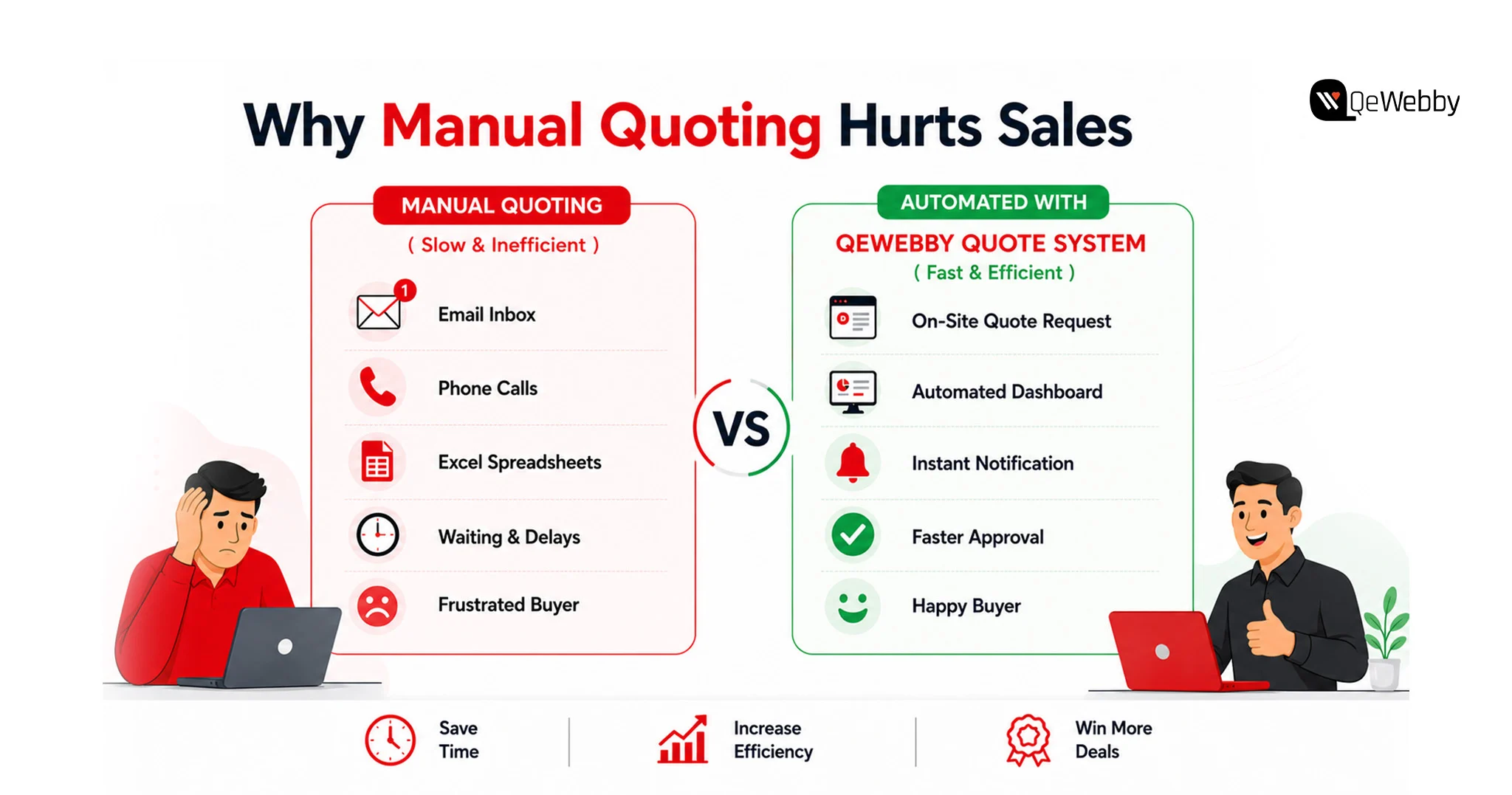
Manual quoting feels harmless. It is not. Every wholesale order routed through a rep’s inbox introduces delay, and delay is where B2B pipelines go to die.

The behavior shift is already measurable. Gartner found that 67% of B2B buyers prefer a rep-free buying experience, and 45% used AI during a recent purchase. Your buyer wants to self-serve. When your only path to a wholesale price is a phone call, you are fighting the way your market prefers to buy.

The market is not small, either. The B2B wholesale ecommerce market reached $32.1 trillion in 2025, roughly five times the size of B2C ecommerce, growing at a 14.5% CAGR. Digital channels now drive 56% of B2B revenue, up from 32% in 2020. The buyers are online. The question is whether your store captures them or sends them to a competitor who answers faster.

A WooCommerce quote system does not magically fix conversion. It removes the friction and lag that make a bad number worse, which is why a well-built WooCommerce quote system pays back fastest on high-value wholesale carts.

manual quoting hurt sales

What a WooCommerce Quote System Actually Is

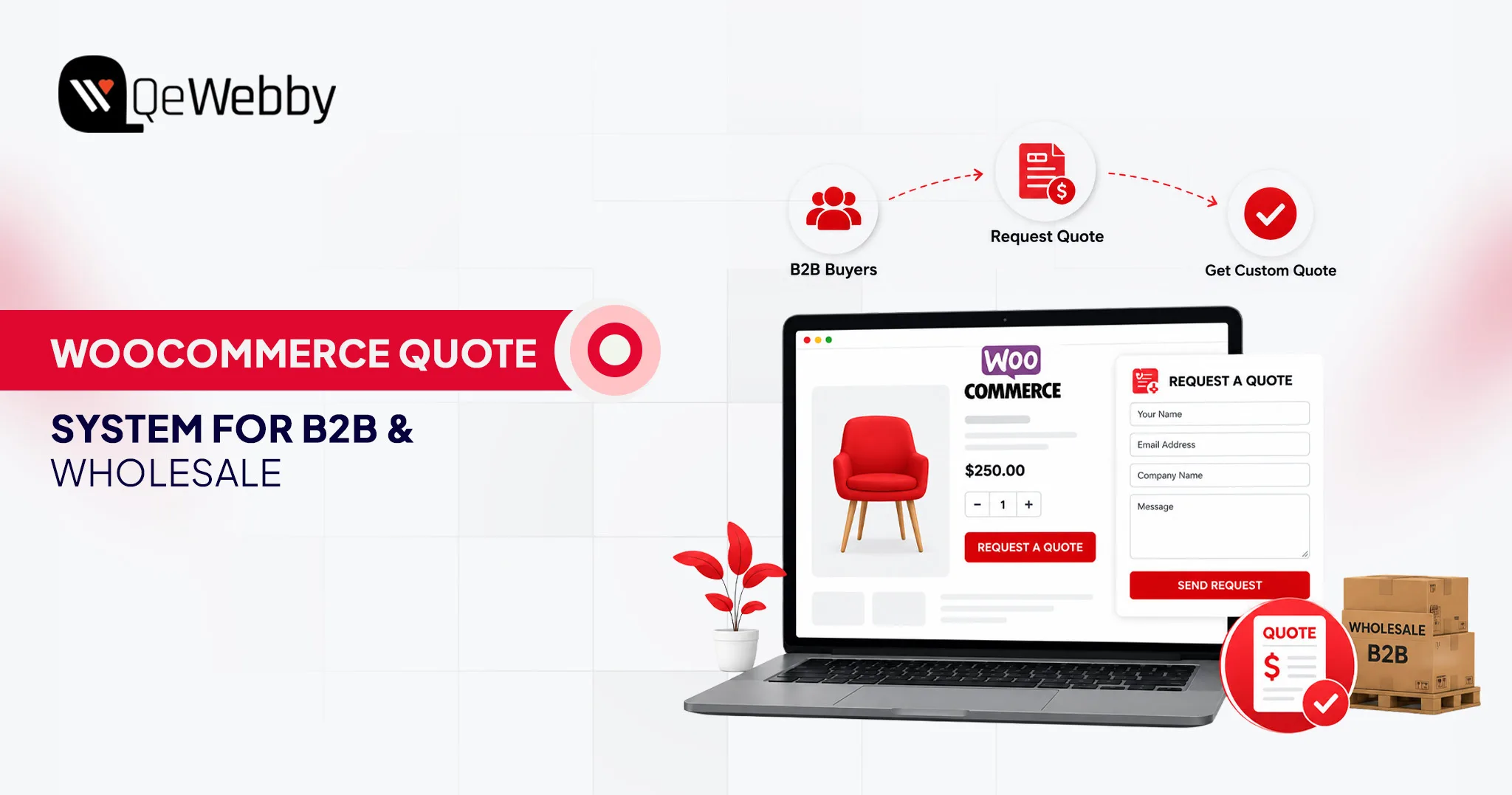
A WooCommerce quote system replaces the standard WooCommerce checkout with a structured “Request a Quote” workflow for selected products, customer groups, or user roles. The buyer creates a quote request, sends it and gets a custom quote from the store owner that the buyer can negotiate and place an order for.

Eliminate all the bells and whistles, and a WooCommerce quote system does four things. It places prices and/or the buy button in a location that you select. It collects quote requests that are directly linked to specific products, quantities, and customer information. Provides you with a dashboard to price, counter and approve each request.

And it turns an accepted quote into a typical WooCommerce order for payment. That last one is key, as it means your accounting, inventory and tax processing stay within the system you’re already using. This differs from a form where you type any information you want to send to the contact person. A form is a tool that gathers an e-mail message.

A WooCommerce quote system allows for the collection of intent related to particular SKUs, quantities, and customer role, and carries the intent through a defined pipeline. That’s what it is all about for wholesale and B2B. Just consider the WooCommerce quote system as a pipeline, as opposed to a form, and the rest of the setup is straightforward.

Book a free woocommerce audit

How to Set Up a WooCommerce Quote System Step by Step

Setting up a WooCommerce quote system is less about code and more about decisions. Who sees prices? Who can request a quote? What happens after they submit? Get those answers right, and the configuration is straightforward. The sequence below builds a working WooCommerce quote system in an afternoon, and it scales cleanly as your catalog grows.

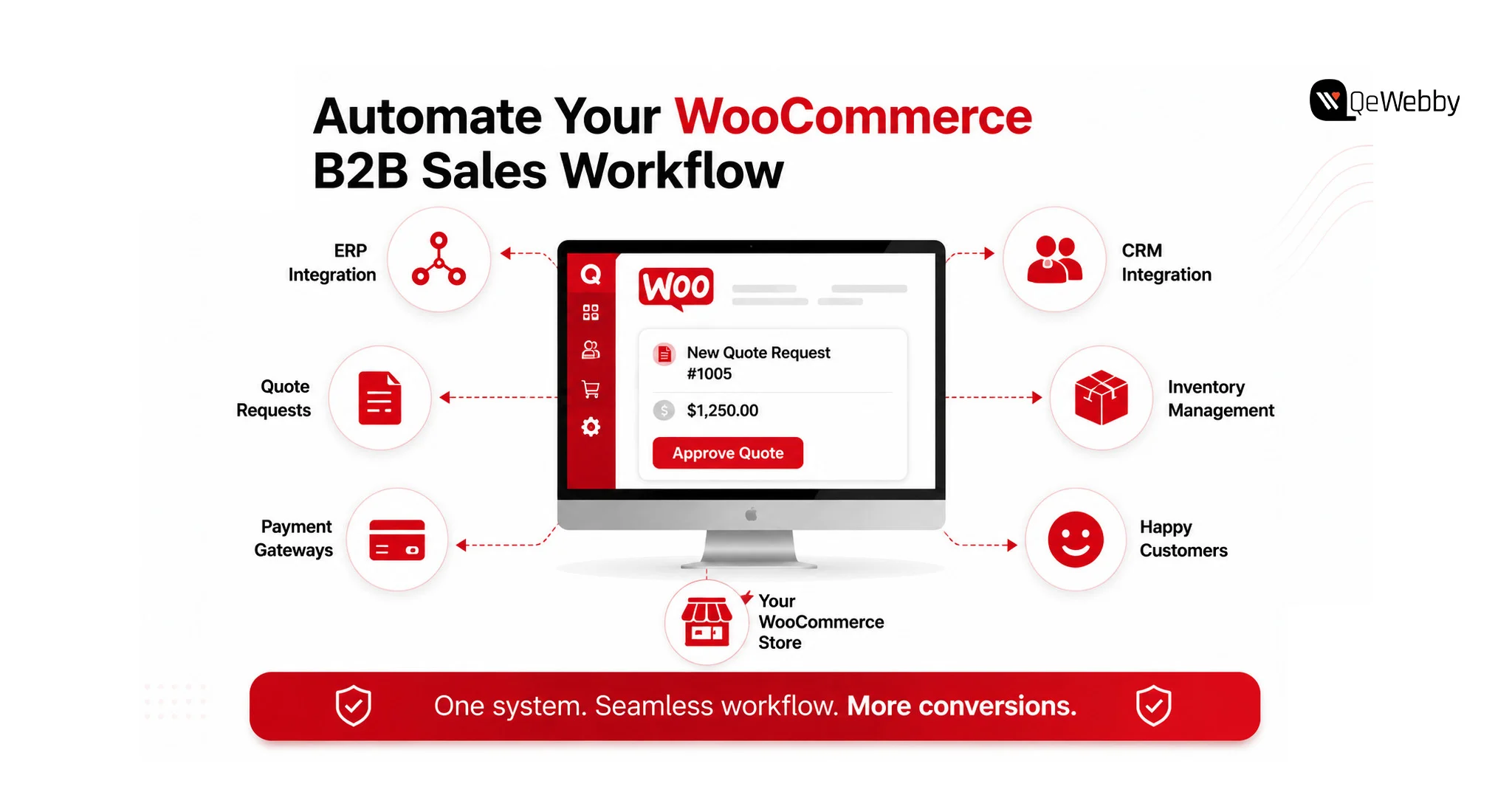
Automate woocommerce workforce

Step 1: Choose and Install a Quote Plugin

WooCommerce does not ship quoting natively, so you install an extension. Strong options include the official Request a Quote for WooCommerce extension, YITH Request a Quote, the WebToffee Request a Quote plugin, and B2BKing for deeper wholesale control. Upload the plugin ZIP, activate it, and enter your license key. That is the entire install.

Step 2: Decide Where Quotes Replace Checkout

Now set the scope. Go into the plugin settings and choose which products trigger a quote request. You can enable quoting store-wide, for specific categories, or for individual SKUs. Most wholesale stores run a hybrid: retail products keep normal checkout, while bulk and made-to-order lines switch to a quote request. Do not enable it everywhere by default. Enable it where a custom price actually exists.

Step 3: Configure Role-Based Rules

This is where a WooCommerce quote system earns its keep. Rules-based plugins let you show different behavior to different user roles. Guest users might see hidden prices and a login prompt. Wholesalers see the quote button with prices hidden. Retailers keep prices, keep “Add to Cart,” and also get a quote option for large orders. Create a rule, name it, set its status to active, and define which roles and products it applies to.

Step 4: Build the Quote Request Form

The form is your data-capture layer. Use the plugin’s default form or connect Contact Form 7, Gravity Forms, WPForms, or Ninja Forms if you already run one. Capture what your sales team needs to price accurately: company name, quantity, delivery location, and any customization notes. Keep it short. Every extra field is a reason to abandon.

Step 5: Set the Quote Lifecycle and Expiry

Define what happens after submission. Incoming requests land in your dashboard under WooCommerce with a Pending status. You review, enter your offered price, and send the quote back. Set an expiry window, anywhere from one day to one month, so quotes match your sales cycle and create gentle urgency. A quote that never expires is a negotiation that never closes.

Step 6: Enable Quote-to-Order Conversion

The final step is the payoff. When a buyer accepts your quote, the plugin converts it into a standard WooCommerce order they can pay through your existing gateways. Confirm this conversion works end to end before launch. Test it as a buyer, accept a quote, and complete a payment. If that loop breaks, your WooCommerce quote system is a lead form, not a sales engine.

For a deeper walkthrough of individual plugin screens, WebToffee’s setup documentation covers the field-level configuration in detail.

Talk to woocommerce expert

How to Choose the Right Quote Plugin for Your Store

Not every plugin fits every store, and picking the wrong one means a rebuild six months in. The plugin you choose becomes the backbone of your WooCommerce quote system, so the decision comes down to how much B2B logic you need layered on top of the quote flow.

Requirement Lightweight plugin Full B2B suite
Hide the price and the buy button Yes Yes
Role-based quote rules Basic Advanced
Tiered wholesale pricing Limited Yes
Tax exemption and net terms Rare Yes
Quote-to-order conversion Yes Yes
Best for Simple quote capture Full wholesale portals
ERP Integration Limited Better

If you only need to hide prices and capture requests on a handful of products, a lightweight WooCommerce quote system is enough. If you are building a full wholesale channel with tiered pricing, tax exemptions, and net payment terms, a B2B suite saves you from stitching together five tools. The more instructive question is not which plugin has more features. It is how much of your pricing logic lives outside WooCommerce today, because that is what you will have to migrate in.

Configuring a WooCommerce Wholesale Quote System

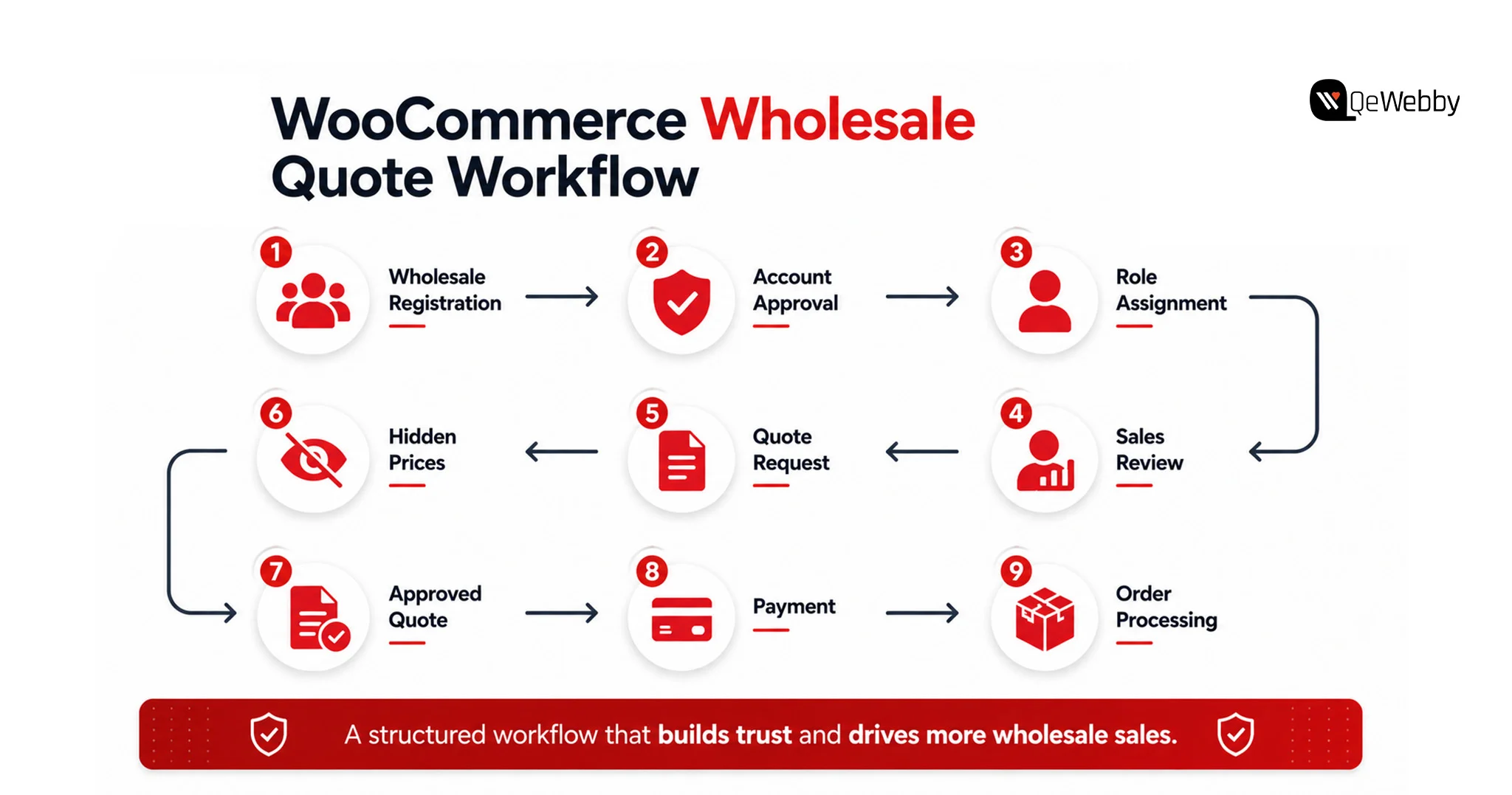
woocommerce quote workflow

A WooCommerce wholesale quote system is not just a quote form with a different label. Wholesale carries pricing logic that retail never touches, and a WooCommerce wholesale quote system has to account for all of it.

Start with customer roles. A proper WooCommerce wholesale quote system separates verified wholesale accounts from the public, so approved buyers see quote actions and tiered pricing while everyone else sees retail.

Add a wholesale registration and approval process because you do not want your trade prices visible to the open web. Layer in minimum order quantities on wholesale lines so a quote request reflects a realistic bulk order rather than a single unit.

Then handle the money mechanics. Wholesale buyers often expect tax-exempt pricing, net-30 terms, and volume breaks. A serious WooCommerce wholesale quote system supports all three, either through the quote plugin or a dedicated B2B extension. When those rules live inside the system, your quotes come out accurate on the first pass, and accuracy is what shortens the negotiation.

A wholesale channel built on manual spreadsheets will always cap your growth. The teams scaling past that ceiling automate the quote-to-cash path.

Discuss Your Project

When to Bring In a WooCommerce Development Services Partner

Plugins handle the standard cases. They struggle when your requirements stop being standard, and most growing B2B stores hit that wall faster than they expect. That is the point of engaging WooCommerce development services rather than forcing a plugin past its limits. Good WooCommerce development services do not just install a plugin. They engineer the quote logic your business actually runs on.

The signals are specific. Your quote logic depends on a customer’s contract pricing pulled from an ERP. Your catalog runs tens of thousands of SKUs with variant-level wholesale tiers. You require the quote flow to integrate with NetSuite, SAP, or your custom CRM. In such situations, it’s more integration debt than it’s worth to go with the standard plugin.

Professional WooCommerce Development Services provide a quote engine that matches your real process and not plugins’. Each plugin you install increases your possibility of being vulnerable, increases the cost of performance and creates another line of failure.

WooCommerce stores with actual B2B complexity eventually stop building plugins and go ahead and hire a WooCommerce customization agency to manage and maintain the complexity of the custom code. The part that store owners underestimate but a capable WooCommerce customization agency has is testing the quote-to-order process on all roles, tax rules, and payment methods prior to landing in the customer’s real hands.

Turning a Quote System Into a Revenue Engine

A WooCommerce quote system is not a checkbox you tick and forget. It is the front door to your entire B2B channel, and how you build it decides whether wholesale becomes a growth line or a support burden. The setup is simple to start: install a plugin, scope where quotes replace checkout, configure roles, and test the conversion loop. The complexity arrives with scale, and that is exactly when a WooCommerce quote system built by specialists pays for itself.
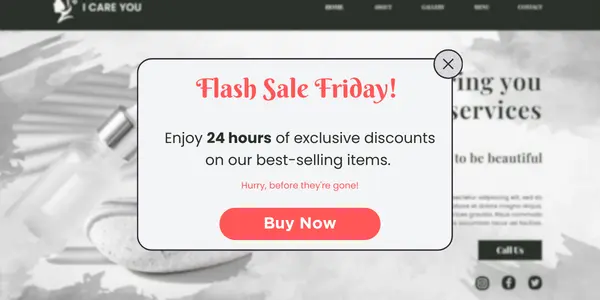
Buyers have already decided how they want to purchase. They want to self-serve, request pricing on their terms, and skip the phone call. A WooCommerce quote system is how you meet them there, and doing it before a faster competitor does is the whole game.

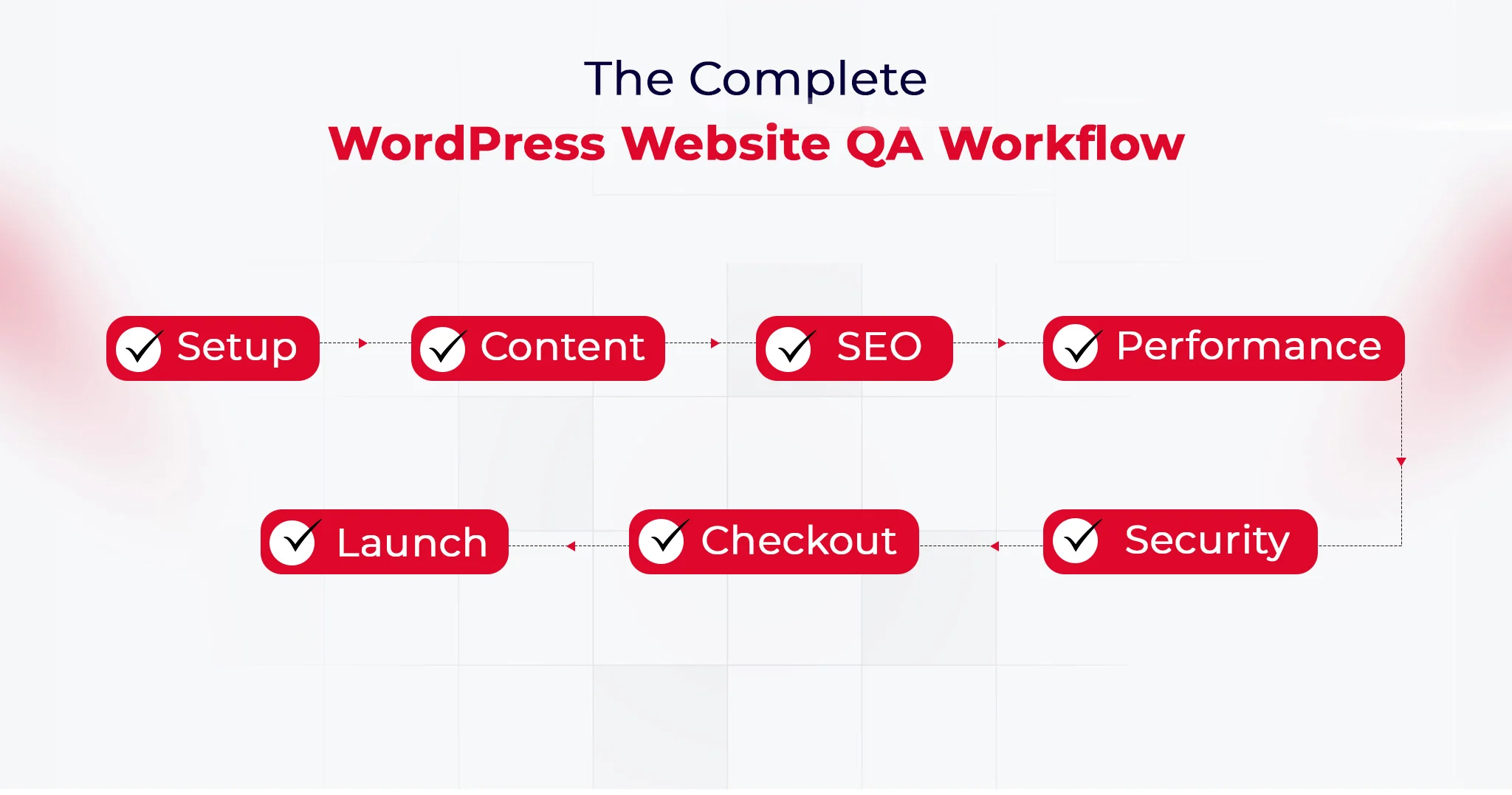
Complete WordPress & WooCommerce QA Checklist Before Website Launch

Launching a website isn’t just about going live. It’s about getting everything right before your audience ever clicks. When you’re working with both WordPress and WooCommerce, the stakes are even higher. A missed detail can break checkout flows, slow down pages, or hurt search visibility before you even start scaling.

That’s where a structured WordPress QA checklist becomes essential. It helps you validate performance, functionality, design consistency, and security across every page. At the same time, a focused WooCommerce site testing checklist ensures your product listings, cart behavior, payment gateways, and order workflows function exactly as expected. Why does it matter? Because, as per the reports, approx 50% of consumers will abandon their cart if the checkout process takes longer than 30 seconds.

Think of this as your pre-launch safety net. Without it, you are guessing. With it, you are systematically eliminating risks.
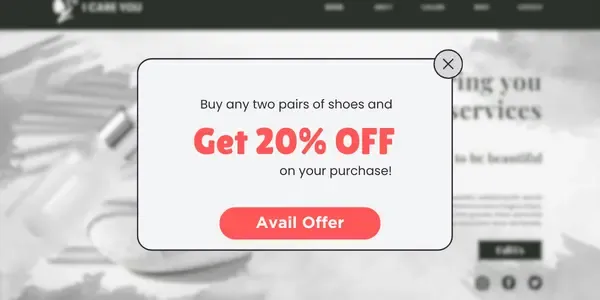
This blog brings together a practical, conversion-focused checklist designed specifically for WordPress and WooCommerce websites. Not generic tips. Real checks that impact revenue, user experience, and long-term growth.

If you want fewer post-launch issues, smoother transactions, and a site that actually performs from day one, this checklist will become your go-to framework.

Why Is a WordPress & WooCommerce QA Checklist Important Before Launch?

Launching without a clear QA process is risky. What looks perfect on the surface can quickly fall apart when real users start browsing, adding products to carts, or completing payments. WordPress and WooCommerce together create a powerful ecosystem, but they also introduce multiple layers where issues can hide.

A well-structured WordPress QA checklist ensures your website is technically sound. It helps you validate page speed, responsiveness, plugin compatibility, SEO readiness, and security. These are not optional checks. They directly influence how users interact with your site and how search engines rank it.
At the same time, a dedicated WooCommerce site testing checklist focuses on revenue-critical elements. Product pages must load correctly. Cart functionality should work without friction. Payment gateways need to process transactions smoothly. Even a small glitch here can lead to abandoned carts and lost sales.
This is where professional website QA testing services and WordPress QA services bring real value. They go beyond surface-level checks and uncover issues that are easy to miss internally. Broken workflows, inconsistent user journeys, or hidden performance bottlenecks can all impact your launch success.

A strong QA checklist is not just about avoiding errors. It is about delivering a seamless experience, building trust with users, and ensuring your WordPress and WooCommerce website performs the way it is meant to from day one.

QA Checklist for WordPress and WooCommerce Website Launches

A successful launch is never accidental. It is the result of a structured process where every element is tested, validated, and optimized before going live. This combined WordPress QA checklist and WooCommerce site testing checklist ensures your website is not only functional but resilient, scalable, and ready for real-world usage. It reflects how professional website QA testing services and WordPress QA services approach launch readiness.

WordPress Website QA Checklist

#1. WordPress Core Configuration

Configure site title, tagline, timezone, language, and permalink structure. Ensure canonical URLs and preferred domain formats are correctly set to avoid duplication. Validate reading settings, homepage display, and indexing visibility before going live.

Why does this matter?

Incorrect configurations can create SEO conflicts and tracking inconsistencies. A strong WordPress QA checklist ensures a clean and stable technical foundation.

#2. Essential Plugins

Install and validate plugins for security, backups, SEO, caching, and performance. Remove unused or outdated plugins and verify compatibility between active plugins and themes. Ensure plugin updates do not break existing functionality.

Why does this matter?

Plugin conflicts are one of the most common causes of failures. Website QA testing services focus on compatibility to maintain stability.

#3. Content Readiness

Review all core pages including homepage, about, contact, and policy pages for accuracy and completeness. Check formatting, internal linking, media rendering, and CTA placements across devices. Ensure there is no placeholder or duplicate content.

Why does this matter?

Incomplete or inconsistent content reduces credibility and engagement. WordPress QA services ensure your site is ready for real users.

#4. SEO and Analytics

Set up GA4, Google Search Console, XML sitemap, and robots.txt configuration. Validate meta tags, schema markup, and canonical tags to ensure proper indexing. Test event tracking and goal configurations for accurate reporting. These checks form the foundation of effective technical WordPress SEO.

Why does this matter?

Without proper tracking and indexing, performance cannot be measured. A WooCommerce site testing checklist often overlaps here to support growth tracking.

#5. Performance Optimization

Optimize images using WebP, enable caching, and configure CDN delivery. Minify CSS and JavaScript files and test Core Web Vitals across devices. Monitor server response time and eliminate render-blocking resources.

Why does this matter?

Slow performance directly impacts SEO and conversions. Investing in WordPress performance optimization before launch helps improve Core Web Vitals and user experience.

#6. Security Hardening

Enforce HTTPS across the site and configure firewall and login protection. Disable unused endpoints like XML-RPC and validate file permissions. Ensure admin access and roles are properly restricted.

Why does this matter?

Security gaps can lead to data breaches or downtime. WordPress security services ensure your website is protected from common vulnerabilities.

#7. Mobile Responsiveness and Cross-Browser Testing

Test layouts, navigation, and interactive elements across mobile, tablet, and desktop. Validate compatibility on browsers like Chrome, Safari, and Firefox. Ensure consistent UI behavior and touch responsiveness.

Why does this matter?

A broken experience on any device leads to immediate drop-offs. A complete WordPress QA checklist ensures consistency across platforms.

#8. Forms and Lead Capture Validation

Test all forms for submission accuracy, email triggers, and backend storage. Validate spam protection and integrations with CRM or email marketing tools. Ensure error handling works correctly.

Why does this matter?

Broken forms result in lost leads without visibility. Website QA testing services ensure data capture works reliably.

#9. Broken Links and 404 Handling

Scan for broken internal and external links and resolve redirects. Configure a custom 404 page that guides users back to relevant sections. Validate navigation paths across the website.

Why does this matter?

Broken links negatively impact SEO and user experience. WordPress QA services ensure smooth navigation and proper indexing.

#10. Accessibility and Compliance

Validate accessibility basics such as alt text, keyboard navigation, and contrast ratios. Ensure GDPR compliance through cookie consent and privacy policy visibility. Test usability for assistive technologies.

Why does this matter?

Accessibility improves usability and reduces compliance risks. Website QA testing services increasingly include these checks.

Wordpress QA Workflow

WooCommerce Website QA Checklist

#1. Store Setup

Configure currency, store location, tax display, and business details accurately. Validate regional settings and ensure they align with your target audience. Test storefront visibility and catalog configurations.

Why does this matter?

Incorrect setup leads to pricing and compliance issues. A structured WooCommerce site testing checklist ensures accuracy from the start.

#2. Product Listing

Add and validate product details including images, pricing, SKU, and inventory. Test variations, attributes, and structured data for proper display. Ensure consistency across category and product pages.

Why does this matter?

Product data directly impacts conversions and operations. WordPress QA services ensure product integrity and accuracy.

#3. Financial Configuration

Set up and test payment gateways, including success, failure, and refund scenarios. Validate transaction security, currency handling, and payment confirmation flows. Ensure logs are generated correctly.

Why does this matter?

Payment issues lead to direct revenue loss. Website QA testing services simulate real transactions to ensure reliability.

#4. Shipping and Tax Setup

Define shipping zones, methods, and tax rules based on business requirements. Test multiple scenarios, including international orders and edge cases. Validate real-time calculation accuracy.

Why does this matter?

Incorrect calculations can lead to financial discrepancies and customer dissatisfaction. WooCommerce site testing checklist ensures compliance and accuracy.

#5. Core Pages Functionality

Validate Shop, Cart, Checkout, and My Account pages for usability and performance. Test navigation flow, responsiveness, and page transitions. Ensure no broken elements exist across devices.

Why does this matter?

These pages define the entire buying journey. WordPress QA services ensure a seamless and frictionless experience.

#6. Transactional Emails

Configure and test all order-related emails for accuracy and branding. Validate triggers, delivery timing, and formatting across devices. Ensure links within emails function correctly.

Why does this matter?

Emails are critical for customer communication and trust. Website QA testing services ensure consistency and reliability.

#7. End-to-End Testing

Simulate complete user journeys from product selection to order completion. Test different payment methods, user roles, and edge cases. Validate refund, cancellation, and order tracking flows.

Why does this matter?

End-to-end testing uncovers issues missed in isolated checks. WooCommerce site testing checklist ensures real-world readiness.

#8. Cart and Checkout UX Optimization

Test cart updates, coupon application, guest checkout, and autofill behavior. Validate error handling and form validations during checkout. Ensure the process is fast and intuitive.

Why does this matter?

A complex checkout increases abandonment rates. WordPress QA services optimize this flow for better conversions.

#9. Coupon and Discount Logic Testing

Test various discount rules, including percentage, fixed, and conditional offers. Validate stacking rules, expiry conditions, and cart-level restrictions. Ensure correct price calculations.

Why does this matter?

Incorrect discounts impact margins and user trust. Website QA testing services ensure promotional accuracy.

#10. Inventory and Stock Management Validation

Test stock updates after purchases and validate backorder settings. Ensure low stock alerts and inventory sync with external systems. Monitor real-time stock behavior.

Why does this matter?

Inventory errors can lead to overselling or missed opportunities. WooCommerce site testing checklist ensures operational accuracy.

Talk To QA Specialist

How to Execute a WordPress and WooCommerce QA Checklist Effectively?

A checklist alone does not guarantee a smooth launch. Execution does. The difference between a stable website and a problematic one often comes down to how systematically you apply your WordPress QA checklist and WooCommerce site testing checklist.

Here is a practical way to approach it:

Start in a staging environment: Always test on a staging site before pushing changes live. This allows you to experiment, break things safely, and fix issues without impacting real users.

Prioritize critical workflows first: Focus on high-impact areas like homepage loading, product pages, cart behavior, and checkout flows. These directly influence conversions and user experience.

Test across devices and browsers: Run checks on mobile, tablet, and desktop. Validate performance on Chrome, Safari, and other major browsers to ensure consistency.

Validate integrations and dependencies: Plugins, payment gateways, and third-party tools should work together without conflicts. Even a small mismatch can disrupt the entire flow.

Simulate real user journeys: Don’t just click through pages. Add products to cart, apply coupons, complete payments, and test account creation. This is where most hidden issues surface.

Document and fix iteratively: Track every bug, prioritize fixes, and retest. Professional website QA testing services follow this structured loop to ensure nothing slips through.

Conclusion

A launch is not just a milestone. It is a reliability test in real conditions. What truly matters is how your website behaves when traffic, transactions, and user expectations collide at once. That is why a well-executed WordPress QA checklist and WooCommerce site testing checklist go beyond pre-launch tasks. They create a foundation for stability, scalability, and continuous improvement.

QeWebby brings a structured, engineering-led approach to website QA testing services, combining precision with real-world testing scenarios. Their WordPress QA services are designed to reduce risk while improving performance and user trust. If you are aiming for a launch that holds up under pressure, the right QA partner makes all the difference.

If you are planning your next launch or want to strengthen your QA process, contact us to build a more reliable WordPress and WooCommerce experience.

Request QA Audit

How to Integrate a Payment Gateway in WordPress (Complete Guide + Troubleshooting)

Modern eCommerce platforms treat payments as core infrastructure. For any online business, how customers complete transactions directly impacts revenue, trust, and long-term growth. A poorly configured checkout can cause abandoned carts, failed transactions, and frustrated buyers.

That’s why WordPress payment gateway integration is not just a technical task. It’s a strategic decision that affects conversion rates, security, and scalability, often requiring WooCommerce development services to build a stable and scalable checkout system.

Businesses today can choose between hosted processors, on-site integrations, or even custom payment gateway development, depending on their operational needs. Each approach influences compliance requirements, customer experience, and system complexity. If you’re building a broader ecommerce system, this omnichannel ecommerce strategy guide explains how payment systems fit into a unified customer experience.

When payment systems fail, whether due to timeouts, false declines, or WordPress checkout issues, revenue loss compounds quickly. This guide explains how payment gateways work in WordPress, how to implement them correctly, and how to troubleshoot common problems before they impact your business.

Types of Payment Gateways Supported by WordPress

Selecting the proper integration method is the first step before you look at specific providers. You must decide whether to keep data off-site to improve compliance or to keep users on-site for a better brand experience.

This fundamental choice shapes your security posture and conversion rates just as it does for major eCommerce platforms. Understanding these architectures is essential when you plan your WP payment gateway strategy.

1. Hosted Payment Gateways

Hosted payment gateways manage the transaction process by directing the customer away from your WP payment gateway interface to a secure processor page. You simply redirect the user to a trusted environment where they enter their details, then return to your success page.

Major platforms initially relied on external processors to build consumer confidence during the early internet era. You can use the same strategy to reassure cautious buyers who prefer entering their data on a familiar URL, such as PayPal, rather than an unknown store. This method reduces your security burden since the processor handles sensitive data.

Trust plays a decisive role in checkout completion. Around 17% of online shoppers abandon purchases because they don’t trust the site with their payment information, making recognizable payment brands an important confidence signal.

Benefits:

  • Lower security responsibility
  • Faster setup
  • Trusted external payment pages
  • Reduced PCI compliance scope

2. On-Site Direct Payment Gateways

On-site gateways allow customers to enter credit card information directly on your WordPress payment module without leaving the checkout page. You create a seamless experience that generally leads to higher conversion rates and a more professional feel for your brand.

Seamless checkout experiences are especially important on mobile devices, which now account for more than 60% of global eCommerce traffic. Optimized on-site payments help prevent abandonment during mobile transactions.

Replicate the friction-free checkout of modern apps. Leading tech companies use invisible payments to remove barriers between users and services. You can implement similar direct integrations using APIs that serve as digital bridges, often powered by custom API integration services to ensure secure and seamless communication between systems. This gives you complete control over the authorization flow while modern tokenization ensures raw data never touches your server.

Benefits:

  • Higher conversion rates
  • Better user experience
  • Full control over checkout design
  • Support for subscriptions and advanced billing

Best Payment Gateways for WordPress in 2026

Here are some of the popular payment gateways that you can leverage for a WordPress website.

1. WooPayments WooCommerce Payments

This native solution lets you manage payments and disputes directly from your dashboard without requiring external logins. You get support for multicurrency transactions and digital wallets like Apple Pay, which simplifies the buying process.

2. Stripe

Stripe is a developer-friendly platform known for its flexibility and extensive ecosystem for businesses that prioritize analytics. You can use its optimized checkout suite to dynamically display local payment methods based on the user’s location.

3. PayPal

PayPal remains essential for building buyer trust as one of the most recognized payment brands globally. You can now use modern integrations that offer bright buttons to keep customers on your site rather than relying on older redirect methods.

4. Square

Square is an ideal choice if you are an omnichannel retailer selling both online and in physical locations. You can synchronize inventory and payments between your online store and your physical point-of-sale systems in real time.

5. Authorize.Net

Operated by Visa, this gateway is favored by established businesses requiring enterprise-grade infrastructure. You get an advanced fraud detection suite and robust support for recurring billing, which is vital for subscription models.

Offering multiple payment methods is increasingly critical. Digital wallets alone now account for over over 50% of global eCommerce transactions, reflecting changing consumer preferences toward faster and more secure payment options.

Prerequisites Before Integrating a Payment Gateway

A successful payment integration often requires adjustments to themes, checkout flows, and server configurations. Businesses without technical expertise frequently rely on professional WordPress development services to ensure gateways are implemented securely, perform reliably under load, and remain compatible with future platform updates.

1. WordPress and Hosting Requirements

You must ensure your server environment meets specific security standards before installing any plugins. This prevents technical conflicts and ensures your WordPress payment module functions correctly.

SSL Certificate HTTPS

An active SSL certificate is mandatory to encrypt sensitive data, as most gateways refuse unsecured connections. Banks use encryption to signal safety immediately. You prevent browsers from flagging your site as Not Secure, which destroys customer confidence and increases abandonment.
Server and Caching Configuration

Your environment must run on recent PHP versions and explicitly exclude dynamic pages, such as the Cart, from caching to ensure session integrity. High-traffic retailers use strict session management to ensure cart accuracy. You must apply similar rules to your WooCommerce payment gateway troubleshooting checklist to prevent errors that cause customers to see empty carts.

2. Payment Gateway Account Setup

API Credentials and Webhooks

You need distinct API keys for testing and live environments, while configuring webhooks ensures your site receives automated payment updates. Fintech platforms rely on real-time synchronization. You can use webhooks to ensure your dashboard reflects fund status immediately without manual intervention.

3. Legal and Compliance Essentials

PCI Compliance and Tokenization

You must never store raw credit card data in your database. Instead, you should rely on tokenization to replace sensitive details with secure tokens. Modern providers keep data off your servers entirely. You can adopt this architecture to reduce your security scope while offering a seamless checkout experience.

Methods to Integrate Payment Gateway in WordPress

Choosing the correct integration method depends heavily on your scale. eCommerce stores generally require robust carts while service providers benefit from lightweight forms to reduce technical overhead.

Using WooCommerce (Recommended for Online Stores)

Integrating via WooCommerce remains the industry standard because it provides a structured framework for handling orders. This approach offers a stable foundation that scales from a single product to thousands without requiring custom code

1. Plugin-Based Integration

This method involves installing pre-built extensions to connect stores to processors instantly. It serves as an ideal entry point for startups processing moderate volumes due to the low technical barrier.

Businesses use plugin marketplaces to add complex features without development time. Using pre-built extensions allows early-stage companies to launch rapidly and focus resources on marketing rather than infrastructure.

Advantages:

  • Minimal technical expertise required
  • Fast deployment
  • Reliable updates
  • Compatibility with WooCommerce

2. WooPayments Native Integration

The official all-in-one solution is built directly into the dashboard to streamline operations. This architecture eliminates the need to toggle between third-party dashboards by keeping payments and disputes within the WordPress interface.

Major platforms centralize tools to reduce friction. Adopting native integration mirrors this efficiency by centralizing financial operations in a single view, reducing administrative time and potential errors.

3. Checkout Blocks Modern Architecture

Newer implementations use React-based Checkout Blocks to deliver a conversion-optimized experience. Integrating payment methods here ensures full compatibility with mobile-responsive themes.

Social apps refine interfaces for mobile fluidity. Leveraging React-based blocks brings the same level of seamless interaction to the checkout process, providing mobile users with a zero-friction experience.

Using Payment Plugins Without WooCommerce

1. WP Simple Pay

Designed for direct payments, this plugin allows site owners to embed Stripe forms anywhere on their site. It supports recurring payments without the overhead of a complete platform, making deployment faster.

2. WPForms Payments

This solution combines form building with payment collection to create seamless lead-to-payment flows. It proves highly effective for collecting application fees or donations directly within a contact form.

Custom Integration Using APIs

1. Direct API Communication

A custom API integration allows businesses to connect directly with gateways to access cost-plus pricing, often supported by custom API integration services for better control and flexibility. This connection grants access to data optimization, which can save thousands in interchange fees.

2. Control vs. Maintenance

While APIs offer unlimited customization,n they place the burden of security updates entirely on the development team. Organizations must weigh the benefits of total control against the ongoing cost of compliance management.

Step-by-Step Guide to Integrate Payment Gateway in WordPress

Integrating a payment gateway involves selecting the provider, installing the plugin, and configuring API credentials. You must ensure that security standards, such as PCI compliance, are met to process financial data safely.

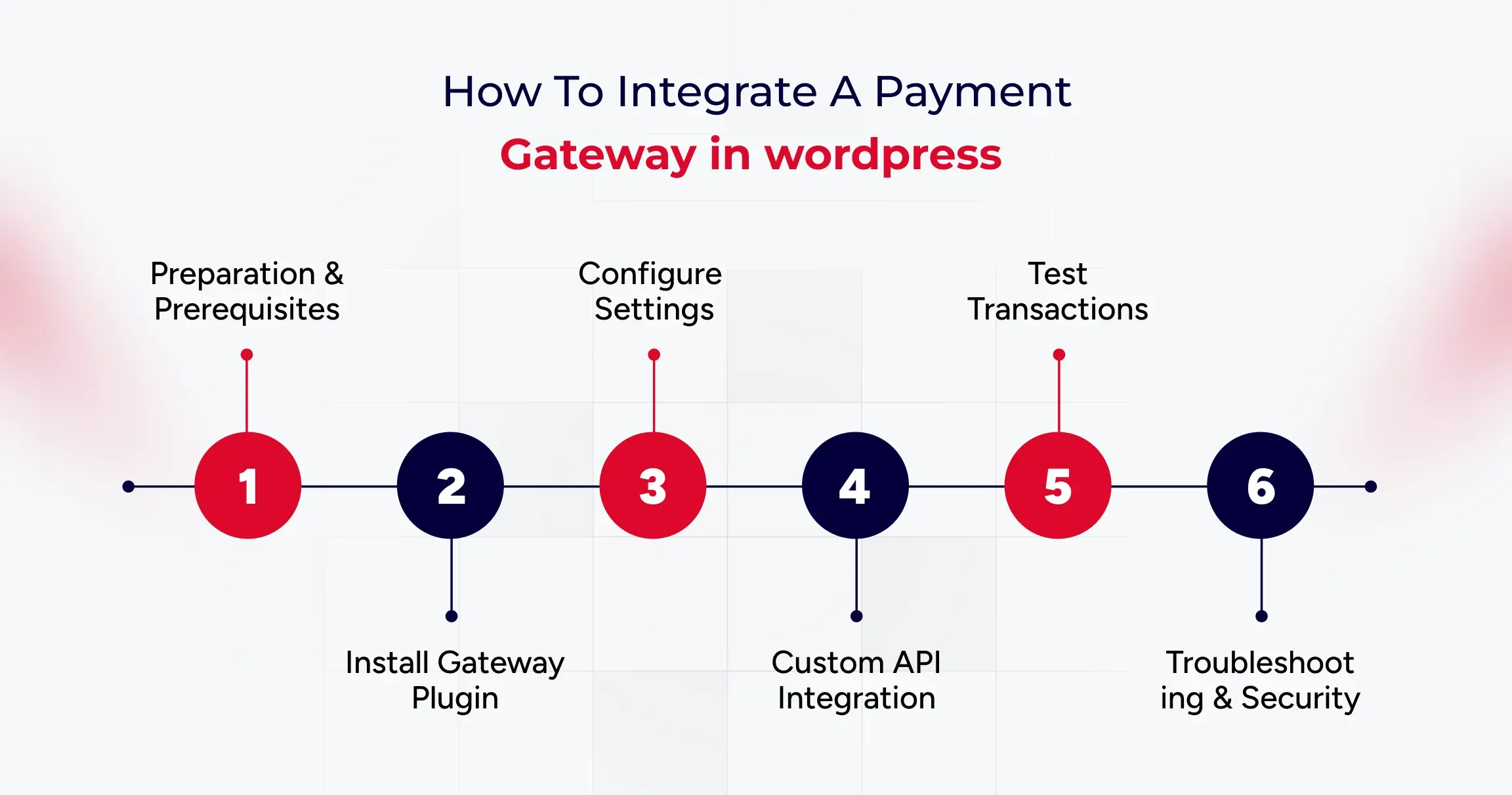
Step 1: Preparation and Prerequisites

Before installing software, you must ensure your host is secure. An active SSL certificate is mandatory, as browsers flag non-HTTPS sites as Not Secure, which undermines user trust immediately. You also need a server running PHP 7.4 or higher to support secure communication with gateway APIs.

Step 2: Installing the Gateway Plugin

WooCommerce manages payments through extensions. You navigate to Plugins in your dashboard to search for your provider,r such as WooPayments or Stripe. Installing the official plugin ensures stability and compatibility with the core platform.

Step 3: Configuring Standard Plugins

Native solutions connect your store directly to the processor within the dashboard. You simply click Connect to link your account, or paste API keys for developer-friendly options like Stripe. You must also configure webhooks to ensure your store receivesreal-timee updates for events like refunds.

Step 4: Implementing Custom APIs

High-volume merchants often build custom integrations by extending the WC Payment Gateway class. This allows you to implement bespoke logic and access cost-plus pricing, which is not available in standard plugins.

Step 5: Testing the Integration

You must switch your plugin to Sandbox mode and use dummy card numbers provided by the gateway to verify that orders transition from Pending to Processing correctly.

Step 6: Troubleshooting and Security

If orders remain Pending after payment, your firewall might be blocking webhooks. You must allow gateway endpoints to ensure communication. Additionally, you should use tokenization to keep raw card data off your server to meet SAQ A compliance, along with quality assurance testing services to identify and resolve transaction-related issues early.

Common Payment Gateway Errors in WordPress and How to Fix Them

Here are some common payment gateway errors you can fix to ensure a seamless user experience.

1. Payment Declined or Failed Transactions

Transactions often fail due to mismatched API credentials or server communication timeouts, which are usually indicated by cURL Error 28. Verifying Live versus Test keys and upgrading server libraries ensures seamless connectivity between the store and the processor.

Cloud providers such as AWS utilize automated health checks to detect connection failures instantly. Adopting similar monitoring for API responses helps prevent revenue loss from silent authentication errors or server timeouts.

2. SSL or HTTPS Errors

Gateways reject connections from sites that lack valid SSL certificates or support modern TLS protocols. Ensuring the site is served over HTTPS with TLS 1.2 ensures that sensitive data remains encrypted during the handshake.

Financial institutions automatically terminate connections that do not meet encryption standards. Implementing strict SSL protocols mirrors this security posture, protecting customer data from interception.

3. Webhook Errors

Orders remaining in Pending status typically indicate that a firewall is blocking webhook callbacks. Allowing gateway IP addresses enables external services to communicate payment success statuses back to the WordPress database.

Apps like Slack rely on open channels to deliver messages instantly. Configuring firewalls to accept gateway signals ensures that order dashboards reflect actual payment statuses without manual refreshes.

4. Checkout Page Not Loading

Aggressive caching of dynamic pages often leads to broken checkout experiences or empty carts. Excluding specific endpoints, such as Cart and My Account, from the caching rules ensures that every session remains unique and functional.

Retail giants like Amazon dynamically render shopping carts to ensure inventory accuracy. Disabling cache for transactional pages prevents users from seeing outdated content and reduces cart abandonment.

Tips to Secure Your WordPress Payment Gateway

Payment systems are not a one-time setup. Plugins, APIs, and security protocols evolve continuously, making regular updates essential. Many businesses use ongoing website maintenance services to monitor performance, apply patches, and prevent disruptions that could affect transactions or customer trust.

Here are some valuable tips to help you secure WordPress payment gateway integrations.

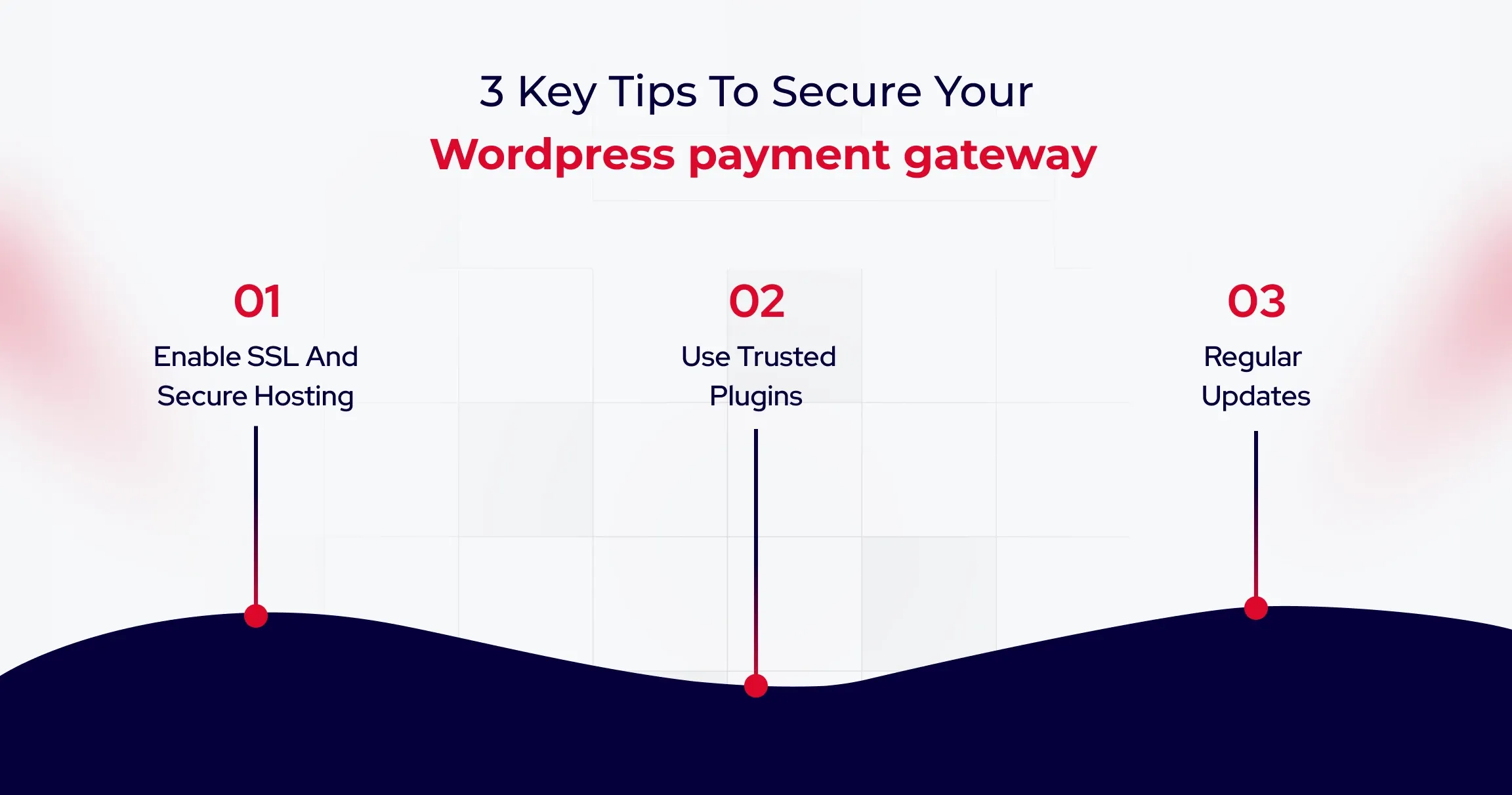
1. Enable SSL and Secure Hosting

An active SSL certificate is mandatory for any website handling payments. It encrypts data, ensuring that malicious actors cannot intercept sensitive information like credit card numbers.

Banks use encryption to signal safety immediately upon user arrival. You must prevent browsers from flagging your site as Not Secure, which destroys customer trust and prevents gateways from functioning.

Because payment processing involves sensitive financial data, advanced protections such as firewalls, malware scanning, and intrusion detection are critical. Companies handling significant transaction volumes often implement dedicated WordPress security services to reduce vulnerabilities and maintain compliance standards.

2. Use Trusted Plugins and Tokenization

You should only install plugins from verified sources and ensure they utilize tokenization. This process replaces sensitive data with a secure token, ensuring raw credit card details never touch your database. Modern SaaS providers keep data offsite to reduce compliance burdens. You can significantly lower your risk profile by adopting this architecture and avoiding SAQ D-level scrutiny.

3. Regular Updates and Two Factor Authentication

Outdated software is a common entry point for attackers. You must enforce strong passwords and implement Two Factor Authentication to protect administrative accounts from compromise. Corporate IT departments enforce strict access protocols to prevent unauthorized logins. You should restrict administrative access to only essential team members to reduce your attack surface.

Best Practices for Optimizing Payment Experience

Here are the best practices you can use to optimize eCommerce payment experience.

1. Reduce Checkout Steps

A complicated process is the primary cause of abandonment. To improve conversions further, you can explore AI A/B testing tools for WordPress to optimize checkout performance using real user data. To maximize conversions, you must minimize the number of form fields and implement Guest Checkout to reduce friction. Major retailers removed the requirement to create an account to speed up transactions. You can capture more revenue by allowing users to purchase without the hassle of registration.

2. Offer that lacks Payment Options.

Customer support expects to be paid using their preferred method, including digital wallets, which helps customers significantly increase their order value. International platforms optimize payment methods based on user location. You can increase conversion rates by offering local payment options such as UPI or iDEAL alongside standard credit cards.

3. Mobile Friendly Design

Your checkout experience must be fully responsive. Elements should automatically adapt to smaller screens, ensuring that input fields are large enough to tap easily. Mobile-first platforms prioritize touch-friendly interfaces to keep users engaged. You should use express payment buttons to enable one-tap purchases without entering card numbers.

As eCommerce continues to evolve, payment systems are no longer just technical components but critical business infrastructure that directly influences trust, conversion rates, and long-term customer retention.

Wrapping Up

Integrating a payment gateway in WordPress isn’t a technical checkbox. It’s a revenue decision that compounds with every transaction. The difference between payment systems that enable growth and those that constrain it isn’t the gateway you choose, but how you architect the integration. Businesses that scale efficiently often rely on white-label WordPress development services to build and manage complex payment systems without increasing internal workload.

Successful implementations treat payments as core infrastructure: prioritize SSL encryption, enforce tokenization, configure webhooks for real-time updates, and test rigorously before going live. Every day your payment architecture introduces friction is a day where competitors with seamless checkouts capture customers who started their journey on your site.

Start by auditing your current integration against the security and performance benchmarks outlined in this guide, then optimize systematically to transform checkout from a necessary evil into a competitive advantage.

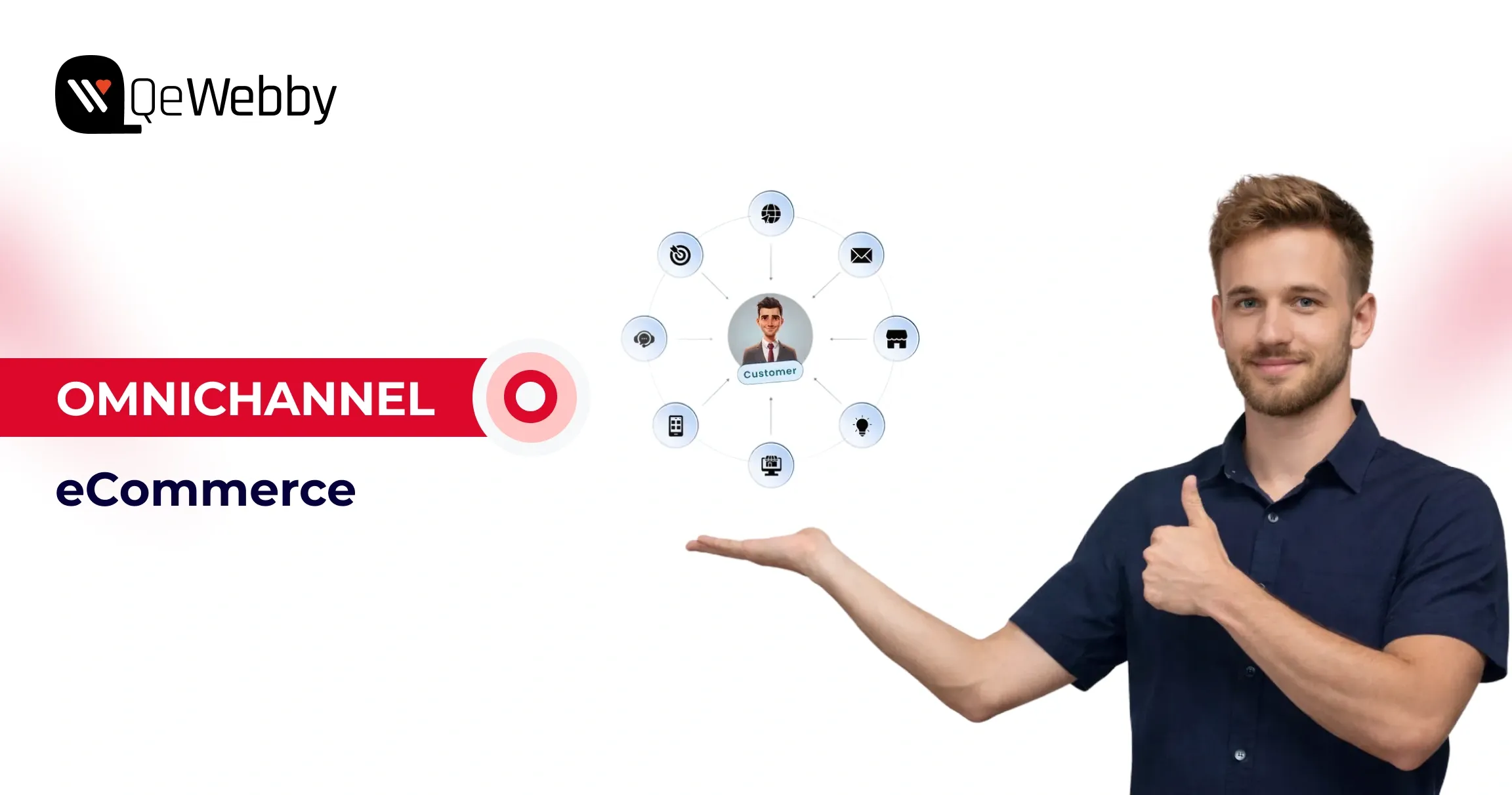
Omnichannel eCommerce: Syncing Web, Mobile & Email for B2B

Customers nowadays don’t shop in straight lines. They jump between devices, platforms, and touchpoints. A product might be discovered on social media, researched on a laptop, compared in a mobile app, and finally purchased in-store or through a website. For modern brands, this behaviour isn’t the exception anymore.

That’s exactly why omnichannel eCommerce has moved from being a competitive advantage to a business necessity.

Most businesses already operate across multiple channels that include websites, marketplaces, mobile apps, email campaigns, social platforms, and even have a physical presence. But being present everywhere isn’t the same as being connected everywhere. When these channels operate in silos, customers feel the friction and businesses feel the gap.

Omnichannel eCommerce changes that dynamic by unifying every interaction into one continuous experience. Instead of treating each channel as a standalone sales point, omnichannel creates a single, connected journey where customer data, inventory visibility, pricing, and engagement move seamlessly together. Whether a buyer starts browsing on Instagram or checks availability in-store before completing a purchase on their phone, every step feels intentional, personalized, and consistent.

This shift is especially critical for organizations building a modern B2B eCommerce strategy. Today’s B2B buyers behave more like B2C consumers; they expect instant access to product information, flexible purchasing options, and personalized experiences across digital touchpoints.

At its core, omnichannel eCommerce isn’t just about selling on more platforms. It’s about creating meaningful connections between systems, teams, and customers. It empowers brands to deliver relevance at scale, reduce operational friction, and respond faster to changing buyer behaviour. More importantly, it turns scattered interactions into a cohesive brand experience.

What Is Omnichannel eCommerce?

Omnichannel eCommerce is about creating one connected shopping journey across every customer touchpoint. Instead of treating your website, social media, mobile apps, marketplaces, and physical stores as separate channels, omnichannel eCommerce solutions unify them into a single experience where data, interactions, and transactions flow seamlessly.

This means a customer can discover a product on social media, check availability on your website, visit a store, and complete the purchase later on their phone without losing context along the way. Every interaction builds on the previous one, supported by shared customer data, consistent pricing, and personalized engagement.

Unlike multichannel selling, omnichannel ensures continuity rather than fragmentation. For businesses, this connectivity unlocks real operational value. The benefits of B2B eCommerce become clearer through improved buyer visibility, faster ordering, personalized pricing, and streamlined procurement workflows.

Ultimately, omnichannel eCommerce aligns your systems with modern buying behaviour, reducing friction, improving engagement, and turning disconnected touchpoints into a cohesive growth engine.

A seamless omnichannel experience begins with a scalable digital foundation. Businesses often invest in custom wordpress website development to build platforms capable of handling real-time integrations, personalized pricing, and complex B2B workflows across devices and touchpoints.

What Is The Difference Between Omnichannel and Multichannel?

At first glance, omnichannel and multichannel eCommerce appear similar. Both involve selling across multiple platforms. But the similarity ends there.

Multichannel simply means your business operates on more than one channel, which includes your website, marketplaces, social media, or mobile apps. Each channel functions independently. Pricing may vary. Customer data lives in silos. Messaging can feel inconsistent. From the buyer’s perspective, every interaction feels separate, often forcing them to restart their journey each time they switch platforms.

Omnichannel takes a fundamentally different approach.

With omnichannel eCommerce solutions, every channel is connected through shared data and unified systems. Customer preferences follow them from platform to platform. Product availability updates in real time. Branding, pricing, and communication remain consistent. The result is one continuous experience rather than a collection of disconnected touchpoints.

This distinction becomes especially important when shaping a modern B2B eCommerce strategy. Business buyers expect continuity across research, ordering, and post-purchase support. Omnichannel enables that flow, while multichannel merely provides options.

Multichannel uses multiple independent sales channels, while omnichannel integrates all channels into a single connected system with shared data and consistent customer experiences.

 Multichannel eCommerce Vs Omnichannel eCommerce

Aspect Multichannel eCommerce Omnichannel eCommerce
Core Approach Uses multiple sales channels independently Connects all channels into one unified experience
Customer Journey Fragmented; customers restart when switching platforms Seamless; every interaction builds on the previous one
Data Management Information stored in silos across platforms Centralized customer, product, and order data
Branding & Messaging Often inconsistent across channels Consistent branding, pricing, and communication everywhere
Inventory Visibility Limited or channel-specific Real-time inventory across all touchpoints
Personalisation Basic or isolated to individual channels Advanced personalization powered by shared customer insights
Operational Efficiency Requires manual coordination between systems Automated workflows reduce admin effort
Support Experience Separate service records per channel Single customer view for faster, better support
Suitability for B2B Limited scalability for complex buying journeys Ideal foundation for a modern B2B eCommerce strategy
Business Impact Increases reach but adds complexity Improves engagement, loyalty, and long-term growth

Key Benefits of Omnichannel eCommerce for B2B Businesses

When executed well, omnichannel commerce delivers measurable gains across customer experience, operational efficiency, and revenue. Modern omnichannel eCommerce solutions transform fragmented touchpoints into a unified ecosystem, helping businesses serve customers better while building a scalable digital foundation. Here’s how.

Capture Every Sales Opportunity

Omnichannel commerce enables businesses to meet demand wherever it appears. By connecting inventory across locations and digital channels, organizations gain real-time product visibility. Customers can browse online, check availability in-store, and complete purchases from any device without friction. This ability to say “yes” at every buying moment reduces lost sales and increases conversion rates.

Why is it needed?

Customers don’t wait. If a product isn’t available in their preferred channel, they move on. Omnichannel commerce connects inventory across locations and platforms, giving real-time visibility into stock levels. This allows businesses to fulfil demand instantly, whether purchases happen online, in-store, or through mobile, which helps reduce lost sales and improves conversion rates.

Deliver a Consistent and Cohesive Brand Experience

Customers expect continuity. Omnichannel ensures consistent messaging, pricing, and brand tone across websites, marketplaces, social platforms, and physical stores. Every interaction feels intentional rather than disconnected, strengthening trust and removing confusion caused by mismatched offers or policies.

Why is it needed?

Inconsistent messaging, pricing, or promotions create confusion and erode trust. Omnichannel ensures customers receive the same experience across websites, marketplaces, social platforms, and physical stores. This consistency strengthens brand credibility while eliminating friction caused by disconnected systems.

Gain a Complete View of the Customer Journey

By merging data from every channel, businesses unlock deeper insight into how customers discover products, switch platforms, and make purchase decisions. This holistic visibility reveals drop-off points, high-performing touchpoints, and engagement patterns, enabling teams to optimize experiences with precision instead of guesswork.

Why is it needed?

Without unified data, businesses see only fragments of buyer behaviour. Omnichannel consolidates touchpoints into a single customer view, revealing how people browse, switch channels, and convert. These insights help teams optimize experiences, reduce drop-offs, and make informed decisions backed by real behaviour.

Create Personalised Experiences That Drive Higher Value

A unified customer profile allows brands to tailor recommendations, promotions, and messaging based on real behaviour and preferences. These personalized interactions increase engagement, lift average order value, and encourage repeat purchases. For organizations refining their B2B eCommerce strategy, this also supports account-based pricing, customised catalogues, and streamlined reordering.

Deliver a Superior Customer Experience

Modern buyers move fluidly between channels, and omnichannel commerce supports that behaviour naturally. Whether customers start on social media, continue on mobile, and complete purchases in-store, or the sequence is reversed, the journey remains seamless. This continuity directly impacts satisfaction and spending, as connected experiences encourage larger and more frequent purchases.

Why is it needed?

Today’s buyers expect seamless journeys across devices and platforms. Omnichannel supports natural movement between channels, ensuring every interaction feels connected. This continuity improves satisfaction, increases basket size, and encourages repeat purchases.

Build Stronger Customer Loyalty and Advocacy

Consistent experiences foster trust, leading to repeat engagement and long-term relationships. Over time, satisfied buyers become brand advocates, recommending your business to peers and driving organic growth.

Why is it needed?

Trust grows through consistent experiences. When customers feel understood and supported across every touchpoint, they return more often and recommend your brand. Long-term loyalty reduces acquisition costs while creating sustainable growth.

Unlock Deeper Data and Actionable Insights

Every connected touchpoint generates valuable behavioural data. From browsing habits to promotion response, these insights inform smarter merchandising, more effective campaigns, and ongoing experience optimization. When supported by the right omnichannel eCommerce solutions, this data becomes a strategic asset rather than an operational burden.

Why is it needed?

Every connected interaction generates valuable behavioural data. Omnichannel brings this information together, enabling smarter merchandising, more effective campaigns, and continuous optimization. These insights become a strategic asset rather than scattered operational noise.

Increase Sales and Revenue Performance

Removing barriers between channels naturally boosts both conversion rates and average order value. Customers who engage across multiple platforms tend to purchase more frequently and spend more per transaction, making omnichannel a powerful driver of sustainable revenue growth.

Why is it needed?

Removing barriers between channels directly impacts revenue. Customers who engage across multiple platforms spend more and purchase more frequently. Omnichannel commerce increases conversion rates and average order value by meeting buyers wherever they are.

Improve Inventory Management and Operational Efficiency

Integrated inventory systems provide clear visibility across all sales channels, enabling accurate demand forecasting and better supply chain decisions. Businesses reduce overstock, avoid stockouts, and operate with greater agility, delivering better customer outcomes while protecting margins. These efficiencies are among the most practical benefits of B2B eCommerce, supporting scalable growth in complex buying environments.

Why is it needed?

Integrated inventory systems provide accurate demand forecasting and real-time visibility across all channels. This reduces overstock, prevents stockouts, and creates more agile supply chains. These efficiencies represent key benefits of B2B eCommerce, helping organizations scale without sacrificing profitability.

Why Omnichannel eCommerce Is Essential for Modern Retail?

Retail is no longer driven by single sales channels. Today’s customers move effortlessly between online stores, physical locations, and social platforms, and they expect every interaction to feel connected. This growing demand for seamless, personalized journeys is why omnichannel eCommerce solutions are becoming essential for modern retail.

Shoppers now discover products on one platform, research on another, and complete purchases elsewhere. When these touchpoints don’t align, the experience breaks. Omnichannel bridges this gap by creating continuity across channels, ensuring consistency in engagement, messaging, and service.

At the same time, data plays a critical role. Tracking customer behaviour across channels provides valuable insights that help improve satisfaction and engagement. Without this visibility, marketing and sales efforts lack direction.

Omnichannel eCommerce has also evolved beyond marketing. It now supports sales, inventory, loyalty, and customer engagement as a unified business foundation, helping retailers meet rising expectations with confidence.

Conclusion

Omnichannel eCommerce is about building a business ecosystem that adapts as fast as your customers do. As buyer expectations evolve and B2B journeys become more digital-first, businesses need platforms that don’t just support growth but actively accelerate it. That’s where the real opportunity lies: turning operational complexity into competitive advantage.

QeWebby helps brands do exactly that. As a digital solutions company and omnichannel eCommerce solutions provider, we design scalable, data-driven commerce experiences that support long-term business performance. Ready to modernize your eCommerce strategy? Contact us to start building your omnichannel future with confidence and modernize your eCommerce strategy.

A Quick Guide to Create High-Converting Lead Magnet Optin Forms

A simple Optin form can be the difference between a fleeting visitor and a loyal customer.

Simply obtaining site visitors is not sufficient for business success. To convert random site visitors into passionate clients you require conversion-driving approaches which guide prospects into client status. The application of lead magnet Optin forms is what comes into the role.

All forms have different levels of effectiveness since they do not function equally. Poorly designed Optin forms together with those positioned in inconvenient locations will allow prospects to escape your lead base. A lead magnet form that impresses prospects during their first interaction will help you establish trust while developing relationships that produce successful deals. So, whether you’re offering a free trial, a whitepaper, or an exclusive demo, here is the key to unlocking the leads you’ve been missing.

Ready to see your conversions skyrocket? Let’s get started!

Top 6 Benefits of Having a Lead Magnet Optin Form on Your WordPress Site

If you’re still on the fence about whether a lead magnet Optin form is right for your WordPress site, let’s break down the real benefits—because this isn’t just about collecting emails.

1. Capture Quality Leads Who Are Actually Interested

When you offer something valuable in exchange for someone’s email (like a free trial, eBook, or exclusive demo), you’re not just collecting random email addresses. You’re attracting leads who are genuinely interested in what your software can do. This means the leads you gather are more likely to convert into paying clients.

2. Build a Trusting Relationship with Your Audience

A lead magnet Optin form isn’t just a way to collect emails—it’s a way to start a conversation. By offering something of value upfront, you’re demonstrating that you’re not just interested in making a sale but in providing meaningful value. This builds trust from the get-go.

3. Nurture Leads with Automated Follow-Ups

One of the most powerful benefits of having a lead magnet Optin form is the ability to automate your lead nurturing. Once someone subscribes, you can set up an email sequence that guides them through the journey from visitor to customer.

4. Improve Conversion Rates and ROI

Once your form is set up and integrated with your email service provider, it practically runs itself. No more chasing down leads manually or relying on costly ad campaigns to generate interest. With an automated Optin form, you can continue growing your list, increasing conversions, and improving ROI—without lifting a finger.

5. Gain Valuable Insights into Your Audience

Your WordPress Optin form isn’t just a tool for collecting leads; it’s also a treasure trove of insights. By analyzing who is signing up, where they’re coming from, and what offers resonate the most, you can better understand your audience’s preferences and pain points.

6. Scale Your Business with a Growing Email List

With a lead magnet Optin form, you’re constantly growing this list with targeted, engaged leads who want to hear from you. As your list grows, so do your opportunities to nurture relationships, share updates, and upsell to existing customers. A well-maintained email list also gives you the chance to promote new features, upgrades, or special offers.

Easy Steps to Create a Lead Magnet Optin Form for Your WordPress Website

Creating a high-converting lead magnet Optin form for your WordPress site doesn’t have to be complicated. Whether you’re a WordPress pro or a beginner, there are several ways to get your form up and running.

  • Choose your Email marketing platform
  • Select a WordPress plugin for Optin forms
  • Create a lead magnet
  • Design your Optin form
  • Setup an Email marketing integration
  • Set display rules and targeting options
  • Create a thank-You page or confirmation message
  • Test and optimize your form

Here’s a simple, step-by-step guide to help you create a form that attracts and converts visitors into valuable leads.

  1. Choose Your Email Marketing Platform

Before you get started, you need an email marketing provider to store and manage your leads. Some of the most popular options include:

  • Mailchimp
  • ConvertKit
  • ActiveCampaign

Most of these platforms offer integration with WordPress plugins, making the process easier. Choose the platform that best suits your business needs and sign up for an account.

2. Select a WordPress Plugin for Optin Forms

Now that you’ve picked your email provider, it’s time to select a plugin to build and manage your Optin forms. There are several excellent WordPress plugins available, and the choice depends on your needs. Choose a plugin that fits your level of expertise and offers the features you need. Some popular ones include:

3. Create a Lead Magnet

This step is crucial—create a lead magnet that needs to be enticing enough for visitors to exchange their email addresses. Make sure you create a lead magnet that addresses a specific pain point your audience faces and is relevant to your software. A lead magnet could be:

  • A free trial or demo of your software
  • An eBook or whitepaper with valuable insights
  • Case studies showing how your product solves specific business problems
  • A checklist or template for potential customers

4. Design Your Optin Form

Once your plugin is installed and activated, it’s time to design your Optin form. Most plugins allow you to easily customize the design, so take advantage of that to make the form look professional and inviting. Here are some tips:

  • Keep it simple: Only ask for essential information—usually just name and email.
  • Be clear: Use a compelling headline that explains the value of the lead magnet. For example: “Get Our Free 30-Day Trial Now!”
  • Use a strong call-to-action (CTA): Make it action-oriented like “Download Now” or “Claim Your Free Trial.”
  • Match your branding: Ensure your form’s colors, fonts, and images align with your website’s look and feel.

5. Set Up Email Marketing Integration

After designing your Optin form, you need to connect it with your email marketing service. This will ensure that when someone submits the form, their email is added to your list and they get the promised lead magnet. Now, when someone subscribes to your Optin form, they’ll be automatically added to your list and sent the lead magnet. Here’s how to do it:

  • Go to your plugin settings and find the Email Integration section.
  • Enter the necessary API key or credentials from your email marketing service (Mailchimp, ConvertKit, etc.).
  • Map the form fields (like Name, Email) to your email service’s fields to ensure everything syncs correctly.

6. Set Display Rules and Targeting Options

The next step is deciding when and where your Optin form will appear on your site. Display rules help ensure your form is shown at the right time, maximizing conversions. Most plugins allow you to easily set these triggers to optimize your form’s visibility. Here are a few options to consider:

7. Create a Thank-You Page or Confirmation Message

Once a visitor submits their information, you want to thank them and guide them to the next step. Make sure your thank-you page or message is clear and directs them to the next action. You can either:

  • Redirect them to a thank-you page: This page can include a download link for your lead magnet, access to a trial, or even a CTA to schedule a demo.
  • Show a thank-you message: If you prefer, you can display a message on the same page thanking them and providing access to the lead magnet.

8. Test and Optimize Your Form

Before going live, it’s important to test your form. Most plugins offer built-in A/B testing tools, so you can compare different versions of your form to find the most effective one:

  • Check the design: Ensure it looks good on both desktop and mobile devices.
  • Test functionality: Make sure the form is submitted correctly and integrates seamlessly with your email provider.
  • Optimize for performance: Use A/B testing to try different headlines, CTAs, and form placements. Track your conversion rates to see which versions perform best.

Common Mistakes to Avoid When Create a Lead Magnet Optin Forms

While you create a lead magnet Optin form while custom wordpress development is an exciting step, it’s easy to make a few mistakes that can hinder its performance. Here are some common pitfalls to avoid to ensure your Optin form is both effective and efficient:

1. Asking for Too Much Information

One of the biggest mistakes is requesting too much information upfront. Keep it simple! The more fields you have, the less likely visitors will be to fill out your form. Stick to the basics: name and email. Only ask for additional details (like company name or phone number) if absolutely necessary.

2. Poorly Designed Forms

An unappealing form can turn visitors away. Avoid clutter and make sure your design aligns with your website’s branding. Your form should be easy to read, visually appealing, and mobile-friendly. A clear, compelling CTA and a well-placed form can make all the difference.

3. No Clear Value Proposition

If your lead magnet doesn’t immediately communicate its value, visitors won’t bother signing up. Make sure your form clearly explains what they’ll get and why it’s worth their time. Use attention-grabbing copy and highlight the benefits of your offer, whether it’s a free trial, an eBook, or an exclusive resource.

4. Failing to Follow Up Promptly

Once someone subscribes, don’t leave them hanging. If they’ve signed up for a free trial or resource, make sure to send the promised content immediately. Set up automated follow-up emails to engage them right away and keep them interested.

5. Not Optimizing for Mobile

More than half of web traffic comes from mobile devices, so if your Optin form isn’t optimized for mobile, you’re losing potential leads. Test your form across different devices to ensure it looks great and functions smoothly on smartphones and tablets.

6. Ignoring A/B Testing

Don’t just set it and forget it. Regularly A/B test your Optin forms to see what works best. Experiment with different headlines, CTA buttons, and form placements to optimize your conversion rate.

7. No Thank-You Page or Confirmation Message

Always provide a clear next step after someone submits the form. A thank-you page or confirmation message reassures users that their submission was successful. This also gives you an opportunity to guide them to further actions, like checking their email or scheduling a demo.

In a Nutshell

Your WordPress Optin form is more than just a tool—it’s your digital handshake with potential clients. By offering valuable content in exchange for their information, you’re not only growing your email list but also building trust and credibility. With the right strategy and ongoing optimization, your Optin form can be the driving force behind your lead generation efforts. Our custom WordPress development services are here to assist with plugin setup, form design, and optimization—so you can focus on what matters most: growing your software business.

Ready to Boost Your WordPress Conversions?

Let’s Connect

7 Proven Strategies to Skyrocket Your WooCommerce Sales

WooCommerce powers over 5 Million online stores worldwide! It is a robust platform for businesses aiming to capitalize on online sales opportunities. However, merely having an online presence is no longer sufficient to guarantee success. And especially to thrive in today’s competitive market, businesses must harness the power of technology-driven strategies to optimize their WooCommerce stores and maximize sales conversions.
Check out these 7 strategies that will elevate your WooCommerce sales game!

1. Optimize Your Product Pages

Optimize Your Product Pages

Your product pages are the digital storefront of your e-commerce business. They serve as the gateway to converting visitors into paying customers. Here’s how to fine-tune your product pages for maximum impact:

  • Craft product descriptions that not only inform but also inspire. Use vivid language to highlight the benefits and unique features of your products. Complement your descriptions with high-quality images that showcase your products from different angles, providing a clear and enticing visual representation.
  • Ensure your product pages are user-friendly and intuitive. Simplify navigation with clear and prominent CTAs, guiding visitors seamlessly towards making a purchase. Optimize your pages for mobile devices to accommodate the growing number of mobile shoppers, offering a smooth browsing experience across all devices.
  • Instill confidence in your potential customers by showcasing social proof. Incorporate customer reviews, testimonials, and ratings to demonstrate the quality and reliability of your products. Transparently communicate your shipping, return, and refund policies to reassure customers and foster trust.
  • Increase the visibility of your product pages in search engine results by optimizing for relevant keywords. Conduct keyword research to identify terms your audience is searching for and strategically incorporate them into your product titles and descriptions. Enhance your meta tags to improve your pages’ ranking and click-through rates.
  • Maximize sales opportunities by strategically presenting related or complementary products on your product pages. Encourage upselling and cross-selling by showcasing bundle offers or package deals. By suggesting additional items, you can increase the average order value and enhance the overall shopping experience.

WooCommerce development company like ours specializes in providing top-notch WooCommerce development services tailored to boost WooCommerce sales and enhance the performance of your WooCommerce store.

360 Product View for WooCommerce Plugin

Improve Your Customer Engagement with

Free Download

2. Utilize Discounts and Offers

Discounts and special offers can be powerful tools for driving sales and attracting customers. It creates a sense of urgency and exclusivity, motivating customers to purchase to take advantage of the savings. By offering discounts, you can enhance the perceived value of your products, making them more appealing to potential customers. Here’s why they work:

  • Offering discounts to first-time customers can encourage them to take the plunge and try your products or services.
  • It makes loyal customers feel rewarded as a token of appreciation for their continued support.
  • It re-engages customers who last made a purchase a while ago, enticing them to return and make another purchase.

And, here are some examples of how you can leverage them effectively in your business:

  • Flash Sales: Create a sense of urgency by offering limited-time discounts on select products, driving impulse purchases.

Flash Sales

  • Bundle Deals: Offer discounts on bundled products or packages, encouraging customers to purchase multiple items at once.

Blog Image

  • Tiered Discounts: Reward customers for spending more by offering tiered discounts based on order value or quantity purchased.

Blog Image

  • Holiday Promotions: Capitalize on seasonal events or holidays by offering special discounts or promotions to celebrate the occasion.

Blog Image

  • Referral Programs: Incentivize word-of-mouth marketing by offering discounts to customers who refer friends or family members to your business.

Blog Image

Comprehensive WooCommerce development services, coupled with strategic WooCommerce marketing tactics, can elevate your WooCommerce sales and drive business growth.

That Strategically Elevates Their WooCommerce Sales

Join the 10,000+ Businesses

Let’s Connect

3. Implement Upselling and Cross-selling Techniques

These two are powerful techniques to increase the average order value and maximize sales.

Upselling: Encouraging customers to upgrade to a more expensive or premium version of the product they’re considering. For example, offering a larger size or additional features.

Cross-selling: Recommending complementary or related products to accompany the item customers are purchasing. For example, suggesting batteries for a purchased electronic device.
Here’s how you can strategize to make it work:

  • Position upsell and cross-sell suggestions prominently on product pages or during the checkout process, where they are most likely to be noticed.
  • Ensure that upsell and cross-sell suggestions are relevant to the customer’s current purchase and align with their needs and preferences.
  • Leverage customer data and purchase history to personalize upsell and cross-sell suggestions, increasing the likelihood of relevance and effectiveness.
  • Provide personalized recommendations based on the customer’s preferences, previous purchases, and browsing behavior.
  • Highlight the benefits and value-add of the upsell or cross-sell suggestion, demonstrating how it enhances the customer’s overall experience or meets their specific needs.
  • Sweeten the deal by offering discounts or special promotions on upsell or cross-sell items, making the offer more enticing to customers.

4. Enhance UX Across Devices

Blog Image
Responsive design is paramount for ensuring a seamless and engaging user experience across all devices. With the increasing prevalence of smartphones and tablets, more users are accessing websites and making purchases on mobile devices. With that, mobile users also expect websites to load quickly and display properly on their devices, regardless of screen size or resolution. To make it advantageous, responsive design is favored by search engines like Google, as it provides a consistent user experience and improves website performance, leading to higher search rankings. Take a look at how you can easily implement it for your website:

  • Use Fluid Grids: Design your website using fluid grids that adapt and resize based on the user’s screen size, ensuring content remains readable and accessible.
  • Flexible Images: Use CSS techniques such as max-width: 100% to ensure images scale proportionally and maintain clarity across different devices.
  • Media Queries: Implement media queries to apply specific stylesheets based on screen size, allowing for targeted adjustments to layout, typography, and other design elements.
  • Optimize Page Speed: Prioritize performance optimization techniques such as image compression, minification of CSS and JavaScript files, and asynchronous loading to ensure fast load times on mobile devices.
  • Seamless Navigation: Ensure navigation menus, buttons, and links are easily accessible and functional on mobile devices, facilitating smooth and intuitive navigation.
  • Readable Content: Optimize typography for readability on smaller screens, using legible font sizes and ample spacing between text elements.
  • Thumb-Friendly Design: Place important interactive elements within easy reach of the user’s thumb, minimizing the need for scrolling or zooming.

From enhancing user experience to implementing effective WooCommerce marketing campaigns, our expertise in WooCommerce development services transforms your online store into a sales powerhouse.

5. Utilize Social Proof

Showcasing social proof is a powerful psychological phenomenon that influences purchasing decisions by leveraging the behavior and opinions of others. builds trust and credibility by showcasing the positive experiences and satisfaction of previous customers. builds trust and credibility by showcasing the positive experiences and satisfaction of previous customers. Additionally, it creates a sense of urgency and FOMO, encouraging customers to purchase to avoid missing out on a popular or highly-rated product. Some substantiated strategies that you can incorporate involve:

  • Customer Reviews and Testimonials
  • User-Generated Content
  • Social Media Mentions
  • Influencer Endorsements

Blog Image

Here are some proven ways to display these effectively:

Strategic Placement: Position social proof elements such as reviews, testimonials, and user-generated content prominently on product pages and checkout pages, where they are most likely to influence purchasing decisions.
Visual Presentation: Use appealing formats like star ratings, customer photos, and video testimonials to capture attention and engage users effectively.
Real-Time Updates: Ensure that social proof elements are dynamic and updated regularly to reflect the latest feedback and interactions from customers.
Importantly, don’t settle for mediocre results when it comes to your WooCommerce store. Partner with a WooCommerce development company that understands the intricacies of e-commerce and knows how to leverage the power of WooCommerce marketing to drive tangible results.

6. Integrate AI-Powered Chatbots

Chatbots leverage AI algorithms to analyze customer queries and provide tailored responses, offering a personalized support experience that meets individual needs. Moreover, AI-powered chatbots are available round-the-clock to assist customers with inquiries, providing instant responses and resolving issues promptly. It engages with visitors proactively, guiding them through the sales process, recommending products, and capturing leads for follow-up. But, here is what should be considered before integrating a chatbot on your business website:

Blog Image

  • Select a chatbot platform or plugin that integrates seamlessly with your WooCommerce store and offers advanced AI capabilities.
  • Customize your chatbot’s responses and workflows to align with your brand voice and customer service standards.
  • Integrate your chatbot with other tools and systems, such as CRM software and inventory management systems, to streamline workflows and enhance efficiency.
  • Test your chatbot thoroughly to ensure it functions correctly and provides accurate responses to customer queries.
  • To add a cherry on the cake, one can even offer multilingual support through your chatbot to cater to diverse customer demographics and enhance accessibility.

7. Leverage Email Marketing

Email provides a direct channel to reach your audience, allowing you to deliver targeted messages and promotions directly to their inbox. enables you to personalize your messages based on customer preferences, purchase history, and browsing behavior, increasing relevance and engagement. Moreover, regular email communication helps nurture relationships with customers over time, keeping your brand top-of-mind, and encouraging repeat purchases that ultimately boost WooCommerce sales.

Blog Image

Check out the following strategies to improve sales for your business using email marketing:

  • Segmentation: Segment your email list based on demographics, purchase behavior, or engagement level to deliver more targeted and relevant content to each group.
  • Compelling Subject Lines: Craft attention-grabbing subject lines that entice recipients to open your emails and discover what’s inside.
  • Clear CTA: Include a clear and prominent CTA in your emails, directing recipients to take the desired action, whether it’s making a purchase, signing up for a webinar, or visiting your website.
  • Engaging Content: Create engaging and valuable content that provides useful information, offers exclusive deals or promotions, or tells a compelling story about your brand.
  • Mobile Optimization: Design your emails with mobile users in mind, ensuring they are optimized for viewing on smartphones and tablets.
  • Visual Appeal: Use eye-catching visuals, such as images and graphics, to capture attention and make your emails visually appealing.
  • Consistent Branding: Maintain consistent branding across all elements of your email campaigns, including colors, fonts, and imagery, to reinforce brand recognition and trust.
  • Automated Workflows: Set up automated email workflows, such as welcome sequences, abandoned cart reminders, and post-purchase follow-ups, to streamline your marketing efforts and nurture leads.
  • Dynamic Content: Use dynamic content blocks to personalize your emails based on recipient data, such as name, location, or previous purchases.
  • Behavioral Triggers: You can even implement Trigger emails based on specific customer actions or behaviors, such as browsing certain products or abandoning a shopping cart, to deliver timely and relevant messages.

End Note

WooCommerce empowers businesses to connect with customers in meaningful ways. By harnessing the power of technology like AI chatbots, responsive design, email automation, various selling techniques, email marketing, psychological selling along social proof integration, it emerges as the hero in driving sales growth.
Leverage the full potential of your WooCommerce store with QeWebby. Contact us today for expert WooCommerce development services and take your online store to the next level!

Experience the Power of Data-Driven Strategies

To Boost Your Conversion Rate With About 87% !

Get in Touch !

How InstaView for WooCommerce Helps You Sell Quicker

Are you looking for a simpler way to showcase product details and improve the customer experience?

The quick product view presents a fantastic opportunity to grab attention and enhance engagement. It provides an effortless way for customers to preview products and swiftly add them to the cart.

By incorporating a quick view plugin, you streamline the buying process, making it more convenient for customers to make purchasing decisions, ultimately aiming to boost conversions and revenue.

Let’s explore more!

What does the Plugin Do?

InstaView for WooCommerce stands as a dynamic and feature-rich plugin meticulously crafted to elevate the overall user experience and functionality of WooCommerce online stores. This innovative tool represents a paradigm shift in how customers engage with products, introducing an array of functionalities aimed at streamlining the shopping journey, fostering instant engagement, and promoting overall efficiency.

At its core, InstaView redefines the conventional product interaction process by offering customers an immediate and comprehensive overview of the available products. This goes beyond the traditional approach of navigating through individual product pages, allowing users to quickly assess and explore various items directly from their current location within the online store.

InstaView for WooCommerce Plugin

Sell quicker with

Free Download

Why Do You Need InstaView for WooCommerce?

Whether you’re a seasoned eCommerce entrepreneur or just venturing into the online retail space, InstaView offers a universal solution. It’s not just a plugin; it’s a commitment to providing a modern, efficient, and enjoyable shopping experience for your customers. In the crowded digital marketplace, where every click matters, InstaView is your gateway to unlocking enhanced user satisfaction, increased engagement, and sustained success for your WooCommerce store.

For businesses operating WooCommerce stores, integrating the InstaView plugin becomes not just a choice but a strategic necessity. This plugin addresses several crucial aspects of the online shopping experience, making it an invaluable asset for enhancing their store’s performance and user satisfaction.

Here’s how your eCommerce business can benefit from incorporating this plugin:

  • Enhanced User Experience – InstaView creates an immersive and user-friendly product exploration experience. Customers can quickly access product details without navigating away, reducing friction and enhancing overall satisfaction.
  • Faster Decision-Making – The plugin’s quick popups and instant loading capabilities empower customers to make faster purchasing decisions. The immediate access to key product information eliminates delays, reducing the likelihood of hesitation or second-guessing.
  • Reduced Cart Abandonment – By streamlining the shopping process with features like asynchronous cart operations and express checkout, InstaView minimizes steps, making it less likely for customers to abandon their carts. This contributes to higher conversion rates and increased revenue.
  • Competitive Advantage – Offering a modern and efficient shopping experience sets your eCommerce business apart from competitors. InstaView provides a competitive edge by aligning with contemporary customer expectations, attracting and retaining customers in a competitive market.
  • Improved Customer Engagement – The visually appealing popups and dynamic content loading keep customers engaged with your products. Extended time spent exploring products translates into increased interaction and a higher likelihood of making a purchase.
  • Mobile Responsiveness – InstaView’s mobile-first design ensures a seamless experience for customers accessing your store from smartphones and tablets. This adaptability caters to the growing trend of mobile commerce, expanding your reach and potential customer base.
  • Efficient Resource Utilization – The selective fetching of information and intelligent caching mechanisms optimize resource utilization. This not only contributes to a faster website but also ensures that server resources are used efficiently, improving overall site performance.
  • Time and Cost Savings – The efficiency gained by minimizing page reloads and unnecessary clicks results in time and cost savings. Users spend less time navigating, and your business benefits from a more streamlined and resource-efficient operation.
  • Positive Impact on SEO – Fast-loading pages and a smooth user experience contribute positively to search engine optimization (SEO) rankings. Google and other search engines prioritize user-friendly websites, potentially improving your eCommerce store’s visibility in search results.

How To Setup InstaView for WooCommerce Plugin?

InstaView transforms the traditional WooCommerce experience into a dynamic and efficient process. By leveraging asynchronous loading, selective data retrieval, lazy loading, efficient modal windows, intelligent caching, mobile-first design, event-driven interactivity, and asynchronous cart operations, the plugin ensures that users can explore and interact with products swiftly, resulting in a responsive, engaging, and streamlined shopping experience.

Step 1: Install and enable the InstaView for WooCommerce Plugin

Upon installation and activation of InstaView for WooCommerce plugin, it seamlessly integrates product quick view capabilities into your WooCommerce store immediately. By default, an InstaView button is automatically added to the primary shop page and category archives.

Upon clicking the button, the InstaView lightbox unveils and showcases:

  • Brief product description
  • Add to cart button
  • Image Gallery
  • Additional metadata including category, tags, and SKU code
  • Price information
  • Reviews
  • Along with various other essential product data as needed
Step 2: Select the InstaView Opening Preference for Shoppers

To access the settings for WooCommerce InstaView, utilize the plugin’s setup wizard or navigate to:

WooCommerce → Settings → Products → InstaView.

The initial setting to configure involves determining how shoppers initiate the quick view popup. Initially, you can decide whether to employ the dedicated quick view button. If opting for the button, you also have the flexibility to, enable or disable the button icon. Furthermore, you can specify whether to activate the quick view when a shopper clicks on the product’s title or image.

Quick Tip: In online shopping, visually driven products benefit from InstaView with larger images, making it easy for users to add items like dresses to their carts. Conversely, spec-driven products, such as laptops, require a deeper dive into detailed specs, usually found on the product details page. These detailed specifications are crucial for relatively expensive purchases. For websites focused on spec-driven products, like consumer electronics or industrial equipment, prioritizing improvements in Product List UX proves more effective than just focusing on InstaView Feature for your products.

Get The Most Convenient WooCommerce InstaView Plugin Today!

InstaView for WooCommerce goes beyond being a mere plugin; it transforms the entire shopping experience. By integrating this innovative tool into your WooCommerce store, you not only provide customers with a more engaging and efficient means of product exploration but also lay the foundation for increased satisfaction and potential improvements in conversion rates. Moreover, statistics reveal that approximately 45% of shoppers are inclined to utilize InstaView features.

Transform your eCommerce vision into reality! Elevate your online store with our expert WooCommerce development services. Let’s build a seamless and high-performing shopping experience together. Contact us now for tailored solutions that drive success in the digital marketplace

InstaView for WooCommerce Plugin

Sell quicker with

Free Download

5 Best Practices for Choosing the Right B2B eCommerce Platform

Smart B2B businesses recognize that 89% of buyers prefer vendors with strong eCommerce solutions. Although, it’s a misconception to think that the future of online shopping is limited to B2C platforms. Forrester Research predicts that the US B2B eCommerce sector will surge to $2 trillion by year-end and reach $3 trillion by 2027.

Think about the advantages of embracing a B2B eCommerce platform if you are in the B2B sector. It has the potential to streamline operations for both your clients and your team, paving the way for accelerated growth and enhanced efficiency. Let’s delve deeper into the process of selecting the ideal B2B eCommerce platform for your business.

What’s Important in a B2B Platform, Anyway?

A robust and effective platform is the backbone of your business success. It’s not just a digital space; it’s a dynamic tool that can transform the way you interact with clients, manage transactions, and facilitate growth. So, what exactly is important in a B2B platform?

  • Seamless User Experience
  • Scalability
  • Customization
  • Security Measures
  • Integration Capabilities
  • Mobile Responsiveness
  • Excellent Customer Support

B2B eCommerce Platform Checklist for Better Selection

Grab this checklist on the go and explore it even when you’re offline!

Download Now

5 Best Practices for Selecting the Ideal B2B eCommerce Platform

The eCommerce platform you choose is the foundation of your online store. To help you make the right choice, let’s categorize the selection process into five key criteria, aligning with best practices based on user needs.

#1 Selection Based on Your Product Type

B2B businesses often deal with a wide array of products, ranging from physical goods and digital items to services and subscriptions. Each category necessitates a distinct approach in terms of presentation, payment methods, and user experience. Identifying the primary nature of your products is the initial step in this selection process.

Image Source: Physical, Digital, Service

  • Physical Products: For businesses dealing in physical products, a robust B2B platform should seamlessly integrate with shipping carriers. Efficient logistics management, including real-time tracking and inventory synchronization, becomes vital. Businesses that deal in physical products such as electronics (e.g., smartphones, laptops), machinery (e.g., industrial equipment, manufacturing machinery), or industrial supplies (e.g., safety gear, construction materials), need a platform that integrates seamlessly with shipping carriers. For that, features like weight-based or location-based shipping fees are essential to ensure accurate cost calculations for both you and your clients.
  • Digital Products: Digital products such as software, eBooks, or multimedia files demand heightened security measures. Platforms like WooCommerce, with its extensive plugin library, enable you to implement secure payment gateways like Stripe or PayPal. Easy Digital Downloads (EDD) is another WordPress-based solution tailored for digital products. These platforms provide secure transactions and download links, ensuring that your clients receive their digital goods promptly and safely.
  • Service-based Products: Businesses offering services or subscription-based products, such as consulting services or software subscriptions, require platforms that support flexible payment models. B2B platforms should support recurring payments, allowing seamless billing cycles for ongoing services. Additionally, features like trial periods, subscription upgrades, and automated invoicing enhance user experience for both you and your clients.

#2 Selection Based on Customization Capabilities for Exceptional User Experience

Today, businesses are increasingly aware that a one-size-fits-all approach doesn’t suffice. Your clients are diverse, with varying preferences, technical expertise, and business requirements. Tailoring your platform’s UX ensures that your users find the buying process intuitive, efficient, and delightful. Whether it’s simplifying complex ordering processes, enabling quick product searches, or offering personalized recommendations, a customized UX addresses these specific needs, fostering a positive customer journey.

Check out these key elements of your UX that require customization:

  • Navigation: A platform should allow you to create logical menu structures, categorize products effectively, and implement filters for easy product discovery.
  • Search Functionality: Advanced search options, including filters, auto-suggestions, and synonym recognition, enhance the search experience.
  • Product Presentation: From high-quality images and detailed descriptions to interactive elements like product videos and 360-degree views, a tailored product presentation enhances client engagement.
  • Account Management: The ability to set up multiple users, manage permissions, access order history, and facilitate bulk ordering simplifies their procurement process.

#3 Selection Based on Design Elements

Choosing a B2B platform based on its design elements is not just about aesthetics; it’s about creating an immersive, intuitive, and trust-building user experience. Here are the key aspects of design elements that should guide your selection process:

  • Themes and Templates: Themes serve as a foundation, allowing businesses to modify layouts, color schemes, and typography to align with their brand identity. With 80% of visitors attributing design to credibility, choosing the perfect theme on your platform is paramount to securing a lasting impression and ensuring 70% higher conversion rates for your business.
  • Block Editors: With a 40% increase in customization options, block editors ensure higher user interaction, enhancing the overall shopping experience for customers on your B2B eCommerce platform. It empowers businesses to create custom layouts without intricate coding. Drag-and-drop functionality and a variety of content blocks facilitate the creation of visually appealing product pages and landing pages.
  • Design Elements: Design Elements are the heart of your B2B eCommerce platform, shaping your brand identity and user experience. They ensure a visually appealing and intuitive interface, enhancing customer engagement and trust, making them essential for a successful online business.
  • Color Palette: Colors evoke emotions and convey brand identity. A harmonious color scheme not only enhances visual appeal but also creates a consistent and memorable brand image. For instance, a medical equipment supplier might opt for calming blues and whites to instill trust, while a technology provider might choose vibrant, modern hues to signify innovation.
  • Typography: Clear and readable fonts are fundamental. Choose fonts that align with your brand personality and ensure readability across devices. Serif fonts can evoke tradition and reliability, while sans-serif fonts often convey modernity and simplicity.
  • Interactive Elements: Buttons, forms, and other interactive elements should be intuitive and responsive. Interactive design fosters engagement, guiding visitors seamlessly through the buying process.
  • Multimedia Integration: High-quality images, product videos, and interactive media enrich the browsing experience. Showcase products from multiple angles, provide detailed images, and incorporate videos demonstrating product features. Platforms like WooCommerce enable easy multimedia integration, allowing businesses to create compelling product presentations.

#4 Selection Based on Integration Capabilities

Choosing a B2B platform that seamlessly integrates with various software and tools is essential for managing diverse aspects of your enterprise, from inventory and customer relationship management to payment processing and analytics. Look for the following integration capabilities in a B2B platform:

  • Customer Relationship Management (CRM) Systems: Integration with CRM software enables you to manage client relationships, track interactions, and personalize customer experiences. Salesforce, HubSpot, and Zoho CRM are popular CRM systems that seamlessly integrate with various B2B platforms.
  • Enterprise Resource Planning (ERP) Systems: ERP integrations centralize business processes, including inventory management, order fulfillment, and financial reporting. Platforms like SAP, Oracle NetSuite, and Microsoft Dynamics offer robust ERP solutions, often with pre-built integrations for leading eCommerce platforms.
  • Inventory Management Tools: Integration with inventory management systems ensures real-time visibility into stock levels, preventing over-selling and stockouts. Tools like TradeGecko and Skubana integrate seamlessly with eCommerce platforms, providing advanced inventory control features.
  • Payment Gateways: Secure and diverse payment options are crucial for B2B transactions. Evaluate platforms that support major payment gateways like Stripe, PayPal, and Square. Consider gateways that offer features such as multi-currency support and subscription billing for enhanced flexibility.
  • Shipping and Logistics: Integration with shipping carriers streamlines order fulfillment, automates label generation, and provides real-time tracking information to customers. Consider platforms compatible with carriers like UPS, FedEx, and DHL for efficient shipping operations.
  • Marketing and Analytics Tools: Integrations with marketing automation platforms (e.g., Mailchimp) and analytics tools (e.g., Google Analytics) enable data-driven marketing strategies and performance tracking.

#5 Selection Based on Security Potential

Security encompasses a range of aspects, including data protection, payment security, user privacy, and safeguarding against cyber threats. For B2B platforms, security is not just a feature; it’s a fundamental requirement. A secure platform not only protects your business and customers but also fosters confidence, leading to long-term relationships with clients and partners. Here’s how you evaluate the security aspects of a B2B platform:

  • Data encryption & SSL certificates: Data encryption ensures that all information exchanged between your website and users remains private and secure. Secure Sockets Layer (SSL) certificates encrypt data transmissions, preventing unauthorized access during communication.
  • Compliance with Regulations: Various regions and industries have specific regulations governing data protection and privacy, such as GDPR in Europe and HIPAA in healthcare.
  • Regular Security Audits and Updates: Cyber threats evolve continuously. A reputable B2B platform conducts regular security audits to identify vulnerabilities and employs timely updates and patches to address them.
  • Authentication and Authorization Protocols: Implement multi-factor authentication (MFA) and strong password policies to fortify user access controls. MFA adds an extra layer of security, requiring users to provide multiple forms of identification before accessing sensitive data or performing critical actions.
  • Payment Security: For B2B transactions, payment security is paramount. Choose platforms that support reputable payment gateways and comply with Payment Card Industry Data Security Standard (PCI DSS) requirements. PCI DSS ensures secure handling of credit card information, reducing the risk of data breaches and financial fraud.
  • Firewalls and Intrusion Detection Systems: Robust firewalls and intrusion detection systems (IDS) provide a proactive defense against malicious attacks. Firewalls filter incoming and outgoing traffic, blocking unauthorized access, while IDS monitors network activities, detecting and alerting you to potential security threats.
  • Security Certifications and Partnerships: Look for B2B platforms that have security certifications or partnerships with cybersecurity organizations. Certifications like ISO 27001 demonstrate a commitment to information security management, indicating a high level of dedication to safeguarding user data and maintaining robust security practices.

End Note

Selecting the right B2B eCommerce platform is a pivotal decision that will significantly impact the success and growth of your business. The right platform should offer customization, robust design elements, seamless integration capabilities, and top-notch security features. As you embark on this journey to transform your B2B eCommerce venture, we invite you to explore our trusted services in WooCommerce B2B development. Our expert team stands ready to help you build a powerful and tailored online presence that not only meets but exceeds your expectations. Contact us today to take the next step toward eCommerce excellence and success. Your journey to a thriving B2B eCommerce platform begins here.